Key takeaways
- Find the best motion camera for car security: four dash cams with motion-detection parking mode, buffered clips, night vision and hardwire advice.
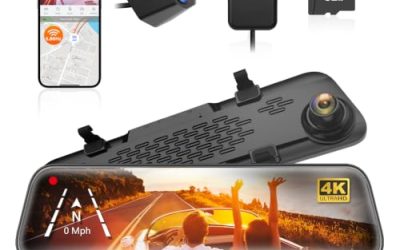
A motion camera for a car is not a separate gadget category so much as a dash cam doing a second job. While you drive, it records the road like any dash cam. When you park and switch off, it keeps watch: if someone walks up to the car, loiters by a window, or bumps a door in a car park, the camera wakes, records the event, and saves the clip where loop recording cannot overwrite it. That parked-car surveillance is what separates a true motion camera from a basic driving recorder, and it is the feature this guide is built around.
Every pick below is a dash cam whose maker states a motion-detection parking mode or an equivalent parked monitoring feature on its product listing. As an Amazon Associate we earn from qualifying purchases. The four cameras cover the main ways drivers use this feature: buffered three-channel coverage for maximum evidence, a triple-camera setup with a strong night sensor, a front-and-rear pair that bundles its memory card, and a tiny single camera that can send phone alerts when something happens near the car.
How Motion Detection in a Car Camera Actually Works
Motion detection sounds simple, but manufacturers implement it in several different ways, and the differences decide whether you get useful evidence or a card full of trees moving in the wind.
Motion-triggered recording. The camera sits in a low-power standby state with its image sensor watching the scene. When pixels change enough between frames — a person crossing in front of the bonnet, a car pulling into the next space — it starts recording. Better systems let you adjust sensitivity and mask out busy areas, which matters if you park facing a pavement or a main road where constant movement would trigger the camera all night.
Buffered event recording. This is the most valuable variant. The camera continuously holds a rolling buffer of recent seconds in memory. When motion or an impact triggers it, the saved clip includes the seconds before the trigger as well as after it. Those pre-event seconds often show the approach — the part that identifies who was near the car — rather than just the moment of contact. One of the picks below stores fifteen seconds before and thirty seconds after a detected event.
Impact detection. A G-sensor feels physical shocks: a door ding, a low-speed nudge, a break-in attempt. Impact detection complements motion detection because some events, like a bump from behind in the dark, involve little visible movement in frame until the moment of contact. Most parking modes combine both triggers.
Time-lapse and low-bitrate modes. Instead of waiting for a trigger, these record continuously at a reduced frame rate or bitrate while parked. Time-lapse at one frame per second sips power and storage, and it never misses a slow event that might not trip a motion threshold, but faces and plates are harder to read in the footage. Low-bitrate recording keeps full frame rates at reduced quality. Many cameras offer all three approaches, and which one suits you depends on how long the car sits parked and how much battery draw you accept.
Power is the catch. A camera plugged into a standard 12V socket usually loses power when the ignition is off, so parking mode normally needs a hardwire kit connected to the fuse box, an OBD power cable, or a dedicated dash cam battery pack. A good hardwire kit includes a low-voltage cut-off that stops drawing power before the car battery drops too far to start the engine. Every camera below needs some form of constant power for its parked features, and the kits are typically sold separately — factor that into the real cost of ownership from the start.
What to Look For Before You Buy
Channel coverage. A front-only camera sees what happens ahead of the car. Adding a rear channel covers the other end, and a cabin channel watches the interior and side windows — useful if the worry is break-ins rather than parking bumps. Motion detection only helps for the directions the lenses actually face, so match the channel count to where incidents are likely.
Night performance. Parked incidents happen disproportionately at night. Sensor quality matters more than headline resolution here: large, light-sensitive sensors such as Sony’s STARVIS 2 line are designed to keep shadow detail readable under street lighting, and HDR helps balance dark surroundings against bright headlights or security lamps.
Storage and card endurance. Motion events, time-lapse and buffered clips all write to a microSD card that endures constant rewriting. Use a high-endurance card rated for surveillance or dash cam duty, and size it generously: multi-channel 4K recording fills cards quickly, and loop recording will eventually overwrite older parked events if the card is small. Check each camera’s maximum supported capacity before buying the card.
Capacitor versus battery. Cameras with a supercapacitor instead of a lithium battery tolerate hot windscreens better and avoid battery swelling over time, which is worth prioritising if the car parks in sun. The trade-off is that a capacitor holds only enough charge to finish saving a file when power cuts — it cannot run parking mode on its own, so constant power is still required.
Alerts and access. Some cameras simply store clips for you to review later. Others can push a notification to your phone when an incident is detected while parked, which changes the feature from evidence gathering into something closer to an alarm. Read the fine print: alert features may need Wi-Fi within range of the parked car, constant power, and in one case below, a paid subscription.
The Picks
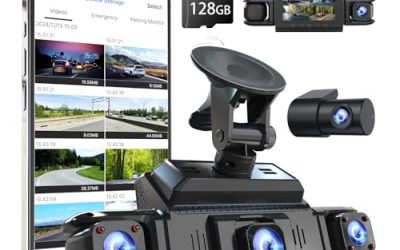
VIOFO A229 Pro 3CH — Buffered Motion Capture on Three Channels
The A229 Pro 3CH is the most complete motion camera package in this guide, and its parking mode is the headline reason. VIOFO lists three parking modes: Auto Event Detection, Low Bitrate, and Time Lapse. Auto Event Detection is the motion-sensing one, and it is buffered — when the camera detects moving objects while parked, the saved footage runs from fifteen seconds before the event to thirty seconds after it, so the clip shows the lead-up rather than starting at the moment of contact.
Coverage is three channels: a 4K front camera on a Sony STARVIS 2 IMX678 sensor, a 2K rear camera on an IMX675, and a 1080P cabin camera with infrared LEDs that switch on automatically in low light for black-and-white interior recording. HDR is applied across all three channels, which helps plates stay readable when a scene mixes dark corners with bright lamps. While driving, the quad-mode GPS logger records location and speed, 5GHz Wi-Fi connects to the VIOFO app for settings and downloads, and twelve voice commands handle common actions hands-free. A CPL filter is included for the front lens to cut windscreen glare.
Power design suits parked duty: a built-in supercapacitor replaces a battery, and VIOFO rates operation from 5°F to 149°F. Parking modes require the VIOFO HK4 hardwire kit, which is not in the box, and no memory card is included either — the camera supports cards up to 512GB, and VIOFO recommends its own high-endurance cards. Buy the kit and a large endurance card alongside the camera and the setup is complete.
- https://www.amazon.com/dp/B0CKYGLT5M
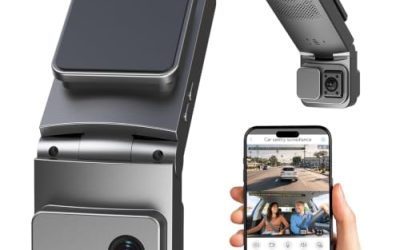
Vantrue N4 Pro — Three Channels with 24-Hour Parking Mode
The Vantrue N4 Pro records front, cabin and rear views from a single front unit plus a rear camera: 4K at the front, 1080P for the interior and 1080P at the rear. Its listing leads with a 24-hour parking mode, which is the feature that earns it a place here — with the camera hardwired, it keeps monitoring the parked car for movement and impacts around the clock rather than only recording while you drive.
The front camera uses a Sony STARVIS 2 IMX678 sensor with Vantrue’s PlatePix technology and HDR night vision, a combination aimed at keeping number plates legible after dark — exactly when parked-car footage is most likely to be needed. Voice control, built-in Wi-Fi and GPS round out the driving features, and the camera accepts microSD cards up to 512GB, giving multi-channel parking footage room to accumulate before loop recording recycles it.
As with the VIOFO, parking mode is not available from the box contents alone: Vantrue states that a hardwire kit, sold separately, is required to use it. Plan on that kit as part of the purchase, choose the low-voltage protection setting that suits your battery, and the N4 Pro becomes a full-time watch over both ends of the car and the cabin between them — a sensible configuration for rideshare drivers and anyone who parks on the street overnight.
- https://www.amazon.com/dp/B0C3M7HPRT
ROVE R2-4K DUAL PRO — Motion Detection with the Card Included
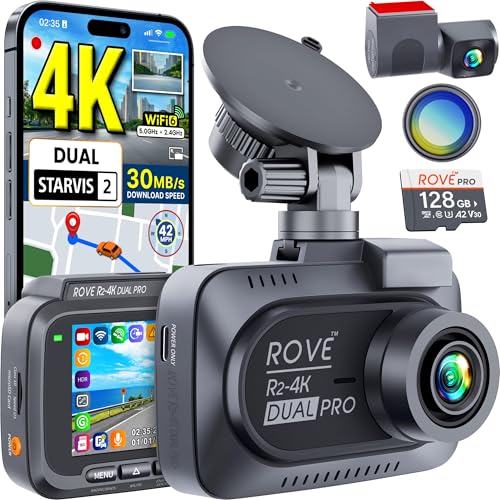
ROVE’s R2-4K DUAL PRO takes a front-and-rear approach: true 4K recording at the front and 2K at the rear, using Sony STARVIS 2 sensors on both channels — IMX678 ahead and IMX675 behind. Its 24-hour parking monitor offers three intelligent options, and the first of them is the one this guide cares about: motion detection, which wakes the camera and records when movement is sensed near the parked car. Collision detection and a 1FPS time-lapse mode are the other two options, so you can trade responsiveness for power savings depending on where the car is parked.
The bundle is unusually complete. A 128GB ROVE PRO microSD card and a CPL filter are in the box, along with both suction and adhesive mounts, so the camera can go onto the windscreen the day it arrives. Dual-band Wi-Fi 6 supports fast transfers to the ROVE app, a quad-mode GPS logs route and speed data, and a 3-inch IPS screen on the unit makes settings and playback possible without a phone. Supercapacitor power keeps the hardware tolerant of hot and cold cabins.
Parking monitoring still needs constant power, which means a hardwire kit bought separately — the included car charger only covers driving. Even so, for a driver who wants motion-triggered parked recording at both ends of the car without first shopping for a memory card, this is the most straightforward package of the four.
- https://www.amazon.com/dp/B0F9SX3JB9
Garmin Dash Cam Mini 3 — The Discreet Option with Phone Alerts
The Mini 3 is the outlier here: a key-sized, screen-free cylinder that records 1080p through a 140-degree lens and almost disappears behind the rear-view mirror. It earns its place because of Parking Guard. When the camera is connected to constant power and Wi-Fi, Parking Guard sends a notification to your phone through the Garmin Drive app if an incident is detected while you are away from the vehicle, and Garmin’s parking mode cable lets the camera monitor the parked car and start recording when its sensor detects motion.
That alert capability comes with the longest list of conditions in this guide. Garmin states that Parking Guard and remote live view require a paid Vault subscription, an active Wi-Fi connection, constant power and the Garmin Drive app — so the parked car needs to be within range of a network you control, such as a home driveway near your router. Power options are Garmin’s Constant Power Cable, which draws from the OBD-II port, or the parking mode cable for a hardwired install; the in-box cable only powers the camera while driving.
In return you get the simplest driving experience of the four: automatic incident recording, voice control, a built-in Clarity polarizer to reduce windscreen glare, and a supercapacitor design. There is no screen and no built-in GPS, and a microSD card (up to 512GB supported) is not included. Choose it if discretion and phone alerts matter more than channel count — for a car parked at home within Wi-Fi reach, it behaves less like a recorder and more like a sentry.
- https://www.amazon.com/dp/B0DDM7PFLW
Quick Comparison
| Camera | Channels | Parked motion feature | Power note |
|---|---|---|---|
| VIOFO A229 Pro 3CH | Front, cabin, rear | Buffered auto event detection, plus low-bitrate and time-lapse modes | HK4 hardwire kit required, sold separately |
| Vantrue N4 Pro | Front, cabin, rear | 24-hour parking mode | Hardwire kit required, sold separately |
| ROVE R2-4K DUAL PRO | Front, rear | Motion detection, collision detection and 1FPS time-lapse parking monitor | Hardwire kit required, sold separately; 128GB card included |
| Garmin Dash Cam Mini 3 | Front only | Parking Guard alerts; motion-triggered recording with parking mode cable | Constant power cable or hardwire; alerts need Wi-Fi and Vault subscription |
Setup Tips for Reliable Motion Recording
Set sensitivity for where you park. High sensitivity on a busy street fills the card with passing traffic and drains the battery faster through constant wake-ups. Start at a medium setting, review a night of events, and adjust. A camera facing a quiet driveway can run more sensitive settings than one facing a main road.
Mind the cut-off voltage. Hardwire kits let you choose the battery voltage at which the camera shuts down. Older or smaller batteries deserve a more conservative cut-off, especially in cold weather, so the car always starts in the morning.
Format the card in the camera. Dash cams are picky about file systems. Format a new high-endurance card in the camera itself before first use, and reformat periodically — heavy parking-mode use writes to the card constantly.
Check the view at night. After installing, review footage after dark from the actual parking spot. Street lamps in frame can fool exposure; a slight downward tilt usually keeps plates and people readable rather than silhouetted.
Know the local rules. Some jurisdictions restrict windscreen mounting positions, and cabin audio or video recording can be regulated where passengers are concerned. A quick check of local rules avoids problems later.
Frequently Asked Questions
Does a motion camera record all night?
Only in its continuous parked modes. Motion-triggered recording stays in standby and saves clips around detected events, which uses far less power and storage. Time-lapse modes record continuously at a reduced frame rate. Either way, the camera needs constant power while parked.
Will parking mode flatten my car battery?
It can if it is installed without protection. A hardwire kit with a low-voltage cut-off stops the camera before the battery falls below the set threshold. Battery packs designed for dash cams are an alternative that keeps parked recording off the starter battery entirely.
Do I need a rear camera for motion detection to be worthwhile?
Not necessarily, but motion detection only covers what the lenses see. A front-only camera misses bumps and break-ins at the rear. If incidents could come from any direction, a two- or three-channel setup is the safer match.
Why do some event clips start before anything happens?
That is buffered recording working as intended. The camera keeps a rolling buffer and attaches the seconds before the trigger to the saved clip, which often captures the approach that identifies who was near the car.
The Bottom Line
The best motion camera for a car is the one whose parking mode matches where and how the car actually sits. For the strongest evidence, the VIOFO A229 Pro 3CH pairs buffered motion capture with three channels and a serious night sensor. The Vantrue N4 Pro covers the same three views with its own 24-hour parking mode and plate-focused front camera. The ROVE R2-4K DUAL PRO simplifies the purchase with motion detection at both ends of the car and a memory card in the box. And the Garmin Dash Cam Mini 3 trades channels for discretion and phone alerts, provided your parking spot has Wi-Fi. Whichever you choose, budget for the hardwire kit and an endurance-rated card at the same time — without constant, protected power, no motion camera can watch your car while you are gone.
More from Amazon
Programs that pair well with the guide above. Offers and eligibility are set by Amazon and may change.
Free shipping on eligible items, Prime Video and more. Eligible new members can start with a free trial.
Start a Prime free trialAudiobooks and podcasts to listen to on the go. Eligible new members can start with a free trial.
Try Audible freeAd-free music streaming. Eligible new subscribers can start with a free trial.
Try Music Unlimited freeA free business account with business pricing and bulk-buying tools for work, shop or home office.
Create a business accountAs an Amazon Associate we earn from qualifying purchases.