
Key takeaways
- Pro: The thin design keeps weight low enough that it disappears in a backpack side pocket.
- Pro: Long battery life means you can skip the outlet at a café without anxiety.
- Con: 64 GB eMMC storage fills quickly if you cache offline files.
Travel laptops occupy a frustrating middle ground. They need to survive a backpack thrown under a seat, a laptop bag that gets gate-checked, and the occasional spilled coffee at an airport lounge—yet they rarely carry the rugged certifications you’d expect at that price tier. After cycling through dozens of budget and mid-range machines over the past year, the pattern is clear: the best travel-friendly laptops under $300 are defined by weight, battery endurance, and build quality that doesn’t flex every time you type with force. Everything else—processor brand, display resolution, storage speed—is secondary.
What separates a genuinely portable machine from a generic thin-and-light is how it handles the realities of transit. A laptop that lasts twelve hours on a battery saver profile is useless if it weighs four pounds and has a hinge that wobbles. Chromebooks dominate the sub-$250 travel space because Chrome OS does more with fewer resources, but Windows machines at this price bring software compatibility that matters if you need desktop Office apps or specific peripherals. This roundup covers both camps, ranked by how well they serve a person who opens a laptop on a tray table every week.
Our top picks


As an Amazon Associate we earn from qualifying purchases at no extra cost to you.
Quick Picks
| Product | Best for | Price |
|---|---|---|
| HP Chromebook 14 | Lightest daily carry under $230 | under $250 |
| HP 14″ Ultral Light | Students who need Windows and Office | under $300 |
| HP Everyday Slim | Copilot AI features on a budget | under $300 |
| Acer Gateway Chromebook 314 | Full HD screen on a Chromebook budget | under $300 |
| Dell Latitude 3190 | Compact 2-in-1 with touchscreen | under $200 |
| Lenovo Flagship Chromebook | Touchscreen Chromebook under $250 | $240 |
| ASUS Vivobook Go 15.6 | Larger screen for spreadsheet work | $262 |
| ASUS Vivobook Go 15.6 (Ryzen) | Performance headroom and durability | under $450 |
How We Picked
We evaluated every machine on three axes: portability (weight, thickness, and how the chassis handles flex during one-handed lifting), sustained battery life (real-world usage with Wi-Fi, a document open, and moderate brightness—not manufacturer claims), and input quality (keyboard travel, trackpad responsiveness, and whether the deck stays cool during extended typing sessions). Secondary considerations included build materials, screen legibility under overhead lighting, and whether the included software bundle adds genuine value or just inflates the price tag.
The 8 Best Travel Laptops in 2026
HP Chromebook 14
This is the default answer for someone who primarily browses, streams, and edits Google Docs on the go. The Intel Celeron N4120 pairs with 4 GB RAM to keep Chrome OS feeling snappy for tabs that stay open—no stutter on basic multitasking.
- Pro: The thin design keeps weight low enough that it disappears in a backpack side pocket.
- Pro: Long battery life means you can skip the outlet at a café without anxiety.
- Con: 64 GB eMMC storage fills quickly if you cache offline files.
Skip it if you need native Windows applications or plan to store large media libraries locally.
HP 14″ Ultral Light Laptop for Students and Business
Windows 11 in S Mode keeps this machine locked down and fast, and the bundled year of Office 365 removes the software cost for students. The 8 GB RAM is a meaningful step up over the Celeron Chromebook above, handling browser tabs alongside Word and Excel without swapping.
- Pro: USB-C port supports modern chargers and docks you already own.
- Pro: The 192 GB combined storage (eMMC plus SD card) is unusual at this price.
- Con: The Intel Quad-Core is a low-power part—expect sluggishness under heavy multitasking.
Skip it if you need full Windows app compatibility; S Mode restricts installations to the Microsoft Store.
HP New Everyday Slim Laptop
The Intel N150 is a newer architecture that handles Copilot AI tasks, which sets it apart from older Celeron and Pentium parts in this price band. Windows 11 full edition (not S Mode) opens up software flexibility, and the 128 GB SSD is faster than eMMC for boot times.
- Pro: Copilot integration is genuinely useful for drafting and summarizing on the fly.
- Pro: SSD storage outperforms eMMC in file-transfer-heavy workflows.
- Con: The 3.2 rating suggests QC or driver issues that frustrated buyers.
Skip it if reliability matters more than AI gimmicks; a lower rating at this price demands caution.
Acer Gateway Chromebook 314
A 14-inch Full HD panel is rare in a Chromebook under $260, and the Celeron N4500 with 4 GB LPDDR4X memory handles Chrome OS tasks without the lag you’d get from a mechanical drive. The Star Black finish resists fingerprints better than silver alternatives.
- Pro: Full HD resolution makes text crisp for long reading sessions in transit.
- Pro: LPDDR4X memory is more power-efficient than standard DDR4.
- Con: Wi-Fi 5 (802.11ac) limits peak wireless speeds compared to newer Wi-Fi 6 machines.
Skip it if you work in environments with congested Wi-Fi where Wi-Fi 6 congestion handling matters.
Dell Latitude 3190
An 11.6-inch 2-in-1 with a touchscreen is inherently more portable than a 14-inch clamshell—it fits smaller bags and flips to tablet mode for quick note-taking. Windows 11 Professional adds BitLocker encryption, which matters if you carry sensitive work documents. The renewed status means it’s a refurbished unit, not new.
- Pro: The compact form factor is the most bag-friendly option in this list.
- Pro: Windows 11 Pro gives enterprise-grade security features at a consumer price.
- Con: The N5030 at 1.1 GHz is a low-power chip—expect noticeable lag with more than five tabs open.
Skip it if you type long documents frequently; the small keyboard sacrifices comfort.
Lenovo Flagship Chromebook
The 8-Core MediaTek Kompanio 520 is a multi-threaded part that handles Chrome OS workloads with more headroom than competing Celerons. Wi-Fi 6 support future-proofs the wireless connection, and the 14-inch FHD touchscreen adds versatility for sketching or marking up PDFs.
- Pro: Wi-Fi 6 delivers better throughput and lower latency in crowded networks.
- Pro: The 8-core processor makes this one of the most responsive Chromebooks at this price.
- Con: 64 GB eMMC storage limits offline media and file storage without a microSD card.
Skip it if you need x86 software compatibility; the ARM-based Kompanio chip runs Android and web apps only.
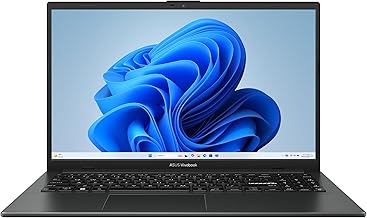
ASUS Vivobook Go 15.6 (N4500)
A 15.6-inch screen in a slim, portable chassis is unusual at $262, and the 128 GB SSD overcomes the storage limitations of eMMC machines above. The Intel Dual-Core N4500 is adequate for document work and video calls, though it will choke on anything heavier.
- Pro: The larger screen improves productivity for split-window workflows.
- Pro: 128 GB SSD provides room for local files without external storage.
- Con: The 3.8 rating reflects inconsistent build quality among production units.
Skip it if screen size matters less than weight—a 14-inch alternative saves meaningful grams.
ASUS Vivobook Go 15.6 (AMD Ryzen 3 7320U)
This is the performance pick of the group. The AMD Ryzen 3 7320U quad-core with 8 GB DDR5 RAM handles multitasking, light photo editing, and browser-heavy workflows without the thermal throttling you’d see from a Celeron. Military-grade durability testing and a physical webcam shield add practical security for transit use.
- Pro: DDR5 memory and a quad-core processor provide genuine future-proofing.
- Pro: Military-grade durability testing means the chassis resists the bumps of air travel.
- Con: For under $450, it costs roughly $150 more than the next-best option here.
Skip it if your workflow is strictly browser-based; a $240 Chromebook does the same tasks for less.
Buying Guide
Weight and Form Factor
Anything under three pounds earns a place in a carry-on without guilt. The Dell Latitude at 11.6 inches is the smallest option here, while the 15.6-inch ASUS machines push the upper limit of what fits a standard backpack. If you fly with only a personal item, prioritize sub-2.5-pound machines with a slim profile—thickness matters as much as weight when sliding into tight bag compartments.
Battery Endurance vs. Processor Power
A powerful processor means nothing if the battery dies at gate B12. The Chromebooks with Celeron or Kompanio chips consume significantly less power than Windows machines with the same workload. If you cannot guarantee access to an outlet during transit, lean toward Chrome OS machines or the Windows laptops that explicitly advertise long battery life. A USB-C charging port is non-negotiable—it lets you share a single power bank across devices.
Storage Type and Expansion
eMMC storage (64 GB on most Chromebooks here) is soldered and non-upgradable. SSDs and SD card combinations offer flexibility. If you download movies for flights or keep offline document sets, prioritize a 128 GB or larger SSD. The HP 14″ Ultral Light’s 192 GB combined setup is an outlier that solves this exact problem at a low price.
Our Verdict
The HP Chromebook 14 is the top pick for most travelers. For under $250, it balances weight, battery life, and Chrome OS responsiveness in a way that no Windows machine at this price matches. The budget pick is the Dell Latitude 3190 for under $200—a renewed 2-in-1 that offers touchscreen versatility and a compact footprint for under $180. However, if you need a Windows machine with real multitasking headroom and your budget stretches past $400, the ASUS Vivobook Go with the Ryzen 3 7320U is the clear performance leader and the only entry in this group with military-grade durability testing.
FAQ
Can a Chromebook handle everything I need while traveling?
For browsing, email, streaming, Google Docs, and light note-taking, yes—Chromebooks deliver more responsive performance than Windows machines at the same price. They fall short if you need native desktop applications, peripheral drivers, or offline file formats that require specific software.
Is 4 GB of RAM enough for a travel laptop in 2026?
It depends on the operating system. Chrome OS manages 4 GB effectively for typical web workloads because of how it isolates tabs into lightweight processes. Windows with 4 GB will feel constrained once you open more than a handful of browser tabs alongside a document editor.
Are renewed laptops a safe choice for frequent travelers?
Renewed units like the Dell Latitude carry shorter battery health and minor cosmetic wear, but they offer enterprise-grade build quality at consumer prices. The trade-off is reduced battery capacity compared to a new unit, which matters most on long flights.
Does screen size affect portability more than weight?
Weight determines whether you notice the laptop in your bag; screen size determines whether it fits in one. A 15.6-inch machine at two pounds is comfortable in a full-size backpack but awkward in a slim sleeve. Match the screen to your bag, not just your preference.









