Key takeaways
For most GPU repastes the best thermal paste is Arctic MX-6: it is thick enough to resist pump-out on a bare die, electrically non-conductive so the small amount that squeezes out next to the memory modules is harmless, and a 4 g tube covers a dozen or more applications for roughly $8–14. If your card sits above 80 °C under load, Thermal Grizzly Hydronaut (11.8 W/mK per the manufacturer’s spec sheet) is the better-matched formulation. If you are repasting a laptop GPU or a card you never want to open again, Honeywell PTM7950 — a phase-change pad rather than a grease — outlasts anything in this list.
The reason GPU repasting has its own shortlist is that a graphics card is not a CPU. There is no integrated heat spreader, mounting pressure comes from four spring screws at the corners rather than a stiffened socket, and the die cycles through wider temperature swings. Pastes that win CPU benchmarks by being thin and easy to spread are exactly the ones that migrate off a bare GPU die within a year.
Our top picks


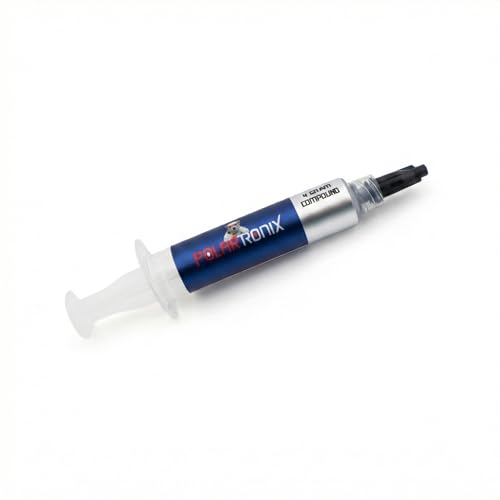
As an Amazon Associate we earn from qualifying purchases at no extra cost to you.
Quick Comparison
| Pick | Best for | Key specs (manufacturer-stated) | Typical price range |
|---|---|---|---|
| Arctic MX-6 | Best overall for most GPU repastes | High-viscosity silicone paste, electrically non-conductive, 4 g and 8 g tubes | About $8–14 (4 g) |
| Arctic MX-4 | Best budget and best for multi-card jobs | 8.5 W/mK, non-conductive, very widely stocked | About $6–12 (4 g); $12–20 (8 g) |
| Thermal Grizzly Hydronaut | Best for hot-running cards and water blocks | 11.8 W/mK, rated for high temperatures and larger contact surfaces | About $12–20 (3 g) |
| Honeywell PTM7950 | Best longevity on bare dies and laptops | Phase-change pad, ~0.25 mm sheet, changes state near 45 °C | About $10–20 per 40 × 80 mm sheet |
| Thermal Grizzly Kryonaut Extreme | Best raw conductivity number | 14.2 W/mK, 2 g tube | About $25–40 |
| Thermal Grizzly Conductonaut | Best for extreme cooling only | Liquid metal, 73 W/mK, electrically conductive | About $15–25 (1 g) |
The Picks, and Who Each One Suits
Best overall: Arctic MX-6
MX-6 is the paste to buy if you want one tube that handles a desktop GPU, a laptop heatsink and a spare card without drama. It is notably thicker than MX-4, which is the property that matters most on a bare die: a viscous paste resists being pushed out of the mounting gap by thermal cycling, so it holds its performance for years rather than months. It is non-conductive, so a thin ring of squeeze-out around the die is a cleanup problem, not a short-circuit risk.
Who it suits: anyone repasting one to three cards who wants predictable results and doesn’t want to think about it again for a while.
Main trade-off: Arctic does not chase headline conductivity numbers with this one, so a benchmark-obsessed buyer may find it a degree or two behind a premium 12–14 W/mK paste on day one — and ahead of them two years later.
Best budget: Arctic MX-4
Arctic rates MX-4 at 8.5 W/mK, and it has been the default GPU repaste for a decade because it is cheap, non-conductive and stocked almost everywhere in 4 g and 8 g tubes. On a card that runs in the 60–75 °C range it performs within a degree or two of far more expensive pastes.
Who it suits: first-time repasters, refurbishers working through several cards, and anyone whose GPU is not thermally stressed.
Main trade-off: it is an older, thinner formulation. On a 300 W card that lives above 80 °C it can dry and pump out in one to three years, at which point you are doing the job again. If that describes your card, spend the extra few dollars on MX-6 or Hydronaut.
Best for hot-running cards: Thermal Grizzly Hydronaut
Thermal Grizzly’s own guidance is the useful part here: the Kryonaut family is aimed at CPU coolers with high mounting pressure and is not recommended for long-term use above roughly 80 °C, while Hydronaut is specified for high temperatures and for larger contact surfaces — which is precisely what a bare GPU die and a water block are. It is rated 11.8 W/mK.
Who it suits: overclocked cards, blower-style coolers, water-cooled builds and anything whose hotspot regularly crosses 90 °C.
Main trade-off: it is thicker than Kryonaut and takes a little more patience to spread into an even layer, and it costs more per gram than the Arctic tubes.
Best for longevity: Honeywell PTM7950
PTM7950 is a solid sheet at room temperature that softens and flows at around 45 °C, then re-solidifies. That phase change is why it barely pumps out: it does not behave like a grease under thermal cycling. It is the material most laptop manufacturers and modders reach for when a machine will be opened once and then used for years. Thermal performance is in the same class as a good mid-range paste once it has been through a few heat cycles.
Who it suits: laptop GPUs, small-form-factor builds, and any card where disassembly is genuinely painful.
Main trade-off: it is not a paste. You must cut it to the die footprint, it takes several load cycles to settle, and removing it later requires warming the card and cleaning with isopropyl alcohol. It is also usually sold in sheets far larger than one GPU needs.
Best raw conductivity: Thermal Grizzly Kryonaut Extreme
At 14.2 W/mK per the manufacturer, this is about as high as conventional paste goes, and it is sold in small 2 g tubes with an applicator. On a well-cooled card it will post the best first-boot numbers of anything here.
Who it suits: benchmarkers and anyone chasing the last two degrees on a card that already has excellent cooling.
Main trade-off: the price per gram is several times that of the Arctic tubes, the tube covers only a handful of applications, and the same temperature caveat that applies to the Kryonaut family applies here — it is not the formulation Thermal Grizzly points at for sustained high-temperature bare-die use.
Best for extreme cooling only: Thermal Grizzly Conductonaut (liquid metal)
Conductonaut is a gallium-based liquid metal rated 73 W/mK, roughly six times the conductivity of a premium paste. It is also electrically conductive and will alloy with aluminium, so it must never touch an aluminium coldplate or heatsink, and every surface-mounted component around the die has to be masked with conformal coating or nail polish before application.
Who it suits: experienced builders running delidded, chilled or sub-ambient setups, and laptop modders where the die is tiny and gains are proportionally larger.
Main trade-off: on an ordinary air- or water-cooled desktop GPU the real-world gain over a good paste is typically a few degrees, against a permanent risk of a shorted card and a near-certain warranty fight. Liquid metal also absorbs into copper over time and needs reapplication.
How to Choose: The Numbers That Actually Matter
W/mK figures are not directly comparable
Every brand measures conductivity on its own bench, at its own bond-line thickness, so a “14 W/mK” paste and an “8.5 W/mK” paste are not six degrees apart in a real card. What dominates is how thin the paste layer ends up. Thermal resistance is thickness ÷ (conductivity × area): for a 500 mm² die, a 0.1 mm layer of an 8 W/mK paste gives about 0.025 K/W, or 7.5 °C of drop at 300 W. Halve that layer to 0.05 mm and you get 3.75 °C. A 12 W/mK paste at the same 0.1 mm gives 5 °C. So a thin, well-spread application of a mid-range paste beats a badly spread premium one — and it is why application technique matters more than the spec sheet.
Non-conductive beats higher numbers
Bare GPU dies sit millimetres from capacitors and resistors. Paste always squeezes outward under mounting pressure. A non-conductive paste (Arctic MX-4/MX-6, Noctua NT-H2, Hydronaut, Kryonaut) makes that a cosmetic issue. Arctic Silver 5, which Arctic Silver rates at 8.7 W/mK and documents as needing a 200-hour break-in period, is capacitive and must be kept strictly on the die. Liquid metal is worse still: electrically conductive and chemically aggressive.
Cost per application: a worked example
Take a 500 mm² bare die — roughly a current high-end GPU — and a spread layer about 0.1 mm thick before the cooler compresses it. Volume = 500 mm² × 0.1 mm = 50 mm³ = 0.05 cm³. At a typical paste density near 3 g/cm³ that is roughly 0.15 g, and with what stays on the applicator, call it 0.2 g per repaste. A 4 g tube therefore covers about 15–20 GPU jobs and a 1 g tube about 4–5. At roughly $10–14 for 4 g, that is well under $1 per repaste; a $20–30 single-gram premium tube works out to $5–7 each. Unless you are chasing a benchmark record, the price difference buys very little on a GPU.
| Your situation | What matters most | Reasonable pick |
|---|---|---|
| First repaste, worried about damaging the card | Non-conductive, easy cleanup | Arctic MX-4 or Noctua NT-H2 |
| Card runs 80 °C+ under load, or is water-cooled | High-temperature stability | Thermal Grizzly Hydronaut |
| Laptop GPU, or a card you won’t open again | Pump-out resistance | Honeywell PTM7950 |
| Repasting several cards on a budget | Cost per application, tube size | Arctic MX-6, 8 g |
| Chasing the lowest possible numbers | Peak conductivity | Kryonaut Extreme, or Conductonaut if experienced |
Repasting a GPU: Step by Step
- Confirm the job is worth doing. A repaste typically returns 3–8 °C. If the card is at 95 °C, check the fan curve, dust and cooler mounting pressure first — and check your warranty terms, because opening the cooler voids coverage with some board partners.
- Remove the card and photograph everything. Unplug the system, hold the power button to drain residual charge, then keep the screws in labelled groups. Undo the cooler’s spring screws in a cross pattern, a turn at a time. Reason: gradual, even unloading avoids flexing the PCB and cracking the die.
- Clean with 90%+ isopropyl alcohol. Use lint-free cloth and cotton swabs, work outward from the die, and let it dry for five minutes. Reason: dried paste residue adds resistance and grit under the coldplate.
- Check the thermal pads before you reassemble. VRAM and VRM pads come in 1.0, 1.5, 2.0 and 2.5 mm thicknesses; measure the old ones with calipers and match them. Reason: the wrong pad thickness changes overall mounting pressure and can leave the memory running hotter than before the repaste.
- Spread the paste across the whole die. A thin, even layer about 0.05–0.1 mm thick, taken right to the edges, works better than a dot on a GPU. Reason: with no heat spreader and pressure applied at four corners, a dot leaves the corners starved and the centre over-thick.
- Reassemble in a cross pattern. Tighten the spring screws gradually in an X sequence until snug, never forced, and reconnect the fan header. Reason: even torque is even pressure; over-torquing a bare die can crack it.
- Judge the result after a few days, not a few minutes. Log temperatures under a 10–15 minute load, then recheck after 24–72 hours. Reason: most pastes thin and settle under heat and pressure and improve slightly; Arctic Silver 5 documents a 200-hour break-in, and PTM7950 needs several cycles to flow.
What Wears Out First, and When
The paste at the die edges dries and cracks before the centre does, and thermal cycling gradually pushes material out of the mounting gap. Pads are usually the second casualty: they compress, lose thickness and weep silicone oil. Practical timelines on a GPU are roughly one to three years for a thin CPU-oriented paste, two to four years for a thick paste like MX-6 or Hydronaut, three to five or more for PTM7950, and indefinite for liquid metal until it absorbs into a copper coldplate.
The warning sign is not a single high number but a widening gap: when the core-to-hotspot delta grows from around 10–12 °C to 20 °C or more, or when load temperatures creep up 5–8 °C over a few months, the interface is failing. Common mistakes that cause premature failure: reusing compressed pads, forgetting to peel the protective film off a replacement coldplate, using a conductive paste near surface-mounted components, tightening screws unevenly, and judging the repaste from the first boot.
Frequently Asked Questions
Is expensive thermal paste worth it for a GPU?
Usually not by much. Bond-line thickness and mounting pressure influence GPU temperatures more than the conductivity figure, and a well-applied mid-range paste is typically within a degree or two of a premium one. The exception is a card that runs hot for years, where a thicker, high-temperature-rated paste avoids a repeat job.
How much thermal paste do I need for a GPU?
About 0.2 g per application once waste is counted, which is a thin spread layer over the die roughly 0.05–0.1 mm thick. A 4 g tube therefore covers 15–20 repastes, so a single card needs only a small fraction of the cheapest tube you can buy.
Can I use liquid metal on a GPU?
Yes, with strict precautions: the coldplate must be copper or nickel-plated, never aluminium, and every component around the die must be masked because the material is electrically conductive. On a standard air- or water-cooled desktop card the gain over a good paste is typically only a few degrees, so it is rarely worth the risk outside sub-ambient or laptop builds.
Should I spread the paste or use a pea-sized dot on a GPU?
Spread it. A GPU die has no heat spreader, and mounting pressure comes from four spring screws at the corners, so a central dot can leave the corners with almost no paste. A thin, even layer taken to the die edges gives the most consistent contact.
How long does GPU thermal paste last?
Expect two to four years for a thick paste on a card that runs under 80 °C, and as little as one year for a thin paste on a hot bare die. Phase-change pads such as PTM7950 commonly last three to five years or longer because they resist pump-out.
Does repasting a GPU void the warranty?
It depends on the board partner and your region — some explicitly permit cooler removal, others treat it as voiding the warranty, and a few require you to keep the original cooler intact. Check the terms for your specific card before you start, and keep the original screws and pads in case you need to reassemble it.