Key takeaways
Best wireless home security system picks depend on far more than sleek sensors: monitoring fees, cellular backup, and how video is stored decide whether a kit truly protects you. This roundup compares six no-drill systems for apartments and houses, with honest drawbacks, real spec ranges, and the trade-offs that rarely appear on the box.
Our top picks

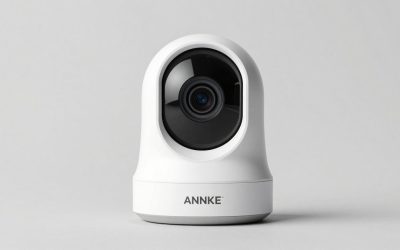
 Alarm System for Home Security
- Power Source: Wireless
- Compatible Devices: Smartphone, Tablet, Personal Computer
- Control Method: App, Touch
Accessories arrive factory pre-paired for simple setup
SOS button on base, remote, and sensor triggers instant alarm
No subscriptions or hidden monthly fees required
Does not support 5G Wi-Fi networks
Relies on the Smart Life/Tuya app for full control

 SimpliSafe 8 Piece Wireless Home Security System
- Power Source: Battery Powered
- Compatible Devices: Smartphone
- Video Capture Resolution: 720p
No contract required for the base security system
Motion sensors work well with pets under 60 pounds
App lets you arm and disarm from anywhere
Camera resolution is limited to 720p
Panic button's police dispatch requires a monitoring subscription
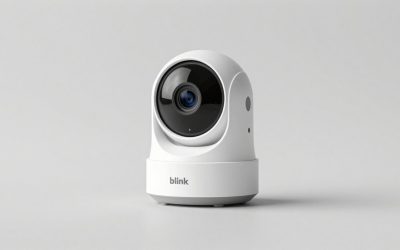
 Blink Outdoor 4
AA batteries and Sync Module Core provide up to two years of power
Dual-zone motion detection speeds up alerts
Two-way audio lets you see and speak through the app
Person detection requires an optional Blink Subscription Plan
Local storage is not included with the Sync Module Core

 Security Cameras Wireless Outdoor 5G& 2.4G
- Connectivity Technology: Wireless
- Video Capture Resolution: 1944p, 4MP
- Number of Channels: 4
128GB local storage avoids any monthly subscription fees
IP66 protection withstands all-weather outdoor exposure
AI human detection sends alerts for people, not all motion
Solar power depends on consistent sunlight exposure
128GB storage limits loop recording to about 3 months
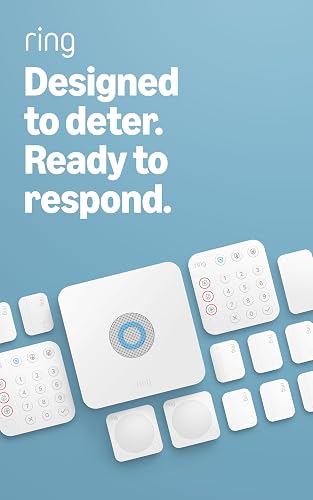 Ring Alarm 14-Piece Kit
14-piece kit covers 2 to 4 bedroom homes out of the box
Expandable with additional sensors as needs grow
Mobile app sends notifications when the system triggers
24/7 professional monitoring requires a separate Ring Protect subscription
Alexa voice control also needs a Ring Protect subscription
As an Amazon Associate we earn from qualifying purchases at no extra cost to you.
As an Amazon Associate we earn from qualifying purchases.
By Daniel Foster
What Separates a Great Wireless System From the Rest
A wireless kit lives or dies on the parts you cannot see in a product photo. Before comparing brands, line up the recurring costs, coverage math, storage model, and installation effort, because those four levers shape both your monthly bill and how reliably alarms reach you in the best wireless home security system you end up choosing.
The Numbers That Decide It: Monitoring, Fees, and Backup
Start with the monthly math, not the hardware price. Self-monitoring is free on SimpliSafe, Abode, and Eufy, but professional monitoring, where an agent calls police, typically runs from budget tiers near $8 to $10 up to $20 to $30 a month, with premium live-agent plans up to $50 to $80. Prices change, so confirm at checkout.
Cellular backup is the number people forget. Wyze relies on Wi-Fi alone, so an internet or power cut can silence alerts, while SimpliSafe, Ring, and Abode add cellular only on paid plans. Pair that with storage: cloud clips usually need a subscription, whereas local storage keeps footage in your home at no recurring cost.
Space and Fit: Sizing Coverage to Your Home
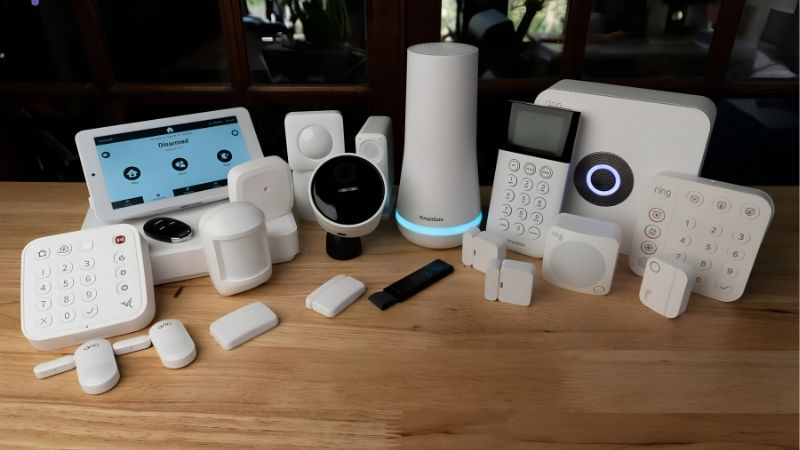
Match the kit to your floor plan. An eight-piece kit, meaning a hub, keypad, a few entry sensors, and a motion sensor, covers most apartments and one-to-two-bedroom homes, while three-to-four-bedroom houses are better served by a 14-piece kit so you are not buying add-ons a week later.
Placement matters as much as count. Entry sensors go on doors and ground-floor windows, motion sensors cover hallways and shared rooms, and the base needs a central spot near an outlet with strong Wi-Fi. Count your entry points before ordering so the best wireless home security system you choose is not oversized or a sensor short.
Local vs Cloud Storage and Your Privacy
Where your footage lives is a privacy decision as much as a technical one. Cloud storage is convenient and off-site, but it usually requires a subscription and places clips on a company’s servers. Local storage, an SD card or a home hub holding several terabytes, keeps recordings in the house and off monthly billing.
Recurring news about footage sharing and law-enforcement access has nudged privacy-minded buyers toward local-first brands. If that matters to you, prioritize systems that record locally and do not gate basic alerts behind a plan; if convenience wins, cloud plans remain simplest.
Connectivity, Power, and Install Effort
Nearly every kit here is adhesive-mount and battery- or plug-powered, so renters can install in under an hour without drilling. Command-strip sensors peel off cleanly when you move, and most bases simply plug into an outlet.
Sensor batteries are the maintenance you will actually notice. Most entry and motion sensors use coin cells or AAs that last one to three years, and the app flags low batteries in advance. A plugged-in base on a paid plan keeps working through a short outage.
Six Wireless Security Systems Worth Considering
No single system wins for everyone, so the six below are grouped by the buyer they fit best, from no-contract all-rounders to budget entries and privacy-first, subscription-free setups. Each entry lists a genuine weakness, because a fair look at the best wireless home security system should tell you where a product falls short.
SimpliSafe: Best All-Around No-Contract Pick
SimpliSafe is the strongest all-around pick for buyers who want protection without a contract. Setup takes under an hour with adhesive components, self-monitoring is free, and professional monitoring sits in the mid tier, roughly the low $20s per month, with cellular backup and optional live-agent Intruder Intervention on higher plans.
The catch is that the features people quote most, video verification and agent intervention, live on the pricier tiers, and its camera image quality is only average next to camera-first rivals. For a full-house alarm you can move with you, it remains the safest default in the best wireless home security system category.
Ring Alarm: Best for Alexa and Ring Camera Homes
Ring Alarm is the natural choice if your home already runs on Alexa and Ring cameras. Kits come in 5-, 8-, and 14-piece sizes, and the Ring Alarm Pro variant folds in an eero Wi-Fi 6 router plus a local-storage option. Professional monitoring runs around $20 a month and adds cellular backup and 24/7 response.
Two honest caveats: most video history and many conveniences sit behind a Ring Home subscription, and the brand has drawn criticism over footage sharing and past law-enforcement access. If you value the tight Amazon ecosystem it is excellent; if you want minimal recurring cost, look elsewhere.
Abode: Best for Smart-Home and HomeKit Users
Abode is the pick for smart-home tinkerers and the only HomeKit-certified option here, with Z-Wave and Zigbee in the hub for broad device support. DIY setup takes under 30 minutes, the free self-monitoring tier is unusually capable, and on-demand professional monitoring can be added for roughly $8 to $12 a month.
It is not perfect. The device ecosystem is smaller than SimpliSafe’s or Ring’s, and owner feedback on some peripheral accessories is mixed, even as the core hub and door-window sensors earn steady praise. For Apple households or Z-Wave hobbyists, the value is hard to match.
Eufy: Best for No-Subscription Local Storage
Eufy is built for buyers who refuse to pay monthly. Detection runs locally, footage stores on a home hub that expands to as much as 16TB, and there is no required subscription, a genuinely different cost model from cloud-first brands. For camera-heavy setups, skipping a recurring fee alone can save real money.
The trade-offs are meaningful: the alarm side leans on self-monitoring rather than a built-in professional center, so no agent calls police unless you route it yourself, and Eufy weathered a past controversy over unexpected cloud uploads that dented trust. Local-first buyers who are happy to self-monitor will still find it compelling.
Wyze: Best Budget Entry Point
Wyze is the cheapest way onto this list, with low hardware prices and professional monitoring through Noonlight for only a few dollars a month. For a spare room, a first apartment, or a genuinely tight budget, it delivers core alarm functions and app alerts at a fraction of the usual entry cost.
The compromise is real and worth stating plainly: there is no cellular backup, so a Wi-Fi or power outage can knock out alerts and monitoring entirely, and warranty coverage is short at around 90 days. Treat Wyze as a budget deterrent rather than a fortress, and its low price makes solid sense.
Cove: Best for Simple Setup With Lifetime Warranty
Cove suits buyers who want a guided, simple setup and a long safety net. Equipment carries a lifetime warranty, customer service earns strong marks, and monitoring lands in the mid tier, roughly the high teens to high $20s per month depending on features and video recording.
Its main limitation is the absence of a free self-monitoring tier, so you are effectively committing to a plan to use the system fully, and the accessory ecosystem and third-party integrations are narrower than the big two. If warranty peace of mind ranks high, it earns a look.
| System | Monitoring | Cellular Backup | Storage | Best For |
|---|---|---|---|---|
| SimpliSafe | Free self; pro from mid tier | On paid plans | Cloud | All-around, no contract |
| Ring Alarm | Free self; pro ~$20/mo | On paid plans | Cloud; local on Pro | Alexa and Ring homes |
| Abode | Free self; pro low tier | On paid plans | Cloud or local | HomeKit and Z-Wave |
| Eufy | Self-monitor; no fee | No | Local (to 16TB) | No-subscription buyers |
| Wyze | Pro a few $/mo | No | Cloud or local | Budget entry |
| Cove | Pro only, mid tier | On paid plans | Cloud | Simple setup, long warranty |
Setup, Longevity, and Common Questions
Buying the hardware is only the start; how a system ages and how much upkeep it needs shape the real experience over years, not weeks. This section covers the failure points these kits tend to share, the installation reality, and the questions buyers ask most before committing to a brand.
Durability and the Failure Points to Expect
These assessments draw on manufacturer specifications and aggregated long-term owner feedback rather than a lab bench. Across brands, the most common weak spots are sensor batteries fading sooner in cold entryways, adhesive mounts loosening on textured walls, and Wi-Fi drops that briefly take a hub offline.
Warranties tell you what the maker expects: budget kits like Wyze and ADT’s newest DIY line carry roughly 90-day equipment coverage, while SimpliSafe, Ring, and several local-storage brands offer one to three years. Cameras tend to fail before hubs, usually from battery wear or heat.
Installation and Ongoing Upkeep
Installation is the easy part with wireless gear. Most kits are peel-and-stick or plug-in and walk you through pairing in the app, so a first-timer can arm an apartment in under an hour and a full house in an afternoon.
Upkeep is light but not zero. Expect to swap sensor batteries every one to three years, test the siren occasionally, and keep firmware current for security patches. If you travel over the holidays, a quick pre-trip check that cameras and cellular backup are active turns an empty home into one that is clearly being watched.
Questions Buyers Ask Most
Do these systems work without a subscription? Yes. SimpliSafe, Abode, and Eufy include free self-monitoring, meaning the alarm sounds and your phone gets alerts at no monthly cost. You respond yourself instead of an agent calling police.
Is professional monitoring worth it? It depends on how often you are home and reachable. If you travel frequently or want guaranteed dispatch when an alarm trips, professional monitoring with cellular backup is worth the mid-tier fee; if you are usually nearby and phone-attentive, self-monitoring can be enough.
When do these go on sale? Security and smart-home gear discount most deeply around Prime Day in July, the Prime Big Deal Days in October, and Black Friday and Cyber Monday in late November. It is worth waiting for, though exact savings vary.
See More:
- Best eyeshadow blender brush
- Best frozen foods for air fryer
- Best frozen food for air fryer
- Best way to reheat steak in air fryer
- Best air fryer recipes book
Final Thoughts on the Best Wireless Home Security System
Choosing the best wireless home security system comes down to matching monitoring cost, cellular backup, and storage model to how you actually live. SimpliSafe is the safest all-around pick, Abode rewards smart-home users, Eufy wins on no-fee local storage, and Wyze covers tight budgets. Measure your entry points, decide whether you want an agent on call, and the best wireless home security system for your home becomes clear.