Key takeaways
Smart home alarm system buyers want security that talks to the rest of the house, lights, locks, and voice assistants, without becoming a fragile web of apps. This roundup compares six kits on ecosystem support, monitoring cost, storage, and one honest weakness each, so the automation adds real safety rather than complexity.
Our top picks
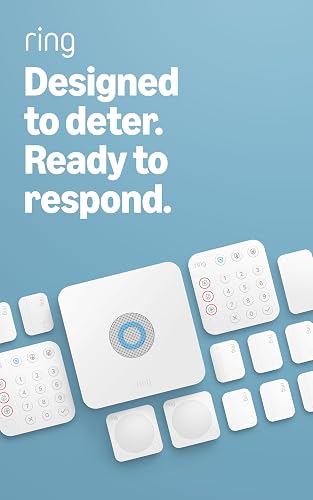 Ring Alarm 14-Piece Kit
14-piece kit covers 2 to 4 bedroom homes out of the box
Expandable with additional sensors as needs grow
Mobile app sends notifications when the system triggers
24/7 professional monitoring requires a separate Ring Protect subscription
Alexa voice control also needs a Ring Protect subscription
 Ring Alarm 8-Piece Kit
- Compatible Devices: Smartphone
- Control Method: Voice
- Battery Cell Composition: Lithium Ion
8-piece kit fits most 1 to 2 bedroom homes
Keypad lets you arm and disarm without a phone
Expandable with additional sensors as needs grow
Remote arming and 24/7 monitoring need a Ring Protect subscription
Alexa voice control also requires that subscription


 WiFi Door Alarm System
- Power Source: AC power with battery backup
- Compatible Devices: Smartphone
- Connectivity Technology: Wireless
Expandable up to 20 sensors and 5 remote controls
Works with both Alexa and Google Assistant voice control
No subscription or monthly fees required
Only supports 2.4GHz Wi-Fi, not 5GHz networks
Battery backup lasts about 8 hours if power is lost
As an Amazon Associate we earn from qualifying purchases at no extra cost to you.
As an Amazon Associate we earn from qualifying purchases.
By Daniel Foster
What Makes an Alarm Genuinely Smart
A smart alarm is more than a hub with an app. The best ones integrate cleanly with Alexa, Google Home, or Apple Home, automate sensibly, and, crucially, still protect you when the internet drops. Weigh integration breadth, recurring cost, storage, and offline resilience before the brand name when picking a smart home alarm system for your house.
Monitoring, Fees, and the Offline Question
Start with monthly cost and dispatch. Self-monitoring is free on Abode, SimpliSafe, and Eufy; professional monitoring runs from a few dollars up to the $20-to-$30 mid range, with premium live-agent tiers higher still. Prices change, so confirm the current rate at purchase and match the plan to how reachable you actually are day to day.
For a smart home alarm system, ask what still works without Wi-Fi. Wyze has no cellular backup, so an outage silences it; SimpliSafe, Ring, and Abode add cellular on paid plans. Confirm the hub can arm, disarm, and sound its siren locally even when the cloud is unreachable, because automation should never become a single point of failure for security.
Space and Fit Across the Home
Size the system to the house. Eight pieces cover apartments and small homes; 14-piece kits suit three-to-four-bedroom layouts. For smart setups, also map where automations trigger, a hallway motion sensor that turns on lights, a door sensor that nudges a smart lock, so sensors sit where both security and convenience genuinely need them.
Placement still follows the basics: entry sensors on doors and ground-floor windows, motion sensors in shared rooms, and the hub central to your router. Measure entry points and note outlet and camera sightlines before ordering so your smart home alarm system covers the house without blind spots or wasted, duplicate sensors.
Ecosystems: Alexa, Google, and HomeKit
Ecosystem fit decides daily livability. Abode is the lone HomeKit-certified option here and adds Z-Wave and Zigbee for wide device support; Ring pairs tightest with Alexa and Amazon gear; SimpliSafe works with Alexa and Google; Wyze and Eufy cover Alexa and Google at lower cost. Match the alarm to what you already own.
Cross-ecosystem setups add friction and failure points, so consolidating on one platform pays off. If your home is Apple-centric, Abode’s HomeKit support is the clear standout; if it is Alexa-first, Ring’s integration is the most seamless of the group and the least likely to leave you juggling multiple apps.
Storage, Cloud, and Local Control
Storage shapes both privacy and monthly cost. Cloud clips are convenient but usually require a subscription and live on a vendor’s servers; local storage keeps recordings in the home on an SD card or hub, sometimes expandable to many terabytes, with no recurring fee eating into your budget every month.
As smart cameras have gone mainstream, news about footage sharing and data access has pushed privacy-focused buyers toward local-first, on-device detection. If control matters, favor systems that store and analyze locally; if convenience wins, cloud plans stay simplest and rarely require any thought once configured.
Six Smart Home Alarm Systems Compared
The six systems below are grouped by the ecosystem and buyer they fit, from Apple households to Alexa homes and no-subscription holdouts. Every entry names a genuine drawback, because integrations look great in ads and reveal their real limits only in daily use over months.
Abode: Best for Apple and Z-Wave Homes
Abode is the most flexible smart home alarm system here, the only HomeKit-certified option, with Z-Wave and Zigbee in the hub for broad device support. A strong free self-monitoring tier and cheap on-demand professional monitoring around $8 to $12 a month round it out, and DIY setup takes under 30 minutes from box to armed.
The ecosystem is smaller than Ring’s or SimpliSafe’s, and some peripheral accessories draw mixed owner feedback even as the core hub earns praise. For Apple households or hobbyists building around Z-Wave and Zigbee, though, nothing else on this list matches its reach for the money you pay.
Ring Alarm: Best for Alexa
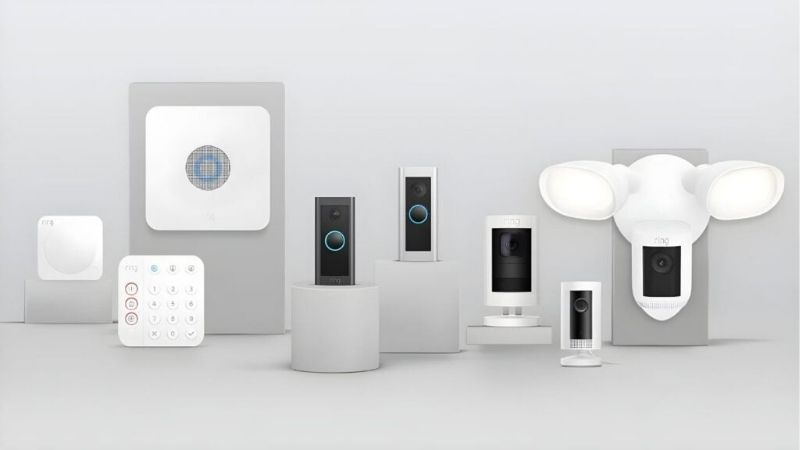
Ring Alarm integrates tightest with Alexa and Amazon devices, with 5-, 8-, and 14-piece kits and a Pro model bundling an eero Wi-Fi 6 router plus a local-storage option. Professional monitoring near $20 a month adds cellular backup and 24/7 response, and voice control through Alexa is genuinely seamless.
Most video and conveniences ride on a Ring Home subscription, and the brand has faced privacy scrutiny over footage sharing and past law-enforcement access. It shines for Alexa homes that accept a plan, and appeals far less to buyers who want to avoid recurring fees entirely.
SimpliSafe: Best Balanced All-Rounder
SimpliSafe works with Alexa and Google, installs in under an hour, and offers free self-monitoring plus mid-tier professional monitoring with cellular backup and optional live-agent intervention. It is the safest default for buyers who want smart features and reliable dispatch without committing to a single ecosystem.
Its integrations are less deep than Abode’s or Ring’s, the marquee monitoring features sit on higher tiers, and camera quality is average. As a dependable, ecosystem-agnostic hub that you can move between homes, however, it rarely disappoints in everyday use.
Eufy: Best for Local Control
Eufy suits buyers who want smart features without cloud dependence, running detection on-device and storing footage locally to as much as 16TB with no required subscription. It pairs with Alexa and Google for basic automations while keeping recordings inside the home rather than on a server.
The alarm relies on self-monitoring rather than a professional center, so nobody dispatches police for you, and a past cloud-upload controversy dented trust. For local-first automation and zero monthly fees, though, it remains one of the strongest picks available.
Wyze: Best Budget Smart Kit
Wyze delivers smart-home basics on a shoestring, with Alexa and Google support and Noonlight professional monitoring for a few dollars a month. It is the cheapest way to add app control, alerts, and simple automations to a first home or a rented apartment without a large outlay.
The compromise is no cellular backup, so an outage can knock it offline, and short warranty coverage around 90 days. It works fine as a budget layer of convenience, but it is not the resilient core you would rely on while away for weeks.
Arlo: Best for Camera-First Setups
Arlo rounds out the list for buyers who want cameras and multifunction environmental sensors under one app, with newer, lower-priced bundles and solid Alexa and Google support. It leans on strong camera hardware and detection more than a traditional sensor-first alarm panel, which suits camera-heavy homes.
The recurring theme is subscription dependence: extended video history and advanced detection sit behind a paid plan. If camera quality and environmental sensing top your list it fits well; for a lean, fee-free alarm core, it is not the right pick.
| System | Ecosystem | Monitoring | Cellular Backup | Storage |
|---|---|---|---|---|
| Abode | HomeKit, Alexa, Google, Z-Wave | Free self; pro low tier | On paid plans | Cloud or local |
| Ring Alarm | Alexa, Amazon | Free self; pro ~$20/mo | On paid plans | Cloud; local on Pro |
| SimpliSafe | Alexa, Google | Free self; pro mid tier | On paid plans | Cloud |
| Eufy | Alexa, Google | Self-monitor; no fee | No | Local (to 16TB) |
| Wyze | Alexa, Google | Pro a few $/mo | No | Cloud or local |
| Arlo | Alexa, Google | Pro, plan-based | On paid plans | Cloud |
Reliability, Automation, and Questions
Smart features are only worth it if they hold up and genuinely help. This section covers the failure points these systems share, how to build automations that add safety rather than gimmicks, and the questions buyers ask most before wiring an alarm into their smart home.
Durability and Failure Points
These notes rest on manufacturer specifications and aggregated long-term owner feedback, not a lab bench. Common weak spots are sensor batteries fading faster in cold entryways, adhesive mounts loosening on textured walls, and Wi-Fi drops that briefly take a hub or camera offline until the network recovers on its own.
Warranties range from about 90 days on budget kits to one to three years on SimpliSafe, Ring, and local-storage brands. Cameras and doorbells tend to fail before hubs, usually from battery wear or heat exposure, so expect to replace a camera before the base station over the life of the system.
Automations That Help, Not Hurt
The smartest setups automate safety, not gimmicks: motion that lights a dark entry, a door sensor that arms night mode, a leak sensor that pings your phone. Keep routines simple and local where possible so they still fire even if the cloud hiccups during a brief outage or a service disruption.
Before relying on any automation, test what happens with the internet off, because a genuinely resilient smart home alarm system still arms, disarms, and sounds its siren locally. If a feature only works through the cloud, treat it as a convenience rather than a safeguard you can count on.
Questions Buyers Ask
Will it work if my Wi-Fi goes down? Core alarm functions should, provided the hub stores its state locally; cellular backup on a paid plan keeps alerts flowing, while Wi-Fi-only kits like Wyze can go silent during an outage until service returns.
Do I need a subscription for smart features? Basic alerts and local automations are usually free, but video history, advanced AI detection, and professional dispatch typically require a plan. Decide which of those you truly need before committing to a brand and its fees.
When do these go on sale? Smart-home and security gear discounts cluster around Prime Day in July, Prime Big Deal Days in October, and Black Friday and Cyber Monday in late November, worth timing around, though the exact savings vary each year and are not guaranteed.
See More:
- Best eyeshadow blender brush
- Best frozen foods for air fryer
- Best frozen food for air fryer
- Best way to reheat steak in air fryer
- Best air fryer recipes book
Final Thoughts on the Best Smart Home Alarm System
The best smart home alarm system is the one that fits the ecosystem you already live in and still protects you when the network blinks. Abode leads for Apple and Z-Wave homes, Ring for Alexa, SimpliSafe for a balanced all-rounder, and Eufy for local, fee-free control. Confirm offline behavior, size the kit to your rooms, and the right smart home alarm system becomes obvious.