Key takeaways
DIY security system for home shoppers want protection they can install themselves, keep contract-free, and take along when they move. This roundup compares seven no-drill kits on what really matters, monitoring cost, cellular backup, storage, and setup time, and names an honest weakness for every single one before you spend a cent.
Our top picks
 Ring Alarm 8-Piece Kit
- Compatible Devices: Smartphone
- Control Method: Voice
- Battery Cell Composition: Lithium Ion
8-piece kit fits most 1 to 2 bedroom homes
Keypad lets you arm and disarm without a phone
Expandable with additional sensors as needs grow
Remote arming and 24/7 monitoring need a Ring Protect subscription
Alexa voice control also requires that subscription
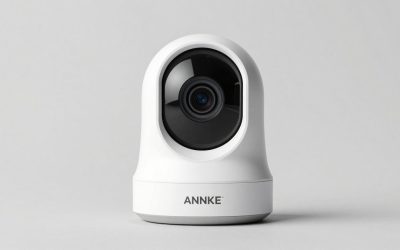
 15-Piece WiFi Home Security System
- Power Source: Battery Powered
- Compatible Devices: Alexa
- Connectivity Technology: Wireless
15-piece kit includes ten door sensors for full coverage
120dB siren works without any monthly fees
Compatible with Alexa for hands-free control
Backup battery lasts about 8 hours during an outage
Wireless range is limited to about 100 feet
 SimpliSafe 8 Piece Wireless Home Security System
- Power Source: Battery Powered
- Compatible Devices: Smartphone
- Video Capture Resolution: 720p
No contract required for the base security system
Motion sensors work well with pets under 60 pounds
App lets you arm and disarm from anywhere
Camera resolution is limited to 720p
Panic button's police dispatch requires a monitoring subscription
| Product | Key specs | |
|---|---|---|
| Ring Alarm 8-Piece Kit | Compatible Devices: Smartphone Control Method: Voice Battery Cell Composition: Lithium Ion | Check price |
| 15-Piece WiFi Home Security System | Power Source: Battery Powered Compatible Devices: Alexa Connectivity Technology: Wireless | Check price |
| SimpliSafe 8 Piece Wireless Home Security System | Power Source: Battery Powered Compatible Devices: Smartphone Video Capture Resolution: 720p | Check price |
 WiFi Door Alarm System WiFi Door Alarm System | Power Source: AC power with battery backup Compatible Devices: Smartphone Connectivity Technology: Wireless | Check price |
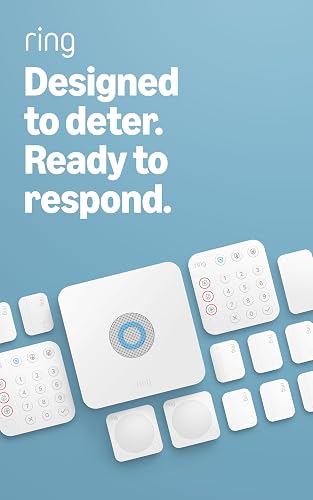 Ring Alarm 14-Piece Kit Ring Alarm 14-Piece Kit | Check price | |
 Alarm System for Home Security 24Pcs WiFi+GSM/4G Alarm System for Home Security 24Pcs WiFi+GSM/4G | Check price | |
 Alarm System for Home Security Alarm System for Home Security | Power Source: Wireless Compatible Devices: Smartphone, Tablet, Personal Computer Control Method: App, Touch | Check price |
 24pcs Wireless DIY Home Burglar Alarm System 24pcs Wireless DIY Home Burglar Alarm System | Check price |
As an Amazon Associate we earn from qualifying purchases at no extra cost to you.
As an Amazon Associate we earn from qualifying purchases.
By Daniel Foster
What Makes a DIY Kit Actually Worth Installing
The appeal of doing it yourself is control: no technician visit, no long contract, and hardware you own outright. But a self-installed kit still has to answer the same hard questions a pro system does, so weigh recurring cost, coverage, storage, and how much effort setup truly takes for any DIY security system for home before you buy.
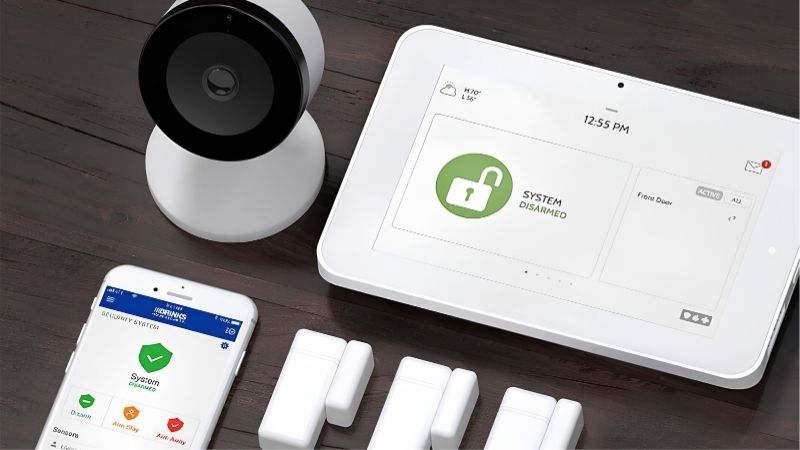
The Costs and Backup That Decide It
Look past the sticker price to the monthly commitment. Self-monitoring is free on several kits, while professional monitoring, an agent who calls police, ranges from a few dollars a month at the budget end to $20 to $30 for mid plans and $50-plus for premium live-agent tiers. Prices shift, so verify before buying.
Cellular backup separates a resilient DIY security system for home from a fragile one. Wi-Fi-only kits like Wyze go dark in an outage, whereas SimpliSafe, Ring, Abode, and ADT add cellular on paid plans. Storage is the other lever: cloud clips usually need a subscription, while local storage keeps footage in the house at no recurring fee.
Space and Fit: Right-Sizing Your Kit
Buy for your floor plan. An eight-piece starter, a hub, keypad, a handful of entry sensors, and a motion sensor, suits apartments and one-to-two-bedroom homes, while a 14-piece kit fits three-to-four-bedroom houses without a second order. Larger homes should prioritize expandability, since most systems support well over 100 sensors, first.
Plan placement before you buy: entry sensors on doors and reachable windows, motion sensors in hallways and shared rooms, and the base near a central outlet with strong Wi-Fi. Measuring your entry points first keeps a DIY security system for home from arriving oversized or a sensor short on the day you finally set it up.
Where Your Footage Lives
Storage is a privacy choice. Cloud recording is convenient and off-site but usually rides on a subscription and sits on a vendor’s servers; local storage on an SD card or a home hub keeps clips in your home and off the monthly bill, often with terabytes of expandable space.
Repeated headlines about footage sharing and law-enforcement access have made this a real decision point, pushing privacy-minded DIY buyers toward local-first brands. If that resonates, favor kits that record locally and keep basic alerts off the paywall; if you prize convenience over control, cloud plans remain the simplest path.
Setup Time and Everyday Upkeep
This is where DIY shines. Most kits are peel-and-stick or plug-in with an app that guides pairing, so a beginner can secure an apartment in under an hour and a full house in an afternoon, with no drilling, no wiring, and no appointment window to sit through.
Upkeep stays light: swap sensor batteries every one to three years as the app warns you, test the siren now and then, and keep firmware updated for security fixes. Because everything is adhesive or plug-in, moving out means peeling sensors off and taking the whole system with you.
Seven DIY Security Systems Worth Buying
The seven kits below span every DIY buyer, from renters on a budget to Apple households and no-subscription holdouts. Each pick includes a real drawback, because a roundup of the best DIY security system for home options that hides weaknesses is not much use when your home is on the line.
SimpliSafe: Best All-Around
SimpliSafe is the safest default for most DIY buyers. Adhesive components install in under an hour, self-monitoring is free, and mid-tier professional monitoring near the low $20s a month adds cellular backup and optional live-agent Intruder Intervention, with no contract so you can cancel a plan anytime.
The weakness is that the marquee features, video verification and agent intervention, sit on higher tiers, and camera image quality is only average against camera-first rivals. As a standalone, portable alarm with broad sensor support and no ecosystem lock-in, though, it is the kit hardest to go wrong with.
Ring Alarm: Best for Alexa Homes
Ring Alarm is the pick if your home leans on Alexa and Ring cameras, with 5-, 8-, and 14-piece kits and a Pro model that bundles an eero Wi-Fi 6 router plus a local-storage option. Professional monitoring around $20 a month brings cellular backup and 24/7 response.
Video history and most conveniences require a Ring Home subscription, and the brand has faced privacy criticism over footage sharing and past law-enforcement access. It is excellent inside the Amazon ecosystem; less appealing if your priority is keeping recurring fees as low as possible.
Abode: Best for Smart Homes
Abode is the flexible choice, the only HomeKit-certified kit here, with Z-Wave and Zigbee support, a strong free self-monitoring tier, and cheap on-demand professional monitoring around $8 to $12 a month. DIY setup takes under 30 minutes and the hub connects to a wide range of third-party smart devices.
Its device ecosystem is smaller than the big two and some accessories draw mixed feedback, though the core hub and sensors are reliable and earn steady praise. For Apple and Z-Wave households that want automation without a heavy monthly bill, the value is hard to beat.
Eufy: Best No-Subscription Option
Eufy answers the buyer who hates fees. Detection runs on-device, footage stores locally to as much as 16TB, and there is no required subscription, a real long-term saving for camera-heavy homes.
The alarm side relies on self-monitoring rather than a professional center, so nobody dispatches police unless you do, and a past cloud-upload controversy dented trust in the brand. For local-first users who are content to self-monitor, it is still the clearest no-fee pick on the market.
Wyze: Best Budget Pick
Wyze is the cheapest entry, with low hardware prices and Noonlight professional monitoring for only a few dollars a month, delivering core alarm functions and app alerts on a tight budget.
The honest catch is no cellular backup, so a Wi-Fi or power outage can silence it entirely, plus short warranty coverage around 90 days. It is best treated as a budget deterrent rather than a fortress you would trust to protect an empty house for weeks.
Cove: Best for Warranty Peace of Mind
Cove offers a guided setup, a lifetime equipment warranty, and well-reviewed customer service, with mid-tier monitoring and, on some plans, lower entry pricing than SimpliSafe.
It lacks a free self-monitoring tier, so a paid plan is effectively required to use the system fully, and its integrations and accessory range are narrower than the leaders. For hand-holding and long-term coverage, though, it is a friendly and dependable choice.
ADT Self Setup: Best Recognized Name
ADT Self Setup brings a household name into DIY territory, pairing peel-and-stick components with the monitoring brand many buyers already trust. You install it yourself, skip the contract, and still tap ADT’s professional monitoring center, which reassures buyers who want an established name behind the alarm.
The trade-offs are a shorter equipment warranty on the newest line, around 90 days, and monitoring that tends to cost more than lean rivals like Wyze or Abode. If brand reputation outweighs price for you, it is a reasonable DIY security system for home to build around.
| System | Monitoring | Cellular Backup | Storage | Best For |
|---|---|---|---|---|
| SimpliSafe | Free self; pro mid tier | On paid plans | Cloud | All-around, no contract |
| Ring Alarm | Free self; pro ~$20/mo | On paid plans | Cloud; local on Pro | Alexa homes |
| Abode | Free self; pro low tier | On paid plans | Cloud or local | HomeKit, Z-Wave |
| Eufy | Self-monitor; no fee | No | Local (to 16TB) | No subscription |
| Wyze | Pro a few $/mo | No | Cloud or local | Budget entry |
| Cove | Pro only, mid tier | On paid plans | Cloud | Long warranty |
| ADT Self Setup | Pro, higher tier | On paid plans | Cloud | Trusted brand |
Setup, Longevity, and Buyer Questions
Choosing the kit is only half the job; how it holds up and how easily it moves with you decide whether DIY pays off in the long run. This section covers the failure points these systems share, what renting and moving look like, and the questions DIY buyers ask most.
Durability and Failure Points
These durability notes come from manufacturer specifications and aggregated long-term owner feedback, not a test lab. The recurring weak spots across DIY kits are sensor batteries draining faster in cold doorways, adhesive mounts peeling on textured walls, and occasional Wi-Fi drops that briefly take a hub offline until the connection restores.
Warranties signal expected lifespan: budget and newest-line kits often carry about 90 days, while SimpliSafe, Ring, and local-storage brands offer one to three years, and Cove covers equipment for life. Cameras usually fail before hubs, typically from battery wear or heat, so budget to replace a camera first.
Renting and Moving With Your Kit
For renters, DIY is almost always the right call. Adhesive sensors remove cleanly, the base unplugs, and the whole kit fits in a box on moving day, so you carry your security from one lease to the next without buying new gear or forfeiting a deposit for wall damage.
One caveat for doorbells: a hardwired model may need a landlord’s sign-off, so battery-powered versions are the safer bet in a rental. Around package-theft season in late autumn, a battery doorbell plus an outdoor camera is the fastest way to deter porch pirates without ever touching the wiring.
Questions DIY Buyers Ask
Do I need any tools? Almost never. Most DIY security system for home kits mount with adhesive strips and pair over Wi-Fi through the app, so a screwdriver is optional and a drill rarely needed.
Can I add professional monitoring later? Yes. Every no-contract brand here lets you start self-monitored and switch on a paid plan whenever you want, then cancel again later, the flexibility that makes DIY appealing.
When are the best deals? Security gear drops most around Prime Day in July, Prime Big Deal Days in October, and Black Friday and Cyber Monday in late November, a handful of windows worth timing a purchase around, though exact discounts vary year to year.
See More:
- Best eyeshadow blender brush
- Best frozen foods for air fryer
- Best frozen food for air fryer
- Best way to reheat steak in air fryer
- Best air fryer recipes book
Final Thoughts on the Best DIY Security System for Home
The right DIY security system for home is the one whose monitoring cost, backup, and storage match your habits. SimpliSafe is the safest all-rounder, Abode suits smart-home and Apple users, Eufy wins for no-fee local storage, Wyze covers tight budgets, and ADT adds a trusted name. Map your entry points, decide on self versus professional monitoring, and the best DIY security system for home for you falls into place.