Key takeaways
Home surveillance system shoppers want cameras, storage, and alerts working as one, so this home surveillance system guide ranks setups by how footage is saved, what fees apply, and how well each scales. Below are six picks with honest drawbacks, from wired NVR kits to wireless ecosystems, to match your home size, wiring, and privacy comfort.
Our top picks


As an Amazon Associate we earn from qualifying purchases at no extra cost to you.
As an Amazon Associate we earn from qualifying purchases.
By Daniel Foster
What Makes A System, Not Just A Camera
A true system coordinates several cameras, a place to store days of footage, and a single app for alerts and playback. Deciding how recordings are stored and whether fees apply first prevents the common trap of a home surveillance system that either fills a tiny card or hides history behind a monthly plan.

Home Surveillance System Decision Numbers
The core factors are storage type (a local NVR or DVR drive versus cloud), any subscription for recorded video, and how many cameras the base or recorder supports. Wired NVR kits record continuously to a drive with no fee; wireless ecosystems trade easier install for card limits or cloud plans.
Then weigh resolution (1080p to 4K), power (wired, PoE, or battery), and detection quality, since on-device person and vehicle recognition cuts false alerts. Confirm the system works offline during an internet outage, a genuine advantage of local recorders over fully cloud-dependent camera sets.
It helps to write down the shape of your home before shopping: how many entries and blind spots need eyes, how many days of footage you want to keep, and whether any spot is impossible to wire. Those three answers point straight at storage size, camera count, and the wired-versus-wireless split. A four-camera home that keeps two weeks of continuous footage needs a very different drive than an event-only setup, and knowing that up front stops you from buying a recorder that fills in days or a kit that leaves a doorway uncovered.
Placement, Space, And Fit
Plan camera angles for entries, driveways, and blind spots, and decide where the recorder lives, since an NVR needs a shelf or closet with ventilation and, for wired kits, cable routing to each camera. Measure runs before buying so cables reach without ugly splices or dangling loops across siding.
For a whole home, mix wide-view cameras for yards with tighter ones for faces at doors, mounted about 8-10 ft (2.4-3 m) high and angled down toward the path. Renters or smaller homes may prefer wireless units, but confirm the hub and drive have space and enough capacity for your camera count.
Many homeowners now build these systems themselves rather than paying for professional installation, which has pushed brands toward guided setup and preconfigured kits. That DIY shift lowers cost but puts wiring, storage sizing, and placement decisions on you, so plan them before buying.
Storage, Fees, And Scaling
Local recorders avoid monthly costs but need a large enough drive for the days of footage you want, and higher resolution fills storage faster. Event-only recording and activity zones stretch capacity, while a cloud plan adds off-site backup at the cost of a recurring fee you should budget from the start.
Scaling matters as needs grow, so check the maximum cameras a recorder or hub supports and whether you can add channels later. A stolen recorder or failed drive can lose local footage, so some homes add an off-site copy of critical clips for resilience against theft or hardware failure.
Privacy has become part of the storage decision, not just a footnote. After reports of cloud video sharing and breaches, more buyers prefer a local recorder that keeps footage in the house, with no third party holding clips and no plan to cancel later.
Top Home Surveillance System Picks
These six span wired NVR kits, hybrid ecosystems, and wireless setups, so you can weigh fee-free storage against easy install. Each entry names a real drawback, because a home surveillance system trades off install effort, storage cost, and scaling in ways no single product resolves for every home.
| Pick | Storage | Power | Best for |
|---|---|---|---|
| Lorex NVR kit | Local NVR | PoE wired | Fee-free whole-home |
| Reolink PoE kit | Local NVR | PoE wired | DIY wired detail |
| eufy + HomeBase | Local hub | Battery/wired | Skip fees, wireless |
| Ring ecosystem | Cloud | Battery/wired | Alexa integration |
| Arlo ecosystem | Cloud | Battery/wired | Flexible placement |
| Wyze cameras | microSD/cloud | Wired/battery | Budget tier |
Lorex NVR Kit For Fee-Free Whole-Home
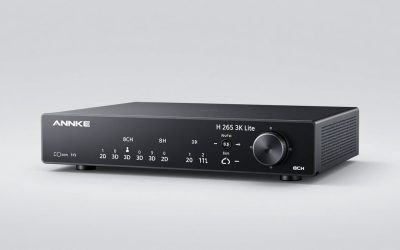
Lorex sells wired NVR kits that record many cameras to a local drive with no monthly fee and free person and vehicle detection on capable models. For a house wanting always-on, high-resolution coverage across several angles, it centralizes storage and playback in one recorder that runs offline.
The downside is installation: running PoE cables and placing an NVR is a real project better suited to homeowners than renters, and the upfront cost is higher. In return you get robust, fee-free footage retention independent of any cloud service or recurring charge.
A wired recorder also keeps working during an internet outage, which is a real advantage over cloud-only sets that go dark when the connection drops. For a whole home, that offline reliability is often worth the extra install effort a local system demands.
Reolink PoE Kit For DIY Wired Detail
Reolink’s PoE camera-and-NVR bundles appeal to DIYers who want continuous local recording and up to 4K detail without fees. A single cable carries power and data to each camera, simplifying wiring, and footage lives on the recorder for review whenever you need it.
The catch is the same wiring effort and a more utilitarian app than the big smart-home brands. It is a strong value for detail-focused homeowners comfortable running cable, but a poor fit for renters or anyone wanting a purely wireless, app-polished experience.
For the DIYer weighing this route, the real work is the cabling, not the software: plan each run from the recorder to the camera, leave slack at both ends, and keep connectors out of standing water at outdoor mounts. Done once, a PoE system is close to maintenance-free, with a single cable carrying power and data and no batteries to recharge. The payoff is continuous local recording at high resolution with no monthly fee, which is why wired kits stay popular with owners who value reliability over a polished, app-first experience.
eufy With HomeBase To Skip Fees Wirelessly
eufy pairs battery or wired cameras with a HomeBase hub that stores clips locally with no required subscription, blending fee-free storage with easier, wireless install. On-device person detection reduces nuisance alerts, and the hub centralizes a small fleet without cables to every camera.
The trade-off is hub dependence: a full drive or hub outage can pause recording, and some advanced features still cost extra. Battery models shorten in busy areas, so wire the highest-traffic cameras to keep them from running flat during frequent motion at a main door.
Sizing the hub’s storage is the step buyers most often skip: a small local drive fills quickly once several cameras record events, and a full hub silently stops saving new clips. Check the largest supported card or drive and match it to how many days of footage you want across your fleet. For the busiest cameras, wiring them instead of relying on batteries keeps them from running flat during a stretch of frequent motion, so a mostly wireless system can still lean on power where uptime matters most, such as a front door.
Ring Ecosystem For Alexa Integration
Ring’s cameras, doorbells, and alarm tie into one app with tight Alexa integration, making a coordinated setup easy to build and control by voice. It suits households already inside that platform who value convenience and a smooth, unified experience across devices.
Recorded video and event history require a Ring Protect plan, so fees are the main downside, and cloud data policies warrant review. Because the system leans on the cloud, confirm how it behaves during an outage before relying on it as your whole-home solution.
Subscription fatigue is steering some buyers away from cloud ecosystems for the whole home, reserving them for a doorbell or one camera. Tally the yearly plan across every camera before committing, since fees scale with the fleet and can quietly outgrow the hardware.
Arlo Ecosystem For Flexible Placement
Arlo’s wire-free cameras and hubs let you place coverage almost anywhere, with wide fields of view and color night vision across a coordinated app. It is a capable wireless ecosystem for homes that want flexibility without running cables to every corner.
As with Ring, recorded clips and the best smart features lean on a subscription, so plan for the recurring cost. Battery life varies with traffic and weather, and a large wireless fleet can strain Wi-Fi, so confirm your network handles the camera count you intend.
A large wireless fleet leans hard on your Wi-Fi, so confirm the network can carry several feeds before expanding. Mixing a couple of wired anchors with wireless units elsewhere often gives steadier whole-home coverage than going fully wireless across a big house.
Wyze Cameras For Budgets
Wyze cameras record to microSD cards or an inexpensive cloud plan, making a budget multi-camera setup affordable for a whole home. For covering several rooms and entries cheaply, they deliver usable coverage with two-way talk and motion alerts at a low price.
Compromises include slower app response, some detection features behind a low-cost plan, and reliance on Wyze’s cloud reliability. It is a value approach rather than a unified, high-end system, so anchor the main entry with a sharper camera and use Wyze for secondary angles.
Whole-home systems see their sharpest markdowns around the big mid-year and late-November sales, though exact dates move each year. If you are buying several cameras and a recorder at once, timing the purchase to one of those windows can offset the higher upfront cost.
See More:
- Best eyeshadow blender brush
- Best frozen foods for air fryer
- Best frozen food for air fryer
- Best way to reheat steak in air fryer
- Best air fryer recipes book
Choosing Your Home Surveillance System
The best home surveillance system for you starts with storage: a local NVR or hub avoids fees and runs offline, while a cloud ecosystem trades a subscription for easy, wireless install. Decide that first, then match resolution, camera count, and detection to the entries and blind spots you must cover.
Measure cable runs, size the drive for the days of footage you want, and plan a ventilated spot for any recorder. Because larger multi-camera systems see their deepest markdowns around major mid-year and late-November sales, timing can help, but the goal is a home surveillance system that scales with your home and keeps you in control of your footage.