Tablet for reading is decided by screen type, eye comfort and battery, not slogans, so this roundup ranks each tablet for reading by e-ink versus colour, front-light quality and battery life. We combine maker specs with long-term owner feedback, note waterproofing and storage, and give one honest drawback per pick.
As an Amazon Associate we earn from qualifying purchases.
Our top picks


As an Amazon Associate we earn from qualifying purchases at no extra cost to you.
By Daniel Foster
Best Tablet for Reading Ranked by Screen and Comfort
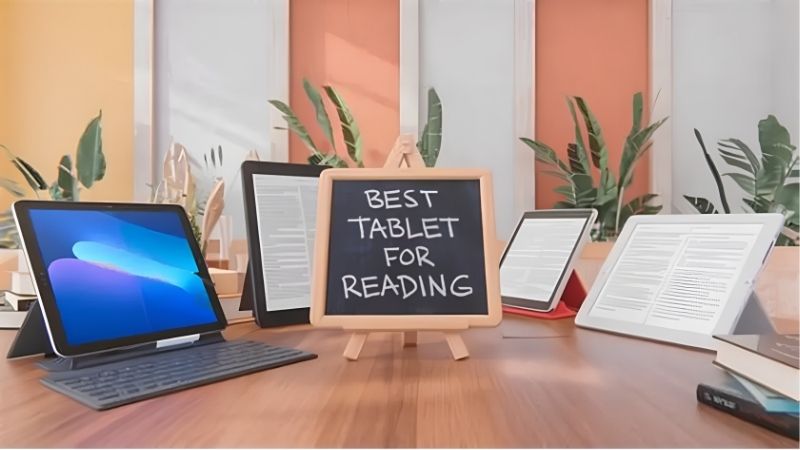
Readers split into two groups: e-ink devices that are gentle on the eyes and last weeks, and colour tablets for magazines, comics and PDFs. The tiers below cover both, and Amazon prices move often, so read them as guidance and confirm the live figure at checkout.
| Tablet | Screen | Battery / extras | Tier |
|---|---|---|---|
| Amazon Kindle (base) | 6″ e-ink 300ppi | Weeks / front light | Budget |
| Kindle Paperwhite | 6.8″ e-ink 300ppi | Weeks / IPX8, warm light | Mid |
| Kobo Libra Colour | 7″ colour e-ink | Weeks / IPX8, page buttons | Mid |
| Amazon Fire HD 8 | 8″ LCD | ~13h / +microSD | Budget |
| Galaxy Tab A9+ | 11″ 90Hz LCD | All-day / +microSD | Budget |
| Apple iPad mini | 8.3″ LCD | All-day / compact | Premium |
Amazon Kindle Base Model (Budget, e-ink)
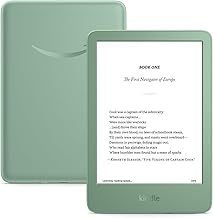
The entry Kindle is the cheapest way to a glare-free 6-inch 300ppi e-ink screen with a front light, so text stays crisp in sun or dark. Battery lasts weeks, and the light weight makes it comfortable to hold one-handed for long reading sessions on a commute or in bed.
It is locked to Amazon’s store, has no expandable storage and the cheaper tier shows lockscreen ads unless you pay to remove them. For distraction-free novel reading on a budget, it is hard to beat, though it lacks the waterproofing and warm light of the Paperwhite above.
Amazon Kindle Paperwhite (Mid, e-ink)
The Paperwhite is the sweet spot: a 6.8-inch 300ppi e-ink display with an adjustable warm light and IPX8 waterproofing, so it survives a bath or poolside. The larger, evenly lit screen and weeks of battery make it the default recommendation for dedicated book readers.
Like all Kindles it stays inside Amazon’s ecosystem and storage is fixed. It is grayscale, so comics and magazines look flat. For pure text reading with a comfortable warm light and true water resistance, it is the best tablet for reading for most people who mainly read books.
Kobo Libra Colour (Mid, colour e-ink)
The Kobo Libra Colour adds colour e-ink and physical page-turn buttons to a 7-inch waterproof screen, with warm light and stylus support. It reads library books via OverDrive easily and the buttons plus ergonomic grip make one-handed reading effortless over long stretches.
Colour e-ink is muted and lower resolution than the sharp grayscale text, so it enhances covers and highlights rather than delivering vivid comics. For readers who want page buttons, waterproofing and a splash of colour outside Amazon’s ecosystem, it is a versatile and comfortable choice.
Amazon Fire HD 8 (Budget, colour LCD)
The Fire HD 8 is a cheap colour route for magazines, comics and PDFs: an 8-inch LCD with microSD expansion at a very low price. It handles Kindle books, colour periodicals and light video, making it a flexible budget reader when e-ink grayscale is not enough for your content.
The LCD is lower resolution and, being backlit, tires eyes faster than e-ink over long sessions, plus Fire OS limits apps. As an inexpensive colour reader for mixed content it is fine, but dedicated book readers will find an e-ink Kindle far kinder to the eyes.
Samsung Galaxy Tab A9+ (Budget, colour LCD)
The Tab A9+ gives an 11-inch 90Hz LCD and full Google Play at a budget price, ideal for comics, manga, textbooks and PDFs that need a bigger colour screen. Quad speakers and microSD add value, and any reading app you like installs freely, unlike closed e-readers.
As an LCD it is backlit and heavier than a pocket e-reader, so it is less comfortable for hours of novels and worse in bright sun. For large-format colour reading and general tablet use in one device, though, it is one of the best value options here.
Apple iPad mini (Premium, colour LCD)
The iPad mini is the premium compact reader: an 8.3-inch high-quality LCD that is light enough for one-handed use yet sharp and fast for comics, PDFs and every reading app. It doubles as a capable everyday tablet, so it reads well and does far more besides.
It is expensive for its size and, being backlit LCD, is less eye-friendly than e-ink for long text and unusable to read in direct sun. For a portable, do-everything colour tablet for reading where budget is not the concern, its size and quality are hard to match.
How to Choose a Tablet for Reading
Match the screen type to what and where you read before you buy, and weigh eye comfort against colour and app flexibility. The points below settle most decisions faster than comparing spec sheets line by line.
The Specs That Decide It
The deciding factors are screen type, front-light quality and battery. E-ink is glare-free, gentle on the eyes and lasts weeks, ideal for text; colour LCD suits comics, magazines and PDFs but is backlit and tires eyes faster. Decide which content you read most before choosing.
For e-ink, look at resolution in ppi, an adjustable warm light and an IPX waterproof rating for bath or poolside reading. For colour tablets, check the app store and storage. Settling screen type first avoids buying a grayscale reader for comics or a backlit slate for eye comfort.
Size and Fit for How You Hold It
A reader’s size shapes comfort. A 6 to 7-inch e-ink device or an 8-inch tablet is light for one-handed reading in bed or on a commute, while an 11-inch screen suits large-format comics and textbooks on a desk but is heavier to hold for long stretches.
Weight matters as much as screen size for hours of reading, so a light e-reader beats a bigger tablet for pure books. Check the grams and dimensions against how you read, and consider page-turn buttons or a case with a grip if you read one-handed for long periods.
Battery, Waterproofing and Timing
Battery separates the types: e-ink lasts weeks while colour tablets last a day of heavy use. Waterproofing to IPX8 lets e-readers handle a bath or beach, and storage or microSD decides how many books, comics and PDFs you can carry offline without constant syncing.
On timing, the late-June Prime Day and November sales are the strongest discount windows for a tablet for reading, and e-readers are popular gifts in the holiday season, though Amazon shifts sale dates each year, so confirm the official ones before planning a purchase.
Tablet for Reading FAQ
Readers ask these questions most when choosing a device, covering e-ink versus LCD for eye comfort, reading in sun and whether a full tablet is overkill for books.
Is e-ink or LCD better for the eyes?
E-ink is generally easier on the eyes because it reflects light like paper and has no backlight glare, so it suits long text reading. LCD is fine for shorter sessions and needed for colour comics and magazines. For hours of novels, e-ink with a warm light is the more comfortable choice.
Can I read outdoors in bright sun?
E-ink readers excel in direct sunlight, staying crisp and glare-free like paper. LCD tablets wash out and become hard to see outdoors even at high brightness. If you read at the beach, by the pool or in the garden often, an e-ink device is the clearly better tool.
Do I need a full tablet or just an e-reader?
If you only read books, a dedicated e-reader is lighter, lasts weeks and is kinder to the eyes. If you also want comics, magazines, apps and video in colour, a tablet like the Tab A9+ or iPad mini is more flexible. Match the device to whether reading is your sole use.
See More:
- Best eyeshadow blender brush
- Best frozen foods for air fryer
- Best frozen food for air fryer
- Best way to reheat steak in air fryer
- Best air fryer recipes book
Bottom Line on the Best Tablet for Reading
The best tablet for reading depends on your eyes and content: a Kindle or Paperwhite for glare-free novels, a Kobo Libra Colour for buttons and a splash of colour, and a Fire HD 8, Tab A9+ or iPad mini for comics, magazines and mixed use. Choose e-ink for text and sun, colour LCD for versatility, check the weight for one-handed reading, and let Prime Day or the holidays set the price. Match the screen to how you read and the pages fly by.