Budget android tablet value is set by chip, screen and storage, not marketing, so this roundup ranks each budget android tablet by processor, panel, expandable memory and battery. We pair maker specs with long-term owner feedback, note where microSD and a pen are included, and list one honest drawback per pick.
As an Amazon Associate we earn from qualifying purchases.
Our top picks


 Samsung Galaxy Tab A11+ 6GB RAM
- Generation: 11th Generation
- Warranty Description: 2 Year Manufacturer
- Specific Uses For Product: Entertainment, Student
11-inch 90Hz display delivers fluid motion for video and games
Dolby Atmos quad speakers add cinema-like sound
Backed by a 2-year manufacturer warranty
128GB of built-in storage may need a card for large files
Google Gemini and Circle to Search depend on software support


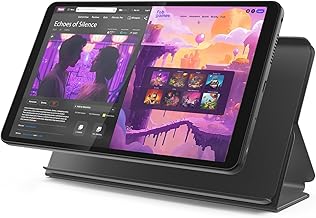
 ECOPAD 10.1 Inch Tablet
- Generation: 1st Generation
- Age Range Description: Adult
- Configuration: 12GB RAM, 64GB ROM
Storage expands up to 1TB with an SD card
6000mAh battery supports up to 8 hours of video
Dual-band Wi-Fi and Bluetooth 5.0 round out connectivity
Screen resolution is limited to 1280x800
SD card for expanded storage is sold separately

As an Amazon Associate we earn from qualifying purchases at no extra cost to you.
By Daniel Foster
Best Budget Android Tablet Picks Ranked
Cheap tablets vary wildly, so the numbers that matter are the chip, screen resolution and refresh, RAM, and whether storage expands by microSD. The picks below sit at the low end of the price scale, and Amazon prices move often, so confirm the live figure at checkout.
| Tablet | Display / chip | Storage | Extras |
|---|---|---|---|
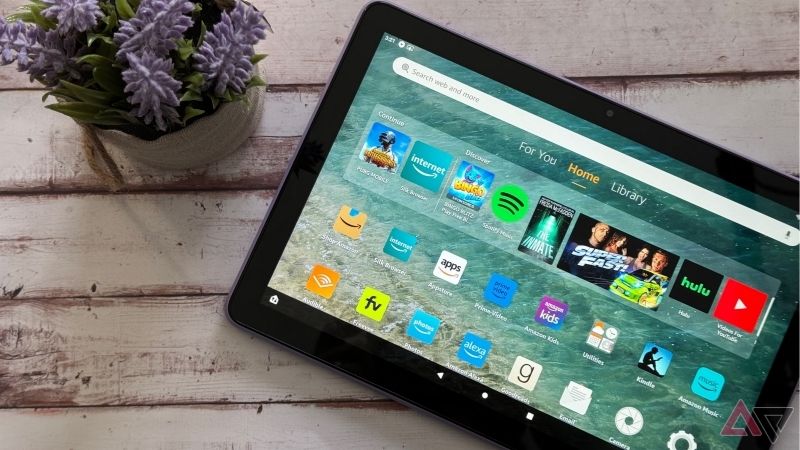
| Amazon Fire HD 10 | 10.1″ 1080p / MediaTek | 32-64GB +microSD | Fire OS, Alexa |
| Galaxy Tab A9+ | 11″ 90Hz LCD / SD 695 | 64-128GB +microSD | Quad speakers |
| Lenovo Tab M11 | 11″ 90Hz LCD / Helio G88 | 64-128GB +microSD | Pen included |
| Xiaomi Redmi Pad SE | 11″ 90Hz LCD / SD 680 | 128-256GB +microSD | Big battery |
| Nokia T21 | 10.4″ 2K LCD / Unisoc T612 | 64-128GB +microSD | Clean Android |
| OnePlus Pad Go | 11.35″ 2.4K / Dimensity 7050 | 128-256GB +microSD | Strong screen |
Amazon Fire HD 10 (Cheapest)
The Fire HD 10 is the rock-bottom route to a 10-inch 1080p screen, with a modest MediaTek chip, microSD expansion and Alexa built in. For textbooks, video and browsing inside Amazon’s world it does the core job at a price no full Android tablet can match on paper.
The catch is Fire OS, which uses the Amazon Appstore rather than Google Play, so many apps need workarounds and it technically is not a standard Android device. Performance is basic and multitasking stutters, so treat it as a media slate rather than a productivity tool.
Samsung Galaxy Tab A9+ (Best Balance)
The Tab A9+ is the value all-rounder: an 11-inch 90Hz LCD, Snapdragon 695, 4 to 8GB of RAM, microSD and quad speakers, all with full Google Play. The higher refresh rate smooths scrolling and the sound quality stands out at this price for video and shared study sessions.
Performance is fine for daily tasks but stumbles on heavy games, and it is LCD rather than AMOLED. As an everyday tablet with proper Android, long software support from Samsung and expandable storage, it is the pick most people should start with.
Lenovo Tab M11 (Pen Included)
The Tab M11 undercuts rivals by bundling a stylus: an 11-inch 90Hz LCD, MediaTek Helio G88, microSD and the Lenovo Tab Pen in the box. That makes it a rare cheap option for handwriting notes and quick sketches without paying extra for an accessory pen.
The Helio G88 is entry-level, so demanding apps and games lag, and the pen is basic rather than pressure-rich. For note-takers on a tight budget who want handwriting on a proper Android tablet, the included pen and expandable storage make it excellent value overall.
Xiaomi Redmi Pad SE (Big Battery)
The Redmi Pad SE focuses on endurance and screen: an 11-inch 90Hz LCD, Snapdragon 680, up to 256GB and a large battery that easily lasts a full day of video. The bright panel and long runtime make it a strong media and reading slate for the money.
The SD680 is a lower-tier chip, so gaming and heavy multitasking are limited, and regional software support varies. For buyers who prioritise battery life and a big, sharp screen for streaming over raw speed, it is a dependable and affordable choice with room to grow storage.
Nokia T21 (Clean Android)
The Nokia T21 offers a sharper 10.4-inch 2K LCD and near-stock Android with a promise of regular updates, plus microSD and a metal build. The clean software avoids bloat, which keeps a modest Unisoc chip feeling tidier than heavily skinned rivals in everyday use.
The Unisoc T612 is weak for gaming and app-heavy work, and accessory support is thin. For readers and light users who value a clean, update-friendly budget android tablet with a crisp screen over gaming muscle, it is a sensible, no-nonsense pick at a low price.
OnePlus Pad Go (Strongest Screen)
The OnePlus Pad Go punches up with an 11.35-inch 2.4K LCD and the Dimensity 7050, giving it the best screen and speed here while staying budget-friendly. The sharp, tall display suits reading, split-screen and video, and performance handles mainstream games far better than cheaper chips.
It sits at the top of the budget bracket, so it costs more than the others, and it lacks the flagship extras of pricier slates. For buyers who want the most capable budget android tablet before stepping into mid-range prices, it is the clear performance leader of this group.
How to Choose a Budget Android Tablet
The right cheap tablet matches your main use rather than the lowest sticker price. Work through the points below and check the size against your bag before buying, since a bargain that struggles with your apps is not a bargain at all.
The Specs That Decide It
Read the chip and RAM, screen resolution and refresh, storage with microSD, battery and the operating system. A slightly stronger chip and 90Hz screen make daily use far smoother, and microSD lets you add space cheaply later rather than paying up front for more storage.
Ecosystem is a key spec too: Fire OS locks you out of Google Play, while the others give full Android. Deciding chip and platform first prevents the classic budget mistake of a tablet that looks cheap but stutters on the very apps and games you bought it to run.
Size and Fit for How You Carry It
Screen size is the tablet’s real footprint. A 10 to 11-inch slate is light for one-handed reading and slips into any bag, which suits commuters and students, while smaller 8-inch models are more pocketable but cramped for split-screen work and detailed reading.
Weigh how you will hold and carry it day to day. If you travel, favour a lighter model and a folio case that doubles as a stand. Check the weight in grams and the dimensions against your bag so the tablet actually comes with you rather than staying at home.
Battery, Support and Timing
Battery in real hours decides all-day use, and cheaper chips often sip less power, so budget slates can last surprisingly long. Also check the maker’s software-update record, since some budget brands drop support quickly while Samsung and Nokia tend to update for longer periods.
On timing, the late-June Prime Day and November sales are the strongest windows for a budget android tablet, and cheap slates are common gifts in the holiday season, though Amazon shifts sale dates each year, so confirm the official ones before planning a purchase.
Budget Android Tablet FAQ
These are the questions buyers ask most before spending on a cheap tablet, covering Fire OS, storage and whether a low price means poor performance.
Is a Fire tablet a real Android tablet?
Fire tablets run Fire OS, a modified Android that uses Amazon’s Appstore instead of Google Play, so many Google and third-party apps are missing or need workarounds. They are great value inside Amazon’s ecosystem, but a Galaxy or Lenovo model suits full Android use much better.
How much storage do I need on a budget?
For reading, streaming and light apps, 64GB is usually enough, and every pick here supports microSD so you can add a cheap card later. If you download lots of offline video or games, choose 128GB or higher up front and still keep the microSD slot for expansion.
Will a cheap tablet feel slow?
Entry chips like the Helio G88 or Unisoc T612 handle reading and video fine but stutter on heavy apps and games. Stronger budget chips like the Dimensity 7050 or Snapdragon 695 feel noticeably smoother. Match the chip to your tasks and a budget tablet stays pleasant to use.
See More:
- Best eyeshadow blender brush
- Best frozen foods for air fryer
- Best frozen food for air fryer
- Best way to reheat steak in air fryer
- Best air fryer recipes book
Bottom Line on the Best Budget Android Tablet
The best budget android tablet matches your use to the chip: a Fire HD 10 for cheap Amazon media, a Galaxy Tab A9+ for the best balance of Android and value, a Lenovo Tab M11 for an included pen, a Redmi Pad SE for battery, a Nokia T21 for clean software, and a OnePlus Pad Go for the strongest screen and speed. Check microSD, software support and the weight against your bag, and let Prime Day or the holidays set the price. Match the chip and even a cheap tablet feels good.