Amazon Fire tablet review should rank Fire slates by real specs, not hype, so this amazon fire tablet review ranks the range by screen, storage, battery and kids features. We combine maker specs with long-term owner feedback, note the Fire OS limits honestly, and give one real drawback per slate so you pick the right Fire.
As an Amazon Associate we earn from qualifying purchases.
Our top picks


As an Amazon Associate we earn from qualifying purchases at no extra cost to you.
By Daniel Foster
Amazon Fire Tablet Review: Range Ranked
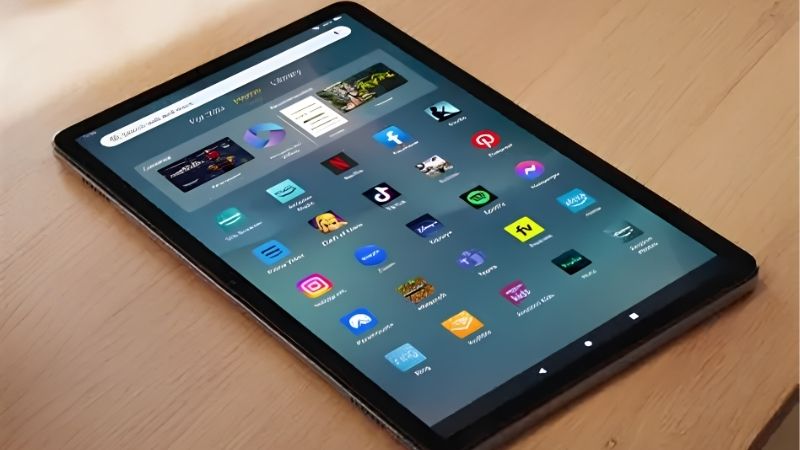
Every Fire tablet runs Fire OS with the Amazon Appstore rather than Google Play, so the deciding numbers are screen size and resolution, storage with microSD, battery and, for families, the kids editions. The picks span cheap to top Fire; Amazon prices move often, so check the live figure.
| Model | Screen | Storage / battery | Best for |
|---|---|---|---|
| Fire 7 | 7″ 1024×600 LCD | 16-32GB +microSD / ~10h | Cheapest reading |
| Fire HD 8 | 8″ 1280×800 LCD | 32-64GB +microSD / ~13h | Value media |
| Fire HD 8 Kids | 8″ 1280×800 LCD | 32GB +microSD / ~13h | Younger kids |
| Fire HD 10 | 10.1″ 1080p LCD | 32-64GB +microSD / ~13h | Big screen value |
| Fire HD 10 Kids | 10.1″ 1080p LCD | 32GB +microSD / ~13h | Older kids |
| Fire Max 11 | 11″ 2000×1200 LCD | 64-128GB +microSD / ~14h | Best overall Fire |
Amazon Fire 7 (Cheapest)
The Fire 7 is the rock-bottom slate: a 7-inch 1024×600 LCD with microSD and around ten hours of battery at a price lower than almost any tablet. For basic Kindle reading, audiobooks and light video inside Amazon’s world, it covers the essentials for very little money.
The low-resolution screen and slow chip make it sluggish, and Fire OS lacks Google Play. It is best kept to reading and simple media rather than apps or multitasking. As a spare or travel slate you would not worry about damaging, though, its low price is hard to argue with.
Amazon Fire HD 8 (Value Media)
The Fire HD 8 is the compact value pick of this amazon fire tablet review: an 8-inch 1280×800 LCD, microSD and roughly 13 hours of battery. The sharper screen and longer runtime make it a comfortable reader and video slate that is still easy to hold one-handed.
Performance is modest and the screen is HD rather than full HD, plus Fire OS limits apps. For an affordable, pocketable media tablet for reading, streaming and audiobooks around the home, it is a clear step up from the Fire 7 without a big jump in price.
Amazon Fire HD 8 Kids (Younger Kids)
The Fire HD 8 Kids wraps the HD 8 in a chunky protective case with a two-year worry-free guarantee, a year of Amazon Kids+ content and strong parental controls. It is built to survive drops and manage screen time, making it a low-stress first tablet for younger children.
The hardware is the same modest HD 8, so it is not fast, and the bundled content subscription renews at a cost after the first year. For durable, controlled use by younger kids, the case, guarantee and parental tools justify the small premium over the standard model.
Amazon Fire HD 10 (Big Screen Value)
The Fire HD 10 delivers a 10-inch 1080p screen cheaply: a full-HD LCD with microSD and about 13 hours of battery, plus Alexa. The larger, sharper display suits video, textbooks and split-view reading far better than the smaller Fire models for a modest price.
The chip is still budget-grade so heavy multitasking stutters, and Fire OS lacks Google Play. For a big-screen media and reading slate at a low price, it is the best value large Fire, provided you accept the app-store limits and treat it as an entertainment device.
Amazon Fire HD 10 Kids (Older Kids)
The Fire HD 10 Kids pairs the bigger 1080p screen with a rugged case, two-year guarantee, a year of Kids+ and detailed parental controls. The larger display suits older children for reading, educational apps and video, while the protection and controls ease parents’ minds.
As with the smaller kids model, the content subscription renews at a cost and the hardware is budget-grade. For older kids who want more screen and can handle a larger tablet, it is a durable, well-controlled choice, though the standard HD 10 with a case is a cheaper route.
Amazon Fire Max 11 (Best Overall)
The Fire Max 11 is the top Fire: an 11-inch 2000×1200 LCD, a faster MediaTek chip, up to 128GB with microSD, an aluminium body and around 14 hours of battery, with an optional keyboard and pen. It is the only Fire that feels close to a mainstream mid-range tablet.
It still runs Fire OS without Google Play, and the optional accessories add cost, but it is far more capable than the cheaper models. For the best overall experience in this amazon fire tablet review, especially for light productivity and media, the Max 11 is the clear pick.
How to Choose in This Amazon Fire Tablet Review
Match the screen, storage and features to your use before you buy, and remember the Fire OS limits. The points below settle most decisions faster than comparing every Fire spec side by side.
The Specs That Decide It
The deciding factors are screen size and resolution, storage with microSD, battery and, for families, the kids editions with cases and guarantees. Higher-resolution screens like the Max 11 and HD 10 suit video and reading far better than the low-resolution Fire 7.
The biggest limit across the range is Fire OS, which uses the Amazon Appstore rather than Google Play, so confirm your must-have apps exist before buying. Deciding screen and app needs first prevents disappointment when a Google app or service you rely on is missing.
Space and Fit for How You Hold It
Fire sizes run 7 to 11 inches, so footprint varies. The 7 and 8-inch models are light for one-handed reading and travel, while the 10 and 11-inch slates suit video, textbooks and split-view but are heavier to hold for long reading sessions in bed or on a commute.
For kids, the rugged cases add bulk but essential protection. Check the weight in grams and the dimensions against how and where the tablet will be used, since a big Fire is great for shared media at home but less comfortable as a pocketable personal reader.
Battery, Kids Features and Timing
Battery runs around 10 to 14 hours across the range, and microSD lets every Fire expand storage cheaply for offline video and books. For families, weigh the kids editions, whose cases and two-year guarantees often outweigh the small premium over a standard model plus a case.
On timing, Fire tablets see their deepest discounts around the late-June Prime Day and November sales, and they are common gifts in the holiday season, though Amazon shifts sale dates each year, so confirm the official ones before planning a purchase around them.
Amazon Fire Tablet Review FAQ
These are the questions buyers ask most about Fire tablets, covering Google apps, whether the kids editions are worth it and how Fire compares to full Android.
Can Fire tablets run Google Play apps?
Not officially. Fire tablets use the Amazon Appstore, which lacks many Google apps and services, though some users sideload Google Play with workarounds that carry risk. If you need Google apps out of the box, a Galaxy or Lenovo tablet on full Android is the better choice.
Are the Fire Kids editions worth it?
For younger children, yes. They add a rugged case, a two-year worry-free guarantee, a year of Kids+ content and strong parental controls, which together often cost less than buying protection separately. The trade-off is a renewing content subscription and the same budget-grade hardware.
How does a Fire tablet compare to a full Android tablet?
Fire tablets are cheaper and great inside Amazon’s ecosystem for reading and video, but Fire OS limits apps and performance. A budget Android slate like the Galaxy Tab A9+ costs a little more but offers full Google Play, better software and stronger long-term app support.
See More:
- Best eyeshadow blender brush
- Best frozen foods for air fryer
- Best frozen food for air fryer
- Best way to reheat steak in air fryer
- Best air fryer recipes book
Bottom Line on This Amazon Fire Tablet Review
This amazon fire tablet review points you by use: the Fire 7 for the cheapest reading, the Fire HD 8 for pocketable value media, the HD 8 and HD 10 Kids editions for durable, controlled use by children, the Fire HD 10 for big-screen value, and the Fire Max 11 for the best overall Fire experience. Accept the Fire OS app limits, check storage and the kids features, and let Prime Day or the holidays set the price. Match the model to your use and a Fire is unbeatable value for Amazon media.