Tablet accessories earn their place by fit and use, not marketing, so this roundup ranks the tablet accessories that matter by compatibility, connection and everyday value. We combine maker specs with long-term owner feedback, note which models fit which slates, and list one honest drawback per pick so you buy add-ons you will use.
As an Amazon Associate we earn from qualifying purchases.
Our top picks




As an Amazon Associate we earn from qualifying purchases at no extra cost to you.
By Daniel Foster
Best Tablet Accessories Ranked by Value
The right add-ons turn a slate into a work and study tool. The picks below cover typing, writing, protection and connectivity across budget to premium, and Amazon prices move often, so read the tiers as a guide and confirm the live figure before you buy.
| Accessory | Job | Fit check | Tier |
|---|---|---|---|
| Keyboard folio case | Typing + stand | Model-specific | Mid |
| Active stylus | Notes + sketch | Protocol-specific | Mid |
| Protective folio | Drop protection | Size-specific | Budget |
| Paper-like protector | Matte writing feel | Cut to size | Budget |
| Adjustable stand | Hands-free viewing | Universal | Budget |
| USB-C hub | Ports + SD | USB-C tablets | Budget |
Keyboard Folio Case
A keyboard folio is the accessory that most changes what a tablet can do, turning it into a light laptop for email and documents. Better folios add a backlit layout and a trackpad, and the fold-out design doubles as a stand at a comfortable typing angle.
The catch is that good keyboard cases are model-specific and can be pricey, sometimes a third of the tablet’s cost. Cheaper universal Bluetooth keyboards work with any slate but lack the integrated fit. Confirm the case is made for your exact model before buying, or the cutouts will not line up.
Active Stylus
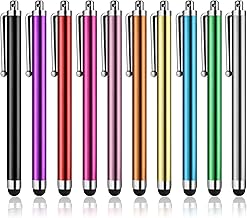
An active stylus unlocks handwriting, mark-up and sketching. First-party pens like the Apple Pencil or Samsung S Pen offer low latency, tilt and palm rejection, while budget third-party pens handle notes well for far less, though usually without pressure sensitivity for art.
The key gotcha is protocol: a pen made for iPad will not work on an Android slate, and vice versa. Match the stylus to your tablet’s system, and check whether your model even supports an active pen. For among the most useful tablet accessories, compatibility decides everything here.
Protective Folio Case
A folio case is cheap insurance against drops and scratches, with a front cover that wakes and sleeps the screen and folds into a stand. Slim options keep bulk down, while rugged cases add corner protection for kids or bags, so match the level to how rough your use gets.
The trade-off is that heavier cases add weight and thickness, undoing a thin tablet’s appeal. Cases are also size-specific, so a case for an 11-inch slate will not fit a 12.7-inch one. Measure your model and pick the lightest case that gives the protection you actually need.
Paper-Like Screen Protector
A matte paper-like protector adds friction under a stylus, making handwriting and drawing feel closer to paper, and it cuts glare and fingerprints. For heavy note-takers it transforms the writing experience on an otherwise slick glass screen at a very low price.
The downside is a slightly softer, less sharp image and faster pen-tip wear from the textured surface. If you rarely write, a clear tempered-glass protector keeps the screen crisp instead. These protectors are cut to specific models, so order the version made for your exact tablet size.
Adjustable Tablet Stand
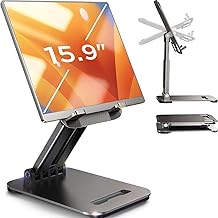
A weighted aluminium stand holds a tablet at a comfortable angle for video calls, recipes, reading and watching, freeing your hands and easing neck strain. Foldable models travel well, and adjustable hinges let you switch between a near-flat writing angle and an upright viewing one.
Cheap stands can be wobbly or scratch the tablet without soft pads, so look for silicone contact points and a stable base. Most stands are universal by size range, making them one of the easiest tablet accessories to buy, since fit is rarely an issue across models.
USB-C Hub
A compact USB-C hub adds HDMI, USB-A, an SD card reader and pass-through charging to tablets with a USB-C port, turning a slate into a light workstation for presentations and file transfers. It is a small, cheap add-on that removes the need for extra dongles on the go.
The limit is that the tablet must support USB-C data and, for external video, DisplayPort Alt Mode, which many budget slates lack. Confirm your model supports video output before buying, or the HDMI port will not work, and treat the hub as ports rather than a full dock.
How to Choose Tablet Accessories
The golden rule is compatibility first, then value. Work through the points below and confirm each add-on fits your exact model before buying, since the best accessory is useless if it does not match your slate’s size, port or pen protocol.
The Specs That Decide It
The deciding factor for most accessories is compatibility: the case and protector must match your model’s exact size, the stylus must match its pen protocol, and the hub needs USB-C data and video support. Get these right and everything else is preference and budget.
After fit, weigh connection and features: a keyboard’s trackpad and backlight, a stylus’s tilt and latency, a hub’s port mix and charging wattage. Deciding fit and function first prevents buying a lovely accessory that will not physically attach to or work with your tablet.
Space, Weight and Fit
Accessories add bulk, so weigh what you gain against the weight you add. A keyboard folio makes a tablet laptop-like but heavier, while a slim case keeps it travel-friendly. Think about whether you want a portable setup or a fixed desk station before loading up on add-ons.
Measure your tablet’s size and check port placement, since cases must clear the camera and buttons and hubs must reach the port. A stand’s footprint matters on a small desk. Match each accessory to your model’s dimensions so the finished setup stays as usable as you intended.
Value, Ecosystem and Timing
Factor total cost, since a first-party keyboard and pen can add up fast. Third-party alternatives often deliver most of the function for far less, especially for cases, protectors and budget styluses, so spend up only where the first-party version clearly earns it, like a pen for art.
On timing, the late-June Prime Day and November sales are the strongest windows for tablet accessories, and they make easy add-on gifts in the holiday season, though Amazon shifts sale dates each year, so confirm the official ones before planning a purchase around them.
Tablet Accessories FAQ
These are the questions buyers ask most when kitting out a slate, covering first-party versus third-party gear, screen protectors and which add-on to buy first.
Are third-party accessories as good as first-party?
For cases, protectors and stands, third-party gear is usually just as good and much cheaper. For styluses, first-party pens like the Apple Pencil and S Pen lead on pressure and latency for art, while budget pens suit notes. Match the spend to how demanding the task really is.
Do I need a screen protector on a tablet?
It is optional. A tempered-glass protector guards against scratches while keeping the image sharp, and a matte paper-like one improves handwriting feel at the cost of a little clarity. If you write often, choose paper-like; if you value the crispest screen, a clear glass protector is better.
Which accessory should I buy first?
Start with what changes how you use the tablet most. For work and study, a keyboard case comes first; for notes and art, a stylus and paper-like protector; for everyone, a basic case for protection. Buy the one that matches your main task before adding the rest.
See More:
- Best eyeshadow blender brush
- Best frozen foods for air fryer
- Best frozen food for air fryer
- Best way to reheat steak in air fryer
- Best air fryer recipes book
Bottom Line on Tablet Accessories
The best tablet accessories are the ones that fit your exact model and match how you use it: a keyboard folio for work, a compatible stylus and paper-like protector for notes, a case for protection, a stand for hands-free viewing, and a USB-C hub for ports. Confirm size, pen protocol and video support before buying, favour third-party where it matches quality, and let Prime Day or the holidays set the price. Match the fit and every add-on earns its keep.