Key takeaways
What's inside
Educational tablets earn their place through learning apps and controls, not marketing, so this roundup ranks educational tablets by app quality, note-taking, parental controls and durability. We combine maker specs with long-term parent and teacher feedback, note the age fit, and list one honest drawback per pick so learning stays the focus.
As an Amazon Associate we earn from qualifying purchases.
As an Amazon Associate we earn from qualifying purchases at no extra cost to you.


By Daniel Foster
Best Educational Tablets Ranked
A learning tablet needs safe, quality educational apps, good controls, and often a pen for notes and drawing. The picks below span budget to premium across age ranges, and Amazon prices move often, so read the tiers as a guide and confirm the live figure before you buy.
| Tablet | Best age | Learning strength | Tier |
|---|---|---|---|
| Fire HD 8 Kids | 3-7 | Curated Kids+ content | Budget |
| Fire HD 10 Kids Pro | 6-12 | Age filters, big screen | Mid |
| Lenovo Tab M11 | 6-12 | Pen + Google Kids Space | Mid |
| Galaxy Tab A9+ | 8+ | Full apps, quad speakers | Mid |
| Galaxy Tab S9 FE | 10+ | S Pen notes, DeX | Mid |
| Apple iPad (10th gen) | Grows with child | Best education apps | Premium |
Amazon Fire HD 8 Kids (Young Learners)
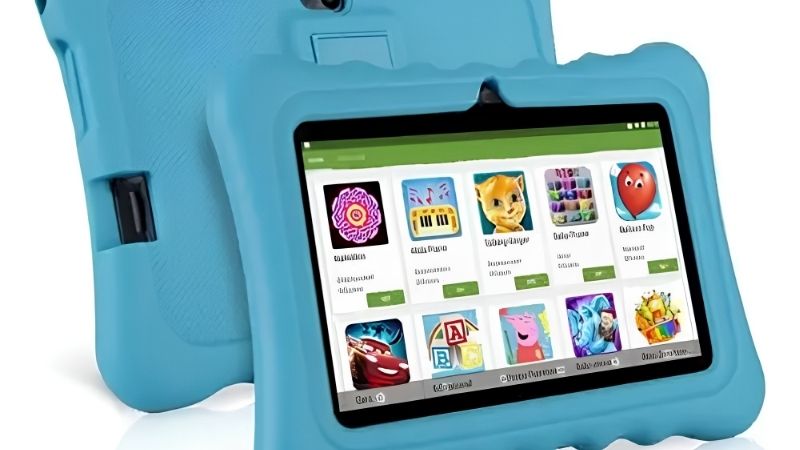
The Fire HD 8 Kids suits early learners with curated Amazon Kids+ content spanning books, educational games and videos, plus a rugged case, a two-year guarantee and simple time limits. It offers a safe, controlled first learning device for young children at a low price.
The hardware is basic, the subscription renews after year one, and Fire OS limits apps. For pre-school and early primary learning inside a curated, protected environment, it is excellent value, though older children and app-heavy schoolwork will outgrow its closed ecosystem.
Amazon Fire HD 10 Kids Pro (Primary School)
The Fire HD 10 Kids Pro fits ages 6 to 12 with age-appropriate educational content, a larger 1080p screen for reading and video lessons, and app-approval controls parents manage remotely. The maturer interface gives school-age children more independence within safe limits.
It runs budget-grade hardware and renews the content subscription. For primary-age learning where a bigger, clearer screen helps with reading and lessons, it is a solid mid pick for school-age learning, provided the Amazon app limits fit the child’s schoolwork needs.
Lenovo Tab M11 (Notes on a Budget)
The Tab M11 bundles a pen and runs full Android with Google Kids Space and Family Link, giving curated learning content plus handwriting for notes and simple diagrams. The included stylus makes it a rare budget option for children who need to write, not just tap and watch.
The entry chip stutters under heavy apps and the pen is basic. For families who want note-taking, real Android learning apps and Google’s controls at a low price, it is strong value, especially for older primary and early secondary students starting to handwrite work.
Samsung Galaxy Tab A9+ (Full Apps)
The Galaxy Tab A9+ offers full Google Play and Samsung Kids controls on an 11-inch 90Hz screen with quad speakers, making it flexible for any educational app and clear for video lessons. Older students get proper apps for research, documents and learning platforms.
Performance handles school apps but stumbles on heavy multitasking, and a case is extra. For students aged eight and up who need full app access with controls a parent sets, it is a capable, affordable learning tablet that adults in the home can share too.
Samsung Galaxy Tab S9 FE (Note-Taking)
The Tab S9 FE is the note-taking learner’s pick, with an included S Pen, Samsung Notes, DeX desktop mode and IP68 durability on a 10.9-inch 90Hz screen. Handwriting, mark-up and split-screen study make it well suited to secondary and older students who write and research.
The Exynos chip is mid-tier and a keyboard is extra. For older students who take handwritten notes, annotate PDFs and multitask for study, the free pen and desktop mode make it one of the most capable educational tablets short of a premium iPad.
Apple iPad 10th Generation (Best Apps)
The 10th-gen iPad has the deepest education app library, from Swift Playgrounds coding to top study, maths and language apps, plus detailed Screen Time controls and years of support. It grows with a child from primary through secondary and beyond, making it a long-term learning tool.
It costs far more than budget options and needs a case and pen bought separately. For families investing in one durable device with the best educational apps and controls that lasts for years, it is the premium choice, provided the higher price fits the budget.
How to Choose Educational Tablets
Match the app ecosystem, controls, note-taking and durability to the child’s age and schoolwork before you buy. The points below settle most decisions faster than comparing chips, since app quality and controls matter more than raw speed for learning.
The Specs That Decide It
The deciding factors are the app ecosystem, parental controls, pen support for notes and durability. Curated systems like Kids+ suit young learners, while full Android or iPadOS gives older students the real study, coding and productivity apps their schoolwork increasingly requires.
Consider whether the child needs to handwrite, since a bundled pen adds real value for notes and diagrams. Deciding on apps and controls first prevents buying a curated toddler tablet an older student outgrows, or an open device that lacks the controls a young child needs.
Size, Durability and Fit for Students
A learning tablet should suit the child’s hands and survive school bags. A 7 to 8-inch model in a case fits young learners, while a 10 to 11-inch screen suits reading, video lessons and note-taking for older students but weighs more with a protective case added.
Durability matters for daily transport, so a rugged case or an IP-rated device like the Tab S9 FE helps. Check the weight in grams with protection on, and match the screen size to the child’s age and the reading or writing tasks they do most for school.
Content, Cost and Timing
Weigh recurring cost, since curated content like Kids+ renews after the first year. Decide whether bundled learning content justifies the Fire route or whether free apps on Android or iPadOS with your own controls suit the child’s schoolwork and your budget better over time.
On timing, back-to-school from late July through early September and the late-June Prime Day window are the strongest discount periods for educational tablets, and they are popular gifts in the holiday season, though sale dates move yearly, so confirm the official ones before buying.
Educational Tablets FAQ
These are the questions parents ask most about learning tablets, covering the best age ranges, whether a pen matters and if an iPad is worth it for school.
What age is right for an educational tablet?
Curated Fire Kids tablets suit ages 3 to 7, the Kids Pro and Google Kids Space fit 6 to 12, and full Android or iPad devices with your own controls suit 8 and up. Match the ecosystem to the child’s age, moving from curated content to fuller app access as they grow.
Do educational tablets need a pen?
For older students who handwrite notes, annotate PDFs or sketch diagrams, a pen adds real learning value, and models like the Tab S9 FE and Lenovo M11 include one. For younger children who mainly read and use apps, a pen is optional, so spend the saving on storage or a case.
Is an iPad worth it for school?
An iPad has the deepest education app library, from coding to study tools, plus strong controls and long support that lasts through school years. It costs more and needs a case, but for families wanting one durable device with the best learning apps, it is often worth the investment.
See More:
- Best eyeshadow blender brush
- Best frozen foods for air fryer
- Best frozen food for air fryer
- Best way to reheat steak in air fryer
- Best air fryer recipes book
Bottom Line on the Best Educational Tablets
The best educational tablets match the child’s age and schoolwork: a Fire HD 8 Kids for young learners, a Fire HD 10 Kids Pro for primary school, a Lenovo Tab M11 for budget note-taking, a Galaxy Tab A9+ for full apps, a Galaxy Tab S9 FE for older note-takers, and an iPad 10th gen for the best apps that grow with the child. Weigh the app ecosystem, controls, pen and durability, check the weight for young hands, and let back-to-school or the holidays set the price. Match the tablet to the learner and school work flows.