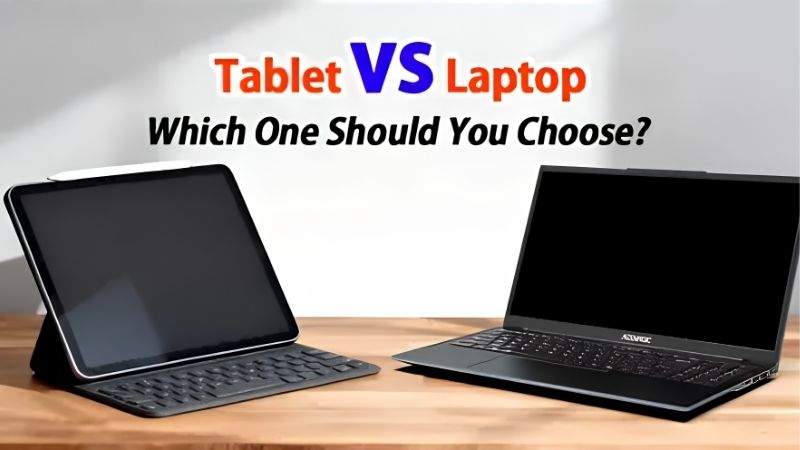
Tablet vs laptop is a choice about apps and workflow, not slogans, so this tablet vs laptop guide compares the two on portability, software, performance, typing and price, then gives clear advice. We combine device specs with long-term owner feedback and note the real trade-offs so you pick the device that fits your life.
As an Amazon Associate we earn from qualifying purchases.
Our top picks


As an Amazon Associate we earn from qualifying purchases at no extra cost to you.
By Daniel Foster
Tablet vs Laptop: How They Compare
Each side wins on different fronts, so the right pick depends on what you do most. The table below sets tablets, laptops and the 2-in-1 middle ground against the same criteria, and prices move often on Amazon, so read the tiers as a guide and confirm the live figure.
| Criteria | Tablet | Laptop | 2-in-1 |
|---|---|---|---|
| Portability | Lightest | Heavier | Middle |
| Apps / OS | Mobile apps | Full desktop | Full desktop |
| Typing | Add-on keyboard | Built-in | Detachable |
| Battery | Longest | Varies | Middle |
| Touch / pen | Best | Rare | Yes |
| Price (like-for-like) | Lower base | Better value power | Premium |
Portability and Battery Life
Tablets win on portability, being lighter and thinner than laptops and easy to hold or slip into a small bag. They also tend to last longer on a charge, since efficient mobile chips and simple software sip less power than a full laptop running desktop apps all day.
Laptops are heavier but include a keyboard and often more ports, so the extra weight brings a complete workstation. A 2-in-1 like the Surface Pro sits between, lighter than a laptop with a detachable keyboard, though its battery usually trails a dedicated tablet in real use.
For frequent travellers the weight gap is real: a tablet plus a keyboard case often weighs less than a laptop, easing a daily commute. If you carry your device everywhere, portability alone can settle the tablet vs laptop question before other specs even come into play.
Apps and Operating System
This is the biggest divide in the tablet vs laptop choice. Laptops run full desktop software, including legacy business tools, professional apps and anything on the web without compromise. Tablets run mobile app versions, which are polished but sometimes limited compared with desktop equivalents.
If your essential software only exists as a desktop program, a laptop or a Windows 2-in-1 is the safer choice. If mobile apps cover your needs, a tablet does the job with less weight. Check that your must-have apps run fully before deciding, since the OS shapes everything you can do.
Performance and Multitasking
Modern tablet chips are fast, and premium models rival laptops for many tasks, but desktop operating systems still handle heavy multitasking, many windows and demanding software more comfortably. Laptops with active cooling also sustain performance longer under prolonged load.
Tablet desktop modes like Stage Manager and Samsung DeX narrow the gap, adding windows and mouse support. For light to moderate multitasking a tablet with a keyboard is enough, but for heavy multi-app workflows or professional software, a laptop remains the more capable tool.
Thermals matter for sustained work. A fanless tablet may throttle during long exports or heavy builds, while a laptop with cooling holds its speed. For short bursts a tablet keeps up, so weigh how long your demanding tasks actually run before deciding.
Input, Typing and Ports
Laptops include a keyboard and trackpad built in, ready for long typing sessions, plus more ports for accessories and displays. Tablets need an add-on keyboard case for real typing, which adds cost and weight, though it also lets you detach and use the screen alone.
Tablets win on touch and pen input, which laptops rarely match, making them better for drawing, notes and reading. A 2-in-1 offers both a detachable keyboard and touch with a pen, bridging the gap, though its keyboard is usually less comfortable than a true laptop’s.
How to Choose Between Tablet and Laptop
The right pick comes down to your main task, your software and how you type. Work through the points below and be honest about what you do most, since the wrong choice means fighting the device every day rather than working with it.
Choose a Tablet If…
Pick a tablet if you mainly read, browse, stream, take notes, draw or handle light documents, and value the lightest, longest-lasting device with touch and pen input. With a keyboard case it covers email and writing, and it excels at media and reading in a way laptops cannot.
A tablet also suits travel, sofa use and students who want one light device for lectures and reading. If your software is available as mobile apps and you rarely need heavy desktop programs, a tablet gives you a lighter, simpler and often cheaper everyday computing device.
Choose a Laptop If…
Pick a laptop if you rely on full desktop software, do heavy multitasking, write for long stretches, or need many ports and a built-in keyboard. Laptops offer better value for raw power at a given price and handle professional, legacy and web tools without any compromise.
A laptop is the safer choice for programming, statistics, video editing and complex office work. If you type all day or run desktop-only programs, its built-in keyboard, sustained performance and full operating system make it the more productive tool despite the extra weight.
The 2-in-1 Middle Ground
A 2-in-1 like the Surface Pro runs a full desktop OS with a detachable keyboard and touch and pen support, aiming to be both a tablet and a laptop. It suits people who genuinely need desktop software but also want to detach the screen for reading, notes or drawing on the move.
The trade-offs are a premium price, a keyboard often sold separately and battery life that trails a dedicated tablet. If you truly need both roles in one device and will use each, a 2-in-1 is worth it; if you lean firmly to one side, a dedicated tablet or laptop serves better.
Think about which role you use more often before paying the premium. A 2-in-1 rarely matches a dedicated laptop keyboard or a tablet light hand-feel, so it is a compromise. If you lean clearly one way in the tablet vs laptop decision, a single-purpose device usually serves you better.
Tablet vs Laptop FAQ
These are the questions buyers ask most when weighing the two, covering laptop replacement, students and whether a 2-in-1 is the best of both.
Can a tablet fully replace a laptop?
For reading, browsing, media, notes and light documents, yes, especially with a keyboard and a desktop mode. For heavy desktop software, complex multitasking or long typing, a laptop is still better. The answer depends on whether mobile apps cover your essential tasks or you need desktop programs.
Which is better for students?
It depends on the course. A tablet suits reading, lectures and note-taking with a pen, and is light to carry. A laptop suits essay writing, coding and desktop software. Many students pair a tablet for lectures with a laptop for coursework, or choose a 2-in-1 to cover both roles.
Is a 2-in-1 the best of both worlds?
A 2-in-1 offers a full desktop OS with a detachable keyboard and touch, covering both roles, but at a premium price with a keyboard often extra and shorter battery than a tablet. It is best for people who genuinely need both; those leaning one way get better value from a dedicated device.
See More:
- Best eyeshadow blender brush
- Best frozen foods for air fryer
- Best frozen food for air fryer
- Best way to reheat steak in air fryer
- Best air fryer recipes book
Bottom Line on Tablet vs Laptop
The tablet vs laptop choice comes down to your software and how you work: pick a tablet for the lightest, longest-lasting device built for reading, media, notes and touch; pick a laptop for full desktop software, heavy multitasking and all-day typing; and pick a 2-in-1 only if you truly need both roles in one. Be honest about your main tasks and essential apps, factor the cost of a keyboard, and let Prime Day or the holidays set the price. Match the device to your main tasks rather than the trend, and it helps you every day rather than hinders.