Key takeaways
- An 85-inch television turns "the money" question into a size question first. At this diagonal, nearly every set is 4K.
An 85-inch television turns “the money” question into a size question first. At this diagonal, nearly every set is 4K, so spending sensibly is less about resolution and more about what sits behind the panel: Mini LED or standard QLED backlighting, 120Hz or 144Hz refresh, which smart platform runs the menus, and whether Dolby Vision is on the spec list. Pay for the features you will use in a real living room and skip the ones that only look good on a feature sheet.
This guide is for shoppers who have already decided on a very large screen and want the strongest value among six current 85-inch sets from Samsung, TCL, and Hisense. We compare them using only what the listing titles state: panel type, refresh rate, HDR formats, smart platform, and gaming features. Value here means the most useful hardware for what you spend, described as budget, mid-range, or premium tiers rather than exact figures. In 2026, the gap between a Mini LED set and a standard QLED set is the main fork in the road.
Quick Picks
Our top picks


As an Amazon Associate we earn from qualifying purchases at no extra cost to you.
| Product | Best for | Key spec taken from the product title |
|---|---|---|
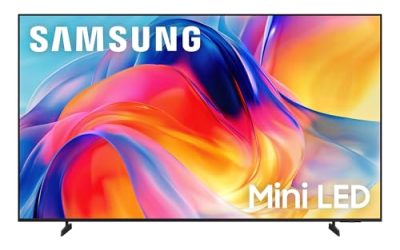
| Samsung 85-Inch M70H | Samsung users wanting Mini LED | Mini LED, 4K, Vision AI Companion |
| TCL 85-Inch QM6K | Bright rooms and movie nights | QLED Mini LED, 144Hz, IMAX Enhanced, Dolby Vision |
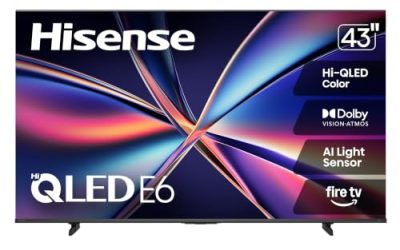
| Hisense 85-Inch E6 Cinema | Alexa households on a tighter budget | Hi-QLED, Fire TV, Dolby Vision and Atmos, Motion Rate 120 |
| Samsung 85-Inch Neo QLED QN70F | Fast motion and sports | Neo QLED Mini LED, Motion Xcelerator 144Hz |
| TCL 85-Inch QM7L | Top-tier color and brightness | SQD-Mini LED QLED, 144Hz, Google TV with Gemini |
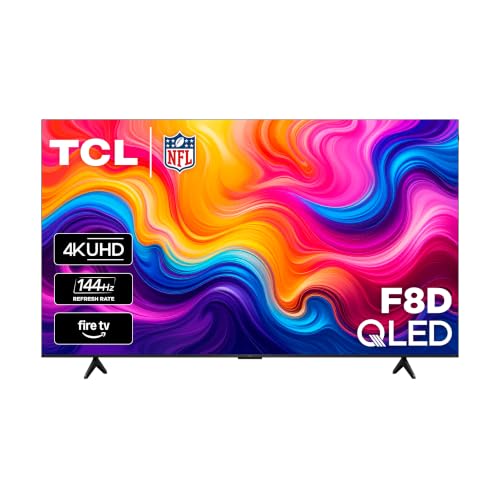
| TCL 85-Inch F8D | Console gamers on a budget | 144Hz, Game Accelerator 288, VRR, Dolby Vision |
How to Choose
Choose the backlight type first
Four of these six sets use Mini LED, which packs many small LEDs behind the panel for finer brightness control. The Hisense E6 and TCL F8D list QLED or Hi-QLED instead, which generally sits in a lower tier. Mini LED helps most in bright living rooms and with HDR content, because it can push highlights harder. If your room is dim and you watch mostly streaming, a standard QLED set is usually enough and leaves budget for other items, such as a soundbar.
Check refresh rate against how you play
Refresh rate is the number of image updates per second. Several sets here list 144Hz, which suits PC and console gamers who want smooth motion, while the Hisense lists Motion Rate 120. For movies and TV, 60Hz or 120Hz is plenty. For competitive play, look for variable refresh rate support, which the TCL F8D explicitly lists along with a Game Accelerator 288 mode. Ignore marketing terms that sound technical but name no number.
Match the smart platform to your household
The listings show three platforms: Samsung’s own smart system with its Vision AI Companion, Google TV on the two higher TCL models, and Fire TV on the Hisense and the TCL F8D. Pick the one that matches your existing devices. Alexa users will find the Hisense and F8D convenient, while Android phone and Google Home users may prefer Google TV. A platform you dislike will annoy you every day, whatever the picture quality.
Look at HDR formats, not just the word HDR
Dolby Vision, HDR10, and HDR10+ are different formats, and streaming services support them unevenly. The TCL and Hisense listings name Dolby Vision, and the F8D adds HDR10+. If a title says only “HDR” without naming formats, you cannot compare it. Budget sets often cut corners on peak brightness and local dimming, so a long list of HDR badges does not guarantee a bright picture. Also confirm your room can fit an 85-inch panel and the wall mount or stand you plan to use.
The 6 Best Options
Samsung 85-Inch Class M70H
This Samsung set lists Mini LED, 4K, a Mini LED processor, Pure Spectrum Color, and a Vision AI Companion. It suits a buyer who wants Samsung’s smart platform and a Mini LED panel in the same box, with a model labeled as the newest year. The title does not mention a refresh rate, so check that spec before ordering. Its feature list leans on picture processing and color rather than gaming, which points to a buyer focused on everyday viewing: news, series, and family movie nights on a very large screen.
- Strength: Mini LED backlighting aims at stronger brightness control than a standard QLED set.
- Strength: a dedicated Mini LED processor is called out in the title.
- Trade-off: no refresh rate or HDR format is named, which makes comparison harder.
Skip it if gaming at 144Hz is a priority, or if you want the title to spell out HDR formats like Dolby Vision before you commit.
TCL 85-Inch QM6K
This TCL combines QLED Mini LED, 4K HDR, and a 144Hz refresh rate on Google TV. The title adds IMAX Enhanced and Dolby Vision, plus high brightness. It fits a family that watches movies in a bright room and also wants smoother motion for games. Of the Mini LED sets here, it is the one whose title packs in the most movie-oriented labels, which makes it a sensible middle path between the budget QLED models and the premium QM7L. The Google TV platform also brings a familiar app layout for Android users.
- Strength: Mini LED with 144Hz gives a rare combination of picture and motion features.
- Strength: IMAX Enhanced and Dolby Vision are both listed for movie viewing.
- Trade-off: Google TV may not suit households committed to Alexa.
Skip it if you want Fire TV, the simplest possible interface, or a model that explicitly lists variable refresh rate for console play.
Hisense 85-Inch E6 Cinema Series
The Hisense uses Hi-QLED, runs Fire TV, and lists an AI light sensor, Dolby Vision and Atmos, an Alexa voice remote, and Motion Rate 120. It suits an Alexa household that wants a large 4K screen without stepping up to Mini LED. The AI light sensor listed in the title is meant to adjust the picture to room lighting, which helps in a space where daylight changes through the afternoon. The Cinema Series name and Dolby Atmos mention suggest a set aimed at movie viewers rather than competitive gamers.
- Strength: Dolby Vision and Atmos support cover both picture and sound formats.
- Strength: the Alexa remote and Fire TV make voice control straightforward.
- Trade-off: Motion Rate 120 and no Mini LED mean it targets the value tier rather than performance.
Skip it if you play fast games, want the brightest possible picture, or prefer Google TV over Fire TV.
Samsung 85-Inch Neo QLED QN70F
This Neo QLED set pairs Mini LED with an NQ4 AI Gen2 processor, Quantum Matrix Technology Slim, and Motion Xcelerator at 144Hz. It is a prior-generation model, which can make it attractive for a shopper who wants Samsung’s higher-tier tech at a softer spend. It suits sports and action viewers. The Slim in its technology name hints at a thinner design, though the title gives no depth figure, so check the dimensions against your wall or cabinet before buying. Shoppers who do not need the latest software features often find an earlier model the better fit for the spend.
- Strength: 144Hz motion handling is stated in the title.
- Strength: a named AI processor suggests upscaling help for lower-resolution content.
- Trade-off: as an earlier model, it may lack features introduced on newer sets.
Skip it if you want the newest generation of Samsung’s platform, or if you need a set that lists Dolby Vision in its title.
TCL 85-Inch QM7L
The QM7L is the most feature-rich TCL here, with SQD-Mini LED, QLED, 144Hz, and Google TV with Gemini. The title emphasizes color, brightness, and contrast. It suits a buyer who wants to spend more for a top-tier TCL and values color accuracy for films. Google TV with Gemini is the headline software feature, so it fits households that like asking a voice assistant to find shows or answer quick questions from the couch. Because the title stresses brightness and contrast, it also suits rooms with large windows.
- Strength: SQD-Mini LED technology is positioned as the premium TCL panel in this group.
- Strength: Google TV with Gemini adds an AI assistant to the interface.
- Trade-off: it likely lands in the upper price tier, which may stretch a value-focused budget.
Skip it if you simply need a large, affordable screen, or if you would rather put the extra spend toward a soundbar.
TCL 85-Inch F8D
The F8D offers a 144Hz 4K QLED on Fire TV, with Dolby Vision HDR and Atmos, HDR10+, Game Accelerator 288, and VRR for sports. It suits a console gamer who wants high refresh rate and variable refresh rate without paying for Mini LED. The Sports mention in the title also makes it a good fit for a household that watches a lot of live games, since variable refresh and a fast panel help keep motion clean. Fire TV keeps the interface simple for guests and kids.
- Strength: Game Accelerator 288 and VRR target gamers directly.
- Strength: HDR10+ and Dolby Vision cover two major HDR formats.
- Trade-off: it uses standard QLED, so it likely will not match Mini LED sets for peak brightness.
Skip it if you want the brightest picture for a sunlit room, or if you rely on Google Home for voice control.
Which One Fits Your Situation
You are a console gamer on a modest budget
The TCL F8D is the best match. Its 144Hz panel, VRR, and Game Accelerator 288 are stated plainly in the title, and it avoids Mini LED pricing.
You want the best picture for movies in a bright room
Choose the TCL QM6K for IMAX Enhanced, Dolby Vision, and Mini LED brightness, or step up to the QM7L if you want the premium color panel.
Your home runs on Alexa
The Hisense E6 with Fire TV and an Alexa voice remote is the most direct fit, and it keeps the spend in the lower tier.
You like Samsung’s ecosystem
The M70H offers the newest Samsung Mini LED model here, while the Neo QLED QN70F gives 144Hz and a more mature feature list for a shopper happy with an earlier model.
Common Mistakes
- Paying for 144Hz when you never game and mostly watch streaming.
- Assuming every HDR badge means the same thing; check that Dolby Vision or HDR10+ is named.
- Picking a smart platform that conflicts with the voice assistant you already use.
- Forgetting to measure the room and the wall space for an 85-inch panel.
- Judging value by the longest feature list instead of the backlight type and refresh rate.
Sizing and Compatibility Checklist
- Measure the wall and the path. An 85-inch screen is wide, so confirm the wall, the stand or media console, and the doorways and stairs the carton must pass through before ordering.
- Work out viewing distance. A common rule of thumb for 4K is to sit roughly one to one and a half times the screen diagonal away, which puts an 85-inch panel at about seven to ten feet.
- Check the stand footprint. Some sets use wide feet near the edges, and a console narrower than the feet will not hold the screen safely.
- Look at the VESA pattern. If you plan to wall-mount, confirm the mount supports the weight and matches the hole pattern listed in the specs.
- Count HDMI ports. Consoles, a soundbar, and a streaming box can use them all quickly. Note which ports support the highest refresh rate.
- Plan the audio path. If you want a soundbar, look for an HDMI port labeled eARC so surround formats pass through.
- Leave breathing room. Keep a few inches behind and around the set for ventilation and cable bends.
Specs and Terms Explained
Local dimming zones
Local dimming lets parts of the backlight dim independently so dark areas look darker. More zones generally means finer control and less glow around bright objects. The zone count is worth comparing across the six sets, but the listing’s wording matters too, because edge-lit dimming is far coarser than a full array behind the panel.
Nits and peak brightness
A nit is a unit of brightness. Higher peak brightness helps HDR highlights and viewing in a sunlit room, but manufacturers rarely quote it the same way. Treat the number as a rough guide, not a precise ranking.
Viewing angle
Some panel types look best straight on and lose contrast from the side. At this size, a wide sofa puts people far off-center, so a wide viewing angle helps if the seating is spread out.
Upscaling
Most cable and streaming video is below 4K, and at 85 inches the picture is enlarged a lot. The processor’s upscaling quality decides how soft or clean that content looks, so it matters more here than on a small set.
Which One Should You Buy?
| If you… | Choose… | Why |
|---|---|---|
| Prefer Samsung’s menus and ecosystem | Samsung 85-Inch Class M70H or Samsung 85-Inch Neo QLED QN70F | Both share the Samsung platform, so compare their spec sheets for backlight and refresh rate. |
| Want to shop the TCL range | TCL 85-Inch QM6K, TCL 85-Inch QM7L, or TCL 85-Inch F8D | Three TCL options; confirm backlight type and refresh rate on each spec sheet. |
| Want a cinema-focused label | Hisense 85-Inch E6 Cinema Series | Positioned toward movie watching, so check its HDR format list. |
Related guides
- Rechargeable Electric Toothbrush With Travel Case
- Countertop Water Filters Without Installation
- Nsf Certifications For Water Filters Explained
Frequently Asked Questions
Is Mini LED worth it at 85 inches?
For bright rooms and HDR movies, usually yes, because finer backlight control helps highlights. For dim rooms and casual streaming, a QLED set may give enough value.
Do I need 144Hz?
Only if you game on a PC or console that outputs high frame rates. Movies and most TV shows do not benefit from the higher refresh rate.
Which smart platform is best?
That depends on your household. Google TV suits Android and Google Home users, Fire TV suits Alexa users, and Samsung’s own platform suits existing Samsung owners.
Are wall mounts and stands included?
The listings here do not say. Plan to buy a mount or a stand built for a screen this size, and check the weight and VESA pattern before you order.