Key takeaways
- Searching for top rated TVs usually means one thing: you want a television that is unlikely to disappoint.
Searching for top rated TVs usually means one thing: you want a television that is unlikely to disappoint, and you would rather borrow other people’s confidence than decode a spec sheet. The trouble is that a reputation tells you little about whether a set belongs in a bedroom, a dorm, or the main living room. A 32-inch bedroom screen and a 65-inch Mini LED are both popular, yet they answer completely different questions about distance, resolution, and how much you want to spend.
This guide skips popularity claims and works from the listed facts for six distinct models across Roku, Insignia, and Samsung. Several brands sell the same series in multiple sizes, so each series appears once rather than being repeated at every diagonal, and the notes mention which sizes the listings show. By 2026 almost every set here includes a built-in smart platform, so the real differences are panel type, resolution, size, and the voice-remote ecosystem you prefer: Roku, Fire TV with Alexa, or Samsung’s Vision AI software. A reputation for reliability is worth something, but only after the size and resolution are right for the room you have.
Quick Picks
Our top picks


 Roku 55-Inch Select Series Smart TV 2026-4K
- Breathtaking picture: Sharp 4K brings out rich detail…
- Seamless streaming: With fast Wi-Fi and apps that…
- TV, simplified: With setup that only takes minutes,…

 Samsung 65-Inch Class M70H Series
- Our advanced processor delivers brighter highlights and deeper…
- delivers one billion true-to-life colors, powered by advanced…
- Experience HDR picture quality with brighter highlights and…

As an Amazon Associate we earn from qualifying purchases at no extra cost to you.
| Product | Best for | Key spec from the title |
|---|---|---|
| Roku Select Series 4K QLED | Value 4K in the main room | 4K (2160p) QLED, listed in 50, 55 and 65 inch |
| Roku Select Series 1080p | Bedrooms and small spaces | 1080p Full HD LED, 32 and 40 inch listed |
| Insignia F50 Series 43-inch | Alexa households | 4K UHD LED Smart Fire TV |
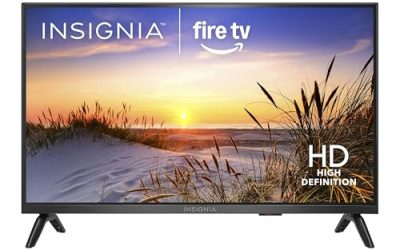
| Insignia FE Series 40-inch | Kitchens and guest rooms | Full HD LED Smart Fire TV, NS40-FEFL26 |
| Insignia F40 Series 40-inch | Cable-free live TV | 1080p Full HD Direct LED Fire TV |
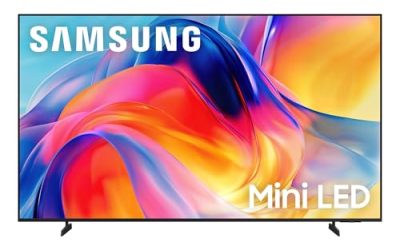
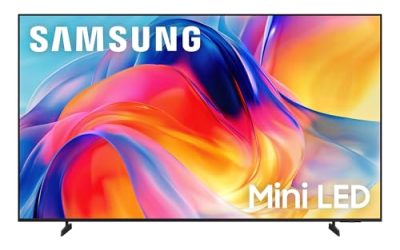
| Samsung M70H Series Mini LED | Premium picture upgrade | Mini LED, 4K, Vision AI Companion |
How to Choose
Pick the size from the viewing distance
A common rule is to sit roughly one and a half to two times the diagonal away for 4K, which makes a 43-inch set comfortable at about five to six feet and a 65-inch at around eight to ten feet. Sets of 32 to 40 inches suit a desk, kitchen counter, or bedroom dresser. Measure the wall and the seating distance first, because buying a bigger screen than the room supports wastes the extra money. Also check that the stand width fits your furniture: wide feet on a narrow console are a common surprise.
Decide whether 4K is worth it at that size
On a 32- or 40-inch panel, 1080p is already sharp at normal distance, so a Full HD set is a sound budget move there. Beyond 43 inches, 4K starts to matter, particularly for sports and streaming that offers 4K. The listings here split cleanly: the Roku 1080p and both Insignia 40-inch models are Full HD, while the Roku QLED, Insignia F50, and Samsung M70H are 4K.
Choose the platform you will actually use
Roku sets stress simple menus, a voice remote, Wi-Fi, and a Bluetooth headphone mode for private listening. Insignia Fire TV models bring an Alexa voice remote and live TV without cable. Samsung’s M70H adds its Vision AI Companion and a Mini LED processor. If you already own smart speakers or a favorite app ecosystem, let that decide the platform before you compare panels.
What to ignore and where budget sets cut corners
Ignore model-year hype and brightness buzzwords you cannot verify from the listing. Budget sets typically use basic LED backlighting, fewer processing features, and plain stands; expect no advanced local dimming. Mid-range QLED adds a wider color range, while premium Mini LED improves contrast and backlight control. Check the number of HDMI inputs on the actual product page before you commit if you plan to connect a console and a soundbar. Also remember that small-print specs such as speaker output are not in these titles, so a budget soundbar is a fair add-on for any of the Full HD models.
The 6 Best Options
Roku Select Series 4K QLED
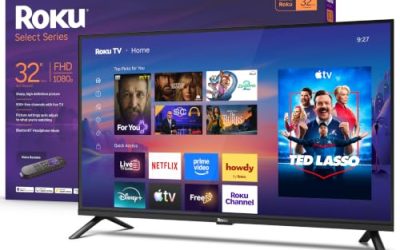
The listings show this 4K (2160p) QLED Roku TV in 50, 55, and 65 inch sizes, each with a voice remote, Wi-Fi, and a Bluetooth headphone mode. It is the straightforward choice for a family room where you want simple streaming and a bigger picture without stepping into premium territory. Buyers who share a TV with sleeping family members will appreciate the headphone option.
- Strength: 4K resolution paired with a QLED panel on a mainstream platform.
- Strength: Bluetooth headphone mode helps with late-night viewing.
- Trade-off: the title does not list refresh rate or gaming features.
Skip it if you want Mini LED or OLED-level contrast, or if your household runs on Alexa routines.
Roku Select Series 1080p
This 1080p Full HD LED Roku TV appears in 32 and 40 inch versions, with the same voice remote, Wi-Fi, and Bluetooth headphone mode as its 4K sibling. It targets small rooms where resolution matters less than simplicity and a modest budget, such as a spare bedroom, a studio apartment, or a workshop.
- Strength: Full HD is plenty sharp at these small sizes.
- Strength: the same easy interface found across the Roku lineup.
- Trade-off: no 4K, so it is a poor fit for a large living room wall.
Skip it if you plan to sit far from the screen or want to stream the sharpest 4K content available.
Insignia F50 Series 43-inch
The listing describes a 43-inch LED 4K UHD Smart Fire TV with a voice remote powered by Alexa and the ability to stream live TV without cable. It suits anyone already running Alexa devices who wants 4K on a compact frame, for instance in a home office or a smaller living room.
- Strength: 4K resolution at a compact size.
- Strength: the Alexa voice remote ties into existing smart-home habits.
- Trade-off: a standard LED panel will not match QLED color range.
Skip it if you dislike Fire TV menus or want a screen larger than about 50 inches.
Insignia FE Series 40-inch
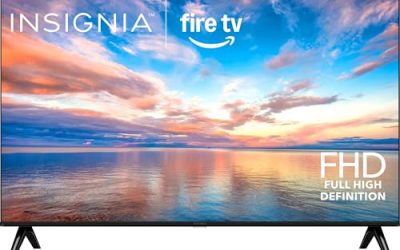
Model NS40-FEFL26 is a 40-inch Full HD LED Smart Fire TV with an Alexa voice remote. It is a plain, low-commitment set for a guest room, kitchen, or dorm where a few streaming apps are the whole job. The model number in the title makes it easy to compare against retailer listings and mounting guides.
- Strength: Fire TV platform with Alexa voice control built in.
- Strength: Full HD is a suitable resolution at 40 inches.
- Trade-off: the title lists no 4K or HDR format.
Skip it if this will be the only, main-room television in a larger home.
Insignia F40 Series 40-inch
This second 40-inch Insignia is a 1080p Full HD Direct LED Smart Fire TV with an Alexa voice remote, advertising free and live TV. It differs from the FE model in series name and backlight wording, which may matter to buyers comparing near-identical Fire TV options and trying to decide which one belongs in a secondary room.
- Strength: Direct LED backlighting is named in the title.
- Strength: access to free and live programming through the Fire TV platform.
- Trade-off: it sits in the same 40-inch Full HD tier as the FE model, so there is little reason to buy both.
Skip it if you want 4K or a noticeably larger picture, or if you already own the FE model for another room.
Samsung M70H Series Mini LED
Listed in 43 and 65 inch sizes, this Samsung combines Mini LED, 4K, a Mini LED processor, Pure Spectrum Color, and the Vision AI Companion. It is the step-up choice when picture refinement matters more than saving money, and the two sizes let you place it in either a den or a main living area.
- Strength: Mini LED backlighting with a 4K processor named in the title.
- Strength: Vision AI Companion adds a smart layer beyond basic streaming.
- Trade-off: it sits in the premium tier compared with the other five sets.
Skip it if your budget is tight or the TV is for a secondary room where a basic panel is enough.
Which One Fits Your Situation
You need a TV for a bedroom or small apartment
The Roku Select Series 1080p keeps things simple, with 32 and 40 inch options and a headphone mode for quiet nights. The Insignia FE Series 40-inch is the Alexa-friendly alternative at a similar size, and works well when the TV mainly runs a few streaming apps.
You want 4K without overspending
The Roku Select Series 4K QLED is the practical mainstream pick because it offers three larger sizes with a QLED panel. The Insignia F50 Series 43-inch fits tighter spaces, such as an office or a small den, where a screen near 40 inches is the limit.
You want the best picture on this list
The Samsung M70H Series Mini LED is the only listing with Mini LED and a dedicated 4K processor, so it is the natural upgrade for a main living area. Choose the 65-inch size for a wide room and the 43-inch size only when space is the constraint.
You already live in the Alexa ecosystem
Choose between the Insignia F50 for 4K and the Insignia F40 for a 40-inch Full HD set that supports live and free TV. If you want a second Alexa-ready screen for a kitchen or guest room, the Insignia FE Series 40-inch is the plainer option.
Common Mistakes
- Letting popularity stand in for checking the size and resolution that fit your room.
- Paying extra for 4K on a 32-inch screen that you will watch from across a small room, where Full HD looks equally sharp.
- Choosing a platform that does not match your existing smart speakers or apps.
- Assuming every size of a series has the same panel; the listings show different resolutions across lines.
- Forgetting to count HDMI inputs before planning a console and soundbar, then relying on adapters later.
Specs and Terms Explained
Peak brightness (nits)
A nit is a unit of light output. Higher numbers help a screen stay visible in a bright living room and make highlights in HDR video stand out. Budget panels often manage modest brightness, which is fine for a dim bedroom but can look washed out beside a sunny window. Mini LED and QLED sets generally aim higher than basic edge-lit panels.
Local dimming
Local dimming lets zones of the backlight darken independently, which deepens blacks in movie scenes. The number of zones and the quality of the algorithm matter more than the label alone. A set with no dimming zones will show a gray glow in dark scenes, a trade-off common to the least expensive models.
Resolution versus panel quality
A 1080p panel and a 4K panel can both look sharp at small sizes. Resolution describes pixel count, not color, contrast or brightness. At 40 inches or below, the extra pixels are hard to see from a normal couch distance, so the panel and the software often matter more.
HDR formats
HDR10 is the baseline format almost every HDR TV supports. Dolby Vision and HDR10+ add scene-by-scene instructions. A modest set can accept an HDR signal without having the brightness to show it well, so treat the badge as compatibility, not a promise of a dramatic picture.
Which One Should You Buy?
| If you… | Choose… |
|---|---|
| Want the most capable panel type on the list | Samsung M70H Series Mini LED |
| Want 4K with a Roku interface and quantum-dot color | Roku Select Series 4K QLED |
| Need a simple smaller set that does not require 4K | Roku Select Series 1080p |
| Are furnishing a bedroom or small apartment | Insignia FE Series 40-inch or Insignia F40 Series 40-inch |
| Want a slightly larger screen than the 40-inch models | Insignia F50 Series 43-inch |
Sizing and Compatibility Checklist
- Measure the width of the stand or wall space, not just the diagonal. A TV’s listed size is the corner-to-corner measurement.
- Count the HDMI ports you need for a console, soundbar and streaming stick, then confirm one port supports eARC if you plan to add a soundbar.
- Check the VESA pattern if you intend to wall mount, and buy a mount rated for the weight.
- Confirm your Wi-Fi reaches the spot where the TV will sit, since smart features rely on it.
- Decide whether you want the built-in voice assistant, and make sure the set supports the one your household already uses.
Related guides
- Rechargeable Electric Toothbrush With Travel Case
- Countertop Water Filters Without Installation
- Nsf Certifications For Water Filters Explained
Frequently Asked Questions
Is a QLED TV better than a regular LED TV?
QLED adds quantum dots for wider color, so it generally looks richer than a basic LED panel. The gap is easier to see in a bright living room than in a dim bedroom, so match the panel type to the room before paying for it.
Do I need 4K on a 40-inch TV?
Not usually. At typical viewing distance, 1080p looks sharp at 40 inches, and 4K becomes more valuable on larger screens and with 4K streaming content. If you plan to upgrade the room later, a 4K set simply keeps more options open.
What is the difference between Roku TV and Fire TV?
Both are built-in smart platforms with voice remotes. Roku emphasizes a simple menu, while Fire TV leans on Alexa voice control and a content-forward home screen.
Is Mini LED worth paying more for?
If you watch movies in a dark room or want stronger contrast, Mini LED is a meaningful step up. For casual daytime viewing, a standard QLED or LED may be enough, and the money saved can go toward a larger screen instead.