Our Top Picks
 TI-30XIIS Scientific Calculator Texas InstrumentsSmall6.1 x 3.2 x 0.74 inches0.4 poundsCheck on Amazon
For most students the choice comes down to a Texas Instruments scientific model such as the TI-30XS MultiView, and for anyone who needs plotting the TI-84 Evo or TI-84 Plus CE. For desk work, the Casio MS-80B is the single-unit pick. The other four listings are multipacks of basic units, which suit classrooms and offices rather than individuals. These are four different classes of device, so a straight ranking would mislead you. We grouped them by job, and the table, product notes and worked example below show how to match a type to a need.
Top picks at a glance
TI-30XIIS Scientific Calculator Texas Instruments, Black | Two-line calculator; Statistics and Advanced Scientific Functions


As an Amazon Associate we earn from qualifying purchases. Product prices and availability are accurate as of the date/time indicated.

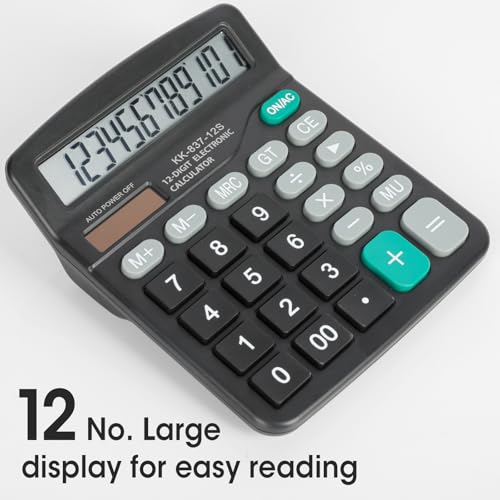
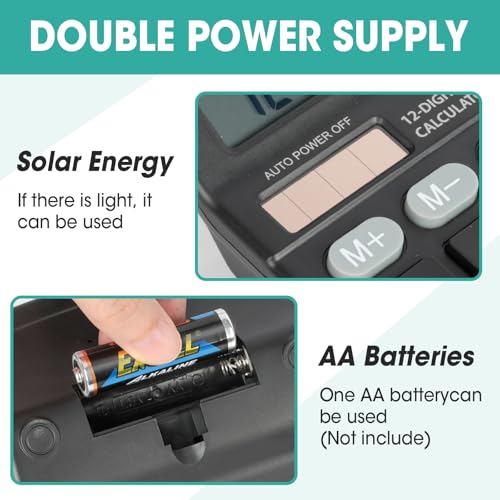
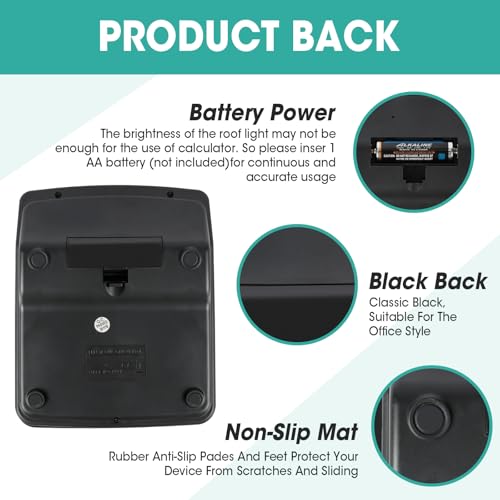
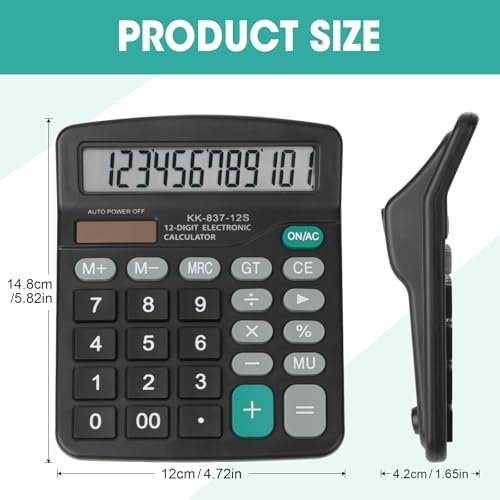
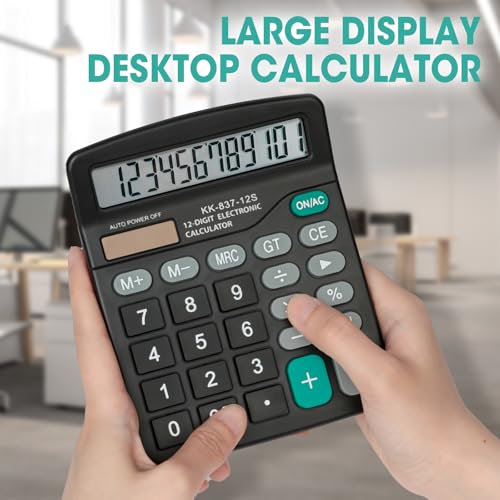
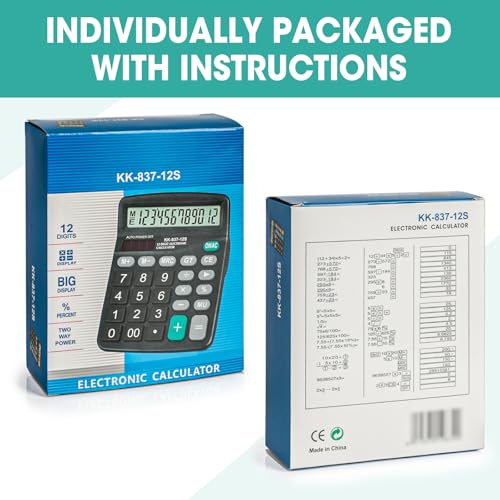
5 Pack Calculator Bulk, 12 Digits Calculators Desktop with Large LCD Display and Sensitive Butto, Solar and Battery Dual Power, Desk Calculator for Office, School, Home
As an Amazon Associate we earn from qualifying purchases. Product prices and availability are accurate as of the date/time indicated.
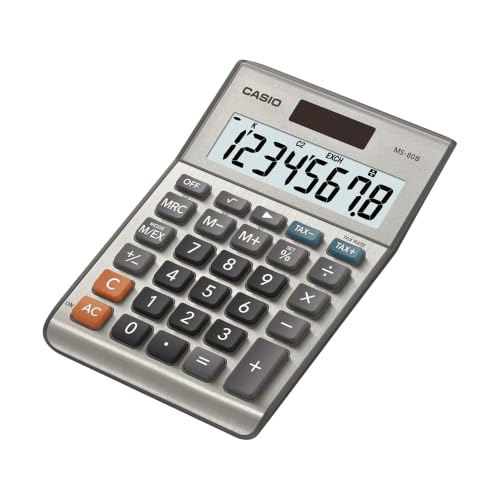
Casio MS-80B Desktop Calculator, Tax & Currency Tools | General purpose calculator with large display; ideal for home, office & everyday math


As an Amazon Associate we earn from qualifying purchases. Product prices and availability are accurate as of the date/time indicated.
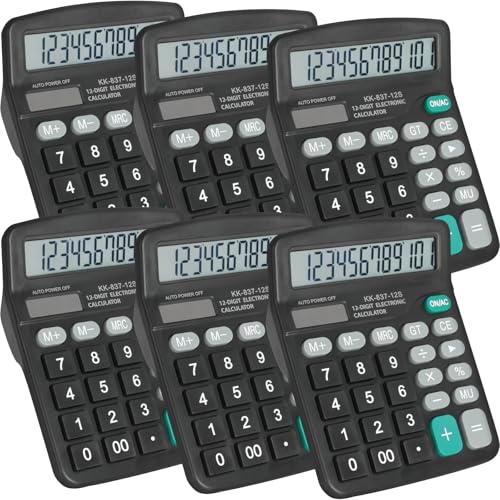
6 Pack Calculator Bulk, 12 Digits Calculators Desktop with Large LCD Display and Sensitive Butto, Solar and Battery Dual Power, Desk Calculator for Office, School, Home

As an Amazon Associate we earn from qualifying purchases. Product prices and availability are accurate as of the date/time indicated.
| Model | Key point from the title | Price tier | Best for |
|---|---|---|---|
| TI-84 Evo | Graphing, icon-based home screen, USB-C, Python | Premium | Advanced math and programming |
| TI-84 Plus CE | Color graphing, USB charging, computer version included | Premium | Established graphing coursework |
| TI-30XS MultiView | Four-line scientific for high school math and science | Budget | High school science and math |
| TI-30XIIS | Two-line scientific with statistics | Budget | Basic scientific needs |
| Casio MS-80B | Desktop, tax and currency tools, large display | Budget | Home and office arithmetic |
| Amazon Basics 8-digit | LCD desktop, portable, 1-pack | Budget | Simple everyday use |
| YesBes 5-pack | 12-digit desktop, solar and battery | Mid-range (pack total) | Small office or classroom |
| YesBes 6-pack | 12-digit desktop, solar and battery | Mid-range (pack total) | Small office or classroom |
| YesBes 8-pack | 12-digit desktop, solar and battery | Mid-range (pack total) | Larger classroom or office |
| Qneiaym 18-pack | 8-digit handheld mini, solar and battery | Mid-range (pack total) | Classroom sets and giveaways |
What is changing in this category
Calculators look like a settled category, but a few shifts are worth noting, based on general knowledge and not anything in these listings. Graphing models have been adding rechargeable batteries and USB charging, replacing the habit of swapping AAA cells before an exam. Some newer models also advertise programming support, which reflects how coding has entered math and science classes.
At the same time, phone apps and web tools handle many calculations, which has pushed basic desktop units toward the very cheap end of the market. Multipacks reflect this: they target schools and offices that buy many units at once. Meanwhile, scientific calculators remain popular because exam rules often prohibit phones, so a dedicated device stays relevant.
Exam policies are the biggest practical issue. Boards and teachers publish approved and restricted lists, and the rules change from year to year. The listing title is not proof that a model is allowed, so always check the current policy for your test or course. Treat anything that mentions computer versions, programming or wireless features as a reason to look twice.
How we picked these
We sorted the ten listings by type, because comparing a graphing calculator with a desktop unit makes little sense. The notes come from the product titles, published manufacturer descriptions of each type and the kinds of comments buyers usually leave about durability, button feel and display legibility. Nobody on the team used or measured these units. Anything the title does not state is marked “check the listing,” and any numbers beyond the titles are labeled estimates.
The ten listings, one by one
TI-84 Evo Graphing Calculator
The title calls this a graphing calculator in white with an icon-based home screen, USB-C charging, Python programming, faster performance and bigger graphs than the TI-84 Plus CE. All of those comparisons are the seller’s claims. The title does not say how much memory it has, how long the battery lasts or which tests allow it.
Because it is described as newer and faster than the older color model, it is natural to compare the two listings directly. The comparison claims in the title come from the seller, so look for the manufacturer’s own specification sheet and any teacher guidance on which family of graphing calculators the class assumes. Shared instructions, classroom demonstrations and homework help are often written for one specific model, and that matters more than a small speed difference.
It suits students who expect to plot functions and who might want to try programming. Picture a math class where the teacher recommends a TI-84 family model: the Evo is the newer-sounding option, but the teacher’s list decides what is allowed.
- Pros: USB-C charging is a convenient standard; Python support is a distinctive feature; lower price tier than the Plus CE listing in this set.
- Cons: Premium compared with scientific models; exam acceptance is unknown; newer models can have fewer classroom resources.
Check the listing for what is in the box, the warranty and the exam policy. One question to ask before buying: does your course or test allow a model with Python programming?
Texas Instruments TI-84 Plus CE Color Graphing Calculator
The title says black, full color, USB charging, a computer version included, and “faster than TI-84 Plus.” The computer version is a software edition for a PC that mimics the handheld, which can help with projecting examples in a class. The title does not describe memory or battery life.
The included computer version is an extra worth understanding. It generally lets you practice on a PC, which can make homework easier when the handheld is charging or out of reach, though the title does not explain licensing, installation or exam use. Likewise, “faster than TI-84 Plus” compares it to an older model that is not in this set, so the claim tells you little about how it compares with the Evo listing.
It is the established choice in this set for graphing coursework. Think of a student who will use the same device for several years across algebra, pre-calculus and statistics, and who benefits from shared teaching materials built around this model family.
- Pros: Color display; rechargeable via USB; computer version included.
- Cons: Highest price tier here; a large device for a backpack; more features than a basic class needs.
Check the listing for the license terms of the computer software, the charging cable and warranty. Ask: do you need color and a computer version, or would a scientific calculator be enough for your course?
Texas Instruments TI-30XS MultiView
The title describes a four-line scientific calculator for high school math and science, called “powerful.” Four lines let you see an entry and its result along with earlier steps, which is helpful when you check work. The title does not list specific functions, so look at the listing for fractions, statistics and table features.
Models in this family are widely discussed by teachers, which can make homework help easier to find, but the title makes no claim about exam approval. A four-line display usually shows previous entries, so you can compare an earlier line with a new one instead of retyping it. As an estimate, this feature saves a few seconds on each multi-step problem, which adds up during a long problem set.
It suits a high school student taking algebra, chemistry or physics. A scenario: you are solving a multi-step chemistry problem, and the display lets you scroll back through earlier steps instead of retyping.
- Pros: Four-line display aids checking; budget price tier; designed for school use per the title.
- Cons: No graphing; a learning curve for its menus; the title is short on specifics.
Check the listing for battery type and the function list. Ask yourself: will your course need a graphing device, or is a scientific model enough?
TI-30XIIS Scientific Calculator
The title lists a black two-line scientific calculator with statistics and advanced scientific functions. A two-line display shows the entry and the answer, which is a step down from four lines. The title does not mention solar power or battery type, so check.
Two lines show less history than four, so long chained calculations can feel cramped. If you often catch mistakes by reviewing earlier steps, the extra lines of the other TI scientific model in this set are worth the same low price tier. If your coursework is mostly straightforward formulas and a few statistics problems, the two-line display may be all you need, and a familiar layout can help you work faster.
It is a simple option for a student who needs scientific functions but not much more. For a short course in basic trigonometry or statistics, it covers what most syllabi ask, although you should confirm with the course materials.
- Pros: Low price tier; scientific and statistics functions; familiar two-line layout.
- Cons: Less display room for reviewing steps; no graphing; the title is brief on features.
Check the listing for the power source and whether a cover is included. A helpful question: is a two-line display enough for the longest expressions in your coursework?
Casio MS-80B Desktop Calculator
This is a desktop general-purpose calculator with tax and currency tools and a large display, described as ideal for home, office and everyday math. Tax and currency keys are useful for receipts and small-business arithmetic. The title does not give the number of digits or the power type.
Tax and currency tools usually mean dedicated keys for setting a rate and for applying it to a total, but the title does not explain how they work, so read the listing’s feature list. Large displays and generous key spacing are common selling points for desktop models, and they matter if you enter numbers all day. Because the title does not state power type, ask whether it uses solar, battery or both.
It suits a home office or a kitchen-table budgeting setup. Imagine entering a column of receipts and adding sales tax: dedicated tax keys shorten the steps compared with doing the math by hand.
- Pros: Tax and currency tools; large display; low price tier.
- Cons: Not scientific; the title leaves out digit count and power; limited to general arithmetic.
Check the listing for how to set the tax rate and the key layout. Ask: do you need tax keys, or would a plain desktop unit do?
Amazon Basics LCD 8-Digit Desktop Calculator
The title describes a black, portable, easy-to-use 8-digit LCD desktop calculator, sold as a 1-pack. It is the simplest and cheapest of the singles. Eight digits are enough for everyday sums but can limit larger totals.
The title stresses portability and ease of use, which suggests a compact body with a small footprint. That makes it easy to leave in a drawer, but it also means the keys may be small. For anyone entering long columns of numbers, a larger desktop model with a wider key layout can be more comfortable, even if the price tier is similar.
It suits a desk drawer, a kitchen or a classroom shelf. If you only add up bills and tip calculations, extra functions are unnecessary.
- Pros: Very low price tier; simple operation; portable.
- Cons: Only 8 digits; no scientific functions; limited feature detail in the title.
Check the listing for the power source and the display size. Ask: will 8 digits cover the numbers you work with?
YesBes 5-Pack Calculator, 12 Digits
The title says a 5-pack of 12-digit desktop calculators with a large LCD, “sensitive butto” (a typo for buttons), and solar and battery dual power for office, school and home. The typo is a small sign of listing quality, so check the images and description. Twelve digits handle larger totals than 8-digit units.
Twelve digits matter if you add up large totals, such as invoices or inventory, because an 8-digit display cuts off numbers in the tens of millions. Dual power helps in a room with uneven lighting. Still, the brand is not widely known, and the title offers no details on warranty, so treat the first unit as a sample: press every key and check the display before handing the pack out.
It suits a small office or classroom that needs a handful of basic calculators. Each unit costs less than a branded single, but the pack total is higher, and you receive more than one person needs.
- Pros: 12-digit display; dual power; several units in one purchase.
- Cons: Title typo; unknown brand reputation; near-duplicate of the 6- and 8-pack listings.
Check the listing for return terms and what happens if one unit arrives faulty. Ask: do you need five, or would a single unit be wiser?
YesBes 6-Pack Calculator, 12 Digits
The wording of this title matches the 5-pack and 8-pack listings, other than the count: 12-digit desktop calculators, large LCD, solar and battery dual power, and the same “Butto” typo. It is a near-duplicate, and the only difference is how many units arrive.
Since the three YesBes titles read the same except for the number, the right choice is mostly arithmetic. Divide the pack price by the number of units to get a per-unit figure, then compare the three. A larger pack often lowers the per-unit cost, but only if you can use every calculator. A spare or two is sensible for replacements; a drawer of unused units is not.
Choose the count by headcount. A teacher with six lab stations, or a front-office with six desks, gets one calculator per place without buying more than needed.
- Pros: Matches a six-station setup; 12 digits; dual power.
- Cons: Identical copy to sibling listings; no brand details; pack price is higher than the 5-pack for one more unit.
Check the listing for the per-unit price against the other packs and confirm which one is not out of stock. Ask: do you want to spread cost across more units, or keep it lean?
YesBes 8-Pack Calculator, 12 Digits
This is the largest YesBes pack in the set, with the same description: 12-digit desktop calculators, large LCD, solar and battery dual power. The per-unit cost is likely the lowest of the three, though the pack total is higher. That is a calculation to run yourself from the listing price.
For schools, bulk packs are usually bought so every student has a calculator on exam day or during a shared activity. In that setting, durability matters: calculators get dropped, and keys get pressed hard. Because the title does not describe build quality, check the images and buyer comments for hints about keys that stick or screens that crack, and keep the receipt in case you need to return units.
It suits a classroom of mixed ability where students share, or an event where several tables need a calculator. For one person, eight is excess.
- Pros: Lowest likely per-unit cost of the YesBes packs; 12-digit; dual power.
- Cons: Higher total spend; storage for extras; same typo and limited detail.
Check the listing for return policy on bulk packs. One question: can you actually use eight, or will three sit in a drawer?
Qneiaym 18-Pack Small Calculators
The title describes an 18-pack of small 8-digit calculators with solar and battery dual power, in multiple colors, for classrooms, desktops, homes and offices. These are hand-held mini units, much smaller than the desktop packs. They are the most clearly classroom-oriented listing.
Small calculators are a natural fit for younger students practicing basic arithmetic and for activity bins that need many pieces. They are less suited to adults who enter long columns of numbers, because the key spacing is tight. If you plan to hand them out, think about who will use them and how often, and set aside a few spares for the units that fail first.
It suits teachers, party favors or reward bins where the goal is many basic units. For individual use, it is overkill, and small buttons can be fiddly for larger hands.
- Pros: Many units; colorful; solar plus battery.
- Cons: 8 digits and mini size; build quality unknown; bulk quantity for individual buyers is wasteful.
Check the listing for the battery type and return policy. Ask yourself: is a mini keypad comfortable for the users you have in mind?
Buying guide: choosing the right type
Start with the job
Basic arithmetic needs a desktop or handheld calculator with enough digits. Science and math classes usually call for a scientific model, and advanced courses may need graphing. Deciding the job first prevents paying for features you will not use.
Scientific versus graphing
Scientific calculators handle functions such as trigonometry, logarithms and statistics. Graphing calculators add a larger screen and can plot equations and, in some cases, run programs. For many students, a scientific model covers what a course needs, and the cost difference is large. Ask the teacher what the syllabus assumes.
Exam rules come first
Standardized tests and classrooms publish their own rules. Some restrict models with symbolic algebra, wireless features or full keyboards. A title cannot confirm approval, so check the current policy and keep a copy of the page. If in doubt, ask the teacher or test administrator before exam day.
Display and power
Display lines affect how much of your work you can see at once. Power matters too: solar cells work in bright rooms, batteries in dim ones, and rechargeable graphing units need a cable and a charge before exams. Dual power reduces the odds of a dead unit but does not remove it.
Bulk packs and quality
Multipacks save money per unit, but quality varies. Look at the images for the keyboard layout, check for return terms and consider buying one first if the use is critical. The three YesBes listings share the same description and a title typo, which is a reason to inspect the listing carefully.
A worked example
Assume a high school sophomore who takes algebra, chemistry and a statistics unit, with a teacher who permits scientific calculators and graphing calculators. These are illustrative assumptions. A four-line scientific model covers fractions, tables and statistics for most such classes, and it costs a fraction of a graphing unit. If the same student plans to take calculus and the teacher’s list recommends a TI-84 family model, the graphing purchase becomes reasonable. Next, assume an office manager who needs six calculators for six desks. A 6-pack of 12-digit units gives one each, and a single Casio MS-80B on the manager’s desk handles tax and currency calculations.
| Spec concept | What to look for | Why it matters |
|---|---|---|
| Calculator type | Basic, scientific or graphing | Sets the functions and price class |
| Display lines or digits | 2 or 4 lines; 8 or 12 digits | How much work you can see and how large the totals can be |
| Power | Solar, battery, dual or rechargeable | Reliability in different lighting and during exams |
| Exam approval | Current policy from the test or teacher | Prevents buying a device you cannot use |
| Pack size | 1, 5, 6, 8 or 18 units | Cost per unit versus excess |
| Extras | Tax keys, Python, computer software | Useful only if your job needs them |
Mistakes buyers make
The most common error is buying a graphing calculator when a scientific model would do. Another is assuming a model is exam-approved because it is popular. Buyers also pick bulk packs for personal use and end up with a drawer of extras. Some skip checking the power type, which leaves them with a dead calculator in a dim room. Others ignore listing typos and near-duplicate copy that suggest lower-effort sellers. Finally, people compare prices across classes, such as a graphing calculator versus a multipack, without noticing that the products do different jobs.
Verdict by use case
High school science and math: the TI-30XS MultiView. Basic scientific on a tight budget: the TI-30XIIS. Plotting and long-term coursework: the TI-84 Plus CE or the TI-84 Evo, depending on what your teacher allows and whether you want Python. Home or office arithmetic with tax keys: the Casio MS-80B. Simplest everyday unit: the Amazon Basics 8-digit. Several desks: a YesBes pack sized to your headcount. Classroom sets: the Qneiaym 18-pack, after checking the keypad size.
Related guides
- Rechargeable Electric Toothbrush With Travel Case
- Countertop Water Filters Without Installation
- Skin Lifting And Tightening Devices
Frequently asked questions
What is the difference between a scientific and a graphing calculator?
A scientific calculator handles functions such as trigonometry, logarithms and statistics on a small display. A graphing calculator adds a larger screen that can plot equations and often supports programming. Graphing models cost more and are not always allowed on exams, so check the course or test rules before you pick one. For many courses, a scientific model already covers what the syllabus asks.
Can I use a graphing calculator on any standardized test?
Not necessarily. Test organizers publish their own lists of approved and prohibited calculators, and those lists change. Features such as computer algebra or wireless communication can be restricted. Before buying, look at the current policy for your exam and ask your teacher, because a listing title cannot confirm approval. Keep a printed copy of the policy in case a question comes up on test day.
Are bulk calculator packs a good idea?
They make sense for classrooms, offices or events where you want many basic units for a low cost per piece. They are less sensible for one person, because you pay for extras. Check the listing for how many units arrive, the number of digits, the power type and whether buttons feel responsive, since buyer comments often mention that. If you are buying for a classroom, ordering one pack first lets you judge quality before committing.
What does solar and battery dual power mean?
A dual-power calculator can run from a small solar cell when there is enough light and from a battery when there is not. That generally means fewer dead calculators in a dim room, but it still needs replacement batteries eventually. Check the listing for the battery type and whether it comes installed. Rechargeable graphing models skip this question but need a cable and a charge before exams.
Do I need a four-line display on a scientific calculator?
Not always. A two-line display shows an entry and a result, while a four-line display can show more of your work and make it easier to review an earlier step. If your coursework involves long expressions or stored values, the extra lines help. For simple arithmetic, they add cost without much benefit. A teacher or course outline will usually tell you which one is expected.
Is a calculator still worth buying when I have a phone?
Often yes. Many classrooms and exams do not allow phones, and a dedicated calculator avoids notifications and battery drain from other apps. For occasional arithmetic at home, a phone app is fine. If the work is regular, such as bookkeeping or science coursework, a physical device is quicker to use and easier to keep consistent.