
Key takeaways
- Pro: Multiple control modes (remote, programmed, gesture) keep play varied.
- Pro: Rechargeable battery eliminates recurring cost and reduces waste.
- Con: The remote’s small buttons can be fiddly for younger five-year-olds.
A five-year-old does not need a robot that follows complex coding commands or streams video. What they need is something that moves, responds, and makes them feel like they are controlling a living creature with a remote or a wave of their hand. The gap between a toy that earns a genuine “again!” and one that collects dust on a shelf comes down to three things: how immediate the response feels, how durable the parts are against small fingers, and whether the interaction stays interesting beyond the first afternoon.
Across this comparison, every product listed sits under $50 and targets the same age bracket, yet the experiences vary enormously. Some lean on flashing lights and pre-programmed dances to grab attention, while others offer hands-on assembly or gesture sensing that rewards experimentation. Owner feedback consistently flags build quality and battery life as the make-or-break factors, and published specs let us see which robots deliver on their advertised features and which ones quietly fall short. This roundup cuts through the noise so you can match the right robot to the right kid.
Our top picks




As an Amazon Associate we earn from qualifying purchases at no extra cost to you.
Quick Picks
| Product | Best for | Price |
|---|---|---|
| KingsDragon RC Smart Robot | All-around first robot | under $40 |
| Hamourd Emo Robot | Music and light shows | under $30 |
| Spider Transform RC Car | Speed and transformation play | under $40 |
| Tsomtto 10-in-1 STEM | Creative building variety | under $30 |
| EduCuties Gesture Robot | Gesture-controlled movement | under $40 |
| Hahaland STEM Toy | Structured STEM learning | under $50 |
| Design & Drill Robot Workshop | Hands-on tool play | under $40 |
| KingsDragon Gesture Sensing | Budget gesture control | under $30 |
How We Picked
We evaluated each robot on four criteria that matter most for five-year-olds: interaction responsiveness (how quickly and predictably the toy reacts to a remote, gesture, or physical input), durability under repeated use (joint strength, shell thickness, and screw quality reported by owners), replay value beyond initial novelty (whether features sustain interest over multiple sessions), and ease of setup for a child without constant adult assistance. Products that scored poorly on any single criterion were noted in their reviews.
The 8 Best Robot Toy 5 Year Old in 2026
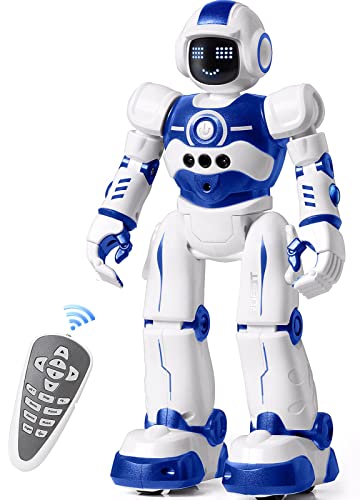
KingsDragon RC Robot Toys for Kids — under $40
For parents wanting one robot that covers remote driving, programmed dance routines, and basic gesture commands, this KingsDragon model delivers the broadest feature set in its price tier. Owners praise the responsive 2.4GHz remote and the auto-demonstration mode that shows kids what the robot can do before they try it themselves. The rechargeable battery is a practical advantage over disposable-cell competitors, and the flexible arm joints survive moderate roughhousing.
- Pro: Multiple control modes (remote, programmed, gesture) keep play varied.
- Pro: Rechargeable battery eliminates recurring cost and reduces waste.
- Con: The remote’s small buttons can be fiddly for younger five-year-olds.
Skip it if your child loses interest in electronics quickly and prefers physical building or pretend play over screen-like interaction.
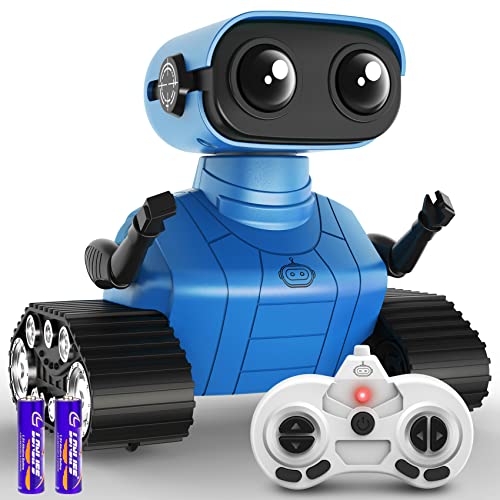
Hamourd Robot Toys for Boys Girls — under $30
This is the pick for kids who light up at music and flashing colors. The Hamourd robot pairs LED eye sequences with dance moves and a built-in speaker, creating a show-like experience that five-year-olds find immediately entertaining. Auto-demonstration lets the robot run through its routine without any input, which works well for kids who want to watch first and operate later. The flexible head and arms add a puppet-like quality to remote control.
- Pro: Music plus LED combination produces a self-contained performance.
- Pro: Lowest price among feature-rich options in this group.
- Con: Battery life is shorter than rechargeable rivals, requiring frequent recharging.
Skip it if you want a robot that teaches problem-solving or engineering thinking rather than reflexive entertainment.
Spider Transform RC Cars Toys — under $40
Kids who gravitate toward vehicles rather than humanoid figures will appreciate the one-button transformation between spider and car modes. The 360-degree rotation and underbody lights give it a dramatic play feel, and the 2.4GHz remote provides smooth driving. Owner reviews highlight the transformation mechanism as the standout feature — it snaps into place satisfyingly and resists accidental mode-switching during transport.
- Pro: Dual-mode design (car and spider) doubles imaginative play scenarios.
- Pro: Fast rotation and lights create high-energy movement play.
- Con: Not truly a “robot” in the interactive sense; no gesture or programming features.
Skip it if your goal is STEM exposure or if the child specifically wants a walking robot companion.
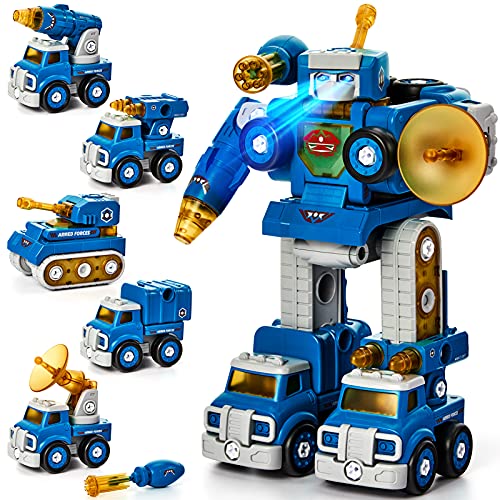
Tsomtto 10 in 1 STEM Toys — under $30
This set trades a single robot for ten buildable models, making it the strongest choice for a child who gets bored with one toy and wants variety. Each build introduces a different gear mechanism or structural concept, and the included instructions are picture-based so a five-year-old can follow them with minimal reading. The price makes it a low-risk way to test whether your child genuinely enjoys construction play.
- Pro: Ten distinct builds provide weeks of novel projects.
- Pro: Picture-based instructions reduce parental involvement during setup.
- Con: Individual models are simpler and smaller than a dedicated robot toy.
Skip it if you want a single impressive gift rather than a box of parts, or if the child prefers operating a ready-made robot over assembling one.
EduCuties Robot Toys for Kids — under $40
The EduCuties robot combines remote control with gesture sensing in a rechargeable package, offering a hands-free interaction mode that feels magical to a five-year-old. Waving a hand makes the robot follow or turn, which introduces cause-and-effect learning without screens. Owners report that the gesture mode is the feature children return to most often, and the rechargeable battery supports repeated sessions without interrupting play.
- Pro: Gesture sensing provides intuitive screen-free interaction.
- Pro: Rechargeable with USB cable included.
- Con: Gesture accuracy can be inconsistent on carpeted or uneven floors.
Skip it if your child already has a gesture robot and wants something different, or if they prefer vehicle-style play.
Hahaland Toys for 5 Year Old Boy — under $50
At the top of this group’s price range, the Hahaland STEM set targets parents who want structured learning embedded in play. The kit includes multiple robot configurations with distinct engineering tasks, pushing the child toward sequencing and spatial reasoning rather than free-form building. The packaging and instructions feel more polished than budget alternatives, and the pieces are thicker and more durable.
- Pro: Structured challenges develop early engineering and logic skills.
- Pro: Noticeably more durable piece quality than lower-priced competitors.
- Con: Highest price here; the learning curve may frustrate a child expecting instant gratification.
Skip it if the child is not yet interested in puzzles or instructions and prefers purely open-ended remote-control play.
Educational Insights Design & Drill Robot Workshop — under $40
This set gives a child a real (low-torque) electric drill and a robot chassis to assemble, which is a genuinely different experience from remote-control robots. The act of driving screws into pre-threaded holes builds fine motor control and spatial awareness, and the finished robot stands as a tangible accomplishment. Educational Insights has a long track record in classroom materials, and the tool set is sized appropriately for small hands.
- Pro: Real drilling experience builds confidence with tools and fine motor skills.
- Pro: Take-apart design allows repeated assembly and disassembly cycles.
- Con: The finished robot does not move or respond electronically.
Skip it if the child specifically wants a robot that drives, dances, or reacts to gestures rather than one they build and display.
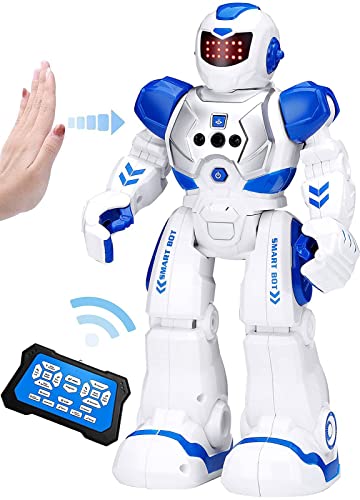
KingsDragon Robots Toy for Kids — under $30
The entry-level KingsDragon gesture robot strips the remote control feature and relies almost entirely on hand-wave sensing for directional commands. For under $30, it is the cheapest gesture robot in this roundup and proves that the core interaction — making a robot follow your hand — does not require a premium price tag. The compact size makes it easy for a five-year-old to carry outdoors, and the rechargeable design keeps running costs minimal.
- Pro: Lowest cost for genuine gesture-controlled robot play.
- Pro: Lightweight and portable for indoor or outdoor use.
- Con: Fewer features overall; no music, dance sequences, or remote control option.
Skip it if you want a feature-rich robot with multiple play modes and can stretch the budget a few dollars higher.
Buying Guide
Control Type and Age Readiness
Five-year-olds vary widely in fine motor development. A child who can reliably press small buttons and track directional commands will enjoy a full remote-control robot, while one who struggles with thumb coordination will do better with a gesture-sensing model where a simple hand wave triggers movement. Auto-demonstration features, present on the KingsDragon and Hamourd robots, let a child watch a sequence before attempting it, which reduces frustration during the first several sessions.
Battery System and Running Cost
Rechargeable robots (KingsDragon RC, EduCuties, KingsDragon Gesture) require a USB charging cable and roughly one to two hours of charge time per full cycle. Battery-powered models need periodic replacement cells, which adds a small ongoing cost and creates friction during play when the batteries die mid-session. If the robot will see daily use over several months, a rechargeable system pays for itself in convenience alone.
Durability Markers to Check in Reviews
Before purchasing, scan owner feedback for mentions of joint looseness, wheel slippage, and shell cracking after a few weeks. Robots with metal gear axles or reinforced screw points tend to outlast those with plastic-only joints. In this group, the Hahaland and Design & Drill products score highest on build robustness because their parts are intentionally chunky and designed for repeated physical handling.
Our Verdict
The KingsDragon RC Robot Toys for Kids is the top pick for a five-year-old receiving their first robot. Its three control modes (remote, programmed, gesture) give a child multiple ways to engage, the rechargeable battery removes ongoing cost, and the auto-demonstration feature smooths the learning curve. For the tightest budget, the KingsDragon Gesture Sensing for under $30 delivers the most compelling single interaction — making a robot follow your hand — at the lowest price in this group. If your child already owns a remote robot and you want something that teaches building skills, the Tsomtto 10-in-1 STEM set wins on variety and hands-on learning value.
FAQ
At what age can a child operate a robot toy independently?
Most children between 4.5 and 5 can manage a basic remote or gesture control without adult help, particularly if the toy includes an auto-demonstration mode. Structured STEM sets with small screws or multi-step instructions typically need parental support until around age 6 or 7.
Do these robots work on carpet?
Low-pile carpet is generally fine for wheel-based models like the Spider Transform car, but shag or high-pile surfaces will impede movement. Gesture-sensing robots tend to track best on hard floors where wheels or feet can pivot freely.
Is a rechargeable battery always better than replaceable cells?
For daily play over months, yes — you save money and avoid mid-session interruptions. For occasional use (one or two sessions per week), replaceable cells are simpler because the toy is always ready without needing a charging block nearby.
Which robot best supports early STEM learning?
The Design & Drill Robot Workshop and the Hahaland STEM set both target engineering thinking directly, the first through tool use and the second through structured build challenges. The Tsomtto 10-in-1 set covers similar ground at a lower price with more variety but less depth per model.









