
The best smart display for a kitchen is usually the Amazon Echo Show 8 for most cooks, while the Google Nest Hub 2nd Gen is the better compact choice and the Echo Show 15 or 21 suits a large, wall-mounted family command center.
A kitchen display has different priorities from a living-room speaker: the screen must remain readable from several feet away, voice controls must work over fans and running water, recipes should be easy to follow with messy hands, and the enclosure must tolerate frequent wiping. The right choice depends less on maximum screen size than on where it will sit and which smart-home ecosystem you already use.
Our top picks
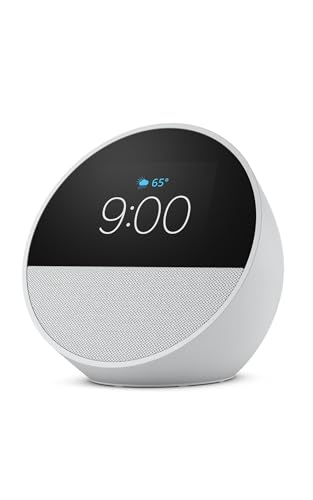 Amazon Echo Spot
- A sleek smart alarm clock with Alexa and…
- See time, weather, and song titles at a…
- Enjoy rich sound with clear vocals and deep…
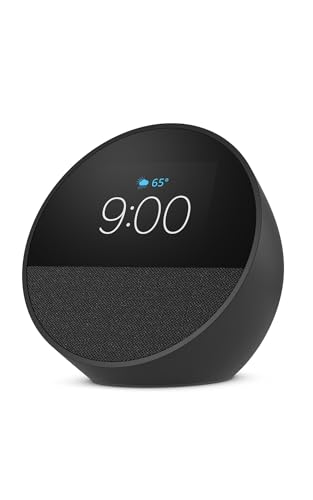 Amazon Echo Spot
- A sleek smart alarm clock with Alexa and…
- See time, weather, and song titles at a…
- Enjoy rich sound with clear vocals and deep…
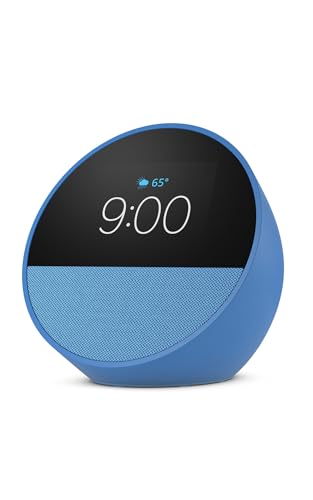 Amazon Echo Spot
- A sleek smart alarm clock with Alexa and…
- See time, weather, and song titles at a…
- Enjoy rich sound with clear vocals and deep…
As an Amazon Associate we earn from qualifying purchases at no extra cost to you.
Best smart displays for kitchen use compared
| Model | Screen and resolution | Speaker setup | Approximate footprint or mounting size | Best for |
|---|---|---|---|---|
| Amazon Echo Show 8 (3rd Gen) | 8 inches, 1280 × 800 | Two 2-inch speakers and passive bass radiator | About 7.0 × 4.7 inches on the counter | Best overall balance of visibility, sound, and price |
| Google Nest Hub (2nd Gen) | 7 inches, 1024 × 600 | Full-range speaker with passive radiator | About 7.0 × 4.7 inches | Small kitchens and Google households |
| Google Nest Hub Max | 10 inches, 1280 × 800 | 30-watt sound system with two tweeters and woofer | About 9.9 × 6.0 inches | Large video area and stronger music playback |
| Amazon Echo Show 10 (3rd Gen) | 10.1 inches, 1280 × 800 | Two 1-inch tweeters and 3-inch woofer | About 9.9 × 6.7 inches | Cooking while moving around the kitchen |
| Amazon Echo Show 15 | 15.6 inches, 1920 × 1080 | Built-in stereo speakers | Wall-mounted; about 15.8 × 9.9 inches vertically | Shared calendars, lists, and large recipe text |
| Amazon Echo Show 21 | 21 inches, 1920 × 1080 | Built-in stereo speakers | Wall-mounted; about 21.0 × 12.6 inches vertically | Maximum viewing distance and family dashboards |
Dimensions and specifications can vary slightly by generation and regional configuration. The larger Echo Show models are primarily wall displays rather than countertop appliances, and their mounting position should be planned before purchase.
Best overall: Amazon Echo Show 8 (3rd Gen)
The Echo Show 8 is the strongest all-round recommendation because its 8-inch display is large enough for recipe steps without consuming the workspace needed for a chopping board. Its screen is more legible than a 7-inch display at typical countertop distances, while the stereo speakers provide clearer music and spoken instructions than compact smart speakers.
Alexa is useful when your hands are occupied: you can set multiple timers, convert measurements, add ingredients to a shopping list, and ask for the next recipe step. The display also supports video calls and visual responses. Its camera shutter is a useful privacy feature, and the camera can be disabled electronically.
The main limitation is ecosystem dependence. Some recipe services and smart-home controls work better through Alexa than through Google Assistant, while recipe websites may not provide a consistent hands-free experience. Expect a general market price of roughly $120–$180, with sales and bundles changing that range.
Best for a small counter: Google Nest Hub (2nd Gen)
The Nest Hub 2nd Gen is the sensible pick when every inch matters. It has no camera, a relatively small footprint, and a screen that works well for timers, shopping lists, weather, music controls, and short recipe instructions. Google Assistant is particularly convenient if your household already uses Google Calendar, Google Photos, YouTube, or Nest devices.
Its compact size is also its weakness. The 7-inch screen and 1024 × 600 resolution leave less room for ingredients and multi-step instructions, so you may need to ask for the next step more often. Its speaker is adequate for podcasts and spoken directions but less satisfying for music than the Echo Show 8 or the larger Nest Hub Max.
Because it has no camera, it is a comfortable choice for a kitchen where privacy is a priority. It is usually found in the approximate $60–$100 market range, depending on availability.
Best for cooking while moving: Amazon Echo Show 10
The Echo Show 10’s motorized screen can turn toward you as you move around the kitchen. That matters if the display is positioned near a sink, island, or open-plan cooking area rather than directly in front of one workstation. Its 10.1-inch screen is easier to read from farther away, and its larger speaker system is better suited to a noisy room.
Allow additional clearance around the rotating base. It occupies considerably more counter depth than the Echo Show 8 and should not be placed beside a hot hob, where grease and heat can affect the unit. The moving mechanism also adds a part that can collect crumbs or eventually become less smooth than a fixed display.
The Echo Show 10 is best for cooks who frequently walk between preparation areas. If you always work in one spot, the cheaper fixed Echo Show 8 may be better value.
Best large-screen option: Echo Show 15 or Echo Show 21
The Echo Show 15 and Echo Show 21 turn a kitchen wall into a shared information board. Their larger screens make calendars, grocery lists, recipes, and timers visible from across the room. The Echo Show 21 is the better choice for a large kitchen or an open-plan home where the display may be viewed from 10 feet away or more.
These models require a suitable wall, careful cable routing, and a comfortable viewing height. A wall-mounted display near a sink can receive more splashes than a countertop unit, and a low mounting position can encourage children to touch the screen while eating. Their screen size improves visibility but does not automatically improve every recipe interface; some websites still present cluttered pages or require scrolling.
Choose the Echo Show 15 when you want a substantial dashboard without giving up as much wall space. Choose the Echo Show 21 when shared visibility is more important than a discreet installation.
Google Nest Hub Max versus Echo Show 10
These two 10-inch-class displays target different priorities. The Nest Hub Max is a stationary screen with a stronger emphasis on Google services, video calling, YouTube, and a fuller speaker system. The Echo Show 10 is better for following you around the room because its screen rotates.
For a Google-centered smart home, the Nest Hub Max provides more natural control of compatible Nest equipment and Google media services. For Alexa-compatible lights, plugs, appliances, and routines, the Echo Show 10 is usually the more coherent choice. Neither is ideal if your main requirement is a completely open, browser-like recipe experience: smart-display interfaces often restrict how third-party content behaves.
Decision matrix: which display fits your kitchen?
| Your situation | Recommended choice | Why |
|---|---|---|
| Limited counter space and mostly timers | Google Nest Hub 2nd Gen | Small footprint, no camera, simple glanceable controls |
| Frequent recipe use and music | Echo Show 8 (3rd Gen) | Good screen-to-space ratio and stronger audio |
| Moving between sink, island, and hob | Echo Show 10 (3rd Gen) | Motorized screen follows your position |
| Google Calendar, YouTube, and Nest devices | Nest Hub Max | Better fit with Google’s ecosystem and larger display |
| Family schedules visible from across the room | Echo Show 15 or 21 | Large wall-mounted dashboard and readable text |
Recipe usability and voice-control realities
Before buying, check whether the recipes you actually use are available through the platform’s supported services. A display may show a recipe but still require touch gestures to expand ingredients, wake the screen, or move between steps. Voice commands are most reliable for short actions such as “set a 12-minute timer,” “convert 350 grams to ounces,” or “add tomatoes to my list.” They are less dependable when asking for a long, highly customized recipe from an unfamiliar website.
For reliable hands-free use, place the display within a few feet of the main cooking area, avoid positioning it directly beside an extractor fan, and use precise commands. Set separate timers with descriptive names, such as “pasta timer” and “oven timer,” rather than several unnamed timers.
Cleaning, durability, and ownership costs
The screen is usually the first part to show kitchen wear. Flour and oily fingerprints can make touch controls less responsive, while abrasive cleaners may damage the surface coating. Turn the device off, use a soft microfiber cloth lightly dampened with water, and keep liquid away from speaker openings, microphones, ports, and the rotating base. Do not spray cleaner directly onto the display.
Countertop models are not generally waterproof or heatproof. Keep them away from steam vents, splashing taps, open pans, and the edge of the counter. A washable silicone mat can reduce vibration and catch small spills, but it should not block ventilation or cover the device’s microphones.
Power consumption is modest, but these are normally plug-in devices rather than battery products. Plan for a visible cable, especially with wall-mounted models. Cameras, microphones, and cloud-dependent services also make privacy settings part of ownership: use physical camera shutters where available, review microphone controls, and disable personalized features you do not need.
Bottom line
Choose the Echo Show 8 (3rd Gen) if you want the best balance for everyday recipes, timers, voice controls, and music. Choose the Nest Hub 2nd Gen for a small, camera-free Google kitchen. Move up to the Echo Show 10 if you cook across multiple areas, or to the Echo Show 15 or 21 if your priority is a large shared wall dashboard. The display that fits your work triangle and existing smart-home platform will be more useful than the largest screen you can afford.









