Our Top Picks
 ASUS TUF Gaming A16 Laptop: AMD Ryzen 716 GB RAM / 512 GB SSD14 x 1 x 10 inches7 PoundsCheck on Amazon
- ASUS TUF Gaming A16 Laptop: AMD Ryzen 516GB DDR5 | 512GB PCIe SSD20 x 10.8 x 0.96 inches7 PoundsCheck on Amazon
You search for the ASUS TUF A16, open the results, and find two listings that look almost identical: both name an RTX 4050, 16GB of DDR5 and a 512GB SSD, yet one says Ryzen 7 and 145Hz while the other says Ryzen 5 and 144Hz. Which one is “the” A16? Both are, and the difference matters more than the one-hertz gap suggests. This page walks through the two A16 listings, then compares them with three other ASUS gaming laptops from the same set, using only what the listing titles and published documentation say.
Nobody on the team used or measured these units, so you will not find fan-noise readings, frame-rate captures or battery-life numbers here. Any number that goes beyond a title is labeled as an estimate with its assumptions spelled out. The goal is to help you read a spec sheet like a skeptic and walk into the purchase knowing which questions are still open.
The four ASUS listings at a glance
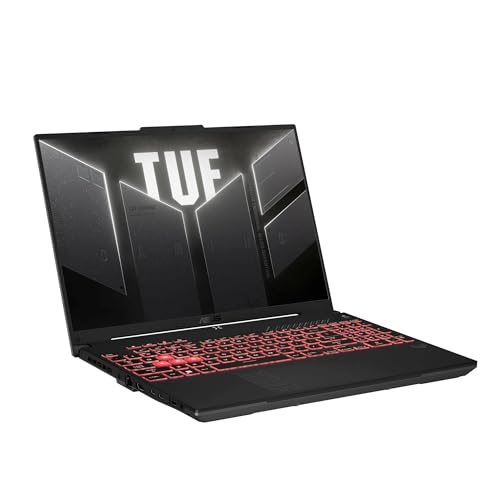
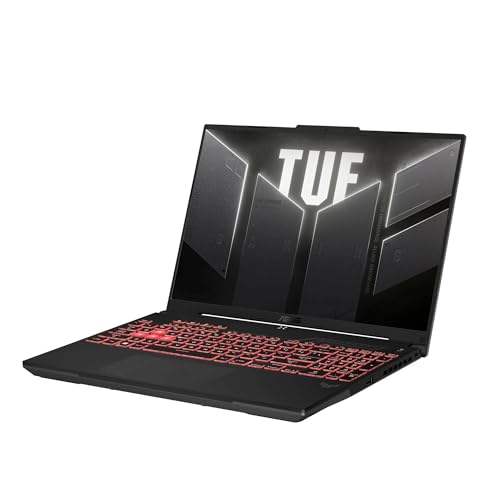
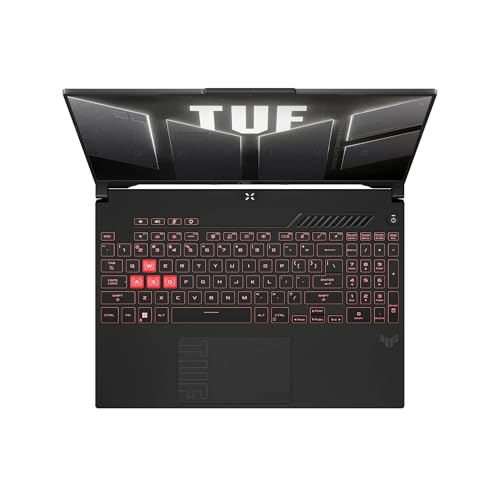
ASUS TUF Gaming A16 Laptop: AMD Ryzen 7 7445HS, 16" Full HD+ 145Hz Display, NVIDIA GeForce RTX 4050, 16GB DDR5 RAM, 512GB SSD, Backlit Keyboard, Windows 11
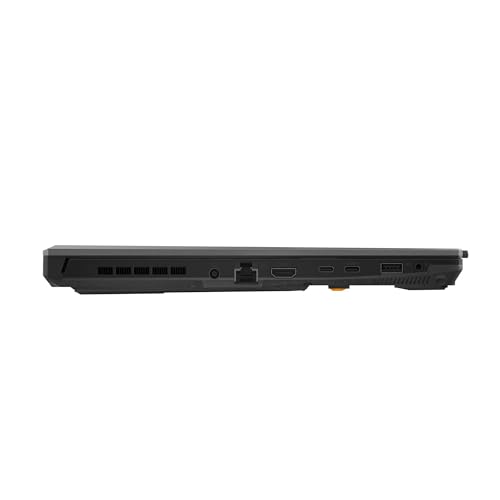

As an Amazon Associate we earn from qualifying purchases. Product prices and availability are accurate as of the date/time indicated.
ASUS TUF Gaming A16 Laptop: AMD Ryzen 5 7535HS, NVIDIA GeForce RTX 4050, 16GB DDR5 RAM, 512GB PCIe SSD, 16" Full HD+ (1920x1200) 144Hz Display, Windows 11

As an Amazon Associate we earn from qualifying purchases. Product prices and availability are accurate as of the date/time indicated.

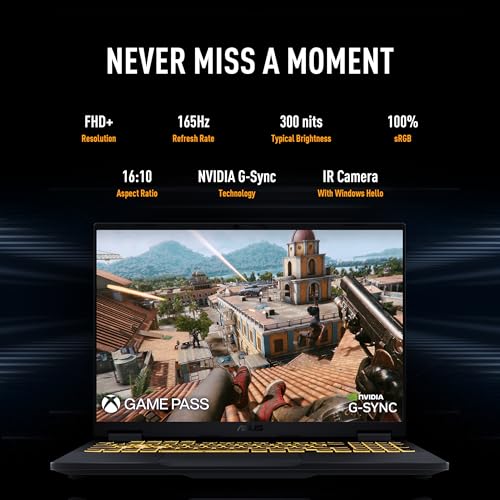
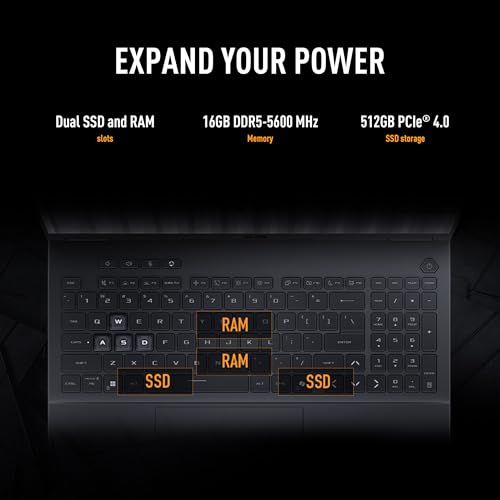
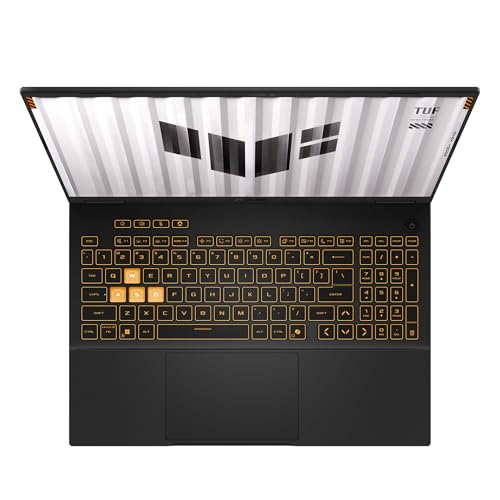
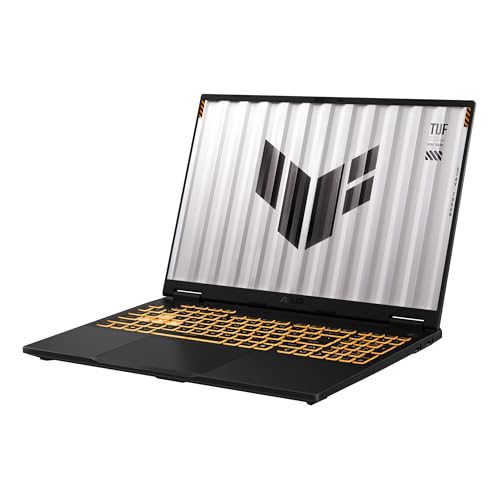
ASUS TUF Gaming F16 (2025) Gaming Laptop, 16” FHD+ 165Hz 16:10 Display, Intel® Core™ i5 Processor 13450HX, NVIDIA® GeForce RTX™ 5050, 16GB DDR5, 512GB PCIe Gen4 SSD, Wi-Fi 6E, Win 11 Home


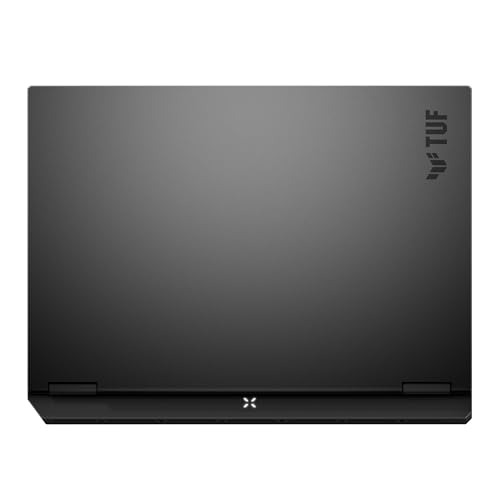
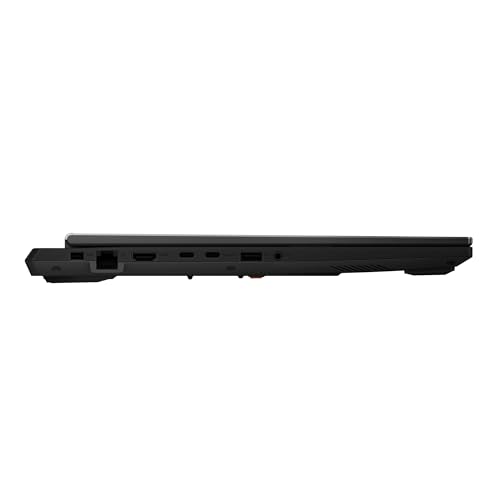
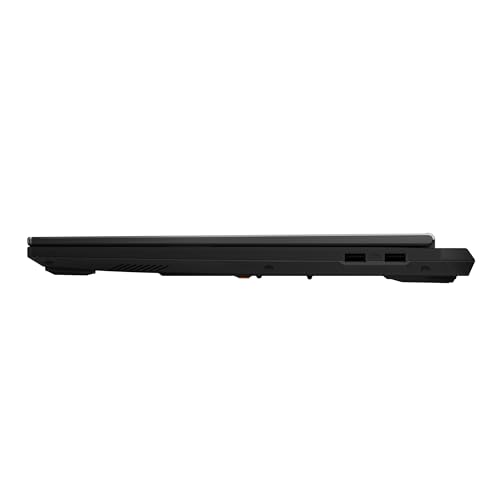

As an Amazon Associate we earn from qualifying purchases. Product prices and availability are accurate as of the date/time indicated.
Everything in the table comes from the listing titles. Spec claims in titles are seller claims. “Price tier” is relative within this set of four, not a statement about the market at large.
| Model | Key points from the title | Price tier | Best for |
|---|---|---|---|
| TUF Gaming A16, Ryzen 7 7445HS | RTX 4050, 16GB DDR5, 512GB SSD, 16″ Full HD+ 145Hz, backlit keyboard, Windows 11 | Budget | Buyers who want the A16 with the higher-named AMD processor |
| TUF Gaming A16, Ryzen 5 7535HS | RTX 4050, 16GB DDR5, 512GB PCIe SSD, 16″ 1920×1200 144Hz, Windows 11 | Budget | Buyers who want an explicitly stated screen resolution |
| TUF Gaming F16, Core i5-13450HX | RTX 5050, 16GB DDR5, 512GB PCIe Gen4 SSD, 16″ FHD+ 165Hz 16:10, Wi-Fi 6E | Mid-range | Buyers who want a newer GPU name and a faster panel on paper |
| ROG Strix G16, Core i7-14650HX | RTX 5060, 16GB DDR5, 1TB Gen 4 SSD, 16″ FHD+ 16:10 165Hz/3ms, Wi-Fi 7 | Premium | Buyers who want the strongest graphics and storage in the set |
Who the lead A16 suits, and who should skip it
TUF Gaming A16 with Ryzen 7 7445HS and RTX 4050 (the lead listing)
The lead listing is for someone who wants a 16-inch gaming laptop in the entry-to-mainstream range and prefers AMD. An RTX 4050 with a 144Hz-class screen is aimed at 1080p-class gaming, where popular competitive titles can run at high refresh rates and demanding single-player games can be played at medium to high settings. The 16-inch size also gives more screen area than the 15.6-inch standard for movies, documents and multiple windows.
It is also a reasonable choice for students who want one machine for coursework and evening games, because 16GB of DDR5 comfortably covers a browser, a document editor and a chat app running together.
Skip it if: you play at QHD or higher, because the title lists a Full HD+ panel and an RTX 4050 is not the class people reach for when chasing high resolutions; you keep a large game library installed, because 512GB fills up quickly; or you need a lightweight carry, since the title gives no weight and 16-inch gaming laptops are rarely featherweight. Also skip it if your budget stretches to the other listings, because both the F16 and the Strix G16 name newer graphics cards.
What the title says, and what it does not
The lead title states a Ryzen 7 7445HS, a 16-inch Full HD+ display at 145Hz, an RTX 4050, 16GB of DDR5, a 512GB SSD, a backlit keyboard and Windows 11. That is a respectable amount of information, but the missing pieces are the ones that decide how the laptop feels day to day.
- Processor name. The Ryzen 7 7445HS is not as widely discussed as other chips in the same naming family, so verify its specifications on AMD’s own page instead of assuming it matches another model.
- Exact resolution. “Full HD+” normally means a 16:10 panel at 1920×1200, and the second listing states exactly that. The lead title does not, so confirm it.
- Refresh rate. The lead says 145Hz and the second says 144Hz. Treat that as a labeling quirk, not a real difference, unless the manufacturer’s page shows otherwise.
- Graphics power and memory. The RTX 4050 name does not tell you the power limit, and the title does not state the graphics memory size. Check the manufacturer’s specification page.
- Upgrade paths. Neither title says whether memory is soldered or socketed, or how many SSD slots exist.
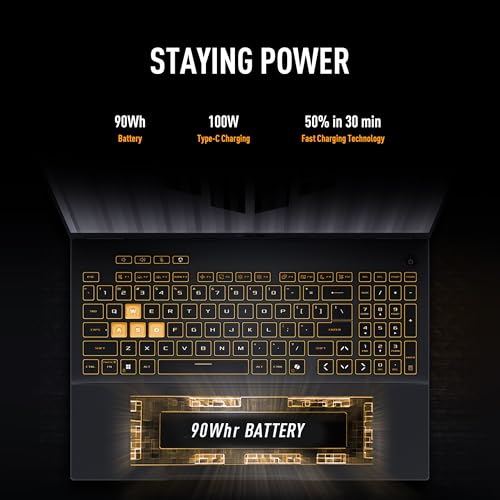
- Battery, weight, ports and warranty. None appear in the titles.
Questions to ask before you buy
- Does the manufacturer’s page list the same processor, graphics card and screen as the listing?
- Can I add a second SSD, or will I have to replace the 512GB drive?
- Is the memory upgradeable, or is 16GB the ceiling?
- How long is the warranty, and does it cover the laptop if I buy from a third-party seller?
- What do buyers say about fan noise and temperature in the lowest-rated reviews?
- Does the charger and the laptop together fit my bag and my commute?
Three alternatives from the same set
These three listings sit around the A16 in price tier or graphics class. None is a drop-in substitute, so each section says what you gain and what you give up.
TUF Gaming A16 with Ryzen 5 7535HS
The second A16 listing is the closest sibling. It names a Ryzen 5 7535HS, an RTX 4050, 16GB of DDR5, a 512GB PCIe SSD and a 16-inch 1920×1200 144Hz display. The processor tier is lower on paper than the lead listing’s Ryzen 7, but for most games the graphics card is the limiting factor, so the gap may be small in practice. The advantage here is clarity: the title spells out the screen resolution and the SSD interface.
- Pros: explicit 1920×1200 resolution; same RTX 4050, memory and storage as the lead; budget price tier.
- Cons: lower processor tier on paper; 512GB storage; no keyboard backlight mention in the title; same unknowns about weight and battery.
Question to ask: Does the price difference between the two A16 listings justify the processor name, given that both share the same graphics card?
TUF Gaming F16 with Core i5-13450HX and RTX 5050
This is a different model line that happens to share the TUF name and a 16-inch size. It names an Intel Core i5-13450HX, an RTX 5050, 16GB of DDR5, a 512GB PCIe Gen4 SSD, a 16:10 FHD+ screen at 165Hz and Wi-Fi 6E. On paper it offers a newer graphics name and a faster panel than the A16, but with an Intel processor and the same 16GB and 512GB. The title carries a model-year tag; treat it as a seller label and confirm the exact model on the manufacturer’s page.
- Pros: newer graphics name than the A16; 165Hz panel; Gen4 SSD named; Wi-Fi 6E.
- Cons: mid-range price tier; processor is a different brand, so there is no direct A16 comparison; storage and memory match the A16, so no bonus there.
Question to ask: Is the RTX 5050 power limit high enough to justify choosing it over an RTX 4050 in the A16?
ROG Strix G16 with Core i7-14650HX and RTX 5060
The Strix G16 is the premium listing in the set. It names an RTX 5060, a Core i7-14650HX, 16GB of DDR5, a 1TB Gen 4 SSD, Wi-Fi 7, and a 16-inch FHD+ 16:10 panel at 165Hz with a 3ms response claim. Storage doubles and wireless moves up a generation compared with the TUF listings. The title ends with a model code you can match to the maker’s page.
- Pros: highest graphics name in the set; 1TB storage; Wi-Fi 7; fast panel on paper.
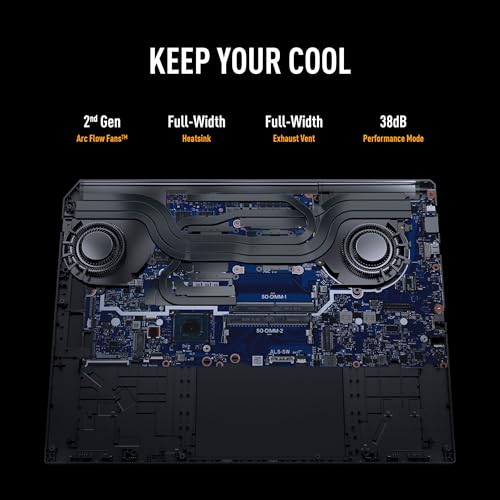
- Cons: premium price tier; still 16GB of memory; the 3ms figure is a seller claim; weight and cooling unknown.
Question to ask: Do I play enough demanding games to use an RTX 5060, or would the cheaper TUF listings cover my needs?
How these ASUS listings compare with the wider market
Gaming laptops around the RTX 4050 to RTX 5060 range form the mainstream of the category. Models in this band are generally built for 1080p and 1200p play, with refresh rates between 144Hz and 165Hz. Buyers who step up to higher-resolution panels typically also step up to stronger graphics cards and larger price tiers. Within that picture, the two A16 listings sit at the cost-conscious end, the F16 occupies the middle, and the Strix G16 reaches toward the upper end of the mainstream.
Because the titles do not disclose graphics power limits, two laptops with the same graphics name can perform differently. This is why comparing model names alone can mislead, and why checking the manufacturer’s specification page is worth five minutes. Look for the wattage number next to the graphics card, and compare it only against laptops from the same generation of cards.
Price and value: thinking it through without a price tag
Prices on marketplaces move daily, so this page avoids quoting them. What stays useful is the way you judge value. Start with the graphics card, because it sets the ceiling for game settings. Next, count what you would have to add after buying: a second SSD, more memory or an external mouse and headset. Then compare each listing by what is included rather than by headline specifications. The two A16 listings share the same graphics, memory and storage claims, so the cheaper one is the better value unless the processor or screen wording matters to you. The F16 and Strix G16 cost more, and the question is whether a newer graphics name, a faster panel or a larger drive solves a problem you actually have.
Also check who is selling. A manufacturer-direct or well-known retailer listing usually makes warranty claims simpler than a small third-party seller, and bundles can hide a configuration that differs from the one you expected. Compare the model code at the end of the title, when one is shown, against the maker’s own page.
Everyday use beyond games
A gaming laptop is also a general-purpose computer, and a few things about these listings matter outside games. A 16-inch 16:10 panel, where stated, gives extra vertical space for documents and spreadsheets. Sixteen gigabytes of DDR5 is comfortable for office software, video calls and a busy browser. The backlit keyboard named in the lead listing helps in dim rooms. On the other hand, the titles do not mention webcam quality, speakers or battery size, all of which matter if you use the laptop for classes or meetings. Gaming laptops also tend to run their fans harder under load than office laptops, so consider where you will use it: a quiet library is different from a dorm room with headphones on.
If you plan to carry it daily, weigh the charger as well as the laptop. Gaming-class power adapters are often large, and travelling with the laptop plus the adapter and a mouse can be a meaningful load. The manufacturer’s page will list both weights.
Buying checklist, with a worked example
| Spec concept | What to look for | Why it matters |
|---|---|---|
| Resolution and aspect ratio | 1920×1200 (16:10) versus 1920×1080 (16:9) | The taller panel shows more rows and asks slightly more of the GPU |
| Refresh rate | 144Hz or higher, with a stated panel type | Higher refresh helps only if the games reach those frame rates |
| Graphics power | Wattage figure on the maker’s page | Same name, different performance |
| Storage | 1TB or a free second slot | 512GB fills fast with modern games |
| Memory | 16GB minimum, upgrade path noted | Headroom for multitasking |
| Wireless | Wi-Fi 6E or newer, if your router supports it | Only useful with a matching router |
| Warranty and seller | Manufacturer coverage | Heavy laptops are costly to ship for repair |
Worked example: 144Hz versus 145Hz, and 1080p versus 1200p
Assumptions (estimates): a frame time is 1000 milliseconds divided by the refresh rate; pixel counts are width times height; a 512GB drive has about 465GB usable and Windows plus drivers take about 150GB; a large game averages 100GB.
- At 144Hz, each refresh lasts about 6.94ms. At 145Hz, it is about 6.90ms. The gap is 0.04ms, which nobody can see. The difference is a label, not a feature.
- 1920×1080 is about 2.07 million pixels. 1920×1200 is about 2.30 million, roughly 11 percent more. A GPU in the RTX 4050 class has to draw that extra eleventh each frame, which is small but not nothing in demanding games.
- 465 minus 150 leaves about 315GB, which holds roughly three large games at once.
The takeaway: do not let a one-hertz difference steer the decision. Put the effort into storage, graphics power and the warranty. If you pick a 512GB listing, either plan to rotate games in and out or confirm a second drive slot before you buy.
Verdict
The lead A16 listing is a sensible budget-tier 16-inch gaming laptop on paper, with an AMD processor, an RTX 4050 and 16GB of DDR5. The second A16 listing is nearly the same machine with a lower-named processor and a more transparent spec line. The F16 offers a newer graphics name and a faster screen at a mid-range tier, and the Strix G16 offers the strongest graphics class and the 1TB drive at a premium tier.
If you want to spend the least, pick whichever A16 listing is cheaper after you confirm the processor, screen and warranty. If you want better headroom for new releases, look hard at the Strix G16. In every case, remember that no one on the team has run these laptops, and the titles skip weight, battery, cooling and power limits. Follow the manufacturer’s instructions for charging and ventilation, never use a swollen or overheating battery, and keep the vents clear while gaming.
Related guides
- Rechargeable Electric Toothbrush With Travel Case
- Countertop Water Filters Without Installation
- Skin Lifting And Tightening Devices
Frequently asked questions
Is the ASUS TUF A16 good for gaming?
On paper, yes for mainstream play. The two A16 listings pair a Ryzen 7 or Ryzen 5 processor with an RTX 4050, 16GB of DDR5 and a 16-inch 144Hz-class screen, which is a sensible setup for 1080p-class gaming at medium to high settings. Real behavior depends on things the titles omit, such as graphics power limit, fan noise, battery size and weight, so check the manufacturer’s page and read recurring complaints in buyer reviews before you decide.
What is the difference between the two A16 listings?
The lead listing names a Ryzen 7 7445HS and a 145Hz Full HD+ display, while the second names a Ryzen 5 7535HS and a 144Hz 1920×1200 display. Both state an RTX 4050, 16GB of DDR5 and a 512GB SSD. The one-hertz difference is almost certainly a labeling quirk rather than a real gap, but the processor names differ, so confirm each against the maker’s specification page.
Is 512GB of storage enough on a gaming laptop?
It works but fills quickly. After Windows, drivers and everyday apps, you may have roughly 300GB free, which holds about three large modern games at once. If you like keeping a library installed, plan to add a second SSD if the laptop has a free slot, or uninstall titles between sessions. Check the listing or manual to see how many drives the model supports before you count on upgrading.
How does the TUF Gaming F16 compare with the A16?
The F16 listing swaps AMD for an Intel Core i5-13450HX and moves to an RTX 5050, a 16:10 165Hz screen and a PCIe Gen4 SSD, still with 16GB of DDR5 and 512GB of storage. It is a different model line, not a variant of the A16. It offers a newer GPU name and faster screen on paper, while the A16 listings offer AMD processors and an RTX 4050.
Is the ROG Strix G16 worth the higher price tier?
It can be if you want the highest graphics class in this set. The listing names an RTX 5060, a Core i7-14650HX, 16GB of DDR5, a 1TB Gen 4 SSD and Wi-Fi 7, so storage and wireless are stronger than the TUF listings. Whether that justifies the extra spend depends on your games, your screen and your budget, and it is worth checking weight, noise and warranty details before you commit.
Can I use a TUF A16 for schoolwork or office tasks too?
Nothing in the titles stops you from doing so. Sixteen gigabytes of DDR5 and a 16-inch screen are comfortable for documents, video calls and many browser tabs. The trade-off is size and weight, which the titles do not state; gaming laptops are usually bulkier than office laptops, and battery life under mixed use is unknown. If you carry it daily, check the weight and charger size on the manufacturer’s page first.