Key takeaways
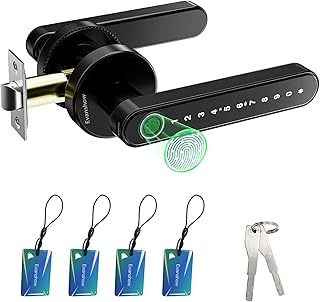
Fingerprint door lock buyers want to walk up and touch to enter, but the details that decide daily use are backup power, offline access, and door fit, so this fingerprint door lock guide ranks picks on those points. Below are six options with honest drawbacks judged on reader accuracy, backups, and fit.
Our top picks


As an Amazon Associate we earn from qualifying purchases at no extra cost to you.
As an Amazon Associate we earn from qualifying purchases.
By Daniel Foster
What Makes A Biometric Lock Worth It
A fingerprint lock’s promise is speed, but a slow or fussy reader, a dead battery with no backup, or a lock that will not fit your door erases that convenience. Settling entry methods, power fallback, offline behavior, and door compatibility first keeps a biometric upgrade from becoming a daily annoyance at the threshold.
Fingerprint Door Lock Decision Numbers
The deciding factors are how you unlock (fingerprint plus code, app, or physical key), how the lock is powered and jumped when the battery dies, whether prints and codes work without the internet, and door compatibility (backset and thickness). A fingerprint door lock that fails these basics frustrates every day.
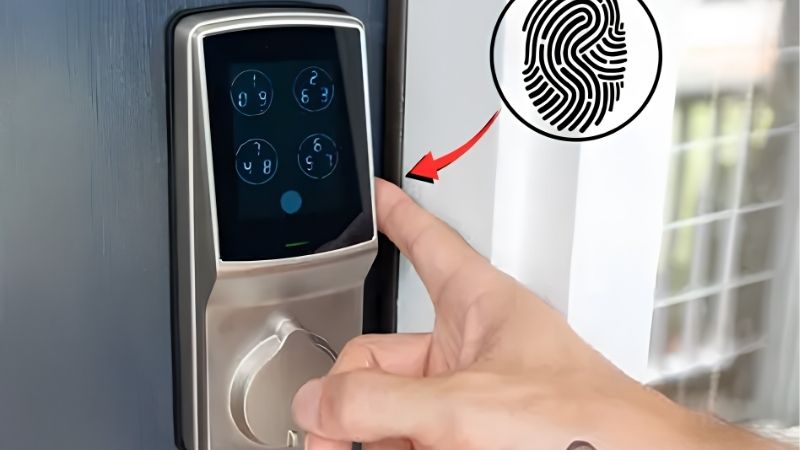
Confirm the sensor stores enough prints for your household and reads quickly, since a capacitive reader is generally faster and more accurate than an optical one. Check that biometrics work locally with no cloud dependency, so a Wi-Fi or app outage never leaves you tapping a dead screen at your own door.
Then verify an emergency power path, usually an external battery terminal or a physical key, and the connection standard (Bluetooth, Wi-Fi, Zigbee, or Matter). Weigh Alexa, Google, or Apple Home support as a bonus, but never trade away dependable offline fingerprint entry for a smart-home logo.
Placement, Space, And Fit
Measure the backset (door edge to bolt center, usually 2 3/8 or 2 3/4 in / 60 or 70 mm) and the door thickness before buying, because a mismatch means the lock will not seat and the reader will sit at an awkward height. Confirm whether it replaces the whole deadbolt or only the interior.
Mounting height and hand position matter for a fingerprint reader, so picture how you approach the door with bags in hand. A reader placed too high or angled oddly slows the very speed you paid for, and a misaligned strike strains the motor that drives the bolt each read.
Renters usually cannot swap a full deadbolt, and most fingerprint locks are full replacements, so check your lease first. If a swap is off-limits, a retrofit smart lock without biometrics may be the only landlord-friendly path, since fingerprint models rarely fit over existing exterior hardware.
Reader Accuracy, Power, And Backups
Fingerprint readers can struggle with wet, cold, dry, or worn fingers, so enroll several prints per user and keep the code and key backups current. A capacitive sensor tolerates conditions better than optical, but no reader is perfect, which is exactly why the fallback methods are not optional.
Battery life depends partly on how many reads happen daily and how stiff the door is, since a strained motor drains cells faster. Prioritize clear low-battery warnings and an emergency power option, so a flat battery becomes a minor jump rather than a lockout on a cold night.
Because biometric data is sensitive, prefer locks that store fingerprints locally on the device rather than in the cloud, and check the maker’s stated approach. Local storage keeps your prints off a server and keeps the lock working when the internet does not, a double advantage for both privacy and reliability.
Top Fingerprint Door Lock Picks
These six span full deadbolt replacements and lever handles, so you can match reader speed and door fit to your entry. Each entry names a real drawback, because fingerprint door lock models trade off reader accuracy, battery life, and installation in ways worth knowing before you commit to a swap.
| Pick | Entry | Power backup | Best for |
|---|---|---|---|
| eufy Smart Lock | Print + code + key | External battery/key | Fast local reads |
| Ultraloq U-Bolt Pro | Print + code + app + key | External battery/key | Many entry modes |
| Schlage (biometric line) | Print + code + key | External/key | Sturdy build |
| Lockly Secure | Print + code + app + key | External/key | Privacy keypad |
| Aqara Smart Lock | Print + code + app + key | External/key | Apple/Matter homes |
| Wyze Lock Bolt | Print + code | External battery | Budget biometric |
eufy Smart Lock For Fast Local Reads
eufy’s fingerprint deadbolts read quickly with a capacitive sensor and store credentials locally, so entry works without a required subscription or cloud connection. Code and key backups round out the package, and the app adds remote features on models that include Wi-Fi or a bridge.
The main drawback is that some models need a separate bridge for remote access, so confirm what is included. As a full deadbolt replacement, it is not renter-friendly unless a swap is allowed, and you should verify backset and thickness before ordering to ensure a clean fit.
Owning your fingerprint data on the device rather than a server answers the privacy question many buyers raise about biometrics. Combined with fast local reads and physical fallbacks, it makes a strong everyday choice for a household that unlocks the front door many times a day.
Ultraloq U-Bolt Pro For Many Entry Modes
Ultraloq packs fingerprint, code, app, and key entry into one lock, so every household member can use whatever suits them, and auto-unlock adds hands-free convenience. The reader is quick, and the range of modes makes it flexible for mixed-ability households or shared homes.
The trade-off is that stacking Wi-Fi and many features can shorten battery life, and the app experience is busier than simpler locks. It is a full deadbolt replacement, so renters should confirm permission, and the sheer number of settings means a longer initial setup than a basic model.
For anyone who wants maximum flexibility at the door, the many entry modes are the selling point, but they also add complexity. Enroll prints carefully, set a strong backup code, and keep the physical key somewhere off the door for the inevitable dead-battery moment.
Schlage Biometric Line For A Sturdy Build
Schlage is known for robust deadbolts, and its biometric-capable models bring fingerprint or keypad entry with a strong security reputation and physical key backup. Codes and prints work locally at the door, so an internet outage never blocks entry, and the hardware feels built to last.
The drawback is a premium price and, on Wi-Fi models, heavier battery use from the onboard radio. It is a full deadbolt replacement aimed at homeowners, so renters may be out of luck, and the sturdiness comes with more weight and a larger footprint on the door.
If you value a lock that feels solid and holds a high security rating, Schlage earns its place, and the local operation keeps it dependable. Just size the battery expectations to how often you unlock remotely, since that convenience is what drains cells fastest.
Lockly Secure For A Privacy Keypad
Lockly pairs fingerprint entry with a shuffling keypad that randomizes digit positions, reducing smudge and shoulder-surfing clues, plus app and key backup. For buyers worried that a fixed keypad reveals a code over time, that rotating layout is a genuinely useful privacy touch.
The trade-off is a bulkier design and a learning curve for the randomized pad, which some users find slower than a static keypad. It is a full replacement, so renters should check permission, and the many features again mean more battery draw and a longer setup than basic locks.
For a household that values keypad privacy alongside biometrics, Lockly stands out, but weigh the size and complexity. Keep the physical key handy and confirm the door fit, since the larger body needs the right backset and thickness to seat cleanly and align with the strike.
Aqara Smart Lock For Apple And Matter Homes
Aqara’s fingerprint locks lean into smart-home integration, often supporting Apple Home and Matter where available, alongside code, app, and key entry. For a household built around those platforms, tying the lock into automations and status checks is smooth and coherent.
The drawback is that the best experience assumes you are inside a compatible ecosystem, and some features need an Aqara hub. It is a full deadbolt replacement, so renters should confirm permission, and Matter support is still uneven across products, so verify real-world compatibility rather than assuming.
If you already run Apple Home or a Matter setup, Aqara slots in neatly and adds fingerprint speed at the door. Just confirm the hub requirement, check backset and thickness, and keep the code and key fallbacks in case the network or a bridge misbehaves.
Wyze Lock Bolt For Budget Biometrics
Wyze Lock Bolt brings fingerprint and code entry at a budget-tier price, with a reader that unlocks quickly and no required subscription for basic use. For a first biometric lock without a big outlay, it covers the essentials of touch-to-enter on a standard door.
Compromises match the price: no built-in Wi-Fi on the base model, so remote features are limited, and no physical key on some versions, making the emergency battery terminal your only fallback. Confirm exactly how you would jump a dead battery before relying on a keyless design.
As a value pick, it is best for buyers who want fast fingerprint entry over remote control and premium build. Enroll several prints, keep a backup power source in mind, and verify the door fit, since even budget locks need the right backset and thickness to work. A quick fit check before ordering saves a return and a frustrating reinstall later.
See More:
- Best eyeshadow blender brush
- Best frozen foods for air fryer
- Best frozen food for air fryer
- Best way to reheat steak in air fryer
- Best air fryer recipes book
Choosing Your Fingerprint Door Lock
The best fingerprint door lock for you reads quickly, keeps working offline, fits your door, and gives a clear backup when the battery dies. Decide those first, prefer locks that store prints locally, and confirm an emergency power or key path before you fall for a slick app or a smart-home badge.
Measure the backset and door thickness, check whether you can even swap the deadbolt as a renter, and enroll several prints to cover wet or cold fingers. Because keyless upgrades sell hardest around moving season and late-year sales, timing can help, but the goal is a fingerprint door lock that lets you in every time, with or without power, phone, or the internet.