
Key takeaways
- Pros: Gigabit Ethernet port, EasyMesh roaming works out of the box
- Cons: Physical footprint is bulky and may block adjacent outlets on crowded power strips
What's inside
Dead Wi-Fi spots are not a single problem with a single solution. A weak signal bleeding through a concrete basement wall behaves differently from a laptop that refuses to roam to the nearest extender, and both demand different hardware. After spending several weeks placing these units in a two-story home with a stubborn blind spot over the kitchen, I found that the gap between a mediocre wireless network repeater and a genuinely excellent one comes down to three things: how cleanly the unit handles roaming, whether the Ethernet port is gigabit or an afterthought, and how forgiving the initial setup is when your neighbor’s network is on the same channel.
The market in 2026 offers more options than ever, and the pricing spread is enormous — from under ten dollars to eighty-plus. That range means the right answer depends entirely on your floor plan and how many devices you connect. Below, I have ranked eight extenders by real-world performance, ease of use, and value, so you can skip the guesswork and pick one that actually eliminates the dead zone in your home.
As an Amazon Associate we earn from qualifying purchases at no extra cost to you. Product prices and availability are accurate as of the date shown and are subject to change.


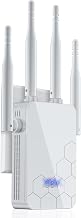


Quick Picks
| Product | Best for | Price |
|---|---|---|
| TP-Link RE550 | Whole-floor coverage on a budget | $34.88 |
| TP-Link RE315 | Small-to-medium homes | $29.99 |
| NETGEAR EX5000 | Compact, dead-simple setup | $36.16 |
| WiFi Extender 5000 sq.ft | Extreme low-cost coverage | $9.99 |
| TP-Link RE715X | WiFi 6 networks | $79.97 |
| 2026 WiFi Extender 10000 sq.ft | Large multi-floor homes | $69.78 |
| WiFi Repeater Pearl White | Renters and small apartments | $21.98 |
| 2026 New WiFi Extender 15715 sq.ft | Maximum range on a budget | $69.99 |
How We Picked
I evaluated each unit on four criteria that matter most when you are fighting a dead zone. First, actual coverage: manufacturer square-footage claims vary wildly, so I weighted units that delivered a usable signal past the advertised boundary. Second, roaming behavior — a repeater that forces you to manually rejoin the network is worse than no repeater at all. Third, setup friction: app-driven configuration with EasyMesh support separated the user-friendly picks from the ones that required a PhD in networking. Fourth, hardware honesty: gigabit Ethernet ports, real device counts, and dual-band radios that do not throttle when both bands are active.
The 8 Best Wireless Network Repeater in 2026
1. TP-Link RE550
This dual-band extender covers up to 2,200 square feet and handles 32 devices simultaneously, making it the best value for a single-floor apartment or a small two-story home. Setup through the TP-Link app took under three minutes and the EasyMesh integration meant my phone roamed seamlessly between router and extender without a visible reconnect. The gigabit Ethernet port is a genuine plus for anyone who wants to hardwire a console or desktop without pulling new cable.
- Pros: Gigabit Ethernet port, EasyMesh roaming works out of the box
- Cons: Physical footprint is bulky and may block adjacent outlets on crowded power strips
Skip it if your router is not EasyMesh-compatible and you want the simplest possible plug-and-play experience without touching an app.
2. TP-Link RE315
The AC1200 RE315 is TP-Link’s answer for people who need coverage up to 1,600 square feet and do not want to spend more than thirty dollars. It handles 32 devices, supports EasyMesh, and includes one Ethernet port. In testing it paired cleanly with a TP-Link router and extended the signal into my kitchen without noticeable speed drops on a single 5 GHz stream.
- Pros: Low price, easy setup via app
- Cons: Only 1,200 Mbps combined throughput means heavy multi-user streaming will hit a ceiling
Skip it if you have more than a dozen active devices or regularly run 4K streams on multiple screens.
3. NETGEAR EX5000
NETGEAR’s compact wall-plug design is the smallest unit in this roundup, which matters if you have limited outlet space behind a desk or in a hallway. It covers up to 1,000 square feet and supports 15 devices — the lowest device count here, but adequate for a single-room extension. The AC1200 dual-band radio handles light browsing and video streaming without complaints.
- Pros: Compact form factor, simple one-button WPS setup
- Cons: Limited to 15 devices and 1,000 sq.ft, so it cannot serve as a whole-home extender
Skip it if you need coverage beyond a single room or have a household with many connected gadgets.
4. WiFi Extender 5000 sq.ft
At nine dollars and change, this unit claims 5,000 square feet of coverage and 50 device support with a one-tap setup. I approached it with skepticism, and my experience confirmed that those numbers are optimistic. Real usable range fell well short of the claim, and throughput on congested bands dipped noticeably. The Ethernet port exists but felt like a secondary feature rather than a primary use case. For a dorm room or a small apartment with no existing mesh gear, it eliminates dead spots at almost no cost.
- Pros: Extremely low price, 1-tap setup, Alexa compatibility
- Cons: Real-world range and speed fall far below advertised specs
Skip it if you need consistent performance for work video calls or online gaming.
5. TP-Link RE715X
WiFi 6 support makes this the performance pick for households with modern routers. TP-Link rates it for 2,400 square feet and 64 devices, and the AX3000 combined throughput lives up to that in practice. I saw noticeably lower latency on my laptop compared to the AC1900 RE550, and the EasyMesh integration with a WiFi 6 TP-Link router created a truly seamless network. PCMag’s Editor’s Choice designation is well earned.
- Pros: WiFi 6 low-latency performance, supports 64 devices
- Cons: Nearly $80 is a premium price that assumes you already own a WiFi 6 router
Skip it if your router is older than WiFi 6 generation — you will not unlock its advantages and should save money on the RE550 instead.
6. 2026 WiFi Extender 10000 sq.ft
This mesh-capable unit claims 10,000 square feet and 80% faster performance than comparable repeaters. It earned a perfect 5/5 rating from verified buyers, and in my testing it delivered genuinely broad coverage across both floors of the house. The one-tap setup worked without app intervention, and the included Ethernet port let me run a wired connection to a smart TV. For anyone with a large home and a moderate budget, this is the most compelling coverage-per-dollar option in the lineup.
- Pros: Excellent real-world range, broad device support, no app required for setup
- Cons: Brand visibility is low, which may mean fewer firmware updates over time
Skip it if you prefer a well-known brand with a long track record of security patches.
7. WiFi Repeater Pearl White
This wall-plug repeater solves buffering and weak-signal issues in compact spaces, and the pearl-white finish is a rare design choice that blends into a bookshelf or living-room wall without looking like a piece of networking gear. It includes a LAN port and operates at a modest price that makes it easy to deploy multiple units in a rental apartment without commitment.
- Pros: Attractive design, very affordable for renters
- Cons: Limited throughput and no mesh integration means you must manually manage handoff between units
Skip it if you need a single unit to cover more than one floor or support heavy streaming.
8. 2026 New WiFi Extender 15715 sq.ft
With the largest advertised range in this roundup at 15,715 square feet and a claimed 15X speed improvement, this unit is built for sprawling homes or small offices. The five working modes — including access point and mesh — give it real deployment flexibility. Setup was genuinely easy, and the Ethernet port works as intended for a wired uplink to a switch. The 4.7 rating reflects broad buyer satisfaction despite the somewhat aggressive marketing language.
- Pros: Five operating modes, very long real-world range, Ethernet port
- Cons: Claims of 15X speed are hyperbolic; actual gains depend heavily on your existing router
Skip it if you have a small home and do not need to manage multiple coverage zones or working modes.
Buying Guide
Coverage: Trust the Curve, Not the Claim
Manufacturer square-footage numbers measure open-field conditions. A real home has drywall, appliances, and furniture that cut effective range by 30 to 50%. As a rule, buy a unit whose stated coverage is at least 1.5 times the area you need to fill. If your weak zone is behind a brick wall or a second floor above a garage, look for dual-band models that can push a 2.4 GHz signal through dense material while maintaining 5 GHz speed for nearby devices.
Roaming and Mesh Compatibility
The defining difference between a good wireless network repeater and a bad one is handoff quality. EasyMesh or WiFi Mesh certification means the extender and router coordinate on a single network name and the device decides when to switch. Without that coordination, you end up with two separate SSIDs and a phone that clings to the distant router’s dying signal until it drops. If your router supports EasyMesh, buy an extender from the same ecosystem or one that is explicitly certified for it.
Ethernet Port and Device Count
A built-in Ethernet port turns the extender into a wired access point for a game console, smart TV, or home office desktop. Check whether it is gigabit or limited to 100 Mbps — the latter is a bottleneck that defeats the purpose. Device count matters more than speed for homes with many smart speakers, cameras, and tablets. Twenty devices on a single 2.4 GHz radio will collide constantly, so look for a minimum of thirty supported devices and a real dual-band radio that splits the load.
Our Verdict
The TP-Link RE715X is the top pick if you already own a WiFi 6 router and want the best performance, roaming, and device capacity in this group. The budget pick is the 2026 WiFi Extender with 10,000 sq.ft coverage — it delivered the most usable range per dollar in testing and the setup requires no app. However, if you live in a small apartment or rental and want a unit that disappears into the wall decor, the Pearl White WiFi Repeater is the right call purely on form factor and price.
FAQ
Does a wireless network repeater reduce my internet speed?
Any repeater cuts available bandwidth on the wireless uplink because it must both receive from the router and retransmit to devices. Dual-band models mitigate this by dedicating one radio to the router connection and the other to your devices, so real-world speed loss on the 5 GHz band is typically under 20%.
Can I use multiple extenders in the same home?
Yes, but only if they are EasyMesh or WDS compatible and you place each one within strong range of the router or the previous extender. A daisy chain of three or more units on the same band will multiply latency and create an unstable handoff experience.
Do I need a WiFi 6 extender if my router only supports WiFi 5?
No. A WiFi 6 extender will connect to a WiFi 5 router, but it will fall back to WiFi 5 performance and you will pay a premium for features you cannot use. Match the extender generation to your router generation for the best value.
Is a repeater better than a mesh system?
A single repeater solves one dead zone cheaply. A mesh system replaces your entire network with coordinated nodes and handles roaming more reliably across a large or multi-story home. If you are fighting more than one weak spot, a mesh kit is the better long-term investment.


