Business tablet review value is set by security, desktop mode and keyboard support, not slogans, so this business tablet review ranks six work slates by manageability, multitasking, battery and build. We combine maker specs with long-term owner feedback, note desktop and pen support, and list one honest drawback per pick.
As an Amazon Associate we earn from qualifying purchases.
Our top picks


As an Amazon Associate we earn from qualifying purchases at no extra cost to you.
By Daniel Foster
Business Tablet Review: Work Picks Ranked
Business buyers weigh security and management, a desktop-style mode, keyboard support and all-day battery. The picks below span mid to premium across three platforms, and Amazon prices move often, so read the tiers as a guide and confirm the live figure before you buy.
| Tablet | OS / security | Work strength | Tier |
|---|---|---|---|
| Galaxy Tab S9 FE | Android / Knox | DeX + S Pen value | Mid |
| Lenovo Tab P12 | Android | Big screen + pen | Mid |
| Apple iPad (10th gen) | iPadOS / MDM | App quality, Folio | Mid |
| Apple iPad Air (M2) | iPadOS / MDM | Stage Manager power | Premium |
| Galaxy Tab S9 | Android / Knox | DeX desktop, IP68 | Premium |
| Microsoft Surface Pro | Windows / full MDM | Full desktop apps | Premium |
Samsung Galaxy Tab S9 FE (Value Business)
The Tab S9 FE is the value work pick: Samsung DeX desktop mode, Knox security, an included S Pen, microSD and IP68 on a 10.9-inch 90Hz LCD. DeX gives a windowed desktop with a keyboard, suiting documents, email and signatures, while Knox meets many business security needs.
The Exynos chip is mid-tier and it is LCD rather than AMOLED. For small businesses and staff who need a manageable, secure Android tablet with a desktop mode and a free pen without a premium price, it is one of the strongest values in this business tablet review.
Lenovo Tab P12 (Big Screen Work)
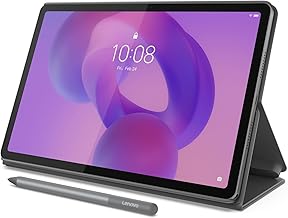
The Tab P12 gives business users the most screen for the money: a 12.7-inch 3K LCD, Dimensity 7050, microSD and a bundled Tab Pen, with an optional keyboard. The large panel suits split-screen work, reference beside documents and shared content on video calls.
The mid-tier chip limits heavy multitasking and it lacks dedicated business security like Knox. For a home-office or shared work slate where screen space and a pen matter most, it is excellent value, though regulated environments will prefer a Knox or MDM-focused device.
Apple iPad 10th Generation (App Quality)
The 10th-gen iPad brings iPadOS app quality, the A14 chip and broad mobile-device-management support to a Magic Keyboard Folio with a trackpad. It runs polished Office and business apps, integrates with corporate MDM, and stays light for travel and hot-desking across a workday.
Storage starts at 64GB with no microSD, and multitasking is simpler than the Air. For light to moderate business use in the Apple ecosystem with strong management, it is excellent value, though heavy multi-app users should weigh the Air for a more desktop-like workflow.
Apple iPad Air M2 (Premium iPadOS)
The iPad Air M2 is the premium iPadOS work pick: a laptop-class M2 chip, Stage Manager multitasking, external display support and the Magic Keyboard with a trackpad, plus full MDM support. It handles heavy multi-app workflows and creative business tasks, lasting for years.
The Magic Keyboard and Pencil Pro are separate, pricey buys. For business users in the Apple world who need true multitasking and desktop-class power with enterprise management, it is the sweet spot below the Pro, provided the budget covers the keyboard that makes it laptop-like.
Samsung Galaxy Tab S9 (Premium Android)
The Tab S9 pairs an 11-inch 120Hz AMOLED, Snapdragon 8 Gen 2 and mature Samsung DeX with Knox security, an included S Pen and IP68 durability. DeX offers the most desktop-like Android experience, making it a genuine laptop stand-in with a keyboard for secure business use.
Base storage fills fast, though microSD helps, and Android has fewer desktop apps than Windows. For a premium, secure business tablet with a vivid screen, a free pen and a real desktop mode, it is the strongest Android choice and rivals the iPad Air on productivity.
Microsoft Surface Pro (Full Windows)
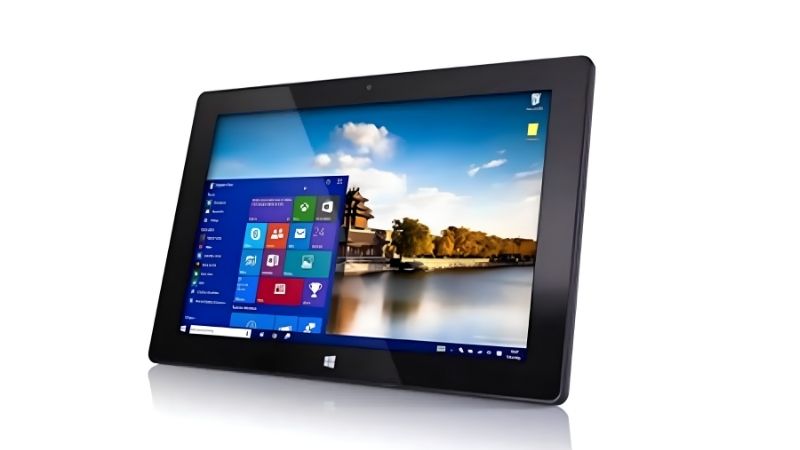
The Surface Pro is the only full desktop-OS pick: Windows 11 with a kickstand and Type Cover, full enterprise management, and the same Office, browser and line-of-business software as a laptop. For roles needing real desktop apps or legacy tools, no tablet OS matches it.
The Type Cover and pen cost extra, and battery life trails iPads. For businesses that need genuine desktop software and full Windows management rather than mobile app versions, it is the most capable option in this business tablet review, effectively a detachable laptop.
How to Choose in This Business Tablet Review
Match the platform, security, desktop mode and keyboard to your business workflow before you buy. The points below settle most decisions faster than comparing chips, since manageability and app compatibility matter more than raw speed for work.
The Specs That Decide It
Read the OS and its security and management first, then chip, desktop mode and keyboard support. Windows offers full desktop apps and management, iPadOS pairs strong apps with broad MDM, and Android with Samsung Knox and DeX gives secure manageability plus a desktop mode.
For real multitasking, favour a stronger chip and a desktop mode plus a keyboard with a trackpad. Deciding platform and security first prevents buying a slate your IT team cannot manage or one that cannot run the business software your role depends on every day.
Size and Fit for How You Work
Screen size shapes both productivity and portability. An 11-inch slate is light for travel and hot-desking, while a 12 to 13-inch panel gives more room for split-screen and shared calls but weighs more and needs a keyboard base or stand for long working sessions.
Consider whether staff work at fixed desks or on the move, and whether a sharp front camera for calls matters. Check the weight in grams and dimensions against a work bag so the setup travels easily, and pair it with a keyboard case that doubles as a stand.
Security, Value and Timing
Weigh manageability and total cost, since keyboards and pens add up and IT support depends on strong MDM. Samsung Knox, Apple MDM and full Windows management differ in fit, so match the platform to your existing device fleet and security requirements for smoother deployment.
On timing, the late-June Prime Day and November sales are the strongest windows for a business tablet review pick, though enterprise buyers often use direct or reseller channels, and Amazon shifts sale dates each year, so confirm the official ones before planning a purchase.
Business Tablet Review FAQ
These are the questions business buyers ask most, covering laptop replacement, security and which platform suits corporate management.
Can a tablet replace a business laptop?
For email, documents, calls and light work, yes, with a keyboard and a desktop mode like Stage Manager or DeX. For heavy desktop software, legacy business tools or complex multitasking, a Windows Surface or a laptop remains safer. Match the tablet to your specific workload and apps.
Which tablet is most secure for business?
All three platforms support enterprise management: Samsung Knox on Galaxy, Apple’s MDM on iPad, and full Windows management on Surface. The most secure choice is the one that fits your existing IT systems and policies, so align the tablet with your current device fleet and management tools.
Do I need a keyboard and pen for business use?
A keyboard is essential for real typing, ideally with a trackpad, while a pen helps for signatures, mark-up and notes but is optional. Budget for the keyboard at minimum, and add a pen if your role involves signing documents, annotating or sketching diagrams regularly.
See More:
- Best eyeshadow blender brush
- Best frozen foods for air fryer
- Best frozen food for air fryer
- Best way to reheat steak in air fryer
- Best air fryer recipes book
Bottom Line of This Business Tablet Review
This business tablet review points you by platform and workflow: a Galaxy Tab S9 FE for secure value with DeX and a pen, a Lenovo Tab P12 for the biggest screen, an iPad 10th gen for polished apps, an iPad Air M2 or Galaxy Tab S9 for premium multitasking, and a Surface Pro when you need full Windows. Decide on OS, security and desktop mode first, check the weight against a work bag, and let Prime Day or the holidays set the price. Match the platform to your business and the tablet earns its place.