
A robot toy sits at a strange intersection: it needs to survive being dropped, pulled, and left on a windowsill, and it also needs to hold a child’s attention past the first five minutes of novelty. The best robot toys for kids in 2026 deliver on both fronts, while the rest either shatter within weeks or offer a single programmed dance loop that loses its appeal before the packaging is recycled. Parents comparing options often struggle because listings look nearly identical — all promising “smart” features and “interactive” play — yet the underlying build quality and control depth vary enormously.
The core problem a buyer is solving is choosing a toy that rewards repeated engagement without requiring a parent’s intervention every session. That means real interactivity (responsive sensors, programmable sequences, gesture controls) rather than a single button press that triggers a canned response. Durability, battery accessibility, and age-appropriate complexity matter just as much. We compared every product here on published specifications, listed prices, and consistent themes from owner reviews to separate genuinely engaging robots from fragile novelties.
Our top picks




As an Amazon Associate we earn from qualifying purchases at no extra cost to you.
Quick Picks
| Product | Best for | Price |
|---|---|---|
| Robot Sensory Travel Roadtrip Toys (4-Pc) | Stocking stuffers and travel activity packs | under $10 |
| KingsDragon RC Robot | Kids who want a capable all-around remote-control companion | under $40 |
| emotoBOT COR-A | Toddlers drawn to touch-and-sound feedback | under $50 |
| Hamourd Emo Robot | Flexible movement and dance routines for ages five and up | under $30 |
| BAZOLOTA Programmable Robot | First programming experience for preschoolers | under $30 |
| EduCuties Gesture-Control Robot | Gesture recognition and rechargeable convenience | under $40 |
| Auto-Demonstration Smart Robot | Budget buyers who want core robot features | under $20 |
| Smart Robot Dog | Kids who prefer animal-shaped interaction | under $60 |
How We Picked
Four criteria drove every comparison. First, real interactivity: does the robot respond to touch, sound, or input beyond a single preloaded sequence? Second, build quality signals from owner feedback — hinge failures, cracked shells, and dead-on-arrival electronics all disqualify. Third, age-appropriate control complexity — a remote for a three-year-old should have fewer buttons than a programmable unit for a nine-year-old. Fourth, value density at the listed price, accounting for whether batteries, chargers, and accessories are included or sold separately.
The 8 Best Robot Toys For Kids in 2026
Robot Sensory Travel Roadtrip Toys 4-Pc Set
This is not a robot in any mechanical sense. It is a four-piece sensory activity set — suction-tip pop tubes, fidget elements, and themed accessories — aimed at toddlers through early elementary kids during road trips or quiet time. Owners with children on the autism spectrum frequently mention its calming repetitive actions. Pros: genuinely low price, no batteries required, compact for travel bags. Con: zero electronics, so a child expecting a moving robot will be confused or disappointed. Skip it entirely if your child wants an interactive electronic companion; choose it specifically as a stocking stuffer, Easter basket filler, or airplane activity pack.
KingsDragon RC Robot
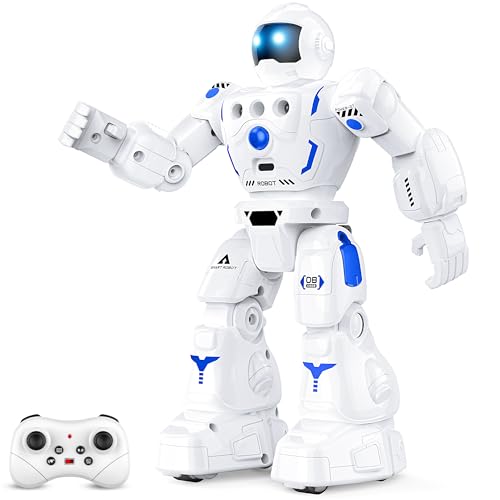
A mid-range remote-control robot that earns its “smart” label through responsive walking, turning, and obstacle-avoidance behaviors driven by infrared sensors. Owners note the articulated arms and head add personality beyond the movement itself. Pros: solid range of motion, remote layout is intuitive for ages six and up. Con: plastic joints near the hip connectors show wear faster than the torso shell, a recurring theme in longer-term reviews. Skip if your child is under five — the small antenna and remote buttons are fiddly — or if you want programmable sequences rather than joystick control.
emotoBOT COR-A Interactive Robot
The COR-A is a touch- and sound-responsive unit designed for the youngest audience in this roundup. A tap on its shell triggers a chain of lights, sounds, and small movements; a clap or voice command pulls a different response. Pros: no remote to misplace, large rounded body is genuinely toddler-safe, high contrast LEDs are engaging. Con: for under $50 it costs more than several programmable options aimed at older kids, and the interaction library, while charming, grows repetitive by week three. Skip if your child is already past the sensory-exploration phase and wants complex control.
Hamourd Rechargeable Emo Robot
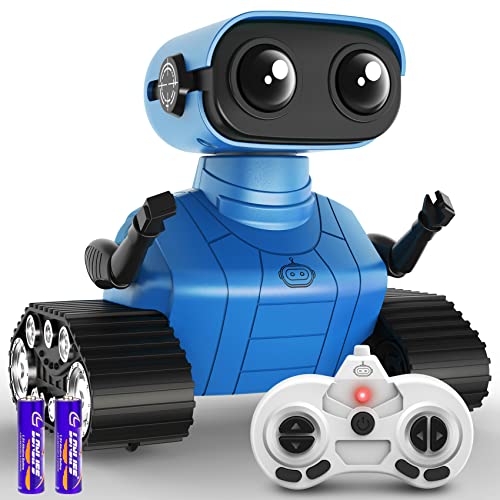
This robot leans into expressive movement: flexible head and arms, multiple dance routines, LED eyes that shift color with the music it plays. Auto-demonstration mode cycles through all actions without any input, which suits a young child who wants to watch rather than control. Pros: rechargeable via USB-C, dance library is surprisingly varied, head and arm articulation adds visual life. Con: auto-demo mode means less incentive for a child to pick up the remote, potentially shortening engagement for hands-on players. Skip if you want your child actively programming sequences; this is a watch-and-react toy, not a create-and-control one.
BAZOLOTA Programmable RC Robot
Targeted squarely at the three-to-five window, this robot pairs a simplified remote with a button-sequence programming mode — kids press a few command buttons in order, and the robot replays the sequence. Pros: introduces cause-and-effect logic without a screen or app, lightweight body is easy for small hands to pick up and reposition. Con: the programming memory holds only a short sequence, which limits creative depth even for a four-year-old after a few sessions. Skip if your child is eight or older; they will outgrow the input method within days.
EduCuties Rechargeable Gesture-Control Robot
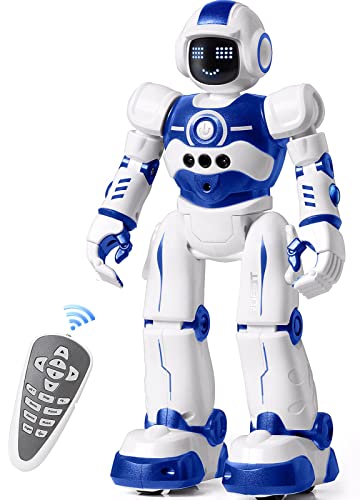
The standout feature here is dual control: a standard remote plus a wrist-worn sensor that translates hand gestures into robot movement. Pros: gesture mode is genuinely novel and adds replay value, rechargeable design avoids ongoing battery costs. Con: the wrist sensor is the weakest component — owners report inconsistent tracking after a few weeks, and losing it reduces the robot to a plain remote-control model. Skip if reliability matters more than novelty, or if your child is too young to manage a separate wrist device without losing it.
Auto-Demonstration Smart Robot
For under $20 this is the entry-level option, offering basic walking, turning, music playback, and an auto-demo sequence that showcases all features without any input. Pros: lowest price in the group with legitimate robotic movement (not a static toy), simple enough for a four-year-old to press one button and get immediate feedback. Con: build quality is the trade-off at this price — owners frequently mention loose wheel connectors and a hollow-sounding shell that does not inspire long-term durability confidence. Skip if your child is rough with toys or if you want programmable features; this is a one-button experience.
Smart Robot Dog
A 2.4GHz remote-control dog with walking, tail-wagging, barking sounds, and trick sequences activated by numbered buttons on the remote. The animal form factor is the core draw — kids who want a “pet” without the feeding or vet bills gravitate here. Pros: broad age range (five through twelve) is justified by layered controls that add complexity as a child grows, 2.4GHz frequency avoids the interference common in cheaper infrared models. Con: highest price in this roundup, and the legs are thin plastic prone to snapping if dropped from furniture height. Skip if budget is tight or if your child tends to drop toys on hard floors.
Buying Guide
Interactivity Depth vs. Preloaded Loops
The single biggest difference between a toy that survives week two and one that gets abandoned is whether the child can change its behavior. Touch-and-sound sensors give passive feedback. Programmable sequence buttons let a child author an action chain. Gesture control or app-based coding adds yet another layer. For ages three to five, passive feedback is age-appropriate. For six and up, insist on a programmable or multi-input mode, or you are buying a novelty that expires quickly.
Build Quality and Hinge Design
Robot toys fail at joints far more often than at electronics. Look at owner review photos and comments for specific mentions of hip, neck, or wrist connectors. A toy with fewer moving parts will last longer than one with twelve articulated points at the same price. Rechargeable units also eliminate the corrosion risk of leaking batteries, which quietly destroys internal contacts over months.
Age Range Claims vs. Control Complexity
Manufacturers often list a wide age range (5-12) to cast a wider net, but the control interface is designed for one end of that spectrum. A remote with eight labeled buttons is built for a seven-year-old; a four-year-old will mash them randomly. Before purchasing, count the distinct inputs on the remote or body. If the number exceeds your child’s typical toy interaction count by more than two, expect frustration rather than engagement.
Our Verdict
The KingsDragon RC Robot is the top pick for most families — it balances solid movement, intuitive controls, and a price that leaves room for a second toy if needed. The Auto-Demonstration Smart Robot for under $20 is the clear budget pick for a first robot experience. If your child specifically wants an animal companion rather than a humanoid unit, the Smart Robot Dog justifies its higher price through layered controls that span a wide age range.
FAQ
Are robot toys safe for toddlers?
Round, sealed-body designs like the emotoBOT COR-A are built for this age group. Avoid units with small removable parts, thin protruding antennas, or exposed battery compartments until a child is at least five.
Do rechargeable robot toys last longer than battery-powered ones?
The robot itself is not more durable because it recharges, but you avoid battery-leak damage and recurring costs. Rechargeable models tend to cluster in a mid-to-higher price tier, so you are paying for convenience upfront.
What age is appropriate for a programmable robot toy?
Button-sequence programming works from about age four or five. App-based or block-coding interfaces suit eight and older. Matching the method to developmental stage prevents the toy from becoming a source of frustration.
Can robot toys help children with sensory needs?
Sensory-focused items like the pop-tube travel set provide predictable, repetitive feedback that some children find regulating. Motorized robots with lights and sounds can serve a similar role, though the unpredictability of movement varies by design and should be assessed per child.









