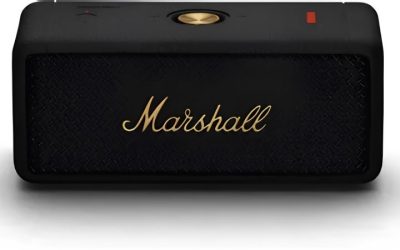
Best AI Meeting Assistants for Notes and Summaries
For most teams, the best AI meeting assistant is Fireflies.ai for flexible transcription and integrations; choose Fathom for a generous free plan, Otter.ai for live notes, or Microsoft Teams Copilot if your organization already works in Microsoft 365. The right choice depends less on which tool promises the smartest summary and more on where your meetings happen, how much editing control you need, and how long recordings and transcripts are retained.
Accuracy is difficult to compare by a single percentage: audio quality, accents, overlapping speakers, specialist vocabulary, and each product’s measurement method all affect results. Treat automated transcripts as drafts, especially for names, figures, decisions, and action owners. The table below emphasizes practical differences and public plan structures; features and prices can change, so confirm current terms before buying.
Our top picks
 NoteKit Computer AI Meeting Assistant
- AI Voice Recorder & Translator: Converts speech to…
- 3 Recording Modes for Any Meeting
- Your Privacy, Your Control: Your recordings are protected…
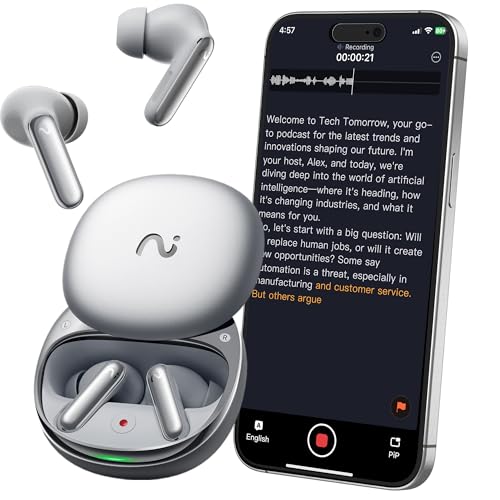 RecDot AI Voice Recorder Earbuds
- viaim AI Technology: The viaim App offers real-time…
- FlashRecord
- Your Privacy, Your Control - All recordings remain…
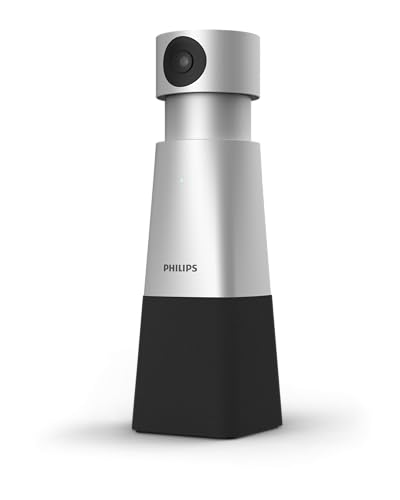 PHILIPS SmartMeeting HD Audio and 4K Video
- 4K HIGH DEFINITION VIDEO
- VOICE TRACKING
- 360° RECORDING
| Product | Key specs | |
|---|---|---|
| NoteKit Computer AI Meeting Assistant | AI Voice Recorder & Translator: Converts speech to… 3 Recording Modes for Any Meeting Your Privacy, Your Control: Your recordings are protected… | Check price |
| RecDot AI Voice Recorder Earbuds | viaim AI Technology: The viaim App offers real-time… FlashRecord Your Privacy, Your Control - All recordings remain… | Check price |
| PHILIPS SmartMeeting HD Audio and 4K Video | 4K HIGH DEFINITION VIDEO VOICE TRACKING 360° RECORDING | Check price |
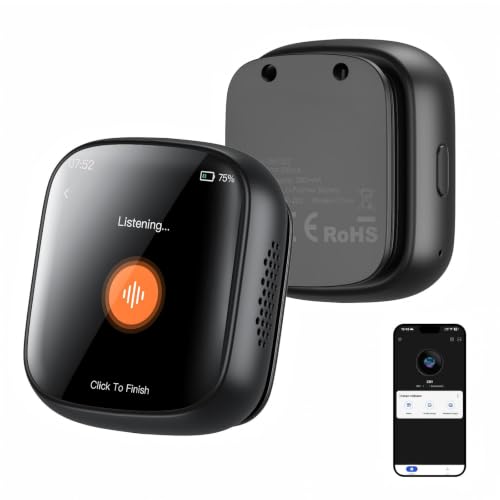 Z02 AI Voice Recorder & Translator Device Z02 AI Voice Recorder & Translator Device | 【ALL-IN-ONE AI VOICE RECORDER & TRANSLATOR】 More than… 【AI MEETING ASSISTANT 【FAST TRANSFER + UP TO 25 HOURS OF… | Check price |
As an Amazon Associate we earn from qualifying purchases at no extra cost to you.
| Assistant | Meeting support | Free-plan allowance | Summary and workflow strengths | Best fit |
|---|---|---|---|---|
| Fireflies.ai | Zoom, Google Meet, Microsoft Teams, and other meeting workflows | Limited transcription and storage; check current plan limits | Searchable transcripts, topic and action-item summaries, and broad app integrations | Teams that want searchable meeting records connected to other tools |
| Fathom | Zoom, Google Meet, and Microsoft Teams | Free individual use with recording and summary features; team controls vary by plan | Shareable clips and concise summaries; relatively easy to start using | Individuals and small teams prioritizing low-cost adoption |
| Otter.ai | Zoom, Google Meet, Microsoft Teams, plus in-person recording options | Limited monthly transcription minutes and conversation features | Live transcription, speaker labeling, searchable notes, and collaborative editing | People who need notes while a meeting is still in progress |
| Read AI | Zoom, Google Meet, and Microsoft Teams | Limited personal use; paid tiers add capacity and administration | Meeting summaries and engagement-oriented analytics, with controls to review carefully | Teams that want meeting insights in addition to notes |
| Microsoft Teams Copilot | Microsoft Teams meetings | Typically requires an eligible paid Microsoft 365 and Copilot arrangement | Meeting recap and question-answering within the Microsoft environment | Organizations standardized on Teams and Microsoft 365 |
Choose by workflow, not by the longest feature list
If you need a cross-platform record and downstream automation: Fireflies.ai
Fireflies is a practical shortlist candidate when meetings span several platforms and teams want transcripts to feed into sales, project, or customer-support workflows. Its appeal is the combination of searchable conversations, AI-generated notes, and integrations—not a guarantee that every transcript will be accurate without review. Check that the specific apps your team uses are included on the plan you’re considering.
Before rolling it out, decide who can access recordings, whether the assistant joins automatically, and how long data remains available. Those choices can matter more than small differences in summary style, particularly when conversations contain customer or employee information.
If cost and easy sharing matter most: Fathom
Fathom is worth considering for individuals and small teams that want meeting summaries and shareable highlights without immediately committing to a larger per-seat subscription. Clips can make it easier to pass a relevant moment to a colleague instead of sending an entire recording. Confirm current free-plan limits and which collaboration or administration features require a paid tier.
It is less compelling if your organization needs tightly managed retention, extensive role-based access, or a specific integration that is unavailable on your chosen plan. A free plan is a good way to evaluate usability, but it is not a substitute for checking business and privacy terms.
If you edit notes live: Otter.ai
Otter’s live transcription makes it a natural option for people who want to follow the conversation in text, correct names, or add notes while others are speaking. This can be useful for interviews, classes, and internal discussions where a transcript is a working document rather than merely an archive.
Its monthly transcription limits and plan-specific allowances deserve attention if you have frequent or long meetings. Estimate your actual usage before choosing: a low-cost plan can become inconvenient if the included minutes do not cover your typical month.
If you want analytics as well as summaries: Read AI
Read AI combines meeting recaps with meeting-related analytics. That may suit teams looking for patterns across conversations, but analytics about participation or engagement should be interpreted cautiously: they are not a reliable measure of an individual’s performance or intent. Make sure participants understand what is collected and how those insights will be used.
If your work already lives in Microsoft 365: Teams Copilot
Teams Copilot is the most straightforward option to assess when identity, documents, collaboration, and meetings are already managed through Microsoft. Its advantage is contextual integration with the Microsoft environment, rather than support for every meeting platform. Eligibility and pricing depend on the organization’s Microsoft licensing and current commercial terms; check those details with your administrator.
What to check before choosing
- Transcription quality: Run a short pilot with your own speakers, microphones, accents, and vocabulary. Check proper nouns, numbers, speaker changes, and overlapping speech—not just the overall readability.
- Platform coverage: Verify support for the exact meeting service and account type you use. A tool may support a platform but still have restrictions on joining, recording, or enterprise-managed meetings.
- Summary controls: Look for editable templates, adjustable detail, action-item extraction, and the ability to correct or remove content. Test whether the summary separates decisions from suggestions.
- Integrations: Confirm that your desired CRM, project tracker, calendar, or document system is supported on your plan. An integration that exists only on a higher tier can change the real cost.
- Retention and privacy: Find the current retention period for recordings, transcripts, and generated notes; whether deletion is available; who can access shared records; and whether customer data is used to improve models. Terms can differ by product, plan, and configuration.
- Consent and access: Decide how attendees will be notified and who is allowed to record. Follow your organization’s policies and applicable laws before turning on automatic recording.
Estimate the cost for your team
AI meeting tools commonly offer a free tier, individual subscriptions, and business plans priced per user. As a broad market guide, individual paid plans are often roughly $8–$30 per user per month, while business and AI add-ons can run from about $20 to $50 or more per user per month. These are general ranges, not quotes: annual billing, country, licensing bundles, usage limits, and feature tiers affect the total.
For a 10-person team, a plan priced at $20 per user per month would cost about $200 monthly, or $2,400 annually, before taxes and any add-ons. Compare that with the cost of seats that actually need recording and integrations. If only four people host external calls, buying licenses for all ten may not be necessary; check whether occasional participants can access shared notes without a paid seat.
A practical pilot that reveals fit
- Pick three representative meetings: Include a clear one-to-one call, a group discussion with interruptions, and a meeting with technical terms.
- Use the same sample across shortlisted tools: Compare missed words, speaker attribution, action-item accuracy, and the amount of editing needed. Avoid treating a vendor’s accuracy figure as directly comparable unless the test conditions match your meetings.
- Test the handoff: Send a summary to the tool your team actually uses, such as a CRM or project tracker. Verify that the right fields, owners, and permissions carry over.
- Review privacy settings before real deployment: Set access and retention expectations, tell participants how recording works, and confirm that the configuration meets company policy.
- Calculate the ongoing cost: Include paid seats, usage limits, required integrations, and any separate platform license—not just the advertised starting price.
The bottom line
For an integration-heavy team, start with Fireflies.ai; for individuals who want an accessible way to capture and share meetings, compare Fathom; for live note-taking, consider Otter.ai. Read AI is an option when analytics matter, while Microsoft Teams Copilot is most relevant to organizations already invested in Microsoft 365. The best choice is the one that produces usable notes on your real meetings, fits your platform mix, and gives your team acceptable control over access and retention.