Key takeaways
- Best Overall Gift: Kasa Smart Plug Ultra Mini 15A, 4-pack, no hub required.
- Best for Fun: Govee Smart Light Bulbs, A19 color changing, Matter-compatible, 2-pack.
- Best Value Multi-Pack: Govee Smart Plug 4-pack with timer and group control.
- Best for Lighting Upgrades: Kasa Smart Light Bulbs KL125P2, full-color, dimmable, 2-pack.
- Best Sensor for Beginners: GoveeLife Wireless Smart Motion Sensor for triggering lights and devices.
- Best Practical Surprise: Shelly Gen4 Smart Flood Sensor with Wi-Fi, Bluetooth, Zigbee, and Matter.
The best smart home gadget under 50 dollars for a gift is a Kasa Smart Plug Ultra Mini 4-pack, because it works without a hub, turns any lamp or appliance into a voice-controlled device, and is easy to explain to someone who has never used smart home gear. The runner-up is the Govee Matter-compatible color smart bulb 2-pack for people who want visible, fun results the moment they open the box. If the person you are shopping for already has a smart speaker or app, the sensors in this list (motion, door, and leak) are the thoughtful extras that make a smart home actually useful.
Smart home gifts have a reputation for going wrong: the recipient lacks the right Wi-Fi band, the gadget needs a hub nobody has, or it only works with an ecosystem they do not use. This guide is built to avoid that. We picked gadgets that are typically sold below a 50 dollar budget (prices change, so check the current listing), that need no subscription for basic use, and that either work stand-alone through a phone app or clearly state their compatibility. We compare six main picks and four alternatives and flag the setup gotchas that matter for gift-giving, such as 2.4 GHz Wi-Fi requirements and hub dependence. We did not physically use these products; our information comes from the makers’ listings and spec pages and from named independent sources.
Our top picks
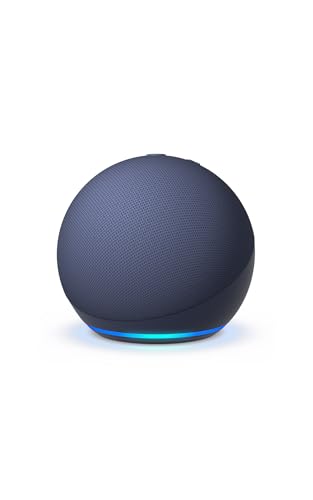
 Amazon Echo Dot
- Your favorite music and content
- Alexa is happy to help
- Keep your home comfortable


As an Amazon Associate we earn from qualifying purchases at no extra cost to you.
Top Picks at a Glance
- Best Overall Gift: Kasa Smart Plug Ultra Mini 15A, 4-pack, no hub required.
- Best for Fun: Govee Smart Light Bulbs, A19 color changing, Matter-compatible, 2-pack.
- Best Value Multi-Pack: Govee Smart Plug 4-pack with timer and group control.
- Best for Lighting Upgrades: Kasa Smart Light Bulbs KL125P2, full-color, dimmable, 2-pack.
- Best Sensor for Beginners: GoveeLife Wireless Smart Motion Sensor for triggering lights and devices.
- Best Practical Surprise: Shelly Gen4 Smart Flood Sensor with Wi-Fi, Bluetooth, Zigbee, and Matter.
Comparison Table
| Product | Best for | Key specs (as listed) | Watch for | Price tier |
|---|---|---|---|---|
| Kasa Smart Plug Ultra Mini 15A (4-pack) | First-time smart home users | 15A; Wi-Fi 2.4 GHz; no hub; works with Alexa and Google Home | 2.4 GHz only | Budget |
| Govee Smart Light Bulbs A19 Matter (2-pack) | Color and mood lighting | 800 lumens; E26; Matter; Alexa and Google; Wi-Fi and Bluetooth; music sync | Check the multi-pack size when ordering | Budget |
| Govee Smart Plug (4-pack) | Whole-room setups | 15A; timer; group control; ETL and FCC listed; no hub | 2.4 GHz only | Budget |
| Kasa Smart Light Bulbs KL125P2 (2-pack) | Easy app-first lighting | A19; 60W equivalent; 800 lumens; color changing; no hub | 2.4 GHz only | Budget |
| GoveeLife Wireless Smart Motion Sensor | Hands-free lights | Wireless motion sensor; group control of multiple devices | Ecosystem and hub needs: check listing | Budget |
| Shelly Gen4 Smart Flood Sensor | Leak alerts for a laundry room or basement | Wi-Fi, Bluetooth, Zigbee, Matter; leak cable; IP44 | Setup is more technical | Mid-range |
1. Kasa Smart Plug Ultra Mini 15A (4-Pack): Best Overall Gift
- 15A rating, listed as Wi-Fi outlet for Alexa and Google Home
- No hub required; 2.4 GHz Wi-Fi only
- Remote control through the app, plus scheduling
- Mini form factor to leave room for the second outlet on a wall socket
- Available in 1, 2, and 4-pack sizes
Best for: anyone, especially someone new to smart home. Skip if: the recipient has only a 5 GHz Wi-Fi network, or needs outdoor outlets.
A smart plug is the easiest first smart gadget because it makes one point: the lamp, fan, or coffee maker you already own can now be turned on from a phone or a voice assistant. Setup is simple, as the plug creates a connection to the home Wi-Fi network, and the user adds it in the Kasa app. The Ultra Mini form factor keeps the plug slim enough that it does not block the second outlet on most wall plates, a small detail that people appreciate.
The gift value is in the 4-pack. Four plugs cover a bedroom lamp, a living room lamp, a holiday light string, and a fan, which makes the present feel like a starter kit, not a single gadget. The 15A rating suggests it can handle most household loads such as lamps and small appliances, but the standard caution applies: do not use a smart plug with high-heat appliances such as space heaters unless the maker specifically rates it for that load. The listing does not make that claim, so keep it to lamps, fans, and small electronics.
The most common gift mistake is the Wi-Fi band. These plugs work on 2.4 GHz only, which almost every home router supports, but some people have separate network names for 2.4 and 5 GHz. A quick note in the gift card telling them to connect their phone to the 2.4 GHz network during setup avoids a frustrating first evening.
Pros:
- No hub required
- Slim design leaves second outlet usable
- Multi-pack makes a generous gift
- Works with the two major voice assistants
Cons:
- 2.4 GHz only
- Not for high-heat appliances unless rated
2. Govee Smart Light Bulbs, A19 Matter (2-Pack): Best for Fun
- A19 color changing bulb, 800 lumens, E26 base
- Works with Matter, Alexa, and Google Assistant
- Wi-Fi and Bluetooth connection; RGBWW with 16 million colors
- Music sync and scenes through the Govee app
Best for: teens, gamers, and anyone who likes mood lighting. Skip if: the recipient lives in a rental with unusual fixtures that do not take a standard E26 bulb.
Color bulbs are the smart home gift that gets used on day one, because the result is immediately visible. A standard A19 bulb with an E26 base fits most table lamps and ceiling fixtures in the United States. The 800 lumens figure is roughly the output of a traditional 60 watt bulb, so it is bright enough for a normal lamp, not just accent lighting.
Matter support is a meaningful line on the label. Matter is a cross-brand standard that is supposed to let devices work across ecosystems like Apple Home, Google Home, and Alexa. For a gift, it lowers the risk that the bulb will not work with whatever the recipient already owns. We recommend checking the exact listing for which Matter features are supported before buying, since compatibility details vary by model and firmware.
The Govee app includes music sync, which uses the phone microphone to pulse the bulb to sound, and a library of scenes. Those features are fun for parties and gaming rooms. For everyday use, the bulbs also provide white light across a range of color temperatures, so they can function as ordinary lamps when the novelty fades.
Pros:
- Matter support listed
- Wi-Fi and Bluetooth setup
- Colors, scenes, and music sync
- Standard bulb size
Cons:
- Some features depend on the app
- Pack-size variants exist, so confirm the 2-pack
3. Govee Smart Plug (4-Pack): Best Value Multi-Pack
- 15A WiFi outlet, listed as compatible with Alexa and Google Assistant
- Timer function and group controller
- No hub required; 2.4 GHz only
- ETL and FCC listed
Best for: people who want to control several devices in one scene. Skip if: you want the slimmest plug design.
This is the alternative to the Kasa plug for gift buyers who care about the Govee ecosystem. If the recipient already has Govee strip lights or lamps, the plugs join the same app, which makes group scenes such as “movie night” simple. The timer function is useful for lamps and holiday lights, and the ETL listing is a safety certification that indicates the product was tested to a recognized standard by an independent lab.
The plug itself is a bit bulkier than the Kasa mini, so it may cover the second outlet on a duplex wall plate. If the recipient has a crowded outlet, the Kasa is the better fit. Otherwise, the Govee is a capable choice that makes sense when the rest of the room is already Govee.
Pros:
- Group control with other Govee devices
- Timer scheduling
- Safety certifications listed
Cons:
- May be bulkier than mini plugs
- 2.4 GHz only
4. Kasa Smart Light Bulbs KL125P2 (2-Pack): Best for App-First Lighting
- A19, 60W equivalent, 800 lumens
- Full color changing and dimmable
- Works with Alexa and Google Home; no hub
- 2.4 GHz Wi-Fi only
Best for: people who want a polished app and simple scheduling. Skip if: Matter support is a must.
Kasa is TP-Link’s smart home brand, and its bulbs aim at straightforward use. The app handles scenes, schedules, and dimming, and the bulbs pair with the same app as the Kasa plugs, which makes a plug-and-bulb bundle a coherent gift. The listing does not mention Matter, so if the recipient uses an ecosystem that expects it, the Govee bulb is the safer pick. For voice control, both Alexa and Google Home are supported.
One practical gift tip: smart bulbs need to stay powered at the wall switch. If the lamp is controlled by a wall switch that cuts power, the bulb will go offline. Mention that the bulb should be left on at the switch and controlled from the app or voice.
Pros:
- Clean app and simple scheduling
- Pairs with Kasa plugs
- Standard bulb size
Cons:
- No Matter listed
- 2.4 GHz only
5. GoveeLife Wireless Smart Motion Sensor: Best Sensor for Beginners
- Wireless motion sensor
- Group control of multiple devices
- Battery details, range, and hub requirement: not listed in the title
Best for: hands-free lights in hallways, closets, or bathrooms. Skip if: the recipient does not already own compatible Govee devices.
A motion sensor turns a smart home from a remote-control system into something that reacts on its own. The classic use is a hallway light that turns on when someone walks by, or a night light in a bathroom. The GoveeLife sensor lists group control of multiple devices, which suggests it triggers compatible plugs and bulbs together.
The key caution for a gift is ecosystem. Sensors from one brand typically trigger devices in that brand’s app, and some need a hub or gateway. The listing information we reviewed does not specify whether a hub is required, so verify that on the product page, and ideally pair the gift with a Govee bulb or plug so it works out of the box.
Pros:
- Adds automation without much effort
- Low cost
- Works with group control
Cons:
- Compatibility limited to the brand ecosystem
- Key specs not in the listing title
6. Shelly Gen4 Smart Flood Sensor: Best Practical Surprise
- Wi-Fi, Bluetooth, Zigbee, and Matter support
- Leak sensor cable included; IP44 rating
- Compatible with Alexa, SmartThings, Google Home, and Apple HomeKit per the listing
- Battery life and alert behavior: check the product page
Best for: homeowners and renters with a washer, water heater, or basement. Skip if: the recipient prefers a no-setup gadget.
A leak sensor is not flashy, which is exactly why it makes a memorable gift for a new homeowner. The sensor sits near a washing machine, a water heater, or under a sink and sends an alert when it detects water. The Shelly Gen4 supports multiple protocols, which makes it flexible: it can connect through Wi-Fi to a phone app, and via Matter to other ecosystems.
The trade-off is setup. Shelly products are popular with enthusiasts and can be more technical than the Kasa or Govee options, so we recommend this one for someone who is already comfortable with a smart home app. It sits in the mid-range tier, near the top of the 50 dollar budget, so confirm the current listing price before buying.
Pros:
- Broad protocol and ecosystem support
- Practical, protective use
- Leak cable for hard-to-reach spots
Cons:
- More technical setup
- Near the top of the budget
Also Consider
- Aqara Zigbee Door and Window Sensor, 3-Pack: contact sensors that require an Aqara hub and work with HomeKit and Alexa. A good choice if the recipient already has the hub.
- Tapo Door Sensor Starter Kit: three door or window sensors plus a hub with a built-in chime, Matter compatible. It sits at the upper edge of a 50 dollar budget.
- EIGHTREE Smart Plug, 4-Pack: a lower-cost 15A Wi-Fi plug with timer and remote control, for gift buyers watching the budget.
- Feit Electric Smart Bulbs, 3-Pack: color-changing A19 bulbs with tunable white from 2700K to 6500K and CRI 90, working with Alexa and Google.
How We Chose
We began with the real products in the site’s product store for queries such as smart plug, smart bulb, smart sensor, and smart home gadget. We filtered for products that are typically sold below a 50 dollar cap, work without a monthly subscription for basic features, and have a stated compatibility with Alexa, Google Home, or Matter. We reviewed manufacturer listings and, where possible, feature pages, and consulted independent coverage of smart home standards and buying advice from sources such as Wirecutter and CNET for general guidance on Matter and setup. We limited the list to two products per brand.
We did not physically use these gadgets. If a detail such as battery life, hub needs, or range was not stated, we wrote “not listed”. Price positions are shown as tiers, and you should check the current listing price before buying because it changes often.
Buying Guide
Check the Wi-Fi band before you wrap it
Most budget smart plugs and bulbs support only 2.4 GHz Wi-Fi. Almost every router broadcasts it, but a network that merges 2.4 and 5 GHz under one name can sometimes confuse setup. Include a note in the gift telling the recipient to connect their phone to 2.4 GHz during pairing. After setup, the phone can switch back.
Match the ecosystem
Ask, or look at what the recipient already owns: an Alexa speaker, a Google Home display, an Apple HomePod, or none. Alexa and Google support is nearly universal in this price range. Apple HomeKit support is rarer and often requires Matter or a specific model. Matter support, as on the Govee bulb and the Shelly sensor, is the best hedge when you do not know the ecosystem.
Hub or no hub
Wi-Fi plugs and bulbs connect directly to the router and need no hub. Zigbee sensors, such as the Aqara, typically need a hub or gateway. A gift that needs a hub is fine if the recipient has one, but a poor surprise if not. When in doubt, choose Wi-Fi.
Safety and certifications
For anything that plugs into a wall, look for a recognized safety mark such as UL or ETL in the listing, as Govee’s plug does. Do not use a smart plug on high-heat appliances unless it is rated for that load. For bulbs, check the base and size: E26 A19 is standard, but some fixtures use smaller bases.
Privacy and subscriptions
Plugs, bulbs, and basic sensors generally work without a subscription. Cameras and doorbells often add paid cloud storage. If you are considering a video doorbell as a gift, check whether recording needs a plan. For a gift under 50 dollars, the simplest path is to avoid cameras and choose plugs, bulbs, and sensors.
Gift Packaging Ideas
- Pair two smart plugs with a mini lamp for a bedside starter kit.
- Combine a color bulb and a motion sensor for a hallway or closet upgrade.
- Add a printed card with the three setup steps: install the app, connect to 2.4 GHz, add the device.
- Keep the receipt information with the gift in case the recipient prefers another brand.
Frequently Asked Questions
What is the best smart home gadget under 50 dollars for a beginner?
A smart plug is the best starting point because it needs no special bulbs or hub and works with devices the person already owns. A Kasa Smart Plug Ultra Mini multipack is a popular, easy-to-explain choice.
Do these gadgets need a hub?
The Wi-Fi plugs and bulbs here do not. Zigbee sensors like the Aqara door sensor typically do, and the Shelly flood sensor supports several connection types, so check the listing for your plan.
Will they work with Alexa and Google Home?
The Kasa and Govee plugs and bulbs list Alexa and Google compatibility. The Govee bulb and Shelly sensor also list Matter, which broadens the options.
Why does setup fail so often?
The most common reason is trying to connect a 2.4 GHz-only device to a 5 GHz network. Connect the phone to the 2.4 GHz network during pairing, and keep the device close to the router.
Are smart plugs safe to leave on all the time?
Plugs with recognized safety certifications are designed for continuous use with devices within their rated load. Avoid high-heat appliances unless the maker says the plug is rated for them.
Do smart bulbs work with regular wall switches?
Yes, but the switch must stay on. If the switch cuts power, the bulb loses its connection. Use the app or voice to control the light instead of the switch.
Which gift is best for someone who already has smart devices?
A sensor, such as a motion, door, or leak sensor, is the best add-on, since it unlocks automations. Check that it works with the ecosystem they already use.
Which Gift Fits Which Person?
The new homeowner or first apartment
Start with the Kasa plug 4-pack and add the Shelly flood sensor if the home has a laundry room, water heater, or basement. The plugs deliver instant convenience, and the leak sensor protects against a problem people rarely think about until it happens. Together they stay comfortably within a small gift budget when you check current listing prices.
The gamer or streamer
The Govee Matter color bulbs and Govee plugs are the natural pair. Color scenes and music sync fit a desk or console corner, and group control lets the room change with one tap. Add the GoveeLife motion sensor if they want lights that react when they walk in.
The parent or grandparent who dislikes apps
Choose a gift that works with a voice command. A smart plug on a lamp, paired with an Alexa or Google speaker they already own, lets them say “turn on the lamp” with no phone involved. Keep the setup yourself during a visit, and write the voice command on a card so they remember the phrase.
The renter
Renters benefit from plug-in gadgets that need no wiring and take nothing off the wall. Smart plugs, bulbs, and battery sensors all move with the tenant when the lease ends. Avoid anything that requires replacing a wall switch or drilling.
The person who already has a smart speaker
Lean toward sensors and bulbs that unlock routines: a motion sensor that turns on a hallway light, a door sensor that triggers a chime, or a bulb that fades up in the morning. These extras make the smart speaker feel more capable without replacing anything.
Whichever you choose, keep the box and receipt details together and let the recipient know they can swap to a different brand if their ecosystem does not match. A thoughtful note about the setup steps matters more to the experience than any single spec on the label.
Which One Should You Buy?
For a safe, universal gift, buy the Kasa Smart Plug 4-pack. For a fun, visible one, pick the Govee Matter color bulbs. Choose the Govee plug if the recipient already uses Govee, the Kasa bulbs for a simple app experience, the motion sensor for automation, and the Shelly flood sensor for a practical, protective gift for a homeowner who likes tinkering.
Sources
- Manufacturer listings and feature pages for Kasa (TP-Link), Govee, GoveeLife, and Shelly
- Aqara and Tapo product pages for the alternative sensors
- Connectivity Standards Alliance: Matter overview
- Wirecutter and CNET smart home buying guides
Last updated: October 2026