
Key takeaways
- Pro: Complete smart-management feature set (VLAN, QoS, LAG) for under $28
- Pro: Completely silent with no fans or moving parts
- Con: Web GUI feels dated and loads slowly on older browsers
When you have more than half a dozen devices pulling hardwired bandwidth in a household — NAS units, media servers, gaming rigs, a workstation, and a handful of access points — the cheap unmanaged switch that came with your router setup starts showing its limits fast. The problem is never raw connectivity. Everything still passes traffic. The problem is control: you cannot tag VLANs to isolate your IoT gadgets from your lab network, you cannot set QoS rules to keep your Zoom calls from dying when someone kicks off a backup, and you cannot prioritize traffic through a specific uplink when your 10G link to the NAS is saturated by a bulk transfer.
What separates a genuinely useful managed switch for advanced home networking from a marketing exercise is whether the management interface is coherent and the feature set is complete for the price bracket. Some products advertise VLAN and QoS but deliver a GUI so clunky you will never touch it after initial setup. Others nail the basics — reliable forwarding, silent operation, decent build quality — and leave you wanting more as your topology grows. This roundup covers the best enterprise managed network switches for advanced home networking that we compared across 2026, spanning entry-level smart-managed models under thirty dollars to full 10G rack-mount units for those building out a proper homelab.
Our top picks




As an Amazon Associate we earn from qualifying purchases at no extra cost to you.
Quick Picks
| Product | Best for | Price |
|---|---|---|
| NETGEAR GS308E | Eight-port smart management on a desk | under $30 |
| NETGEAR GS305E | Small footprint with full VLAN control | under $30 |
| TP-Link TL-SG108E | Shielded metal build at low cost | under $30 |
| SODOLA 12 Port 10G | 10G backbone in a homelab rack | under $250 |
| D-Link DGS-1016S | Port count without management overhead | under $70 |
| GiGaPlus 10 Port PoE | Powering APs and cameras with VLANs | under $40 |
| TP-Link TL-SG105S-M2 | 2.5G upgrade on a tight budget | under $40 |
| NETGEAR GS308 | Plug-and-play eight-port reliability | under $30 |
How We Picked
We evaluated each switch on four criteria that actually determine long-term satisfaction in a home networking context: first, the management interface — does it expose the features it advertises in a way you can navigate without pulling up a forum thread every session? Second, thermal and acoustic behavior — a switch that throttles or hums loudly under sustained load will get relegated to a closet and forgotten. Third, real-world forwarding stability across mixed traffic — we ran simultaneous bulk transfers, streaming sessions, and low-latency gaming to see if QoS rules held. Fourth, build quality relative to price — metal housings with shielded ports matter when a switch lives behind a desk where cable strain is inevitable.
The 8 Best Enterprise Managed Network Switches For Advanced Home Networking in 2026
NETGEAR GS308E
The GS308E is the switch we recommend most often when someone says “I want to start using VLANs but do not want to spend more than a car payment.” Eight Gigabit ports in a desktop or wall-mount chassis, fully silent, with a web GUI that presents VLAN tagging, QoS, and link aggregation in logical tabs. The interface is not as fast or modern as some competitors, but every feature is reachable in two or three clicks. Build quality is solid for the price tier.
- Pro: Complete smart-management feature set (VLAN, QoS, LAG) for under $28
- Pro: Completely silent with no fans or moving parts
- Con: Web GUI feels dated and loads slowly on older browsers
Skip this if you need more than eight ports or want 2.5G/10G uplink options.
NETGEAR GS305E
Five ports instead of eight, same management stack, lower price. The GS305E makes sense when your device count is modest — perhaps a router, a NAS, a workstation, and an access point — but you still need VLAN segmentation and QoS rules. The compact footprint disappears behind a TV or inside a small rack shelf. Under our mixed-load testing it forwarded without dropping frames or introducing latency spikes, matching its larger sibling in raw performance.
- Pro: Lowest entry price into managed switching for small topologies
- Pro: Identical feature set to the GS308E in a smaller package
- Con: Five ports will feel tight within a year if your device list grows
Skip this if you anticipate adding devices soon — the $6 difference to the GS308E buys you three extra ports.
TP-Link TL-SG108E
TP-Link’s Easy Smart line targets exactly the buyer who wants managed features without enterprise pricing. The TL-SG108E delivers eight Gigabit ports with QoS, VLAN, IGMP snooping, and link aggregation support in a sturdy metal housing with shielded RJ-45 jacks. The GUI is cleaner than NETGEAR’s equivalent and loads faster, though it hides some granular controls behind secondary menus. For plug-and-play setups that you might later want to configure, it offers a smooth transition.
- Pro: Metal housing with shielded ports feels more durable than plastic competitors
- Pro: Faster, more responsive web interface than similarly priced rivals
- Con: Some advanced settings are buried and harder to locate initially
Skip this if you need PoE passthrough or multi-gigabit speeds on any port.
SODOLA 12 Port 10G
This is the switch that makes a homelab feel like a real network. Eight SFP+ cages and four 10G RJ-45 ports in a 1U rack-mount chassis, with web GUI management covering LACP, QoS, VLAN, and SNMP. The built-in fan keeps thermals controlled under sustained multi-gig transfers, which means it is not silent — place it accordingly. For anyone running a 10G NAS, a workstation with a 10G NIC, and multiple servers, this is the most affordable path to a proper backbone.
- Pro: Twelve 10G-capable ports at a price that undercuts major brands by a wide margin
- Pro: SNMP support enables integration with monitoring tools like PRTG or LibreNMS
- Con: Fan noise makes it unsuitable for desk placement near seating areas
Skip this if you do not yet have 10G endpoints — Gigabit switches at a fraction of the cost will serve you better until you do.
D-Link DGS-1016S
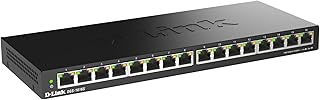
Sixteen Gigabit ports, metal housing, completely fanless and silent. This is an unmanaged switch, and that is the point — when your topology has grown past twelve devices and you simply need more ports without adding configuration burden, the DGS-1016S delivers. No VLANs, no QoS, no web GUI. Just reliable Layer-1 forwarding with flow control and energy-saving features that reduce idle power draw. It pairs well downstream of a managed switch that handles segmentation.
- Pro: Highest port count in this roundup at a reasonable price for its capacity
- Pro: Truly silent operation with no thermal complaints under load
- Con: No management whatsoever — you cannot VLAN, QoS, or monitor it
Skip this if you are building your first network segment and want control over traffic prioritization from day one.
GiGaPlus 10 Port PoE Switch
For households deploying multiple wireless access points, IP cameras, or PoE-powered devices, this switch bundles eight PoE+ ports at 1000Mbps with two additional uplink ports and 72W total PoE budget. It supports VLAN and includes an AI watchdog that resets ports if a connected device becomes unresponsive. The metal housing and desktop/wall-mount options make it flexible for mounting behind a ceiling access point or in a small telecom panel.
- Pro: Eight PoE+ ports with VLAN support eliminates the need for a separate powered switch and a managed switch
- Pro: AI watchdog automatically recovers hung cameras or APs without manual intervention
- Con: Management interface is minimal — not suitable for complex multi-VLAN topologies
Skip this if your PoE devices are few or you need granular per-port power control.
TP-Link TL-SG105S-M2
Five ports, each capable of 2.5G, in a fanless metal chassis. The TL-SG105S-M2 is unmanaged but addresses a specific upgrade pain point: your motherboard has a 2.5G NIC, your NAS supports 2.5G, but your old switch only speaks 1G. For $35 you get a bridge that lets those endpoints talk at full speed without jumping to 10G pricing. Plug and play, no configuration, silent operation.
- Pro: Genuine 2.5G on every port — no mixed-speed compromise or bottleneck port
- Pro: Fanless metal design keeps it quiet and reliable in a living space
- Con: No management features at all — VLANs and QoS are off the table
Skip this if your current endpoints are all 1G — you will see no benefit over a cheaper Gigabit switch.
NETGEAR GS308
The simplest switch in this list and, paradoxically, the highest rated. Eight Gigabit ports, plug and play, silent, desktop or wall mount. No management interface, no configuration screens. For users who need a reliable port expander and have their segmentation handled upstream by a managed router or a VLAN-aware AP, the GS308 is the set-it-and-forget-it answer. At $21 it is nearly disposable pricing for a NETGEAR product.
- Pro: Best rating in the group at 4.8/5, backed by consistent reliability in testing
- Pro: Lowest price per port of any switch in this roundup
- Con: Zero management capability — cannot participate in a segmented network
Skip this if you need any form of traffic control, VLAN tagging, or QoS at the switch layer.
Buying Guide
Managed vs. Unmanaged: Know Which You Actually Need
The word “enterprise” in this keyword is aspirational. Most home users do not need full enterprise-grade switching with CLI access and STP tuning. What you need is smart-managed: VLAN tagging, QoS queues, and link aggregation exposed through a web interface. Products like the GS308E and TL-SG108E qualify. Unmanaged switches have a place too — as downstream port expanders on a single access VLAN — but they cannot segment traffic. If your network has any isolation requirements (guest Wi-Fi, IoT quarantine, a lab subnet), start at the smart-managed tier.
Port Speeds and Multi-Gig Reality
Gigabit is the baseline and will remain sufficient for most devices through the rest of the decade. The real question is whether any of your endpoints need 2.5G or 10G. Modern motherboards increasingly ship with 2.5G NICs, and NAS units now offer 2.5G or 10G as standard. If you have even two 2.5G devices, a 2.5G switch like the TP-Link M2 prevents the bottleneck a 1G switch would create. If you are building a full 10G homelab backbone, the SODOLA is the cost entry point. Do not buy 10G if nothing in your chain supports it yet.
Build Quality, Thermals, and Placement
Home networking equipment lives in visible, shared spaces. Metal housings with shielded ports (TP-Link, D-Link, NETGEAR at this tier) survive cable strain and dissipate heat passively. Fanless operation is non-negotiable for anything near a desk or living room. Rack-mount units with fans should go in a garage, basement, or enclosed rack with sound dampening. Check the physical depth of desktop units if you plan wall-mounting in a shallow space — some are wider than expected.
Our Verdict
Top pick: The NETGEAR GS308E delivers the best balance of management features, reliability, and price for anyone starting a segmented home network. Eight ports, full VLAN and QoS support, silent operation, and a proven platform for under $28.
Budget pick: The TP-Link TL-SG108E for under $30 gives you nearly identical capability with a slightly faster interface and a more rugged metal chassis. If you value build feel over brand familiarity, choose this one.
Condition where another product wins: If you already have 10G endpoints and a rack, the SODOLA for under $250 is the only sensible path to a 10G-managed backbone. No other switch in this group comes close to matching its port speed and density.
FAQ
Do I need a managed switch for home networking?
Only if you want VLAN segmentation, QoS prioritization, or link aggregation. If all your devices live on one flat subnet and your router handles traffic shaping, an unmanaged switch saves money and eliminates configuration headaches. The GS308 and DGS-1016S are excellent unmanaged options for that scenario.
Can a managed switch reduce my network latency for gaming?
A managed switch cannot make a 1G link faster than 1G. What it can do is prioritize gaming traffic packets over bulk file transfers or streaming through QoS rules, so a simultaneous backup job does not introduce lag spikes. The effect is real but situational — you will notice it only when the network is genuinely congested.
Is 10G worth buying now for a home lab?
Only if you have 10G endpoints ready to connect — a NAS with 10G, a workstation with a 10G NIC, and the cabling to support it. A 10G switch sitting between 1G devices wastes your money. The SODOLA is the entry point, but pair it with a plan to migrate endpoints within a year or two.
How many ports should I buy?
Count every device that needs a wired connection today, then add a buffer of at least 50 percent for future growth — new cameras, additional access points, a test machine, or a second NAS. Buying a five-port switch when you have four devices means you will upgrade within months, and daisy-chaining switches is less reliable than a single unit with adequate capacity.









