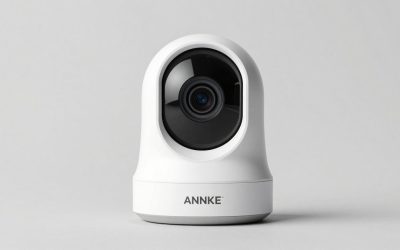
Security camera buying guide readers want to stop guessing and pick a camera that fits their home and budget, so this security camera buying guide explains what matters, then names six picks. Below you will learn how power, storage, fees, and resolution shape a smart, lasting choice for your home today.
Our top picks


 TP-Link Tapo 1080P Indoor Security Camera for
- Indoor Outdoor Usage: Indoor
- Compatible Devices: Smartphone, Tablet
- Controller Type: Amazon Alexa, Android, Google Assistant
Detects motion, people, or baby crying at no extra cost
Night vision reaches up to 30 feet in the dark
Works with both Alexa and Google Assistant
Limited to indoor use since it isn't water resistant
Only connects over 2.4GHz Wi-Fi networks


As an Amazon Associate we earn from qualifying purchases at no extra cost to you.
As an Amazon Associate we earn from qualifying purchases.
By Daniel Foster
How To Actually Choose A Camera
The right camera comes down to a few decisions, not a spec sheet: how it is powered, where footage lives, whether you will pay a fee, and how much detail you need. Working through these in order keeps a security camera buying guide practical, so you buy for how you live rather than for the longest feature list on the box.
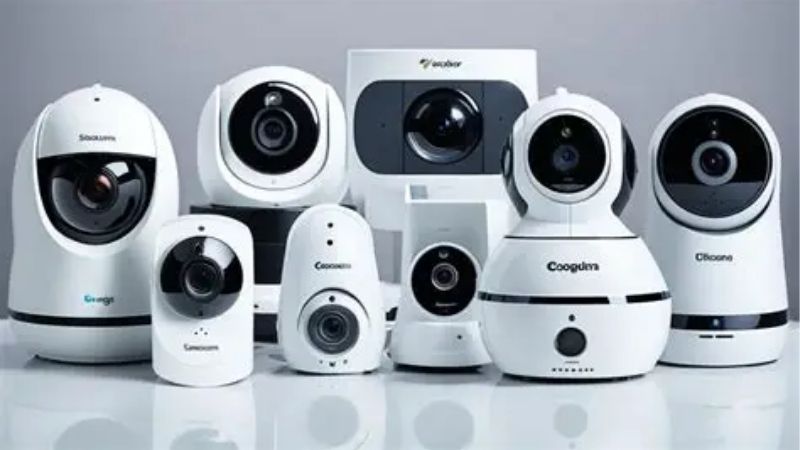
Camera Buying Decision Numbers
The deciding factors are power (wired, battery, or solar), storage (local microSD or hub versus cloud), any subscription for recorded video, the resolution (1080p to 4K), and whether the camera is rated for indoor or outdoor use. Sort these first, since they shape both the upfront and ongoing cost.
Then weigh detection quality, since on-device person and vehicle detection cuts false alerts, plus night vision type and field of view. A camera that fills storage with every passing car or gates recorded clips behind a plan can frustrate daily, so match these to your patience and budget.
Confirm how the camera behaves offline, since a local recorder keeps working during an internet cut while a cloud-only camera may go dark. Decide whether you want fee-free local storage or the convenience of a cloud ecosystem, because that single choice narrows the field faster than anything else. Deciding local versus cloud storage up front is the fastest way to shorten a long shortlist.
Placement, Space, And Fit
Match the camera to the spot: outdoor units need weather rating and a mount about 8-10 ft (2.4-3 m) high angled down the path, while indoor cameras cover a room from a corner. Aim to put the identification zone, a gate or doorway, in the sharpest part of the frame rather than a wide, distant view.
Plan power and network before mounting, since wired cameras need a cable run, battery models need recharging access, and solar needs genuine sun. Confirm Wi-Fi reaches the location, especially outdoors or in a garage, because a weak signal causes lag, missed events, and dropped recordings.
For renters, favor battery or plug-in cameras with no-drill mounts that peel off cleanly, and confirm any wired doorbell matches the existing chime. Cover the entries and blind spots that matter most first, then expand, rather than scattering cameras where they add little real coverage. Covering the entries and blind spots that matter first beats scattering cameras thinly around a home.
Storage, Fees, And Resolution
Local storage on a microSD card, hub, or NVR avoids monthly fees and keeps footage in your home, while cloud storage adds off-site backup at a recurring cost. Decide your fee tolerance early, since it separates local-first brands from cloud ecosystems more sharply than any hardware spec.
Resolution ranges from 1080p, fine for most homes, to 2K and 4K for reading faces and plates at distance, but higher resolution fills storage and uses more bandwidth. Match resolution to the identification you actually need, since 4K everywhere strains storage and Wi-Fi without always adding useful detail.
Detection and alerts matter as much as raw resolution, so favor on-device person and vehicle detection and activity zones to keep notifications meaningful. A sharp camera that buries you in false alerts gets muted, which defeats the point, so weigh smart detection alongside the image quality. The right security camera buying guide weighs smart detection as heavily as raw megapixels.
Six Cameras Worth Considering
These six span fee-free wired and local-storage cameras, cloud ecosystems, and budget options, so this security camera buying guide can point you to a fit for any priority. Each entry names a real drawback, because the right camera depends on your power, storage, and fee choices more than on brand alone. This security camera buying guide keeps the focus on power, storage, and fees, not marketing gloss.
| Pick | Power | Storage | Best for |
|---|---|---|---|
| Reolink | Wired/PoE | Local, no fee | Detail without fees |
| eufy | Battery/wired | Local hub | Skip subscriptions |
| Ring | Battery/wired | Cloud | Alexa ecosystem |
| Arlo | Battery/wired | Cloud | Wireless placement |
| Wyze | Wired/battery | microSD/cloud | Budget tier |
| Lorex | PoE wired | Local NVR | Whole-home wired |
Reolink For Detail Without Fees
Reolink’s wired and PoE cameras record locally to a card or NVR with no subscription and offer up to 4K detail, a strong fit if you want sharp footage without monthly costs. Free person and vehicle detection on capable models keeps alerts useful without a plan.
The drawback is installation effort for wired models and a more utilitarian app than the big smart-home brands. It is excellent value for detail-focused buyers willing to run cable, but less suited to renters wanting a purely wireless, app-polished experience.
For fee-free detail, Reolink is a leading pick in this guide. Plan the cabling, size local storage for the resolution you choose, and lean on its detection to keep the higher-resolution footage manageable rather than overwhelming your storage and notifications. For homeowners willing to run cable, that fee-free detail is hard to match at the price.
eufy For Skipping Subscriptions
eufy pairs battery or wired cameras with a local hub and no required subscription, blending fee-free storage with on-device detection and easy, wireless install. For buyers who want to avoid monthly costs but dislike running cable, it is a strong middle ground.
The drawback is hub dependence and occasional slower cloud extras, and some advanced features still cost more. Battery models need recharging in busy areas, so wire the highest-traffic camera, and confirm which functions stay free before assuming the no-fee tier covers everything.
For fee-averse buyers wanting easy setup, eufy fits this guide well. Keep footage on the hub to skip fees, place battery cameras where recharging is practical, and pair with a wired unit at your busiest entry for reliable, always-ready coverage. Keeping clips on the hub is the simplest way to sidestep recurring costs over the years.
Ring For The Alexa Ecosystem
Ring’s cameras and doorbells integrate tightly with Alexa and the Ring app, making a coordinated, easy-to-use setup for households already on that platform. Setup is simple, and live view and alerts feel seamless across Echo speakers and displays.
Recorded video and history require a Ring Protect plan, so fees are the main drawback, and Ring’s data policies warrant review. Cloud reliance means confirming behavior during an internet outage before relying on it as your only camera for a critical spot.
If convenience and ecosystem fit matter more than fee-free storage, Ring suits this guide’s cloud-first buyer. Budget for the subscription over the years you keep it, since the recurring cost, not the hardware, is the real long-term factor in satisfaction. For an Alexa household, that seamless voice control is often worth the ongoing plan.
Arlo For Wireless Placement
Arlo’s wire-free cameras place coverage almost anywhere with wide fields of view and color night vision, a good fit where running cable is impractical. The coordinated app makes adding flexible wireless coverage straightforward across a home.
As with Ring, recorded clips and the best features lean on a subscription, so plan for the recurring cost. Battery life varies with traffic and weather, and a large wireless fleet can strain Wi-Fi, so confirm your network handles the camera count you intend.
For flexible wireless placement, Arlo earns a spot in this guide. Reserve battery cameras for spots cabling cannot reach, budget the plan into the total cost, and confirm Wi-Fi strength so several wireless feeds stay reliable. Reserving battery cameras for spots cable cannot reach keeps the wireless fleet manageable.
Wyze For Budgets
Wyze cameras record to microSD or an inexpensive cloud plan at a budget-tier price, covering rooms and entries affordably with two-way talk and motion alerts. For a first camera or secondary angles, they deliver usable coverage without a big outlay.
Compromises include slower app response, some detection behind a low-cost plan, and reliance on Wyze’s cloud reliability. It is a value approach rather than a unified high-end system, so anchor the main entry with a sharper camera and use Wyze elsewhere.
As the budget option in this guide, Wyze covers many points cheaply. Use local microSD to skip fees, place them on secondary angles, and pair with a stronger camera where identification matters most, keeping expectations in line with the low price. As secondary eyes on a budget, they stretch coverage without stretching the wallet.
Lorex For Whole-Home Wired
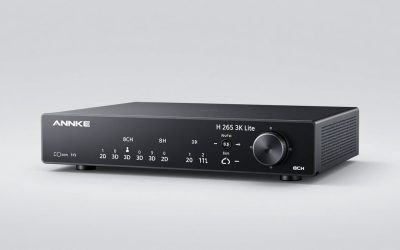
Lorex wired NVR kits record many cameras to a local drive with no fee and free person and vehicle detection on capable models, suiting a whole house wanting always-on, high-resolution coverage. The recorder runs offline and centralizes playback in one place.
The drawback is the install project of running PoE cables and placing an NVR, plus higher upfront cost, better for homeowners than renters. Sizing the drive for continuous recording matters, since higher resolution fills storage fast and quietly shortens history.
For fee-free whole-home coverage, Lorex anchors this guide’s wired option. Plan cable runs, size the drive generously, and place cameras to cover entries and blind spots, treating the upfront effort as the cost of robust, subscription-free footage. For a whole house, the upfront wiring effort buys years of local, fee-free recording.
See More:
- Best eyeshadow blender brush
- Best frozen foods for air fryer
- Best frozen food for air fryer
- Best way to reheat steak in air fryer
- Best air fryer recipes book
Putting Your Camera Choice Together
The right pick from this security camera buying guide follows your decisions: choose local storage and wired power for fee-free detail with Reolink or Lorex, fee-free wireless with eufy, cloud convenience with Ring or Arlo, or budget coverage with Wyze. Let power, storage, and fees narrow the field before resolution.
Place cameras so the identification zone sits in the sharpest part of the frame, confirm Wi-Fi and power, and lean on smart detection to keep alerts useful. Because new models often arrive before major mid-year and late-year sales, timing can help, but the goal this security camera buying guide serves is a camera whose footage you can actually store, view, and afford. Get those three right and the rest of the spec sheet mostly takes care of itself for your home.