Key takeaways
- Shopping for an 85-inch television is a different exercise from picking a 55-inch bedroom set.
Shopping for an 85-inch television is a different exercise from picking a 55-inch bedroom set. At this size the panel is roughly the width of a loveseat, the box will not fit in a hatchback, and every flaw in upscaling, motion handling, or glare control gets magnified across a screen that fills most of your field of view. The question behind “best 85 in tvs” is rarely “which TV is good?” It is “which giant screen gives me the most picture for the room I actually have, without paying for features I will never switch on?”
This guide is for buyers who already know they want the 85-inch class, whether for a family room that doubles as a theater, a basement sports setup, or a living room wall that needs a real focal point. As this year’s lineups settle in, the five models below cover the main branches: Mini LED brightness, Dolby Vision-first picture, built-in streaming platforms, and a PlayStation-focused option. Everything here is judged from the listed specs, so use it to narrow the field, then confirm ports and dimensions on the maker’s page before ordering.
Quick Picks
Our top picks


As an Amazon Associate we earn from qualifying purchases at no extra cost to you.
| Product | Best for | Key spec from the title |
|---|---|---|
| Samsung M70H | Bright rooms and Mini LED upgraders | Mini LED, 4K, Mini LED Processor 4K |
| Hisense E6 | Movie nights with Alexa control | Hi-QLED 4K, Dolby Vision and Atmos, Motion Rate 120 |
| TCL QM6K | Gamers and sports fans who want speed | QLED Mini LED, 144Hz, IMAX Enhanced |
| Roku Select Series | Simple, no-fuss streaming | 4K QLED, Roku TV, Bluetooth headphone mode |
| Sony BRAVIA 3 | PlayStation 5 owners | 4K Processor X1, Triluminos Pro, PS5 features |
How to Choose
Match the screen to your seating distance
An 85-inch panel is comfortable for most people at about nine to eleven feet. Closer than eight feet and you will notice pixel structure on lower-quality sources and spend a lot of time turning your head during fast sports. Measure your wall, the stand or mount width, and the doorway the box has to clear. Many 85-inch sets need two people to carry, and wall mounts must be rated for the weight, so check the spec sheet for both before you commit. Also plan the cable path: a wall-mounted set needs power and HDMI runs hidden behind the drywall or in a raceway, and a soundbar adds a third cable.
Decide how much brightness you really need
Large screens in sunny rooms struggle with washed-out blacks and reflections. Mini LED backlights, found in the Samsung and TCL models here, are built to push higher peak brightness and finer local dimming than a standard LED panel. If your TV room has curtains and you watch at night, a plain QLED panel is perfectly fine. Ignore marketing terms like “AI picture” unless they name a specific, checkable behavior such as a light sensor adjusting brightness to the room.
Check refresh rate, HDR formats, and gaming features
For consoles and PCs, look for a 120Hz or 144Hz panel and variable refresh rate support. A “Motion Rate” figure is a marketing number and not the same as native refresh, so read the fine print. For HDR, Dolby Vision is the format most streaming apps use for premium titles, and Dolby Atmos support helps if you plan to send sound to a soundbar. HDR10 alone is the floor, not the goal. Count the HDMI inputs and confirm which ones carry full-bandwidth 4K at 120Hz.
Pick the smart platform you will tolerate daily
The operating system is the part you touch every day. Roku TV is simple and consistent, Google TV leans on content suggestions and Cast, and Fire TV puts Alexa voice search front and center. Switching platforms later usually means buying a streaming stick, which adds clutter. Budget models tend to cut corners on processors, speakers, and the number of dimming zones, so expect to add a soundbar at this screen size regardless of which badge is on the bezel.
The 5 Best Options
Samsung M70H Mini LED
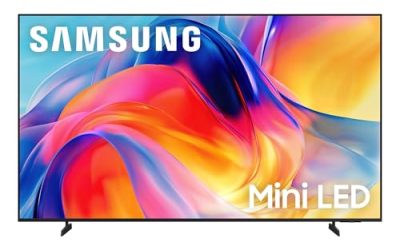
The Samsung 85-inch Class M70H Series is aimed at buyers who want Mini LED technology from a household name without jumping to the top of the lineup. The listing highlights a Mini LED Processor 4K, Pure Spectrum Color, and Samsung Vision AI Companion, and it is marked as a 2026 model. That combination suggests a TV built for varied lighting and general streaming, and it suits a buyer who watches a mix of live sports, streaming shows, and the occasional movie, and who wants a recognizable brand behind a very large and heavy purchase. It is also a reasonable step for anyone upgrading from an older standard LED set who wants to see what Mini LED changes in a bright room.
- Mini LED backlighting is listed, which is the right feature for brighter living rooms.
- A dedicated Mini LED Processor 4K points to upscaling effort for lower-resolution sources.
- Trade-off: the listing leans on branded feature names, so verify HDMI and gaming specs on the maker’s page.
Skip it if you want a specific smart platform like Roku or Fire TV, or if you need a spec-sheet guarantee of 144Hz gaming. The title does not name the smart platform at all, so confirm it before buying if that matters to you.
Hisense E6 Hi-QLED
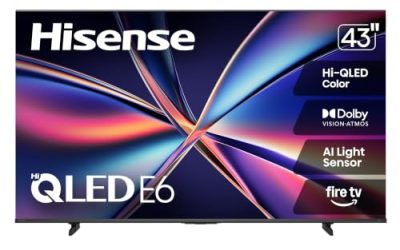
The Hisense 85-inch E6 Cinema Series is a Hi-QLED 4K model running Fire TV, which fits households that already use Alexa. The title lists Dolby Vision and Atmos, an AI light sensor, and a voice remote with Alexa, which is a sensible set for a movie-first room. Buyers who like to say a title out loud instead of typing it will appreciate the voice-first design, and the Cinema Series name signals that film viewing is the intended use.
- Dolby Vision and Atmos support covers the premium formats most streaming services offer.
- The AI light sensor is meant to adjust the picture to room lighting, which helps at this size.
- Trade-off: Motion Rate 120 is a marketing figure, so serious console players should look for a native 144Hz panel instead.
Skip it if you dislike Fire TV menus or want Google Cast built in. Buyers who rarely use voice control will also get less out of the remote than Alexa households do.
TCL QM6K QLED Mini LED
The TCL 85-inch QM6K combines QLED and Mini LED with a Google TV interface. The title calls out 144Hz, high brightness, IMAX Enhanced, HDR10, and Dolby Vision, making it the most gaming-friendly name on this list. It also suits sports households, since a faster panel keeps motion cleaner during football or basketball, and the IMAX Enhanced label is a nice bonus for anyone who streams films that carry that certification.
- 144Hz is listed, which suits PC and console players who want smooth motion.
- Mini LED plus high brightness is a strong pairing for rooms with windows.
- Trade-off: Google TV leans on content suggestions and sign-ins, which some viewers find busier than Roku.
Skip it if you want the simplest possible home screen or if you only watch occasional cable news. A light user may not need the extra panel speed or brightness at all.
Roku Select Series QLED
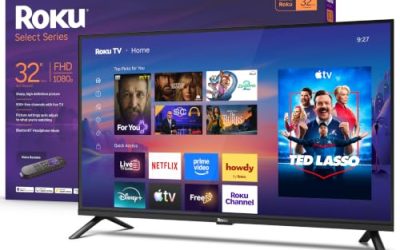
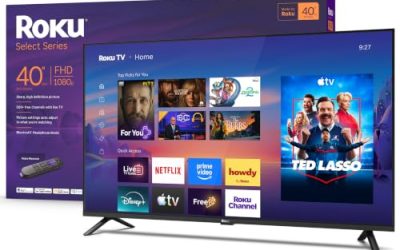
The Roku 85-inch Select Series is a 4K QLED Roku TV with a voice remote, Wi-Fi, and a Bluetooth headphone mode. It is the straightforward choice for people who want a big screen and an interface that anyone in the family can operate. Think of a guest room, a rental property, or a parent’s living room, where nobody wants to learn a new menu system, and where a clean home screen of channel tiles beats a feature-packed dashboard.
- The Roku platform is easy to learn and works the same way for every household member.
- Bluetooth headphone mode is useful for late-night viewing without waking the house.
- Trade-off: the title lists fewer premium picture features than the Mini LED models, so it is built for value rather than peak performance.
Skip it if you plan to game at high frame rates or want the brightest possible image in a sunlit room.
Sony BRAVIA 3 (K-85S30)
The Sony BRAVIA 3 is an 85-inch LED 4K HDR model with Google TV. The title lists Dolby Vision and Atmos, the 4K Processor X1, Triluminos Pro color, and exclusive features for PlayStation 5, which makes it a natural pick for console-focused households. It also appeals to buyers who care more about color handling and processing quality than about chasing the highest backlight specification, and who already trust the Sony name for movie viewing.
- PlayStation 5 features are listed by name, a clear plus for console owners.
- Triluminos Pro and the X1 processor point to a color and processing focus that suits movies.
- Trade-off: it is a standard LED design, not Mini LED, so expect less punch in very bright rooms.
Skip it if peak brightness is your top priority or if you want the lowest entry cost.
Which One Fits Your Situation
A bright family room with big windows
Go with the TCL QM6K or the Samsung M70H. Both are listed with Mini LED technology, which is the better match for daytime glare and sports on a Sunday afternoon.
A dedicated movie night setup
The Hisense E6 lists Dolby Vision, Atmos, and a light sensor, which fits a dim room with a soundbar. The Sony BRAVIA 3 is also a good match if you value its color processing and PlayStation tie-in.
A PlayStation 5 household
The Sony BRAVIA 3 is the only model here that names PlayStation 5 features in its title. The TCL QM6K is the alternative if you prefer a listed 144Hz panel and a Google TV interface with Cast support. Either way, plan on checking which HDMI port carries the full-bandwidth signal before you plug in the console.
A grandparent-friendly or guest room screen
The Roku Select Series keeps the interface simple, and the Bluetooth headphone mode helps when someone else is sleeping. It is the easiest model here to hand to a relative without a tutorial, and the 4K QLED panel still gives a big, colorful picture for everyday television.
Common Mistakes
- Buying without measuring the doorway, stairwell, and stand width first.
- Treating “Motion Rate” or “AI” labels as proof of a native high refresh panel.
- Skipping a soundbar, even though thin panels at this size rarely have strong built-in speakers.
- Choosing a smart platform you dislike and then paying for a streaming stick later.
- Mounting on drywall without finding studs or confirming the bracket weight limit, which is a real risk with a panel this large and heavy.
Specs and Terms Explained
Local dimming and Mini LED
LED-backlit TVs brighten and darken zones of the screen to improve contrast. More zones generally mean cleaner blacks and less glow around bright objects, and Mini LED designs use many small backlight elements to make those zones finer. Zone count alone does not guarantee a good picture, but a model with no local dimming will usually show grayish blacks in a dark room.
QLED versus panel type
QLED is a quantum-dot color layer on top of an LED backlight, not a different display technology from LCD. The panel underneath, often VA or IPS, decides contrast and viewing angles: VA panels tend to deliver deeper blacks, while IPS panels hold color better when you sit off to the side.
Upscaling
Most of what you watch is not native 4K, so the processor’s job of scaling lower-resolution video up to the panel matters more at 85 inches than on a small set. Scaling and motion handling are where brands tend to differ most.
HDMI 2.1 and eARC
HDMI 2.1 supports higher frame rates at 4K, and eARC allows lossless audio to reach a soundbar or receiver. Check that the port you use for a console or receiver is the one that supports these features, since not every HDMI input on a set is equal.
Sizing and Compatibility Checklist
- Measure doorways, stairwells, and the elevator before ordering; the shipping carton is considerably larger than the screen.
- Confirm the wall can carry the load, ideally with studs, and that the mount is rated for the weight and the TV’s hole pattern.
- If using the included feet, verify the furniture is wide enough, because feet on very large TVs sit far apart.
- Plan for two people to lift and mount it; a large panel is awkward and easy to damage.
- Check that your soundbar and console cables reach the right ports without tight bends.
Room Lighting and Placement
A screen this large reflects whatever is across from it. Windows, lamps, and light-colored walls opposite the TV can create glare that no spec sheet will fix, so look at where the light sources sit before you decide. Matte or anti-glare coatings help, and curtains handle the rest. Also leave a few inches of space behind the TV for airflow and cable plugs.
Who Should Skip an 85-Inch TV
If your seating is closer than roughly nine to ten feet, an 85-inch screen can feel overwhelming and make you scan the picture instead of watching it. Renters who cannot mount the TV, or households that move often, may find the size a burden. In those cases a smaller, brighter set is the more practical purchase.
Related guides
- Rechargeable Electric Toothbrush With Travel Case
- Countertop Water Filters Without Installation
- Nsf Certifications For Water Filters Explained
Frequently Asked Questions
Is 85 inches too big for a living room?
For a seating distance of nine to eleven feet it works well. If your couch sits closer than eight feet, a 75-inch model may feel more comfortable.
Do I need Mini LED?
Not for a dark room. Mini LED matters most in bright spaces and for HDR content, where higher brightness and better dimming control show up clearly.
Which models list 144Hz?
Among these five, the TCL QM6K lists 144Hz in its title. The others list a motion rate figure or leave refresh rate to the spec sheet, so confirm before buying for gaming.
Will built-in speakers be enough?
Usually not. A large panel is thin, so most buyers add a soundbar or receiver to get dialogue clarity and bass that match the picture. Models that list Dolby Atmos can pass that format to a compatible soundbar through the eARC port.