Key takeaways
- "Bargain" and "gaming laptop" pull in opposite directions. A machine that can run modern games needs a discrete graphics chip, decent cooling.
“Bargain” and “gaming laptop” pull in opposite directions. A machine that can run modern games needs a discrete graphics chip, decent cooling, and a fast panel, and all of those cost money. Meanwhile, search results are full of cheap laptops that wear the word “gaming” on the box but ship with only integrated graphics. The real decision behind this keyword is how to spend as little as possible while still getting a dedicated NVIDIA GPU, enough memory, and a screen that does not blur every fast turn.
This guide is for students, first-time PC gamers, and parents shopping for a family laptop that also has to handle schoolwork. In 2026 the entry point for a true gaming laptop has moved up to RTX 50-series chips, and last-generation RTX 3050 machines still sit at the bottom of the range. This list includes only models whose titles name a dedicated graphics card, so the five below are real gaming hardware at budget-friendly to mid-range tiers, not office laptops in disguise.
Quick Picks
Our top picks


As an Amazon Associate we earn from qualifying purchases at no extra cost to you.
| Product | Best for | Key spec from the title |
|---|---|---|
| HP Victus 15.6 | Lowest-cost entry into real gaming | RTX 3050, Core i5-12450H, 144Hz, 16GB RAM |
| ASUS ROG Strix G16 (RTX 5050) | Newer GPU on a tighter budget | RTX 5050, Core i5 14450HX, 16GB DDR5-5600 |
| ASUS ROG Strix G16 (RTX 5060) | Strong 1080p-plus performance | RTX 5060, Core i7 14650HX, 165Hz, 1TB Gen 4 |
| Acer Nitro V 16S | Memory-heavy multitasking | RTX 5060, Ryzen 7 260, 180Hz, 32GB listed |
| Alienware 16 Aurora | Sharper screen for mixed use | RTX 5060, 2560×1600, 16:10, 1TB SSD |
How to Choose
Insist on a dedicated GPU
The graphics card decides how games run, far more than the processor does. For a budget build, an RTX 3050 handles esports titles and older games at 1080p, while RTX 5050 and 5060 class chips are the sensible target for newer releases. Be wary of listings that call a machine a gaming laptop but name only an AMD Radeon Vega or Intel integrated graphics. Those are fine for streaming and homework, but they will struggle with anything demanding.
Get at least 16GB of RAM and a fast SSD
Sixteen gigabytes of RAM is the floor for modern games alongside a browser and chat app, and DDR5 models give you more bandwidth than older DDR4. A 512GB SSD fills up fast, since a handful of big titles can take half the drive, so a 1TB drive is worth chasing if the cost increase is modest. Look for an open M.2 slot or an easy way to add storage later, because that is cheaper than paying for a larger drive at purchase.
Screen: refresh rate, resolution, and aspect ratio
A 144Hz or higher panel makes fast shooters feel smoother, and anything under 120Hz is a compromise. Look for an IPS or similar panel with a response time listed in milliseconds, since slow panels smear fast movement. Most budget gaming laptops use 1920×1080, which is the right match for an entry-level GPU. Higher resolutions like 2560×1600 look sharper for work and media, but they ask more from the graphics card, so frame rates may drop. A 16:10 aspect ratio gives you extra vertical room for documents and web pages.
Cooling, battery, and where budget models cut corners
Thin, cheap chassis throttle under load, so prefer laptops from makers that advertise dedicated gaming cooling. Battery life on any gaming laptop is short under load, so treat it as a desktop that you can move between rooms, not an all-day carry. Keep the charger in your bag, and expect the fans to be audible during longer sessions. Budget corners usually show up in the screen color accuracy, speakers, webcam quality, and port count. Check that you get a modern USB-C port and Wi-Fi 6 or better, and glance at whether the keyboard is backlit, since late-night sessions get uncomfortable without it.
The 5 Best Options
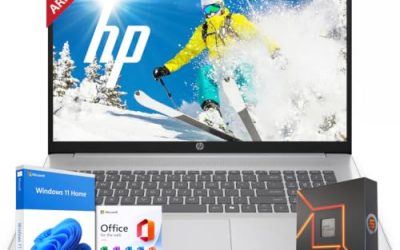
HP Victus 15.6
The HP Victus is the classic budget route into real PC gaming. The title lists a 15.6-inch Full HD 144Hz screen, an Intel Core i5-12450H, NVIDIA GeForce RTX 3050, 16GB of RAM, a 512GB PCIe SSD, Wi-Fi 6, and a backlit keyboard. For a student who wants esports titles and schoolwork on one machine, that is a well-balanced list. It also suits parents who want a single laptop that handles homework during the week and a few hours of games on the weekend, without the jump in cost that comes with newer graphics hardware.
- A dedicated RTX 3050 with a 144Hz panel is the core gaming recipe at the lowest tier.
- 16GB RAM and a 512GB SSD cover everyday multitasking.
- Trade-off: the processor and GPU are previous-generation parts, so newer games may need lower settings.
Skip it if you want the latest GPU architecture or plan to keep the laptop for many years of new releases.
ASUS ROG Strix G16 RTX 5050
This ROG Strix G16 pairs a 16-inch 16:10 FHD+ 165Hz panel with an RTX 5050 laptop GPU, an Intel Core i5 14450HX, and 16GB of DDR5-5600 memory. It is the way to get a current-generation graphics chip and a Republic of Gamers chassis without moving to the RTX 5060 tier. Think of it as the entry ticket to the newer generation for someone who plays a mix of popular online games and wants the screen to feel fast, but who is not trying to max out every setting in the latest releases.
- A 165Hz, 3ms panel in a 16:10 shape is a strong screen for the tier.
- The HX-series processor and DDR5-5600 memory point to a modern platform.
- Trade-off: the RTX 5050 sits below the 5060, so it has less headroom for demanding new games at high settings.
Skip it if you already know you will want to play the most demanding releases at high settings.
ASUS ROG Strix G16 RTX 5060
The second ROG Strix G16 steps up to an RTX 5060 and an Intel Core i7 14650HX, with 16GB of DDR5 and a 1TB Gen 4 SSD. The panel is the same 16-inch 16:10 FHD+ 165Hz, 3ms design. It targets buyers who want the bigger GPU and storage in one purchase and would rather not open the chassis later to add a drive. For someone moving up from an older laptop, it is the version that leaves the fewest compromises on the spec sheet.
- RTX 5060 with a Core i7 HX processor suits modern titles at 1080p-plus resolutions.
- A 1TB Gen 4 SSD means room for a real game library on day one.
- Trade-off: it is a mid-range purchase, not a true bargain, so it may exceed a strict spending limit.
Skip it if your budget is fixed at the lowest tier. In that case the Victus or the RTX 5050 model is the more realistic target.
Acer Nitro V 16S AI
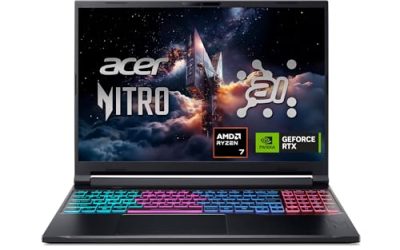
The Acer Nitro V 16S pairs an AMD Ryzen 7 260 processor with an NVIDIA RTX 5060 laptop GPU, listed at 572 AI TOPS, and a 16-inch WUXGA IPS 180Hz display. The title also lists 32GB of memory, which is a generous amount at this tier. That makes it appealing to a gamer who also streams, edits clips, or keeps a dozen browser tabs and a voice chat open while playing, since memory shortages are a common cause of stutter on a 16GB machine.
- A 180Hz IPS panel is the fastest screen of the five.
- 32GB of memory suits streaming, browser tabs, and creative apps alongside games.
- Trade-off: the listing is long on AI branding, and the useful details are the GPU, panel, and memory.
Skip it if you prefer an Intel processor or a higher-resolution display. The AI branding in the title is also no reason to pay more, since the practical gains come from the GPU and memory.
Alienware 16 Aurora
The Alienware 16 Aurora is the sharpest-screen option here, with a 2560×1600 16:10 display at 120Hz, an RTX 5060, an Intel Core 7 240H, 16GB of DDR5, and a 1TB SSD. It suits someone who splits time between games, documents, and video, such as a college student or a remote worker who wants one laptop for the desk and the couch. The Aurora name positions it as the approachable end of the Alienware range, with a premium brand attached to mid-range graphics.
- The 2560×1600 panel gives more detail for text, photos, and video than a 1080p screen.
- A 1TB SSD and DDR5 memory are solid foundations for a long-lived machine.
- Trade-off: a 120Hz panel at a higher resolution means fast shooters feel less smooth than on a 165Hz screen.
Skip it if frame rate in competitive games matters more than sharpness.
Which One Fits Your Situation
A first gaming laptop for a student
The HP Victus is the cost-conscious pick, and the only one here that leans on last-generation parts to keep the cost down. It has the dedicated GPU and 144Hz screen you need and leaves room in the budget for a mouse and headset.
A laptop that should last several years
The ASUS ROG Strix G16 with RTX 5060 pairs a newer GPU with 1TB of storage, so you are less likely to hit a wall in two or three years. The Acer Nitro V 16S is a close alternative if you want 32GB of memory and plan to run creative software next to your games.
Competitive shooters and esports
Choose the Acer Nitro V 16S at 180Hz or the ROG Strix G16 models at 165Hz. Both give high refresh rates where it matters, and the ROG listings add a 3ms response figure that suits fast-moving targets. Pair either with a wired mouse and a gaming headset for the full effect.
A mixed work and play machine
The Alienware 16 Aurora has the sharper 2560×1600 display, which helps with documents, spreadsheets, and video editing as well as games.
Common Mistakes
- Buying a “gaming laptop” with only integrated graphics because the listing says gaming.
- Paying for a high-resolution screen when the GPU cannot drive it at good frame rates.
- Ignoring storage, then discovering a 512GB drive holds only a few large games.
- Choosing by processor name alone while overlooking the graphics card.
- Expecting all-day battery life from a machine built around a power-hungry GPU, then leaving the charger at home.
Specs and Terms Explained
GPU name versus power limit
Two laptops can carry the same graphics chip name and still perform differently, because manufacturers set the wattage the chip is allowed to draw. A higher power limit usually means better frame rates but more heat and fan noise. When a spec sheet lists total graphics power, treat it as a clue to how much headroom the laptop gives the chip.
MUX switch
A MUX switch lets the display connect directly to the dedicated GPU, avoiding a small performance penalty from routing frames through integrated graphics. It is a nice-to-have on a budget machine, not a requirement.
Panel color coverage
Budget gaming panels often cover only a portion of the sRGB color range, so colors may look slightly washed out. This matters little for esports but more if you plan to edit photos on the same laptop.
RAM configuration
Two memory modules running together, called dual-channel, generally give better performance than a single module of the same capacity, especially with integrated graphics sharing memory. If a spec sheet says the laptop has one stick, upgrading to two can be worthwhile.
Thermal design
Look for vents on the back and sides rather than only the bottom, which gives the fans a path to push hot air out. Thicker chassis generally cool better, even if they are less elegant. A raised rear hinge or a cooling bar along the back is another sign the designers planned for sustained load, which keeps clock speeds steadier during long sessions.
Sizing and Compatibility Checklist
- Verify the laptop has an open slot for a second SSD, since storage fills quickly with modern game installs.
- Check whether RAM is soldered or removable before buying with the plan to upgrade later.
- Count ports: an HDMI output, USB-A for a mouse, and a charging-capable USB-C make desk life easier.
- Look at the charger’s wattage and brick size; gaming laptops draw a lot of power and the charger is part of your carry weight.
- Confirm the keyboard layout, including arrow key size, since compact layouts can be awkward in games.
Who Should Skip a Bargain Gaming Laptop
If you travel daily and need long battery life, a budget gaming machine will feel heavy and run out of charge quickly when unplugged. Players who want maximum frame rates at high settings in the newest titles will be limited by entry-level graphics. And if you mostly play older or lightweight games, a standard laptop may be enough and save weight.
Related guides
- Rechargeable Electric Toothbrush With Travel Case
- Countertop Water Filters Without Installation
- Nsf Certifications For Water Filters Explained
Frequently Asked Questions
Is an RTX 3050 still worth buying?
For esports titles and older games at 1080p, yes. For newer releases at higher settings, an RTX 5050 or 5060 class laptop gives you more headroom. If the budget is tight, the older chip is a reasonable starting point as long as you set expectations for medium settings.
How much RAM do I need?
Sixteen gigabytes is the practical minimum. Thirty-two gigabytes helps if you stream, edit video, or keep many browser tabs open while playing.
Does a higher refresh rate matter on a budget machine?
It does for fast games, but only if the GPU can produce enough frames to use it. Slower story games and strategy titles benefit far less. A 144Hz screen with a capable graphics chip beats a 240Hz screen with a weak one.
Why not choose the cheapest laptop that says gaming?
Many of those listings use integrated graphics and old processors. The spec sheet should name an NVIDIA GeForce RTX card, or the label means little. A machine without a dedicated GPU can still be a fine school laptop, but it is a different purchase.