Key takeaways
- Choosing the best Acer laptop for gaming mostly means choosing between two product lines and then reading the spec string carefully.
Choosing the best Acer laptop for gaming mostly means choosing between two product lines and then reading the spec string carefully. The Nitro family targets value, with 15.6-inch and 16-inch screens, RTX 40 and 50 series graphics and 165 to 180Hz panels. The Predator Helios Neo sits above it with a more compact 14.5-inch chassis and a stronger graphics chip. Within the Nitro line, two laptops with the same name can differ widely in memory, storage and processor, which is why the full configuration matters more than the model name.
This guide is for students, first-time gaming laptop buyers and anyone upgrading an older machine in 2026 who wants an Acer and needs to know which configuration fits their games and desk. All judgments come from the listed specs in each title, such as the GPU, processor, screen size, refresh rate, RAM and SSD, so nothing here depends on unlisted performance claims. Read the Quick Picks table first, then use the buying sections to narrow the field.
Quick Picks
Our top picks






As an Amazon Associate we earn from qualifying purchases at no extra cost to you.
| Product | Best for | Key spec from the title |
|---|---|---|
| Acer Nitro V 16S AI (RTX 5060) | High settings at a 16-inch size | Ryzen 7 260, RTX 5060, 16″ WUXGA 180Hz, 32GB |
| Acer Predator Helios Neo 14 AI (RTX 5070) | A compact premium machine | Core Ultra 9 285H, RTX 5070, 14.5″ WQXGA 165Hz |
| Acer Nitro V 15.6″ (Core i7, RTX 4050) | A balanced, mid-range build | i7-13620H, RTX 4050, 16GB DDR5, 1TB Gen 4 SSD |
| Acer Nitro V 15.6″ (Core i5, RTX 5050) | Newer graphics on a lower tier | i5-13420H, RTX 5050 with 8GB GDDR7, 16GB RAM |
| Acer Nitro 5 (GTX 1650) | Older, light esports titles | i5-9300H, GTX 1650, 8GB DDR4, 256GB NVMe |
| Acer Nitro V 16 (Core 7 240H, RTX 5050) | Value pick with a 180Hz screen | Core 7 240H, RTX 5050, 16GB DDR5, 1TB SSD |
| Acer Nitro V 16 (Core 5 210H, RTX 5050) | Entry price on the new platform | Core 5 210H, RTX 5050, 8GB DDR5, 512GB SSD |
How to Choose
Graphics card tier decides what you can play
The GPU is the single most important line in the title. An RTX 5050 or RTX 4050 is an entry-level gaming chip aimed at 1080p play, an RTX 5060 steps up for higher settings, and an RTX 5070 is the premium option here. A GTX 1650 belongs to an older generation and lacks the ray tracing and DLSS features found on RTX cards. If you play recent releases, avoid anything older than the RTX line.
RAM and storage: 16GB and 512GB are minimums
Gaming laptops with 8GB of memory run short quickly with modern titles and background apps, so 16GB is the practical starting point and 32GB suits streaming or heavy multitasking. For storage, a 512GB Gen 4 SSD fills fast once a few large games are installed, so 1TB is easier to live with. Also check whether memory is DDR5 or DDR4, since DDR5 is the newer and faster standard.
Screen size, resolution and refresh rate
Refresh rate matters for competitive shooters, and 165Hz or 180Hz panels give smoother motion than a standard 60Hz screen. A 15.6-inch FHD panel is easy for the graphics chip to drive, a 16-inch WUXGA screen adds a little vertical space, and a 14.5-inch WQXGA display is sharper but harder on lower-end GPUs. Pick FHD or WUXGA if frame rate is the priority and WQXGA if you want crisp visuals and have a stronger GPU.
Where budget configurations cut corners
The cheapest Nitro configurations pair a new GPU with 8GB of RAM and 512GB of storage, which saves money but forces an upgrade sooner. Accessories such as a mouse pad in the title do not change performance. Ignore marketing terms like AI Tops unless you plan to use AI software; frame rates and screen quality matter more for gaming. Always compare the processor generation, not just the Core i5 or i7 label.
The 7 Best Options
Acer Nitro V 16S AI (RTX 5060)
A 16-inch gaming laptop with a Ryzen 7 260 processor and an RTX 5060 laptop GPU, plus a 16-inch WUXGA IPS panel running at 180Hz and a 32GB configuration listed in the title. It is the pick for a buyer who wants to play new games at higher settings without moving to the premium Predator tier. The AI branding in the name points to the newer Ryzen platform, and the larger 16-inch screen gives more room for open-world games and multitasking than the 14.5-inch Predator.
- Strength: the RTX 5060 sits above the RTX 5050 and 4050 models in this guide.
- Strength: a 180Hz panel and 32GB memory suit competitive play and multitasking.
- Trade-off: the visible title does not show the storage size, so verify it before buying.
Skip it if you want a compact laptop for travel or need the highest GPU tier.
Acer Predator Helios Neo 14 AI (RTX 5070)
A compact premium model with an Intel Core Ultra 9 285H, an RTX 5070 and a 14.5-inch WQXGA display at 165Hz with G-SYNC. It targets players who want a strong GPU in a smaller, more portable frame and appreciate a sharper screen than the standard Nitro panels. The title also lists a high AI Tops figure, but for gaming the more useful details are the RTX 5070 and the display, which together define the experience.
- Strength: the RTX 5070 is the strongest graphics chip in this guide.
- Strength: the WQXGA panel with G-SYNC offers a sharper, smoother image.
- Trade-off: a 14.5-inch screen is smaller, and it belongs to the premium tier.
Skip it if you prefer a bigger display or need to keep spending in the mid-range.
Acer Nitro V 15.6″ (Core i7, RTX 4050)
A mid-range 15.6-inch laptop with an Intel Core i7-13620H, RTX 4050, a 165Hz FHD IPS display, 16GB DDR5 and a 1TB Gen 4 SSD. It is the balanced build in the group, with memory and storage that already meet the practical minimums. A buyer who plays a mix of shooters and single-player games at 1080p will find nothing in the spec string that needs fixing right away, which is rarer than it sounds in this price tier.
- Strength: 16GB DDR5 and 1TB of storage mean no immediate upgrades.
- Strength: the Core i7 processor is the strongest CPU among the Nitro 15.6-inch options.
- Trade-off: the RTX 4050 is a previous-generation graphics chip.
Skip it if you want the newest GPU generation.
Acer Nitro V 15.6″ (Core i5, RTX 5050)
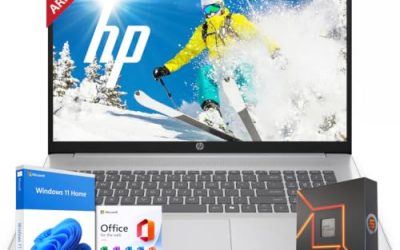
A 15.6-inch FHD IPS 165Hz laptop with an Intel Core i5-13420H and an RTX 5050 with 8GB of GDDR7 VRAM, running Windows 11 Home, with 16GB of RAM and a mouse pad included. It combines newer graphics with a modest processor, making it a sensible entry to the RTX 50 generation. The mouse pad is a small bonus but changes nothing about performance, so judge the laptop on its GPU, memory and 165Hz screen, and note that 512GB of storage is listed at the end of the title.
- Strength: the RTX 5050 brings newer architecture and 8GB of GDDR7 memory.
- Strength: 16GB of RAM meets the practical starting point.
- Trade-off: the Core i5-13420H is an older processor generation than the Core 5 and Core 7 models.
Skip it if you want the newest processor platform.
Acer Nitro 5 (GTX 1650)
An older Nitro 5 with a 9th Gen Intel Core i5-9300H, a GTX 1650, a 15.6-inch Full HD IPS display, 8GB DDR4, a 256GB NVMe SSD, Wi-Fi 6 and a backlit keyboard. It suits light esports titles and casual play for a buyer on a tight budget. It is included as the budget end of the range rather than as a pick for modern titles, and anyone considering it should accept that its processor and graphics come from an earlier generation than every other model here.
- Strength: Wi-Fi 6 and a backlit keyboard are modern touches.
- Strength: the Full HD IPS panel suits lighter games.
- Trade-off: the 9th Gen processor, GTX 1650, 8GB of DDR4 and 256GB of storage are all dated.
Skip it if you want to play demanding new games.
Acer Nitro V 16 (Core 7 240H, RTX 5050)
A 16-inch laptop with an Intel Core 7 processor 240H, an RTX 5050 laptop GPU, a WUXGA IPS 180Hz display, 16GB DDR5 and a 1TB Gen 4 SSD. It pairs the newer processor naming with practical memory and storage, making it a strong value among the RTX 5050 options. The 180Hz panel matches the higher refresh rate of the 16S AI, so a buyer who wants smooth motion can get it here without stepping up to RTX 5060 graphics.
- Strength: the 180Hz display and 1TB Gen 4 SSD add smoothness and room.
- Strength: 16GB DDR5 meets the practical minimum.
- Trade-off: RTX 5050 graphics are entry-level in the 50 series.
Skip it if you want RTX 5060 performance or a smaller footprint.
Acer Nitro V 16 (Core 5 210H, RTX 5050)
The entry configuration of the 16-inch Nitro V: Intel Core 5 processor 210H, RTX 5050, a WUXGA IPS 165Hz screen, 8GB DDR5 and a 512GB Gen 4 SSD. It is the lowest-spec configuration on the newer platform in this guide, which makes it a starting point for buyers who plan to add memory later. The 16-inch WUXGA screen is shared with its larger-memory sibling, so the display experience stays the same.
- Strength: it brings RTX 5050 graphics and a 16-inch 165Hz panel at the entry tier.
- Strength: Gen 4 SSD storage is quick to load.
- Trade-off: 8GB of RAM will feel tight, and a memory upgrade may be needed.
Skip it if you plan to multitask or stream.
Which One Fits Your Situation
For a student who games and studies
Go with the Acer Nitro V 16 (Core 7 240H). The 16GB of RAM and 1TB SSD cover coursework and games alike.
For someone who wants the most graphics power
The Acer Predator Helios Neo 14 AI is the strongest GPU here, while the Nitro V 16S AI offers an RTX 5060 with a larger screen and 32GB.
For a tight budget
The Nitro V 16 (Core 5 210H) is the lowest-spec route to RTX 5050. Plan for a RAM upgrade soon after, and compare it against the Core 7 240H model if you can stretch to a mid-range tier.
For lighter games only
The Nitro 5 with the GTX 1650 handles older and esports titles, but should not be the choice for new releases.
Common Mistakes
- Choosing by model name alone, without comparing RAM, storage and processor in each configuration.
- Buying 8GB of RAM and expecting to run modern games and a browser together.
- Paying for a premium chassis when a Nitro would play the same games.
- Ignoring the screen refresh rate and resolution, which shape the real experience.
- Treating AI Tops figures as a gaming performance rating.
Specs and Terms Explained
Total graphics power (TGP)
Two laptops can carry the same graphics chip name and still perform differently, because manufacturers set a power limit for each design. A higher limit usually lets the chip hold higher clock speeds, while a lower one saves heat and noise. The spec sheet often lists it in watts, and it is worth looking for when comparing two Nitro V variants.
VRAM
Video memory holds textures and game assets. The older GTX 1650 in the Nitro 5 is the tightest on memory and cannot use newer features such as ray tracing or DLSS, while the RTX 4050, 5050, 5060 and 5070 chips all support them. If a game asks for more VRAM than the card has, it stutters or forces lower texture settings.
DLSS and frame generation
DLSS renders at a lower resolution and upscales the image to boost frame rates. Frame generation inserts extra frames to smooth motion. Both help weaker chips, but they depend on the game supporting them and can add a touch of input delay.
Refresh rate
A 165Hz or 180Hz panel only pays off if the graphics card can actually push that many frames. A mid-range chip will often sit well below that in demanding titles, so the high number is a ceiling rather than a promise.
Core 5, Core 7 and what the names mean
Intel’s recent Core 5 and Core 7 labels, such as those on the Nitro V 16 models, replace the older Core i5 and i7 naming. The model number after the label matters more than the tier name, and the H suffix indicates a higher-power laptop processor. For most games the graphics chip matters more than the processor.
Setup and Care Tips
- Install the latest graphics driver and BIOS updates on first boot, since gaming laptops often ship with old versions.
- Use the manufacturer’s performance mode while plugged in and a quieter profile on battery.
- Raise the back of the laptop slightly or use a stand so air reaches the vents on the underside.
- Clean dust from the intakes with compressed air every few months, because blocked vents raise temperatures and lower speed.
- Avoid gaming on a bed or blanket, which smothers the intakes.
Who Should Skip These
- Anyone who wants a thin, quiet laptop. Gaming chassis move more air and are louder under load.
- Players of the newest heavy titles on a tight budget. The GTX 1650 model will struggle with modern games and is better kept for older or lighter ones.
- People who need long battery life away from a wall outlet. The graphics hardware drains the battery quickly, so these models behave like portable desktops.
- Buyers who want a big screen. The Helios Neo 14 AI is compact, which is a trade-off for those who prefer a larger display.
Related guides
- Rechargeable Electric Toothbrush With Travel Case
- Countertop Water Filters Without Installation
- Nsf Certifications For Water Filters Explained
Frequently Asked Questions
Is the Nitro line good enough for gaming?
Yes, for 1080p and 1200p play. Nitro models use RTX graphics and 165Hz or 180Hz displays suited to gaming, though they are not premium builds.
Is 8GB of RAM enough?
It runs, but 16GB is a safer baseline for current games. Some 8GB models can be upgraded, so check the listing.
What does a higher refresh rate do?
It makes motion smoother when the game can produce high frame rates. The benefit is greatest in fast shooters and racing games.
Should I buy the RTX 5050 or the RTX 4050?
The RTX 5050 is the newer generation, so it is generally the safer long-term choice. Compare the rest of the configuration, since RAM and storage often matter more.