Key takeaways
- A laptop that dies at the two-hour mark turns every coffee shop, lecture hall and airport gate into a hunt for an outlet.
A laptop that dies at the two-hour mark turns every coffee shop, lecture hall and airport gate into a hunt for an outlet. Anyone searching for laptops with the best battery life is really asking a narrower question than the keyword suggests: which machines claim a full day away from the wall, and which of those claims are specific enough to take seriously? Only two of the five listings below state hours at all; the others simply say “long battery life,” and this guide treats that difference honestly.
It is aimed at commuters, students who move between buildings, and remote workers who would rather not carry a charger. In 2026 a number of budget models still cut battery capacity to hold down cost, so the sections below show how to read the claims, what quietly drains a battery, and where each listed laptop fits. Every figure comes from the product titles, not from a runtime measurement.
That framing matters because battery marketing is the easiest area of laptop shopping to misread. Adjectives such as “long” cost nothing to print, while a stated number at least gives you something to compare. The five machines here were chosen because each title makes a battery claim of some kind, and the pairing of that claim with a real processor, screen and memory spec is what lets you weigh them against your own day.
Quick Picks
Our top picks



As an Amazon Associate we earn from qualifying purchases at no extra cost to you.
| Product | Best for | Key spec from the title |
|---|---|---|
| HP 17-inch Ryzen 5 business laptop | Big-screen desk-and-travel work | Ryzen 5 7430U, 17.3-inch FHD, 16GB RAM, 512GB |
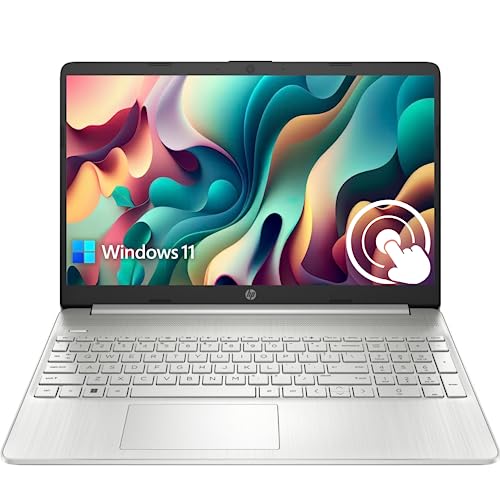
| HP 15.6-inch Ryzen 7 touchscreen | Heavy multitasking away from outlets | Ryzen 7 7730U, 32GB RAM, 2TB SSD, 10+H battery claim |
| HP Pavilion 15.6-inch touchscreen | Anti-glare touch use | 32GB RAM, 1TB SSD, up to 11 hours claimed |
| HP Everyday Laptop | Light work with fast charging | Fast Charge, WiFi 6, 128GB storage |
| HP 14-inch N150 laptop | Lightweight carry-everywhere use | Intel N150, 128GB UFS, fast charging |
How to Choose
Treat the stated hours as a ceiling
Manufacturer runtime figures usually come from light, steady tasks such as local video playback at low brightness. Real use with a browser, video calls and a bright screen commonly lands well below the number. A claim like “10+H” or “up to 11 hours” is therefore a ceiling, not a promise. A phrase such as “long battery life” with no number cannot be compared at all, so check the spec sheet for a watt-hour capacity; roughly 50Wh and up is a healthy range for a 14- to 15.6-inch laptop.
Look at the screen and the processor together
Screen size and brightness are the biggest drains. A 17.3-inch FHD panel needs more power than a 14-inch HD panel, and touchscreens add a little extra draw. On the processor side, U-series chips such as the Ryzen 5 7430U and Ryzen 7 7730U are built for efficiency, and low-power Intel N-series chips like the N150 are designed to sip power during light work. A higher core count does not guarantee longer life; it helps when you finish tasks faster, but it also encourages heavier use.
Mind the memory and storage trade-offs
More RAM and larger SSDs add a small continuous draw, yet 4GB machines can run hotter and work harder because the system swaps data to storage. For battery longevity, 8GB to 16GB is a sensible middle. Very large configurations, like 32GB of RAM or a 2TB drive, are valuable for heavy work but do not extend runtime on their own. A solid-state drive, as opposed to slower UFS or eMMC storage, finishes reads and writes quickly and lets the system idle sooner, which is one reason the SSD models here suit longer sessions.
Charging convenience counts too
Fast charging can matter as much as raw hours: a short top-up between meetings changes how you plan a day. Check for USB-C charging, which lets one charger serve a phone and a laptop, and avoid assuming a bundled adapter is a full-speed one. Also ignore cloud-storage and Office bundles when comparing battery life; they affect value, not runtime. Finally, look for a Wi-Fi 6 radio, which is efficient at keeping a connection stable, and for a keyboard backlight you can switch off, because small features like these add up over a long day.
The 5 Best Options
HP 17-Inch Ryzen 5 Business Laptop
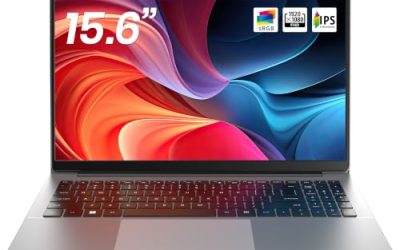
This is for people who want a large screen and a battery-conscious chip in the same machine. The listing names a Ryzen 5 7430U, a 17.3-inch FHD display, Wi-Fi 6, 16GB of RAM and a 512GB PCIe drive, and advertises long battery life.
- Strength: 16GB of RAM and a fast PCIe drive give comfortable day-to-day headroom.
- Strength: the listing explicitly pitches long battery life for a business-style machine.
- Trade-off: a 17.3-inch screen is a bigger power draw and a bigger bag than a compact model.
Skip it if you want the lightest carry, or if you need a stated hour figure rather than a general claim; the title gives no number. Students who spend the day moving between classrooms will feel the size more than anyone, since a 17-inch body is better suited to a desk with occasional trips.
HP 15.6-Inch Ryzen 7 Touchscreen Laptop
This is the heavyweight in the group, with a Ryzen 7 7730U (8 cores), 32GB of RAM, a 2TB SSD and a 15.6-inch FHD touchscreen. It is also one of only two listings that put a number on battery life, saying 10+H, along with Wi-Fi 6, Copilot and Windows 11 Pro.
- Strength: it has the most memory and storage here, ideal for heavy multitasking on the go.
- Strength: the 10+H claim is a clear, checkable figure for planning a workday.
- Trade-off: the very large 32GB and 2TB configuration is overkill for light users.
Skip it if your tasks are browsing and email only, because you would pay for capacity you never touch. Also remember that a battery claim of this kind describes light use, so heavy multitasking with a bright screen will still call for a charger sooner than the number implies.
HP Pavilion 15.6-Inch Touchscreen
The Pavilion pairs a 15.6-inch HD touchscreen with an anti-glare finish, 32GB of RAM, a 1TB SSD and an Intel Core processor listed as up to 4.4GHz. The listing states up to 11 hours of battery life, the highest number in the set.
- Strength: the 11-hour claim is the longest stated figure of the five.
- Strength: an anti-glare screen helps outdoors and in bright rooms.
- Trade-off: the display is HD rather than FHD, so text looks softer than on the Ryzen models.
Skip it if you read long documents all day and want sharper text, or if “up to” language makes you uneasy. Buyers who care about a lighter body should also compare weights on the product page, because a 15.6-inch touchscreen with this much storage is rarely the slimmest option available.
HP Everyday Laptop
An entry-level HP with an Intel CPU, 128GB of storage, Copilot AI, Office 365, 1TB of cloud storage, Windows 11, WiFi 6 and a Fast Charge feature. Its title promises long battery life without naming hours.
- Strength: fast charging makes short top-ups practical during a busy day.
- Strength: bundled software covers common documents immediately.
- Trade-off: the title does not state RAM or the processor model, so buyers must confirm memory and capacity.
Skip it if you need a verifiable battery figure or plan to keep large local files on 128GB. Because the listing relies on software extras, anyone comparing models should line up memory, processor and screen details first, and treat the bundle as a tiebreaker rather than the reason to buy.
HP 14-Inch N150 Laptop
A compact 14-inch HP with an Intel N150 processor, Office 365, 128GB of UFS storage, Copilot AI, 1TB of cloud storage, WiFi 6 and fast charging. It claims long battery life, and the low-power N-series chip fits that goal on paper.
- Strength: a small screen and an efficient chip suit all-day light work.
- Strength: fast charging and WiFi 6 round out a travel-friendly feature set.
- Trade-off: 128GB of UFS storage fills quickly and is slower than an SSD.
Skip it if you plan to run many apps at once or need a large, sharp workspace. Heavy spreadsheet users and anyone who edits photos should look at the Ryzen models instead, since a low-power N-series chip is tuned for efficiency rather than speed.
Which One Fits Your Situation
A commuter who needs a plan for the day
The Pavilion and the Ryzen 7 model both state hours, so they are the easiest to plan around. Choose the Pavilion for the longest stated figure and an anti-glare screen.
A remote worker with many open windows
The HP 15.6-inch Ryzen 7 combines 32GB of RAM with an efficient U-series chip, which suits spreadsheets, calls and dozens of tabs without leaving the outlet.
A traveler who packs light
The HP 14-inch N150 keeps size down and charges quickly, which helps on layovers. Accept its modest storage and memory limits, and lean on the bundled cloud space for files you do not need offline.
A professional who likes a big canvas
The 17.3-inch Ryzen 5 model gives the largest screen with 16GB of RAM, trading portability for working space. It fits someone who splits time between a home desk and an office, where a charger waits at both ends and the big display is the real benefit.
Common Mistakes
- Believing “long battery life” in a title without a number or a watt-hour figure.
- Treating “up to” hours as an average rather than a best case.
- Ignoring screen size and brightness, which drive battery use more than most specs.
- Paying for 32GB of RAM and 2TB of storage when the work is light.
- Forgetting that fast charging can be worth more than an extra hour of runtime.
Battery Specs and Terms Explained
Watt-hours
Watt-hours (Wh) measure the battery’s stored energy, and they are a more useful number than milliamp-hours. Divide Wh by the average power draw in watts to estimate runtime. A bigger Wh figure helps only if the screen and processor are efficient enough not to burn it.
Video playback hours versus mixed use
Manufacturers often quote local video playback, the most forgiving workload. Browsing with many tabs, video calls and syncing apps drain faster, so owners commonly report real-world runtime well below the headline figure.
Low-power processors
Chips designed for thin machines, like the N-series on the HP 14-Inch N150 Laptop, sip power and run cool. Higher-wattage Ryzen processors deliver more speed but need a bigger battery to match the same hours.
Brightness and refresh behavior
The display is usually the largest single drain. Turning brightness down a few notches, and choosing a panel without extra features like touch, adds meaningful time on the same cell.
Setup and Care Tips
- Pick the balanced or battery saver power plan before leaving home.
- Close apps that keep running in the tray, such as cloud sync and chat clients.
- Lower screen brightness and turn off keyboard backlighting when you do not need it.
- Avoid heat: leaving a laptop in a hot car shortens battery lifespan over time.
- If the system offers a charge limit in its utility, use it for desk-bound days.
Which One Should You Buy?
| If you… | Choose… |
|---|---|
| want a big screen and a roomy chassis | HP 17-Inch Ryzen 5 Business Laptop |
| want more performance and a touchscreen | HP 15.6-Inch Ryzen 7 Touchscreen Laptop |
| need a familiar mid-size Pavilion with touch | HP Pavilion 15.6-Inch Touchscreen |
| want a general-purpose notebook for school or home | HP Everyday Laptop |
| care most about a light, efficient processor | HP 14-Inch N150 Laptop |
Who Should Skip These
If you plan long gaming sessions or video rendering, battery hours will shrink sharply regardless of the model, and a plugged-in workstation is the realistic answer. Anyone who needs a guaranteed all-day figure should also look for a manufacturer rating that states how the figure was measured.
What the Spec Sheet Rarely Tells You
Battery capacity is often missing from retail listings, which makes the stated hours hard to verify. When two models claim similar runtime, the one that publishes a watt-hour figure and a named workload is the more trustworthy claim. Fast charging, a USB-C charging port and a slim power brick also matter for a day away from the desk, since a short top-up at lunch can stretch a modest battery through the afternoon.
Keep in mind that battery capacity declines with age. A laptop that comfortably lasts a workday today may need a mid-afternoon charge after a couple of years of daily cycles, so leave yourself some headroom when choosing.
Related guides
- Rechargeable Electric Toothbrush With Travel Case
- Countertop Water Filters Without Installation
- Nsf Certifications For Water Filters Explained
Frequently Asked Questions
What is a good battery life for a laptop?
Ten hours of claimed runtime is a reasonable target, which often translates to six to eight hours of mixed use. Look for numbers and capacity, not just adjectives. If a listing offers neither, treat the claim as marketing language until the spec sheet says otherwise.
Does a bigger battery always mean longer runtime?
No. A large battery feeding a large bright screen and a powerful chip can drain as fast as a small one in a lean machine. Efficiency and capacity both matter.
Are touchscreens worse for battery life?
They add a modest draw, so a touchscreen model may run a little shorter than a non-touch twin. If you rarely tap the screen, you can skip it. On the other hand, a touch panel is useful for note-taking and presentations, so weigh the small runtime cost against how often you would use it.
Can I extend battery life with settings?
Yes. Lowering brightness, closing background apps and using the power-saver mode can add meaningful time, often more than any hardware difference between two similar models. Keeping the battery away from extreme heat and avoiding constant full discharges also helps it hold capacity over the years.