
Key takeaways
What's inside
Solar security camera setups promise coverage with no wiring and no ladder trips to recharge, but only with real sun, so this solar security camera guide ranks picks by panel, battery, and storage reality. Below are six options with honest drawbacks, from fee-free local storage to cloud plans today.
As an Amazon Associate we earn from qualifying purchases at no extra cost to you. Product prices and availability are accurate as of the date shown and are subject to change.


As an Amazon Associate we earn from qualifying purchases.
By Daniel Foster
When Solar Cameras Make Sense
A solar camera shines where wiring is impractical and the mounting spot gets steady sun, trickle-charging the battery so you rarely touch it. Understanding sun exposure, battery capacity, and storage first keeps a solar security camera from becoming a unit that dies every cloudy week or hides its footage behind a fee.
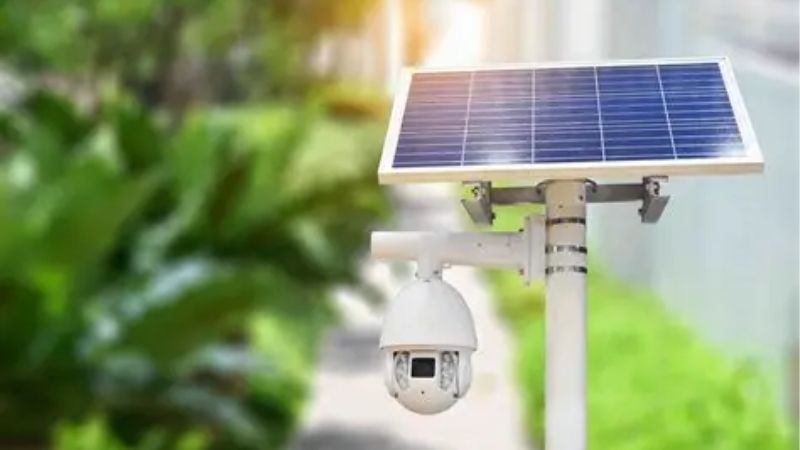
Solar Security Camera Decision Numbers
The deciding factors are the power model (solar panel feeding a rechargeable battery), how footage is stored (local microSD or hub versus cloud), any subscription for recorded video, and the sun the location actually gets. Solar reduces charging only where the panel receives several hours of direct light daily.
Then check resolution, field of view, and night vision, plus how motion detection filters false alerts, since events drain the battery. On-device person detection both cuts nuisance clips and preserves charge, which matters most on short winter days when the panel harvests far less energy than in summer.
Confirm the storage stays fee-free if that is your goal, since some solar cameras record locally but gate detection or alerts behind a plan. A local card or hub keeps footage in your home with no monthly bill, complementing the wire-free power for a genuinely low-maintenance, low-cost setup. Confirming several hours of direct daily sun at the mount is the single most important check here.
Placement, Space, And Fit
The panel needs a spot with direct sun for a good part of the day, ideally facing the equator side of your home, so plan the camera location around light, not just the view. A camera aimed perfectly but shaded by an eave or tree will keep discharging faster than the panel can refill.
Mount the camera about 8-10 ft (2.4-3 m) high, angled down the path you cover, and route the short panel cable neatly to a sunny position that may differ from the camera’s own spot. Some kits separate the panel from the camera, giving flexibility to chase sun while keeping the lens on target.
For renters, no-drill mounts and the wire-free design travel well, but confirm you have a genuinely sunny, unobstructed spot before counting on solar. In heavily shaded yards or far-north winters, even a good panel may not keep up, so verify the location honestly rather than optimistically. A shaded eave or a nearby tree quietly undoes even a capable panel, so judge the light honestly.
Sun, Battery, And Storage
Solar cameras rely on harvesting more energy than events consume, so a shaded panel or a very busy, motion-heavy location can outpace the charge and drain the battery. Match expectations to your climate and traffic, and consider a wired option instead for a shaded or extremely active spot.
Battery capacity determines how long the camera lasts through cloudy stretches, and cold weather reduces both battery performance and solar harvest at once. Short winter days are the real test, so a larger battery and efficient detection matter most exactly when the panel delivers the least energy.
Storage follows the usual rule: local microSD or a hub avoids fees, while cloud plans add off-site backup at a recurring cost. Confirm which features are free, since a fee-free solar camera should keep detection and playback local, giving you both wire-free power and no monthly bill. Sizing the battery for cloudy stretches and cold snaps keeps the camera alive when harvest drops off.
Top Solar Security Camera Picks
These six span local-storage and cloud solar cameras with different panels and batteries, so you can match sun needs and fees to your spot. Each entry names a real drawback, because a solar security camera trades off sun dependence, storage cost, and busy-location battery drain in ways no design avoids. Judging the sun honestly at the mount matters more than any single spec on the box.
| Pick | Storage | Panel | Best for |
|---|---|---|---|
| Reolink solar | Local, no fee | Included | Fee-free coverage |
| eufy solar | Local hub | Included/add-on | Skip fees |
| Arlo + solar panel | Cloud | Add-on | Wireless ecosystem |
| Ring + solar panel | Cloud | Add-on | Alexa homes |
| Wyze solar | microSD | Add-on | Budget tier |
| Blink + solar mount | Local/cloud | Add-on | Long battery |
Reolink Solar For Fee-Free Coverage
Reolink’s solar cameras often include the panel and record to a microSD card or hub with no subscription, keeping person detection local. For a sunny, hard-to-wire spot, that combination of solar power and fee-free storage is exactly what many buyers want from a wire-free camera.
The drawback is that a shaded location or a very busy scene can still outpace the charge, and the app is more utilitarian than the big smart-home brands. Confirm the panel gets real sun and that the detection you need stays free before assuming a truly hands-off, no-fee setup.
For fee-averse buyers with a sunny mount, Reolink is a leading value. Aim the panel at the best light, keep footage local to skip monthly costs, and plan for a possible top-up charge during long cloudy or winter stretches when solar harvest drops.
eufy Solar To Skip Fees
eufy’s solar-capable cameras pair local hub storage and on-device detection with no required subscription, so a sunny mount can run nearly maintenance-free without fees. The wireless design installs without drilling, and clips live on the hub rather than a company server for privacy.
The limitation is hub dependence, panel availability that varies by model, and battery drain in busy or shaded spots, plus some cloud-linked extras. Confirm the panel and sun exposure, and wire the busiest camera instead if a location’s traffic would outpace what solar can replace.
For fee-free, privacy-minded solar coverage, eufy is a strong pick. Verify the panel option for your model, aim it at steady sun, and size expectations for winter, when short days test whether solar truly keeps the battery topped up at your location.
Arlo Plus Solar Panel For A Wireless Ecosystem
Arlo’s wire-free cameras accept an add-on solar panel, extending runtime in sunny spots within a polished wireless ecosystem with wide fields of view and color night vision. For an Arlo household, adding solar reduces recharge chores on a camera placed where wiring is impractical.
The trade-off is that recorded video and the best features lean on a subscription, so solar solves power but not fees. Busy locations and cloudy climates still drain the battery, and the panel is a separate purchase, so factor both the plan and the panel into the total cost.
If you are committed to Arlo and want less recharging, the solar panel helps. Aim it at strong sun, budget for the subscription, and keep realistic expectations that solar extends but does not guarantee runtime in a shaded or very active outdoor location.
Ring Plus Solar Panel For Alexa Homes
Ring offers add-on solar panels for several of its battery cameras, trickle-charging them in sunny spots and integrating tightly with Alexa and the Ring app. For an Alexa household, solar cuts recharge trips while keeping the coordinated experience across devices.
The drawbacks are that recorded video needs a Ring Protect plan, so solar does not remove fees, plus Ring’s data policies and cloud dependence. A shaded panel or busy scene still drains the battery, and the panel is a separate cost, so weigh the full total before buying.
For Ring users wanting less recharging, the solar panel is a sensible add-on. Position it for real sun, budget the subscription, and confirm how the camera behaves during an outage, since solar addresses power but not the cloud reliance for recorded footage.
Wyze Solar For Budgets
Wyze’s solar-capable cameras with an add-on panel offer wire-free power and microSD local storage at a budget-tier price, a cheap way to cover a sunny spot without fees for basic recording. For a shed, side yard, or secondary angle, it delivers usable coverage affordably.
Compromises match the price: modest panel and battery performance, some advanced detection behind a low-cost plan, and slower app response. In shade or a busy location the budget battery drains faster, so confirm sun and traffic before relying on it as hands-off, always-on coverage.
As an inexpensive solar option, Wyze suits secondary angles where cost matters most. Aim the panel at the best light, keep recording local to avoid fees, and pair it with a stronger camera at the main entry where reliability and detail matter more than saving money. As a secondary angle it earns its place, provided the spot actually gets the sun a panel needs.
Blink Plus Solar Mount For Long Battery
Blink cameras already known for long battery life pair with a solar mount to extend runtime further in sunny spots, storing clips locally via a Sync Module or an optional cloud plan. The low price and Alexa integration make it an easy, low-maintenance solar option.
The trade-off is modest resolution and detection versus premium rivals, and the solar benefit depends on genuine sun reaching the panel. In shade or a very busy scene even a long-lived battery needs help, so confirm exposure and use the fee-free local storage to keep costs down.
For long, low-fuss runtime in a sunny location, Blink plus a solar mount is a practical value. Aim the panel at steady light, lean on local storage to avoid fees, and reserve a sharper camera for the spot where identification, not endurance, is the priority.
See More:
- Best eyeshadow blender brush
- Best frozen foods for air fryer
- Best frozen food for air fryer
- Best way to reheat steak in air fryer
- Best air fryer recipes book
Choosing Your Solar Security Camera
The best solar security camera for you starts with honest sun: only a genuinely sunny, unobstructed mount lets solar keep up, especially through short winter days and in busy, event-heavy spots. If your location is shaded or extremely active, a wired camera may serve better than fighting a struggling panel.
Match storage to your fee tolerance, since local-storage brands like Reolink, eufy, and Wyze skip monthly bills while cloud ecosystems add them, and confirm which detection stays free. Position the panel for real light, plan for winter harvest, and a well-placed solar security camera delivers wire-free coverage with little upkeep and, done right, no recurring cost at all.


