Key takeaways
Smart smoke detector buyers want a phone alert when a fire starts while they are out, plus fewer false alarms, so this smart smoke detector guide ranks picks by sensor and true reliability. Below are six options with honest drawbacks, weighed on sensor type, power source, and full sensor lifespan here.
Our top picks


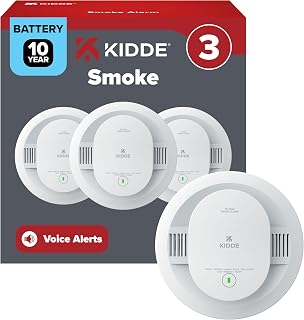


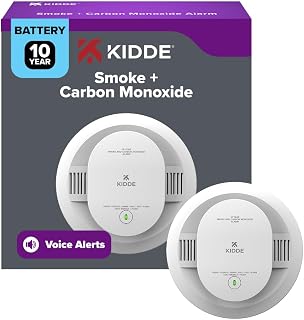

As an Amazon Associate we earn from qualifying purchases at no extra cost to you.
As an Amazon Associate we earn from qualifying purchases.
By Daniel Foster
What Makes A Smoke Alarm “Smart”
A smart smoke detector adds phone alerts, remote silencing, and self-testing to the life-safety basics, but the sensor underneath still does the real work. Sorting the sensor type, power source, lifespan, and certification first keeps it focused on detecting fire reliably rather than on app features that do not save lives.
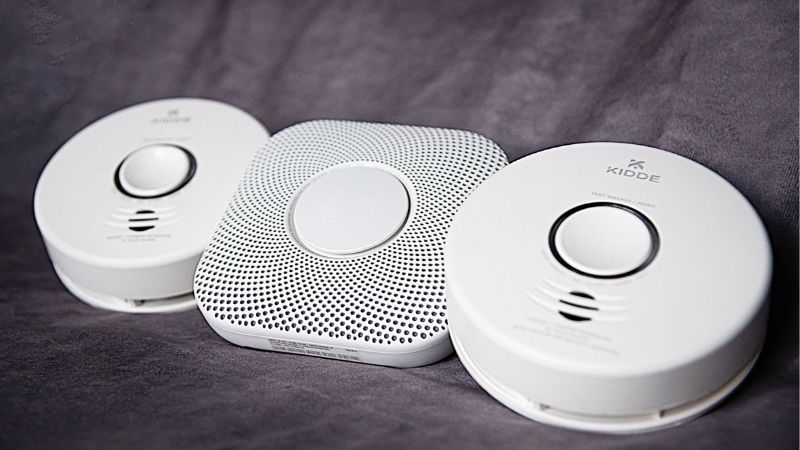
Smart Smoke Detector Decision Numbers
The deciding factors are the sensor type (ionization for fast-flaming fires, photoelectric for smoldering fires, or dual-sensor for both), the power source (a sealed 10-year battery versus hardwired with battery backup), the sensor lifespan (units expire around 10 years), and the certification (look for UL 217).
Then confirm interconnection, so all alarms sound together when one triggers, whether over wires or wirelessly, since a single beeping unit far from a bedroom may not wake you. Smart models add phone alerts and remote hush, but these supplement, never replace, a loud local alarm.
Check whether the detector needs a hub or works over Wi-Fi directly, and how it behaves if the internet is down, since the local alarm must still sound. A dual-sensor, UL 217 listed unit with interconnect and app alerts covers the most scenarios for a modern home. Pairing a good sensor with interconnection matters more than any app feature the marketing highlights.
Placement, Space, And Fit
Follow standard placement: a detector on every level, inside each bedroom, and outside each sleeping area, mounted on the ceiling or high on a wall away from corners. Keep units away from kitchens and bathrooms by the recommended distance to cut cooking and steam false alarms.
Hardwired models replace existing wired alarms and share a battery backup, while sealed-battery units stick or screw up anywhere without wiring, ideal for renters or rooms without a circuit. Confirm the ceiling type and that any hardwired swap matches your home’s connector and voltage.
Interconnect placement so a fire in a far room still wakes sleepers, using wired or wireless linking. Avoid mounting near vents or ceiling fans that disperse smoke away from the sensor, and keep the unit reachable for the periodic testing and eventual replacement every decade. Keeping units away from kitchens and vents cuts the cooking and airflow false alarms that prompt tampering.
Sensor Type, Power, And Lifespan
Ionization sensors react quickly to flaming fires but nuisance-trip on cooking, photoelectric sensors catch smoldering fires and false-alarm less in kitchens, and dual-sensor units combine both for the broadest coverage. For most homes, dual-sensor or well-placed photoelectric alarms balance safety and false alarms.
Power is either a sealed 10-year lithium battery, which never needs changing and expires with the unit, or hardwired with a backup battery for outage protection. Sealed units simplify maintenance, while hardwired interconnected alarms suit new construction and whole-home wired coverage.
Lifespan is fixed: smoke sensors degrade and expire around 10 years, after which the whole unit must be replaced, not just the battery. Note the manufacture and expiry dates, since an old detector may fail silently, and replace the entire alarm on schedule regardless of how it looks. Noting the manufacture date on each unit is the simplest way to catch an alarm quietly past its life.
Top Smart Smoke Detector Picks
These six span dual-sensor connected alarms, ecosystem-tied models, and budget interconnected units, so you can match sensing and integration to your home. Each entry names a real drawback, because a smart smoke detector trades off sensor type, ecosystem fit, and price in ways worth weighing before you protect bedrooms. Reading the sensor type and certification closely matters far more than the app screenshots do.
| Pick | Sensor | Power | Best for |
|---|---|---|---|
| Google Nest Protect | Split-spectrum | Battery/wired | Smart features |
| First Alert Onelink | Photo/combo | Battery/wired | Apple Home |
| X-Sense wireless | Photoelectric | Sealed battery | Interconnected value |
| Kidde smart | Ionization/combo | Battery/wired | Familiar brand |
| Ecobee/hub sensor link | Via detectors | Varies | Existing smart home |
| Standalone photoelectric | Photoelectric | Sealed battery | Kitchen-area rooms |
Google Nest Protect For Smart Features
Nest Protect uses a split-spectrum sensor, speaks the location of the problem, sends phone alerts, and lets you hush from the app, with a self-test and CO detection on combo models. For a smart-home household wanting rich features and clear warnings, it is a capable, well-integrated alarm.
The drawbacks are a premium price and reliance on Wi-Fi for the smart features, though the local alarm still sounds offline. Availability and models have shifted over time, so confirm the current version and that it meets your interconnection and certification needs before buying several.
For feature-rich, spoken alerts and app control, Nest Protect leads on smarts. Budget for the higher cost across every room, confirm UL listing and combo CO if you want it, and remember the app features supplement the essential loud local alarm rather than replacing it. Spoken, located warnings genuinely help at 3 a.m., where a simple beep can leave you disoriented.
First Alert Onelink For Apple Home
First Alert’s Onelink smart alarms support Apple Home and voice, offer combo smoke and CO models, and send phone alerts with app testing. For an Apple household, the integration and combo sensing make it a natural, tidy choice for connected life-safety coverage.
The trade-off is a premium price and ecosystem leaning, plus Wi-Fi reliance for smart features while the local alarm sounds regardless. Confirm the sensor type and certification for each model, since the line spans photoelectric and combo units at different price points.
For Apple Home users wanting combo smoke-and-CO with app alerts, Onelink fits cleanly. Verify the exact sensor and UL listings, interconnect units so all sound together, and treat the smart features as convenience over the core job of a loud, reliable alarm. Interconnecting Onelink units so all sound together is the setting that most improves real safety.
X-Sense Wireless For Interconnected Value
X-Sense offers wirelessly interconnected alarms with sealed 10-year batteries at a lower price, so one triggering unit sounds them all without running wires. For whole-home linked coverage on a budget, especially in older homes without alarm wiring, it is strong value.
The drawback is a newer brand ecosystem and app that trail the biggest names, and some models are photoelectric-only rather than dual-sensor. Confirm the sensor type, UL listing, and how much smart functionality you actually get versus basic wireless interconnect.
For affordable, interconnected coverage, X-Sense delivers the safety essential of linked alarms cheaply. Verify certification and sensor type per model, place units per standard guidance, and add app-connected models where you want phone alerts for a home you leave often. Wireless interconnection is the real value here, since a far bedroom stays covered without running new wires.
Kidde Smart For A Familiar Brand
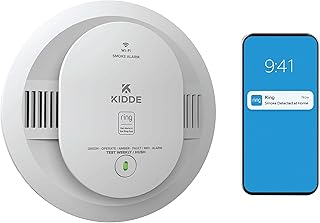
Kidde’s smart alarms bring app alerts and combo options from a long-established brand, with ionization, photoelectric, and combo models and hardwired or battery versions. For buyers who want a familiar name and easy availability, it covers common needs.
The drawback is that Kidde has issued recalls over the years, so verifying the exact model is current and unaffected matters, and ionization units nuisance-trip near kitchens. Confirm the sensor type, certification, and recall status before buying, and prefer photoelectric or combo near cooking areas.
For a familiar, widely available smart alarm, Kidde is a practical option. Check current recall notices and the sensor type, interconnect units, and place ionization models away from kitchens to reduce the cooking false alarms that lead people to disable detectors.
Ecobee Or Hub Sensor Link For Existing Smart Homes
Some smart-home platforms let compatible smoke or combo detectors report into a single hub and app, folding fire alerts into the system you already run. For a household with an established ecosystem, routing alarm alerts alongside security and climate is convenient.
The drawback is that integration depth varies and a hub or bridge is often required, so confirm which detectors truly report and how. The life-safety alarm itself is still the certified detector, so the platform adds alerts and routines, not the core detection.
For an existing smart home, linking detectors into one app is a tidy upgrade. Verify genuine compatibility and any hub requirement, keep certified alarms as the foundation, and confirm the local alarm and phone alerts both work if the hub or internet goes down.
Standalone Photoelectric For Kitchen-Area Rooms
A standalone photoelectric alarm with a sealed 10-year battery resists cooking nuisance trips better than ionization, ideal for rooms near a kitchen where false alarms are common. It may lack app features but nails the core job with fewer annoying triggers.
The drawback is no phone alerts on a basic unit and slower response to fast-flaming fires than an ionization sensor. Pair it with dual-sensor or connected units elsewhere, and confirm the UL listing and expiry date like any life-safety device.
For kitchen-adjacent rooms plagued by cooking false alarms, a photoelectric unit reduces the nuisance that leads people to remove batteries. Use it alongside smart or dual-sensor alarms in bedrooms, interconnect where possible, and replace the whole unit at the end of its rated life. Placing photoelectric units near kitchens is the single easiest way to stop nuisance trips at the source.
See More:
- Best eyeshadow blender brush
- Best frozen foods for air fryer
- Best frozen food for air fryer
- Best way to reheat steak in air fryer
- Best air fryer recipes book
Choosing Your Smart Smoke Detector
The best smart smoke detector for you pairs the right sensor, dual-sensor or well-placed photoelectric, with interconnection so every alarm sounds together, then adds phone alerts on top. Confirm UL 217 listing, choose sealed-battery or hardwired to fit your home, and remember the local alarm must work even offline. Getting placement and interconnection right does more for safety than any single premium feature.
Place detectors on every level, in and outside bedrooms, away from kitchens, and replace units around 10 years. Because fire-safety awareness peaks with heating season and daylight-saving battery-check reminders, a good moment to upgrade is easy to find, but the goal is a smart smoke detector that detects reliably first and alerts your phone second. Confirm the listing, interconnect every unit, place them correctly, and replace the whole alarm around ten years.