Key takeaways
- Best headset for meetings shopping is about the mic first, then noise cancelling, connectivity, battery and comfort. The best headset for meetings makes you sound clear and stay comfortable through back-to-back calls, so this roundup ranks seven top picks by…
What's inside
Best headset for meetings shopping is about the mic first, then noise cancelling, connectivity, battery and comfort. The best headset for meetings makes you sound clear and stay comfortable through back-to-back calls, so this roundup ranks seven top picks by the specs that decide how professional you sound.
As an Amazon Associate we earn from qualifying purchases.
By Daniel Foster
Top Meeting Headsets Compared
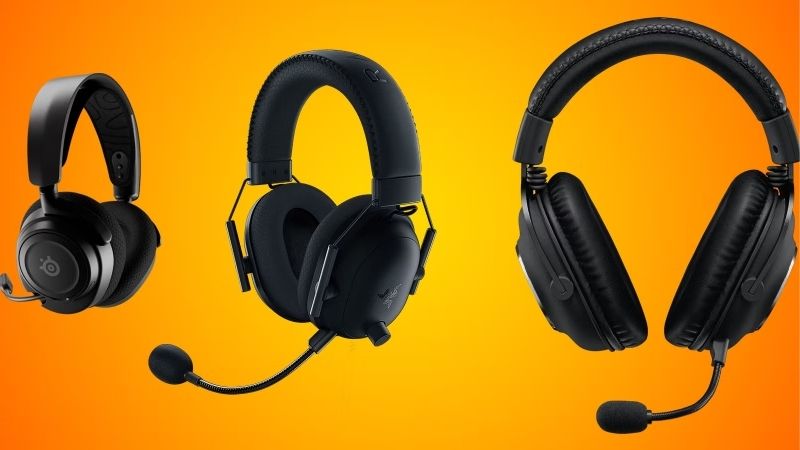
These seven headsets span certified business models to premium dual-use options. Each entry names an honest trade-off, since mic quality, noise cancelling, comfort and price rarely all align. Amazon pricing shifts often, so confirm the live listing before choosing any model below.
| Model | Connectivity | Noise cancelling | Standout | Best for |
|---|---|---|---|---|
| Jabra Evolve2 65 | BT + USB dongle | ANC | Certified mic | Business calls |
| Jabra Evolve2 40 | Wired USB | Passive | Reliable wired | Fixed desks |
| Poly Voyager Focus 2 | BT + USB dongle | ANC | Mic clarity | Noisy homes |
| Logitech Zone Wireless 2 | BT + USB dongle | ANC | Mic noise removal | Hybrid work |
| Microsoft Modern Wireless | BT + USB dongle | Passive | Teams button | Teams users |
| Anker PowerConf H700 | BT + USB dongle | ANC | Value features | Budget business |
| Sony WH-1000XM5 | BT + wired | Premium ANC | Dual-use audio | Music + calls |
Jabra Evolve2 65
The Evolve2 65 is a benchmark best headset for meetings, a business model with a clear, certified microphone, active noise cancelling and both Bluetooth and a USB dongle. It is engineered for calls, so your voice comes through cleanly across popular platforms.
Its audio is tuned for voice rather than rich music, and it is a premium purchase. For a professional who spends the day in meetings and needs reliable mic clarity and comfort across back-to-back calls, though, it is one of the most trusted choices.
Jabra Evolve2 40
The Evolve2 40 is the reliable wired sibling, connecting over USB with a strong microphone and passive noise isolation. A wired connection means no charging and no dropouts, making it ideal for a fixed desk where simplicity and consistency matter most.
It lacks wireless freedom and active noise cancelling, which some users want. For a home or office desk where you stay put and value a dependable, always-ready headset with a clear mic, though, its simplicity is a genuine advantage.
Poly Voyager Focus 2
The Voyager Focus 2 focuses on mic clarity and active noise cancelling, isolating your voice from background noise so you sound clear even in a busy home. Its comfortable fit and clear call quality make it a strong pick for noisy environments.
It is a premium headset and its music performance is secondary to calls. For anyone working in a noisy household who needs their voice to cut through clearly on meetings, though, its microphone and noise handling are among the best available.
Logitech Zone Wireless 2
The Zone Wireless 2 pairs active noise cancelling with advanced mic noise removal that suppresses keyboard clatter and background sound. Bluetooth plus a USB dongle suits hybrid workers who move between locations while keeping meetings sounding professional.
It is premium-priced and its features shine most in busy settings. For a hybrid worker who takes calls from varied, sometimes noisy places and wants their voice cleaned up automatically, though, it is a capable and comfortable choice.
Microsoft Modern Wireless
The Microsoft Modern Wireless Headset is a value option with a dedicated Teams button, Bluetooth and a USB dongle, tuned for Microsoft’s ecosystem. The one-touch Teams access and clear mic make it convenient for anyone whose work centers on Teams calls.
It uses passive isolation rather than active noise cancelling and is Teams-focused. For a Teams-heavy user who wants easy access and reliable call quality at a fair price, though, it is a practical and well-integrated choice.
Anker PowerConf H700
The PowerConf H700 offers active noise cancelling, a clear mic and useful features at a lower price than premium business headsets. It brings much of the meeting-focused capability of pricier models within reach for budget-conscious professionals.
Its build and mic refinement trail top business models, matching the price. For a value buyer who wants active noise cancelling and dependable call quality without a premium spend, though, it delivers strong value for daily meetings.
Sony WH-1000XM5
The WH-1000XM5 is a premium dual-use option, pairing class-leading music audio and noise cancelling with capable call performance. It suits anyone who wants one headset for both immersive listening and meetings rather than a dedicated business model.
Its microphone, while good, is not as call-optimized as certified business headsets, and it is premium-priced. For a user who prioritizes excellent music and noise cancelling and takes calls too, though, it is a superb all-rounder that covers both needs.
How to Choose the Best Headset for Meetings
The right headset makes you sound clear, blocks distractions and stays comfortable all day. Work through the criteria below, starting with the specs that decide call quality, so the best headset for meetings for you fits your work and environment.
The decision numbers: mic, noise cancelling, connectivity and battery
For the best headset for meetings, the microphone matters most, followed by noise cancelling, connectivity and battery. A clear mic makes you sound professional, active noise cancelling helps in busy rooms, and reliable connectivity plus long battery keep you going all day.
Weigh active versus passive noise handling. Active noise cancelling reduces background noise for you, while mic noise removal cleans up what others hear, so if you work somewhere noisy, prioritize both features to sound clear and stay focused on calls.
Match connectivity to your work. A USB dongle offers a stable, low-latency link for a fixed desk, Bluetooth suits moving between devices, and boards with both give flexibility, so pick based on whether you stay put or roam between locations and devices.
Space and fit: comfort and wearing style
Comfort matters over back-to-back calls, so consider the wearing style. Over-ear headsets isolate well and are comfortable for long sessions, on-ear models are lighter but can press, and a single-ear style keeps you aware of your surroundings, so choose for your day.
Check clamp force and ear cushion quality. A headset that feels fine for five minutes can ache after hours, so look for well-reviewed comfort if you wear it all day, since discomfort is the most common reason a good headset goes unused.
Consider your environment and awareness needs. A noisy household suits closed, noise-cancelling over-ear models, while a quiet home office where you want to hear the room might favor a lighter or single-ear design, so match the style to where you work.
Certification and platform compatibility
Business headsets are often certified for platforms like Teams and Zoom, which ensures reliable controls and call quality. If your work centers on a specific platform, a certified headset or one with a dedicated button adds convenience and dependable performance.
Check compatibility with your devices too. Most headsets work across computers and phones over Bluetooth, but a USB dongle needs a free port, so confirm the connection suits your setup, especially if you switch between a work laptop and a personal phone.
Value, use case and timing
Buy for how you work. A meeting-heavy professional gains most from a certified business headset, a noisy-home worker from strong noise handling, and a music lover who also calls from a premium dual-use model, so match the headset to your role and environment.
Timing helps the budget. Headsets drop around Prime Day in late June, Black Friday in November and the back-to-school window, when remote-work demand peaks, so a little patience can move you into a premium or certified model for the same overall spend.
Frequently Asked Questions
Here are quick answers to the questions buyers ask most about meeting headsets, so you can choose with confidence.
What matters most in a meeting headset?
The microphone matters most, since it decides how clear you sound to others. Noise cancelling, comfort and reliable connectivity follow, so prioritize a headset known for mic clarity, then weigh noise handling and comfort for your environment and call schedule.
Do I need active noise cancelling?
If you work somewhere noisy, it helps you focus, while mic noise removal cleans up what others hear. In a quiet office, passive isolation may be enough, so match the noise handling to your environment rather than assuming you always need active cancelling.
Wired or wireless for meetings?
Wired headsets never need charging and avoid dropouts, ideal for a fixed desk, while wireless offers freedom to move. Many wireless models include a USB dongle for a stable link, so choose based on whether you stay put or move during calls.
Does platform certification matter?
If your work centers on Teams or Zoom, a certified headset ensures reliable controls and call quality, and a dedicated button adds convenience. For mixed platform use, any quality headset works, so certification matters most when you live in one specific ecosystem.
Final Thoughts on the Best Headset for Meetings
The best headset for meetings is the one whose microphone, noise handling, connectivity and comfort match your work and environment. Prioritize mic clarity, add active noise cancelling for busy rooms, choose wired for simplicity or wireless for freedom, and ensure all-day comfort. Match it to your platform and setting, time the buy around a major sale, and the best headset for meetings will keep you sounding clear and professional on every call.