USB hub comparison shopping comes down to ports, interface, power and data speed. This USB hub comparison ranks seven top picks by exactly those specs, so you can add the connections your laptop or desktop lacks without buying more, or less, hub than you actually need.
As an Amazon Associate we earn from qualifying purchases.
Our top picks


As an Amazon Associate we earn from qualifying purchases at no extra cost to you.
By Daniel Foster
Top USB Hubs Compared
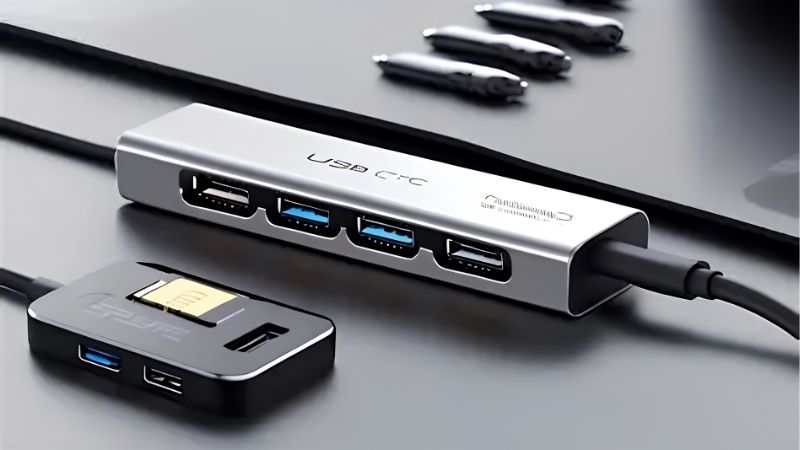
These seven hubs span simple data hubs to multiport USB-C models with display and power passthrough. Each entry names an honest trade-off, since port count, power and price scale together. Amazon pricing shifts often, so confirm the live listing before choosing any model below.
| Model | Interface | Ports | Power | Best for |
|---|---|---|---|---|
| Anker 341 (7-in-1) | USB-C | USB-A, HDMI, card, PD | PD passthrough | Value all-round |
| Anker 555 (8-in-1) | USB-C | USB-A/C, HDMI, Ethernet | PD passthrough | Feature-rich |
| UGREEN 6-in-1 | USB-C | USB-A, HDMI, card | PD passthrough | Budget multiport |
| Satechi Multiport | USB-C | USB-A/C, HDMI, card | PD passthrough | Mac aesthetics |
| Hiearcool 7-in-1 | USB-C | USB-A, HDMI, card, PD | PD passthrough | Cheapest multiport |
| Anker 4-Port USB 3.0 | USB-A | 4x USB-A 3.0 | Bus-powered | Simple data |
| Sabrent 4-Port Powered | USB-A | 4x USB-A + adapter | External power | Powered data |
Anker 341 (7-in-1)
The Anker 341 is a top value pick in any USB hub comparison, a 7-in-1 USB-C hub with USB-A ports, HDMI, a card reader and power passthrough. It covers the most common needs of a laptop user in one compact, affordable and reliable unit.
As a hub rather than a full dock, its HDMI and power support depend on your laptop’s USB-C capabilities. For a mainstream user who wants to add common ports and near one-cable convenience at a fair price, though, it is an excellent all-round choice.
Anker 555 (8-in-1)
The Anker 555 steps up to an 8-in-1 layout, adding Ethernet and both USB-A and USB-C data ports alongside HDMI and power passthrough. That extra connectivity suits users who need a wired network connection and more ports from a single compact hub.
It costs more than simpler hubs and, like all hubs, depends on the host laptop for display output. For a user who needs Ethernet and a fuller port set without stepping up to a full dock, though, it is a well-rounded, feature-rich option.
UGREEN 6-in-1
The UGREEN 6-in-1 is a budget multiport hub offering USB-A, HDMI, a card reader and power passthrough at a low price. It hits the essentials for a laptop user who wants to add a display and a few ports without overspending on features they will not use.
Its build and peak performance trail premium hubs, matching the price. For a value-focused buyer who wants common ports and single-display output affordably, though, it delivers the core benefits of a multiport hub reliably.
Satechi Multiport
The Satechi Multiport pairs a clean aluminum design with USB-A and USB-C data, HDMI, a card reader and power passthrough, matching Mac aesthetics. Its look and build suit a MacBook user who wants a hub that visually complements their laptop.
It is priced above budget hubs for its design and materials. For a Mac user who values a premium look and solid build alongside common ports, though, it is a stylish and capable choice that fits neatly into an Apple-centric desk.
Hiearcool 7-in-1
The Hiearcool 7-in-1 is among the cheapest multiport USB-C hubs, offering USB-A, HDMI, a card reader and power passthrough at a rock-bottom price. It makes multiport connectivity accessible for anyone who needs the basics without spending much at all.
Build quality and long-term reliability trail established brands, which is the trade for the low cost. For a budget buyer who wants common ports and single-display output as cheaply as possible, though, it covers the essentials well.
Anker 4-Port USB 3.0
The Anker 4-Port USB 3.0 is a simple data hub, adding four USB-A 3.0 ports from a single connection with no display or power features. It is the right tool when you just need more USB-A ports for drives, peripherals or accessories.
Being bus-powered, it may struggle to power several high-draw devices at once. For adding straightforward USB-A connectivity for keyboards, drives and dongles, though, it is a compact, affordable and dependable solution without unnecessary extras.
Sabrent 4-Port Powered
The Sabrent 4-Port Powered hub adds an external power adapter, letting it reliably run several higher-draw USB-A devices at once. That external power makes it ideal for a desktop with many peripherals or devices that a bus-powered hub cannot support.
The power adapter adds a cable and takes a socket, reducing portability. For a fixed desk that needs to power multiple demanding USB devices reliably, though, the external power is exactly what makes it more dependable than a bus-powered alternative.
How to Choose a USB Hub
The right hub adds the ports you need at the interface and power level your setup supports. Work through the criteria below, starting with the specs that define capability, so this USB hub comparison leads you to a hub that fits rather than frustrates.
The decision numbers: ports, interface, power and speed
Four factors define a USB hub comparison. The ports you need, the interface (USB-C or USB-A), whether it is bus-powered or externally powered, and the data speed all decide fit, so list the connections you actually need before choosing a hub.
Match the interface to your device. USB-C hubs can add HDMI and power passthrough for modern laptops, while a simple USB-A hub just multiplies data ports, so pick based on whether you need display output and charging or only more USB connections.
Weigh power carefully. Bus-powered hubs are compact but may not run several high-draw devices, while externally powered hubs handle demanding peripherals reliably, so if you connect drives, chargers or many devices, a powered hub avoids dropouts and instability.
Space and fit: laptop or desktop use
Match the hub to how you work. A compact bus-powered USB-C hub suits a laptop and travel, while a larger powered hub suits a fixed desktop with many peripherals, so consider portability against the number and power draw of your devices.
Check your device’s USB-C capabilities for multiport hubs. Display output and charging through a hub depend on the laptop supporting them, so verify your machine can drive an external screen over USB-C before relying on a hub’s HDMI port for a monitor.
Consider cable length and placement. Some hubs have a short captive cable while others are longer, so think about where the hub will sit relative to your laptop and whether the reach suits your desk layout and how you connect devices.
Hub versus dock: knowing the difference
A hub adds ports simply and affordably, while a dock offers more ports, higher power delivery and reliable multi-monitor support at a higher price. If you only need a few extra connections, a hub is enough; if you run a full desk, consider a dock.
Do not expect dock-level performance from a hub. Many hubs cannot charge a laptop fully or drive two monitors, so if that is your need, a docking station is the right tool, and a hub will leave you short on power or displays.
Value and timing
Buy for the ports you actually need, not the biggest hub. A traveler needs a compact multiport hub, while a desktop user may want a powered data hub, so match the hub to your devices rather than paying for connections you will never use.
Timing helps the budget. USB hubs drop around Prime Day in late June, Black Friday in November and the back-to-school window, so a little patience can move you into a feature-rich multiport or powered hub for the same overall spend.
Frequently Asked Questions
Here are quick answers to the questions buyers ask most about USB hubs, so you can choose with confidence.
What is the difference between a hub and a dock?
A hub adds ports affordably from one connection, while a dock offers more ports, higher power delivery and reliable multi-monitor support at a higher price. Choose a hub for a few extra connections and a dock for a full desk with charging and displays.
Do I need a powered USB hub?
If you connect several high-draw devices like drives or chargers, yes, since a bus-powered hub may not supply enough power. For a few low-power peripherals, a compact bus-powered hub is fine, so match the power type to your devices’ demands.
Can a USB hub connect a monitor?
A USB-C hub with HDMI can, but only if your laptop supports display output over USB-C. A simple USB-A hub cannot drive a monitor, so check your device’s capabilities and choose a multiport USB-C hub if you need to add a screen.
Will a hub charge my laptop?
Only USB-C hubs with power passthrough can, and their charging is limited compared with a dock. For full laptop charging while running many devices, a docking station is better, so treat hub charging as a convenience rather than a full power solution.
See More:
- Best eyeshadow blender brush
- Best frozen foods for air fryer
- Best frozen food for air fryer
- Best way to reheat steak in air fryer
- Best air fryer recipes book
Final Thoughts on This USB Hub Comparison
The best pick from this USB hub comparison is the one whose ports, interface and power match your device and your needs. Choose a multiport USB-C hub for a laptop that needs display and charging, or a powered USB-A hub for a desktop with many peripherals. Match the hub to your devices, know when a dock suits you better, time the buy around a major sale, and this USB hub comparison will point you to the right connections.