Our Top Picks
 SANSUI 34-Inch Curved Gaming Monitor UWQHD 3440 x34 Inch8.6 x 31.8 x 17.96 inches15.4 poundsCheck on Amazon
 Sceptre 30-inch Curved Gaming Monitor 21:9 2560x1080 Ultra3027.8 x 16.1 x 7.4 inches12.2 PoundsCheck on Amazon




Best Ultrawide Gaming Monitor Deals: The Straight Answer
The best ultrawide gaming monitor deal overall right now is the Alienware 34 Curved Gaming Monitor (AW3425DWM) — a 34-inch 3440 × 1440 panel at 180Hz with a 1ms rated response and a 1500R curve, which suits most desk-bound players who want a genuinely wide, sharp, fast image without jumping to a 49-inch footprint. If your budget is the binding constraint, the Sceptre 34-inch Curved WQHD gets you the same 3440 × 1440 resolution class and up to 180Hz for far less. If you want maximum screen real estate and can drive it, the Samsung 49-inch Odyssey G9 (G91F) is the flagship pick. The rest of this guide ranks every deal by aspect ratio, resolution, refresh rate, response time, curve, adaptive sync, desk footprint, and the GPU you actually need to feed it.
Top 3 Picks
Best Overall: Alienware 34 Curved Gaming Monitor (AW3425DWM)
The AW3425DWM balances everything that matters at 34 inches: 3440 × 1440 resolution, a 180Hz refresh ceiling, a 1ms rated response, a 1500R curve matched to a typical seated viewing distance, and AMD FreeSync Premium for tear-free play across a wide frame-rate window. It is the pick for someone who wants one monitor to do competitive gaming and desktop work equally well, and who has a mid-range or better GPU.
Best Budget: Sceptre 34-inch Curved WQHD
Sceptre’s 34-inch curved WQHD model delivers the core ultrawide experience — 3440 × 1440, an R1500 curve, up to 180Hz/165Hz depending on input, dual DisplayPort, and 99% sRGB coverage — at the lowest entry point in this roundup. It is the right call if you want resolution and refresh rate first and are willing to accept a plainer stand, less polished HDR, and a narrower feature set.
Best Premium / Maximum Immersion: Samsung 49-inch Odyssey G9 (G91F)
The Odyssey G9 (G91F) is a 32:9 DQHD super-ultrawide at 144Hz with DisplayHDR 600 and a pronounced curve. It replaces a dual-monitor setup with one seamless panel and is the pick for sim racing, flight sims, and immersive single-player games — provided you have the desk depth and a GPU strong enough to push roughly twice the pixels of a 3440 × 1440 display.
Quick Comparison
| Product | Best For | Key Specs | Price Tier |
|---|---|---|---|
| Sceptre 34-inch Curved WQHD | Cheapest route to 3440 × 1440 | 34in, 21:9, 3440 × 1440, R1500, up to 180Hz/165Hz, DisplayPort ×2, 99% sRGB | Budget |
| SANSUI 34-Inch Curved UWQHD | High refresh at a mid-range price | 34in, 21:9, 3440 × 1440, 200Hz | Mid-range |
| Sceptre 30-inch Curved 21:9 | Small desks and lighter GPUs | 30in, 21:9, 2560 × 1080, slim bezel, HDMI + DisplayPort, up to 200Hz | Budget |
| LG 34G600A-B Ultragear | Balanced mainstream 34-inch | 34in, 3440 × 1440, curved, 160Hz, AMD FreeSync Premium, HDR10 | Mid-range |
| Alienware AW3425DWM | Best all-round pick | 34in, 3440 × 1440, 180Hz, 1ms rated, 1500R, AMD FreeSync Premium | Premium |
| Samsung Odyssey G9 (G91F) | Replacing a dual-monitor setup | 49in, 32:9, DQHD, 144Hz, curved, DisplayHDR 600 | Premium |
| Acer Nitro ED300C X1 | Ultra-budget wide gaming | 29.5in, 21:9, 2560 × 1080, curved, 200Hz | Budget |
How We Chose
This roundup is assembled from published specification data and category context, not from physical use of the units. Each monitor was assessed against the criteria a buyer can actually verify before purchase: aspect ratio (21:9 versus 32:9), native resolution (2560 × 1080, 3440 × 1440, or DQHD), refresh rate ceiling, rated response time, curve radius, adaptive sync support, and physical footprint including stand depth. We also weighed the practical ownership questions — how much desk depth the curve and stand demand, what class of GPU is needed to sustain high frame rates at that pixel count, and whether the panel’s feature set (HDR tier, port count, ergonomics) justifies its price tier.
Selection favored monitors that occupy a clear position in the market rather than those that merely list an eye-catching number. A 200Hz budget panel and a 160Hz mid-range panel can be the right answer for different buyers depending on resolution, color coverage, and stand quality, so each entry is placed by the situation it fits rather than by a single headline spec. Upgrade path counted too: a monitor with dual DisplayPort or a broad adaptive sync window stays useful longer, while a very high pixel count locks you into a correspondingly expensive GPU upgrade.
1. Sceptre 34-inch Curved WQHD Monitor – Best for the Lowest Entry Point to 3440 × 1440
As an Amazon Associate we earn from qualifying purchases at no extra cost to you.

This is the deal to look at if you want a true ultrawide resolution without paying a mid-range or premium price. Sceptre positions this 34-inch model as a curved WQHD gaming display with a 21:9 aspect ratio, a 3440 × 1440 native resolution, an R1500 curvature, dual DisplayPort inputs, and a refresh rate that reaches up to 180Hz on capable connections and steps to 165Hz in other configurations. It also lists 99% sRGB coverage, which matters more than most buyers expect: a wider color gamut in the sRGB space means desktop work, photo browsing, and most game art look properly saturated rather than washed out. It suits a first-time ultrawide buyer, a second-monitor upgrade, or anyone building a two-PC or work-and-play setup who wants resolution and smoothness at the lowest possible cost.
Key specs
- Size and shape: 34 inches, 21:9 ultrawide, curved with an R1500 radius
- Resolution: 3440 × 1440 (WQHD), roughly 4.95 million pixels
- Refresh rate: up to 180Hz / 165Hz depending on input and settings
- Inputs: DisplayPort ×2 (plus the usual HDMI-class connection on most variants)
- Color: 99% sRGB coverage
Strengths
The core appeal is straightforward: 3440 × 1440 is the sweet spot of the ultrawide world. It gives you roughly 34% more horizontal pixels than 2560 × 1440 while staying far cheaper to drive than a 32:9 DQHD panel. At 34 inches, the pixel density is comfortable for text without scaling tricks, so the monitor works for spreadsheets and code as well as games. The dual DisplayPort inputs are a real practical bonus — you can leave a desktop and a laptop or console both connected and switch without crawling behind the desk. The R1500 curve is gentle enough that straight horizontal lines in documents do not look obviously bowed, but present enough to feel immersive at a normal seated distance.
Pros
- 3440 × 1440 at the lowest price tier in this roundup
- High refresh ceiling (up to 180Hz) for its class
- Dual DisplayPort inputs make multi-device setups easy
- 99% sRGB coverage keeps color looking correct in everyday use
- R1500 curve suits work and play without extreme distortion
Cons
- Stand and build materials are typically the first place budget monitors economize
- HDR performance is likely basic rather than a headline feature
- Adaptive sync support and its frame-rate window may be narrower than premium alternatives
- Ergonomic adjustment range is usually limited; a VESA arm may be needed
How it compares
Against the SANSUI 34-inch UWQHD, this Sceptre trades a little refresh headroom — SANSUI lists 200Hz versus Sceptre’s up to 180Hz — for a lower price tier. Both are 34-inch 3440 × 1440 curved panels, so the decision comes down to whether the extra 20Hz is worth the step up in cost, and whether the SANSUI’s stand and finish justify it. Against the Acer Nitro ED300C X1, the Sceptre is a clear resolution upgrade: the Acer is a 29.5-inch 2560 × 1080 panel, which is meaningfully less sharp. If your budget truly cannot stretch, the Acer remains the cheaper path; if you can reach the Sceptre, you get a resolution tier that stays current far longer.
2. SANSUI 34-Inch Curved Gaming Monitor UWQHD – Best for High Refresh at a Mid-Range Price

SANSUI’s 34-inch curved model is the mid-range 34-inch option that pushes the refresh rate higher than the budget entries. It is listed as a UWQHD 3440 × 1440 panel with a 200Hz refresh ceiling and an ultrawide 21:9 shape. That combination — the standard ultrawide resolution paired with a 200Hz ceiling — is the reason to consider it: you get the same pixel count as the Sceptre and LG entries but a faster panel, which matters for fast-paced shooters and for anyone who values the extra smoothness in desktop motion and cursor tracking. It suits a player who has already decided on 3440 × 1440 and now wants the fastest version of it they can get without crossing into the premium tier.
Key specs
- Size and shape: 34 inches, 21:9 ultrawide, curved
- Resolution: 3440 × 1440 (UWQHD)
- Refresh rate: 200Hz
- Adaptive sync: variable refresh support typical of this class (verify the exact certification on the listing)
- Inputs: DisplayPort and HDMI-class connections standard for the category
Strengths
A 200Hz ceiling at 3440 × 1440 is a meaningful step above 160Hz and above the 165Hz mode on many budget panels. In fast games the difference between 160Hz and 200Hz is subtle but real, and in desktop use a higher ceiling reduces the visible stepping of a moving cursor or a dragged window. Because it keeps the 3440 × 1440 resolution rather than chasing 32:9, it stays compatible with the vast majority of games that render ultrawide 21:9 natively, and it will not force you into the GPU upgrade a DQHD panel demands. The curved form factor helps at this width by keeping the far left and right edges at a more consistent distance from your eyes, which reduces the slight head-turning fatigue a flat 34-inch panel can cause.
Pros
- 200Hz refresh ceiling — the highest among the 34-inch 3440 × 1440 entries here
- Standard ultrawide resolution keeps GPU requirements reasonable
- Curved panel improves edge-to-eye consistency at 34 inches
- Mid-range price tier rather than premium
- 21:9 support is broad across modern games
Cons
- Brand support and firmware polish may trail the larger established names
- Stand quality and ergonomic range are often basic at this tier
- HDR capability is likely modest; do not expect a premium HDR experience
- The 200Hz ceiling is only reachable with a GPU that can actually sustain it at this resolution
How it compares
Against the LG 34G600A-B, the SANSUI leads on refresh rate — 200Hz versus 160Hz — while the LG counters with a well-established Ultragear feature set including AMD FreeSync Premium and HDR10. If adaptive sync certification and brand ecosystem matter more to you than a 40Hz ceiling advantage, the LG is the safer pick. Against the Sceptre 34-inch WQHD, the SANSUI is the faster panel at a higher price tier; if the extra refresh does not matter for the games you play, the Sceptre leaves money for a better GPU or a VESA arm. Against the Alienware AW3425DWM, the SANSUI wins on raw refresh (200Hz versus 180Hz) but gives up the Alienware’s rated 1ms response and its tighter 1500R curve calibration.
3. Sceptre 30-inch Curved Gaming Monitor 21:9 – Best for Small Desks and Lighter GPUs

This is the deal for the buyer who wants an ultrawide but does not have the desk width, the budget, or the graphics horsepower for a 34-inch 3440 × 1440 panel. Sceptre’s 30-inch curved model is a 21:9 display at 2560 × 1080 with a slim design, HDMI and DisplayPort inputs, and a refresh rate that reaches up to 200Hz. The 2560 × 1080 resolution is the key trade-off: it is noticeably less sharp than 3440 × 1440 at a similar physical width, but it is also dramatically easier to drive, which means a modest mid-range GPU can actually hit high frame rates instead of grinding. It suits a compact gaming setup, a secondary station, a first ultrawide, or a budget build where the monitor must not outclass the graphics card.
Key specs
- Size and shape: 30 inches, 21:9 ultrawide, curved, slim chassis
- Resolution: 2560 × 1080
- Refresh rate: up to 200Hz
- Inputs: HDMI and DisplayPort
- Footprint: smaller stand and narrower body than a 34-inch panel
Strengths
The practical advantage here is driveability. At 2560 × 1080 you are pushing roughly 2.76 million pixels — a bit more than a standard 1080p panel and far less than 3440 × 1440’s 4.95 million. A mid-range GPU can sustain high frame rates at this resolution in most titles, which means the 200Hz ceiling is genuinely usable rather than aspirational. That is the calculation many buyers miss: a 200Hz monitor driven by a GPU that only produces 90 frames per second is a 90Hz experience. On the desk, a 30-inch 21:9 panel occupies less horizontal space than a 34-inch one, so it fits narrower desks and sits comfortably alongside a second portrait display. HDMI plus DisplayPort gives you flexibility for a console or secondary machine.
Pros
- Far lower GPU requirements than 3440 × 1440 or DQHD
- Up to 200Hz refresh is realistically reachable on mid-range hardware
- Smaller physical footprint suits compact desks
- Both HDMI and DisplayPort inputs
- Lowest-cost route into the 21:9 format in this roundup alongside the Acer
Cons
- 2560 × 1080 is visibly less sharp than 3440 × 1440 for text and fine detail
- Lower pixel density at 30 inches means larger individual pixels
- Basic stand ergonomics typical of the budget tier
- Limited HDR and color-accuracy ambitions
How it compares
Against the Acer Nitro ED300C X1, this is a near-direct comparison: both are roughly 30-inch-class 2560 × 1080 curved panels with a 200Hz ceiling. The Acer lists 29.5 inches and 200Hz; the Sceptre lists 30 inches and up to 200Hz. The deciding factors are stand design, port layout, and whichever is currently priced lower — functionally they occupy the same slot. Against the Sceptre 34-inch WQHD, this model is the budget compromise: you give up 3440 × 1440 and about 2.2 million pixels of sharpness, but you gain a monitor your existing GPU can actually saturate. If you mostly play esports titles and value frame rate over fidelity, the 30-inch is the smarter allocation of money.
4. LG 34G600A-B Ultragear – Best for a Balanced, Established Mainstream 34-Inch

LG’s 34G600A-B is the mid-range 34-inch entry from a brand with a long-established gaming monitor line. It is a 34-inch curved Ultragear panel at 3440 × 1440 with a 160Hz refresh rate, AMD FreeSync Premium support, and HDR10. Where the SANSUI leads on raw refresh, the LG leads on the completeness of the package: certified adaptive sync, a known HDR tier, and the general build and menu polish that comes with a major display manufacturer. It suits the buyer who wants a dependable 34-inch ultrawide that behaves predictably across games, work, and media, and who values brand support and firmware updates over a spec-sheet maximum.
Key specs
- Size and shape: 34 inches, 21:9 ultrawide, curved Ultragear design
- Resolution: 3440 × 1440 (WQHD)
- Refresh rate: 160Hz
- Adaptive sync: AMD FreeSync Premium
- HDR: HDR10
Strengths
AMD FreeSync Premium is the headline feature here. It certifies a baseline of variable refresh behavior — low frame-rate compensation and a minimum refresh window — rather than merely advertising “FreeSync compatible.” In practice that means smoother play across a wider range of frame rates without tearing or stutter, which is exactly the benefit an ultrawide buyer is paying for. HDR10 support adds a defined HDR handling path, though on a mid-range panel it is best understood as an improvement over no HDR rather than a reference-grade experience. At 3440 × 1440 and 160Hz, the panel sits in the comfortable middle: sharp enough for productivity, fast enough for most competitive play, and not so pixel-heavy that it demands a flagship GPU. LG’s Ultragear line also tends to offer better on-screen menus and input-switching behavior than budget-tier competitors.
Pros
- AMD FreeSync Premium certification with a defined VRR baseline
- HDR10 support for a defined HDR path
- 3440 × 1440 resolution balances sharpness and driveability
- Established brand with a mature gaming monitor lineup and support
- Good fit for mixed gaming and productivity use
Cons
- 160Hz is the lowest ceiling among the 3440 × 1440 entries here
- Premium-tier pricing is not on offer; this is a mid-range package, not a flagship
- HDR10 on a mid-range panel rarely impresses against a true HDR display
- Nearest competitors at the same size offer higher refresh for similar money
How it compares
Against the Alienware AW3425DWM, the LG gives up 20Hz (160Hz versus 180Hz) and the Alienware’s 1ms rated response, but it steps down a price tier, so the value case is real if you do not need the fastest panel. Against the SANSUI 34-inch UWQHD, the LG trades 40Hz of refresh ceiling for FreeSync Premium certification and HDR10 — a classic “certified features versus raw numbers” trade. If you have experienced tearing on an uncertified adaptive sync display and it bothers you, the LG is the safer purchase; if you simply want the highest refresh at 3440 × 1440 for the money, the SANSUI is faster on paper.
5. Alienware 34 Curved Gaming Monitor (AW3425DWM) – Best Overall for Most Players

The Alienware AW3425DWM is the best all-round ultrawide deal in this roundup. It is a 34-inch WQHD curved gaming monitor at 180Hz with a 1ms rated response, a 1500R curvature, and AMD FreeSync Premium. It holds the 3440 × 1440 resolution sweet spot while pairing it with a faster, more tightly specified panel than the budget and mid-range entries, and it does so at a premium tier that is still far below the cost of a 49-inch super-ultrawide. It suits the player who wants one monitor to serve as the centerpiece of a serious setup — competitive shooters, immersive single-player games, and daily desktop work — without committing to the desk depth and GPU demands of a 32:9 panel.
Key specs
- Size and shape: 34 inches, 21:9, curved at 1500R
- Resolution: 3440 × 1440 (WQHD)
- Refresh rate: 180Hz
- Response time: 1ms rated
- Adaptive sync: AMD FreeSync Premium
Strengths
The combination of 180Hz, a 1ms rated response, and a 1500R curve is close to ideal for a 34-inch panel. The 1500R radius is the most aggressive curve in the 34-inch group here, which matters: at 34 inches wide, the horizontal edges of a flat panel sit considerably further from your eyes than the center, and a tighter curve brings them back closer to equidistant. The result is less eye travel and a more uniform sense of focus across the whole width, which is exactly why curved ultrawides are popular for both gaming and long work sessions. The 1ms rated response targets the smearing and ghosting that undermine fast-motion clarity, so the 180Hz ceiling translates into a visibly clean image during movement rather than just a higher number. FreeSync Premium keeps the experience smooth across varying frame rates.
Pros
- 1ms rated response — the quickest specification in this roundup
- 180Hz refresh at 3440 × 1440
- 1500R curve matches natural seated viewing distance closely
- AMD FreeSync Premium for broad tear-free coverage
- Premium panel quality without super-ultrawide GPU demands
Cons
- Premium tier pricing; not the budget-conscious choice
- Still 3440 × 1440 rather than the 32:9 immersion of a DQHD panel
- Costs meaningfully more than the SANSUI despite a lower refresh ceiling
- Its advantages show up most in fast games; casual users may not feel the premium
How it compares
Against the SANSUI 34-inch UWQHD, the Alienware gives up 20Hz of ceiling (180Hz versus 200Hz) but wins on the things a spec sheet headline hides: a 1ms rated response, a 1500R curve, and FreeSync Premium certification. If you play fast shooters and care about motion clarity, the Alienware is the better panel despite the lower number. Against the LG 34G600A-B, it is a straight upgrade — same resolution and adaptive sync family, more refresh, faster response, tighter curve — for a step up in price. Against the Samsung Odyssey G9 (G91F), it is the practical alternative: you sacrifice the 32:9 immersion and DQHD resolution, but you also avoid the desk-width requirement and the far heavier GPU load.
6. Samsung 49-inch Odyssey G9 (G91F) – Best for Replacing a Dual-Monitor Setup

The Odyssey G9 (G91F) is the flagship super-ultrawide in this roundup: a 49-inch 32:9 DQHD curved gaming monitor running at 144Hz with DisplayHDR 600. Where the 34-inch entries give you an extra third of horizontal space over a standard 16:9 panel, the G9 effectively gives you two 27-inch QHD displays fused into one seamless panel with no bezel gap down the middle. It suits sim racers, flight-sim players, immersive single-player fans, and anyone who currently runs two monitors side by side and is tired of the split. It is also the most demanding entry here — in desk space, in GPU load, and in workspace planning.
Key specs
- Size and shape: 49 inches, 32:9 super-ultrawide, curved
- Resolution: DQHD (32:9 dual-QHD class)
- Refresh rate: 144Hz
- HDR: DisplayHDR 600
- Use case: one-panel replacement for a dual-display arrangement
Strengths
The seamless 32:9 canvas is the whole point. In racing and flight sims it fills your peripheral vision in a way no 21:9 panel can, and in productivity it lets you park three or four windows side by side without a bezel interrupting the middle. The aggressive curve is essential at this width — without it, the far ends of the panel would be at an extreme angle to your eyes — and it pulls the whole surface into a tighter arc so the entire screen stays within a comfortable gaze. DisplayHDR 600 is a genuine step above the HDR10-only entries here, meaning it can reach a brightness level that gives HDR content some actual impact rather than just tone mapping. At 144Hz it is slower on paper than the 180Hz and 200Hz 34-inch panels, but that ceiling is honest: very few systems can drive DQHD beyond that in modern games anyway.
Pros
- 32:9 DQHD canvas replaces a dual-monitor setup with no bezel gap
- Exceptional immersion for sim racing and flight sims
- DisplayHDR 600 — the strongest HDR tier in this roundup
- Curved panel keeps the full width within a comfortable viewing arc
- 144Hz is generous for the pixel count
Cons
- Requires substantial desk depth and width
- Demands a high-end GPU to drive DQHD at high frame rates
- 144Hz ceiling is below the 180Hz and 200Hz 34-inch entries
- Some games render 32:9 poorly or letterbox it with black bars
- Premium price and premium power draw
How it compares
Against the Alienware AW3425DWM, the G9 is a different class of product entirely. The Alienware is sharper per inch, faster in refresh, and dramatically easier to drive; the G9 is wider, more immersive, and better for replacing two monitors. Choose the Alienware if your priority is a fast, sharp 34-inch; choose the G9 if you want the widest possible canvas and have the GPU and desk to support it. Against the LG 34G600A-B, the gap is even wider: the LG is the sensible mainstream 34-inch, while the G9 is the flagship statement purchase.
7. Acer Nitro ED300C X1 – Best for Ultra-Budget Wide Gaming
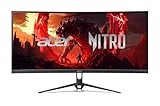
The Acer Nitro ED300C X1 is the lowest-cost route into the ultrawide format in this roundup. It is a 29.5-inch curved gaming monitor at 2560 × 1080 with a 200Hz refresh rate. Like the 30-inch Sceptre, it trades resolution for driveability: the 2560 × 1080 panel is far easier on a modest GPU than 3440 × 1440, which means the high refresh ceiling is achievable rather than theoretical. It suits the budget-first esports player, a compact secondary setup, or a first build where the graphics card is the limiting factor and the monitor should match it rather than outclass it.
Key specs
- Size and shape: 29.5 inches, 21:9, curved
- Resolution: 2560 × 1080
- Refresh rate: 200Hz
- Class: Acer Nitro budget gaming line
- Footprint: smaller and lighter than any 34-inch or 49-inch option here
Strengths
The value proposition is simple: this is the cheapest way to get an ultrawide, curved, high-refresh panel in this roundup. At 2560 × 1080 and 200Hz, it delivers smooth frame rates on hardware that would struggle to approach those numbers at 3440 × 1440. The curved panel wraps the edges toward you slightly, which helps at the 29.5-inch width by keeping the far sides a little closer to your sightline, and the smaller chassis means it fits desks that cannot accommodate a 34-inch or 49-inch display. For pure competitive multiplayer, where frame rate and motion clarity beat resolution and eye candy, this is a rational allocation of a limited budget — you are spending on smoothness rather than pixels.
Pros
- Among the lowest-priced ultrawides available
- 200Hz refresh — as high as any panel here
- 200Hz is realistically reachable thanks to the modest 2560 × 1080 pixel load
- Curved panel and compact 29.5-inch footprint
- Ideal for esports-first players on a tight budget
Cons
- 2560 × 1080 is the least sharp resolution in this roundup at any size
- Lower pixel density makes fine text and small UI elements less crisp
- Image quality and HDR are entry-level
- Stand adjustment is typically basic
How it compares
Against the Sceptre 30-inch curved 21:9, the Acer is the closest match in this entire list: same approximate size class, same 2560 × 1080 resolution, same 200Hz ceiling, same curved 21:9 shape. The choice between them comes down almost entirely to stand design, port arrangement, and which is priced lower at the moment. Against the Sceptre 34-inch WQHD, the Acer saves money but gives up the 3440 × 1440 resolution tier — a compromise that becomes more noticeable the more you use the monitor for work rather than games. If this is your gaming-only display and your budget is fixed, the Acer is a defensible choice; if you also use the monitor for productivity, stepping up to a 3440 × 1440 panel is worth the stretch.
How to Choose an Ultrawide Gaming Monitor
Ultrawide monitors are less about a single winning specification than about how several specs interact with your desk, your GPU, and the games you play. Working through the criteria below in order will get you to the right deal faster than comparing headlines.
Start with aspect ratio: 21:9 versus 32:9
The 21:9 format is the mainstream ultrawide. A 34-inch 21:9 panel is roughly the width of a 27-inch 16:9 monitor plus about a third more, and it renders natively in the vast majority of modern games. The 32:9 format, as on the Samsung Odyssey G9, is effectively two 16:9 panels joined without a bezel. It is spectacular in sims and for productivity, but it demands far more desk width, far more GPU power, and it occasionally runs into games that letterbox or distort at that ratio. If you have never owned an ultrawide, 21:9 is the safer entry; choose 32:9 only if the immersive or dual-replacement benefit is your primary goal.
Resolution determines sharpness and GPU load together
There are three resolutions in play here, and each carries a proportional pixel load. 2560 × 1080 is about 2.76 million pixels, 3440 × 1440 is about 4.95 million — roughly 79% more — and a 32:9 DQHD panel is roughly double the 3440 × 1440 figure. That math is the whole story: every step up in resolution makes the image sharper and simultaneously makes high frame rates harder to reach. If your goal is a 200Hz display, ask what your GPU produces at that resolution before assuming you will see 200 frames per second. A sharper monitor driven below its ceiling is still a good monitor; it is just not delivering the refresh rate you paid for.
Refresh rate: match it to your achievable frame rate
The refresh ceiling tells you the fastest your panel can redraw. Budget and mid-range 21:9 panels here cluster around 160Hz to 200Hz; the flagship 32:9 runs at 144Hz, which is honest given how hard DQHD is to drive. A practical rule: pick a refresh ceiling around 20–30% above the frame rate your GPU comfortably sustains in your main games. That headroom lets adaptive sync smooth out the variation without the panel sitting far above what your system can feed. If you mostly play demanding single-player titles, a 144Hz or 160Hz ceiling is plenty; if you play lighter competitive shooters, a 180Hz or 200Hz ceiling is worth paying for.
Response time is about motion clarity, not speed
Response time, usually quoted as a millisecond rating, describes how quickly a pixel changes state. A lower number means less ghosting and smearing behind fast-moving objects. The Alienware AW3425DWM’s 1ms rated response is the strongest in this roundup and is a genuine advantage in fast games. Be aware that response time specifications vary in how they are measured across brands, so use them as a relative guide within the category rather than a precise cross-brand benchmark.
Curve radius: 1500R to 1800R and what it changes
The curve radius describes the radius of the imaginary circle the panel is bent around. A smaller number means a tighter curve. At 34 inches, an R1500 curve — the tightest in this roundup, on the Alienware AW3425DWM and the Sceptre 34-inch — brings the far edges of the screen closer to equidistant from your eyes, reducing the head movement and the subtle edge distortion a flat panel produces. Gentler curves in the R1800 class are flatter and less noticeable, which some users prefer for document work because straight lines look straighter. At 49 inches, a pronounced curve is not optional — it is what makes the panel usable.
Adaptive sync: FreeSync Premium versus basic compatibility
Adaptive sync matches the monitor’s refresh rate to the frame rate your GPU is producing, eliminating tearing and reducing stutter. The meaningful distinction is between a certified tier — such as AMD FreeSync Premium, featured on the LG 34G600A-B and Alienware AW3425DWM — and a vague “compatible” claim. Certification implies a defined minimum refresh window and low-frame-rate compensation, which means the smoothing keeps working even when frame rates dip. If a listing only says the monitor supports adaptive sync without naming a tier, treat it as a feature to verify rather than assume.
Desk footprint: measure before you buy
This is where ultrawide purchases fail most often. A 34-inch 21:9 panel occupies roughly the same width as a 27-inch 16:9 monitor plus about a third more, but the stand depth and the curve mean the panel’s ends push forward. A 49-inch 32:9 model occupies substantially more width — plan for a desk that can hold it with speakers or a second display beside it. If your desk is tight, the 29.5-inch and 30-inch options are the pragmatic picks. Also check whether the monitor supports VESA mounting; a budget monitor’s included stand often has limited height and tilt adjustment, and a VESA arm solves both ergonomics and desk-space problems for modest cost.
GPU requirements: the calculation that matters
Estimate your target before choosing. If your GPU sustains about 100 frames per second at 2560 × 1080 in a given title, expect roughly 55–65% of that at 3440 × 1440, because you are rendering about 79% more pixels. At a 32:9 DQHD resolution, expect roughly half of the 3440 × 1440 figure again. That means a mid-range GPU is a good match for the 30-inch and 29.5-inch 2560 × 1080 panels, a strong mid-range or better card suits 3440 × 1440, and a high-end GPU is effectively mandatory to make a 49-inch DQHD panel sing. Choosing a monitor your GPU cannot drive is the most common ultrawide regret.
Frequently Asked Questions
Is 3440 × 1440 worth it over 2560 × 1080?
Yes, if you use the monitor for anything beyond gaming. At 3440 × 1440 you get roughly 4.95 million pixels versus about 2.76 million at 2560 × 1080, which is a visible jump in text sharpness, detail, and usable desktop space. The trade-off is that 3440 × 1440 demands meaningfully more GPU power to reach the same frame rates. If you play mostly fast competitive games on a modest GPU, 2560 × 1080 is the smarter match; if you want a monitor for work and play that stays current for years, 3440 × 1440 is the better investment.
Do I need a curved ultrawide, or is flat fine?
At 34 inches and above, a curve helps. The wider the panel, the further the far edges sit from your eyes on a flat screen, which increases head movement and makes the extreme sides look slightly distorted. A curve in the R1500 class — like the Alienware AW3425DWM — brings those edges closer to equidistant. Flat ultrawides exist and are perfectly usable, especially for document work where straight lines matter, but most buyers find the curve more comfortable at these widths. At 49 inches, the curve is effectively essential.
Will my graphics card handle a 49-inch 32:9 monitor?
Only if it is a high-end card. A 32:9 DQHD panel renders roughly double the pixels of a 3440 × 1440 display, so frame rates drop proportionally. If you already get comfortable frame rates at 3440 × 1440, expect roughly half that at DQHD unless you also upgrade the GPU. The 144Hz ceiling on the Samsung Odyssey G9 (G91F) is realistic precisely because DQHD is so demanding. If you cannot pair the panel with a strong GPU, a 34-inch 3440 × 1440 model will give you a better experience overall.
What refresh rate should I actually target?
Aim for a ceiling modestly above the frame rate your GPU sustains in the games you play most. If you sustain around 120 frames per second, a 144Hz or 160Hz panel is a good match; if you play lighter titles at 180 frames per second or more, a 180Hz or 200Hz panel makes sense. Buying far more refresh than your system can feed mostly buys headroom for future GPU upgrades. Adaptive sync — ideally a certified tier like FreeSync Premium — matters more than the exact ceiling for day-to-day smoothness.
Does response time really matter for gaming?
It matters for motion clarity in fast games. A lower response time means pixels transition faster, which reduces ghosting and smearing behind moving objects, so a 180Hz panel with a slow response can look blurrier than a lower-refresh panel with a fast one. The Alienware AW3425DWM’s 1ms rating is the quickest here and is a real advantage in shooters. For slower-paced games and desktop work, response time is far less noticeable, so do not overpay for it if you play mostly strategy, RPGs, or sims.
How much desk space does an ultrawide need?
A 34-inch 21:9 panel needs roughly the width of a 27-inch 16:9 monitor plus about a third more, plus stand depth and clearance for the curved ends. A 49-inch 32:9 panel needs substantially more width — enough for what is effectively two 27-inch displays side by side. Measure your desk before ordering, and check the stand’s footprint against the monitor’s width to confirm the panel will not overhang or sit awkwardly close. If space is tight, the 29.5-inch and 30-inch models are the practical choices.
Is a budget ultrawide good enough, or should I pay more?
Budget ultrawides get the fundamentals right — the aspect ratio, the resolution, and often a high refresh ceiling — while economizing on stand quality, HDR capability, and panel uniformity. If you mainly want the immersive format and high frame rates, a budget option like the Sceptre 34-inch WQHD or the Acer Nitro ED300C X1 delivers most of the experience. The premium tier buys faster response times, certified adaptive sync, tighter curve calibration, and better HDR. Pay more if motion clarity and color quality matter; stay budget if you want the format at the lowest cost.
The Bottom Line by Situation
If you want one monitor that does everything well and you have a mid-range GPU or better, buy the Alienware AW3425DWM — 34-inch 3440 × 1440, 180Hz, 1ms rated, 1500R curve, and FreeSync Premium. If budget rules and you still want a true 3440 × 1440 ultrawide, the Sceptre 34-inch Curved WQHD is the lowest-cost path to that resolution, while the SANSUI 34-inch UWQHD is the pick if you want the highest refresh ceiling at that size and resolution. If your GPU is modest or your desk is compact, the Sceptre 30-inch 21:9 and the Acer Nitro ED300C X1 let you reach 200Hz without overspending on pixels you cannot drive. And if you want the widest canvas and have the desk depth and graphics hardware to feed it, the Samsung 49-inch Odyssey G9 (G91F) is the flagship choice for sims and for retiring a dual-monitor setup.