Ultrawide monitor review roundups often skip the numbers that decide fit: aspect ratio, resolution and panel type. This ultrawide monitor review keeps the focus on size, sharpness and refresh rate across seven strong 21:9 and 32:9 screens, so you can match one to your desk, your GPU and the way you actually work.
As an Amazon Associate we earn from qualifying purchases.
Our top picks


As an Amazon Associate we earn from qualifying purchases at no extra cost to you.
By Daniel Foster
Top Ultrawide Screens Compared
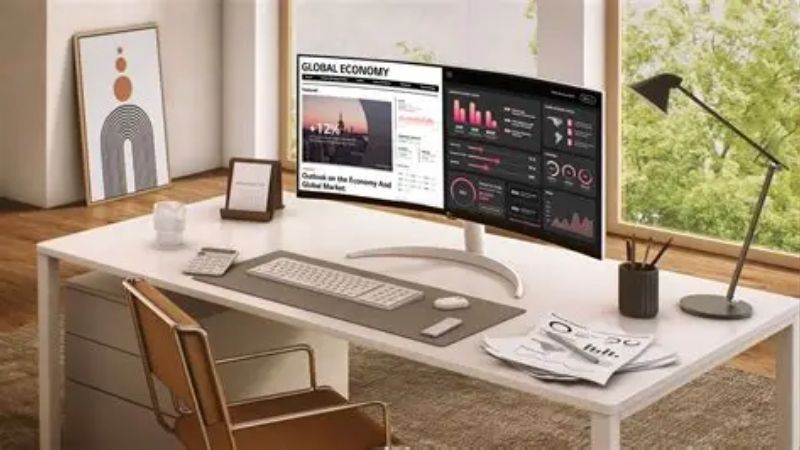
This ultrawide monitor review spans seven models, from productivity-first office panels to immersive gaming curves. Each entry names an honest trade-off, since no ultrawide leads on resolution, speed and price at once. Amazon pricing shifts often, so confirm the live listing before you choose any display in the table below.
| Model | Size / Aspect | Resolution | Panel / Refresh | Best for |
|---|---|---|---|---|
| LG 34WN80C-B | 34″ / 21:9 | 3440×1440 | IPS / 60Hz | Office value |
| Dell UltraSharp U3423WE | 34″ / 21:9 | 3440×1440 | IPS / 60Hz | Docking + KVM |
| Alienware AW3423DWF | 34″ / 21:9 | 3440×1440 | QD-OLED / 165Hz | Immersive gaming |
| Samsung Odyssey G9 | 49″ / 32:9 | 5120×1440 | VA / 240Hz | Super ultrawide |
| LG 40WP95C-W | 40″ / 21:9 | 5120×2160 | IPS / 72Hz | 5K2K creative |
| Gigabyte M34WQ | 34″ / 21:9 | 3440×1440 | IPS / 144Hz | Value all-round |
| Dell U4021QW | 40″ / 21:9 | 5120×2160 | IPS / 60Hz | Premium productivity |
LG 34WN80C-B
This 34-inch 3440×1440 IPS curve is the value entry point, pairing solid color with USB-C that charges a laptop over one cable. For spreadsheets, documents and side-by-side windows it replaces a dual-monitor setup cleanly without a bezel running down the middle of your view.
At 60Hz it is a productivity panel rather than a gaming one, and the stand offers limited adjustment. For a tidy work-from-home desk on a modest budget, though, it delivers the core ultrawide benefit of extra horizontal space at a very accessible price.
Dell UltraSharp U3423WE
Dell’s 34-inch curved IPS adds a built-in KVM, a 90W USB-C hub and strong factory color, making it a hub for a two-machine desk. One cable powers a laptop while the KVM lets a single keyboard and mouse switch between work and personal computers instantly.
It runs at 60Hz, so gamers should look elsewhere for speed, and the docking features push the price into premium territory. For a professional home office that values connectivity and clean cable management, the extra spend is easy to justify over a barebones panel.
Alienware AW3423DWF
The 34-inch QD-OLED at 165Hz is the immersion pick in this ultrawide monitor review, with per-pixel contrast and rich color that flat IPS cannot match. Curved gaming worlds and sims wrap around your view, and it doubles as a vivid screen for daytime timelines and editing.
Ultrawide OLED demands a capable GPU to fill the resolution at a high frame rate, and as with any OLED there is burn-in caution for static taskbars over long work hours. If your card and workflow suit it, the payoff in picture quality is genuinely large.
Samsung Odyssey G9
The 49-inch 32:9 Odyssey G9 is the super ultrawide, a 5120×1440 VA panel at 240Hz with an aggressive 1000R curve. It replaces two 27-inch screens with one seamless surface, which is transformative for sim racing, flight games and sprawling multi-window productivity.
Its sheer width demands a very deep desk and a strong GPU, and VA contrast can smear slightly in the darkest transitions. Not every game supports 32:9 cleanly either, so check compatibility, but for the right setup nothing else feels quite as expansive.
LG 40WP95C-W
This 40-inch 5K2K (5120×2160) curved IPS brings desktop-class sharpness to the ultrawide format, with Thunderbolt connectivity for creators. The extra vertical resolution over standard 3440×1440 makes text crisp and gives editing timelines and code real breathing room on one screen.
The refresh rate is modest at around 72Hz, so it is aimed at creative and productivity use rather than fast gaming. It is also a premium purchase, but for a color-led workflow that wants width and pixel density together, it is a standout choice.
Gigabyte M34WQ
The M34WQ is the value all-rounder, a 34-inch 3440×1440 IPS panel at 144Hz with a KVM built in. It hits a rare balance, offering gaming-grade smoothness and productivity width at a price well below the OLED and premium docking options above it in this list.
Its stand is basic and it lacks the deepest contrast of a VA or OLED panel. For anyone who games and works on the same desk and does not want to pay a premium, though, the speed-to-price ratio makes it one of the easiest picks to recommend in this ultrawide monitor review.
Dell U4021QW
Dell’s 40-inch 5K2K curved IPS is the premium productivity flagship, combining massive resolution, Thunderbolt, a KVM and a 90W hub. It is built for demanding multi-window work, letting you keep several full applications open side by side without shrinking anything to fit.
At 60Hz it is not a gaming display, and the price sits firmly at the top of the market. For a serious professional desk where screen real estate directly drives output, however, it removes the need for a second monitor and the clutter that comes with one.
How to Choose an Ultrawide Monitor
The right ultrawide depends on your desk, your GPU and whether work or play leads. Work through the criteria below, starting with the numbers that define the format, so the pick that emerges from this ultrawide monitor review fits your space rather than a marketing headline.
The decision numbers: size, resolution, panel and refresh
Aspect ratio comes first: 21:9 suits most desks, while 32:9 replaces two screens but needs far more room. Then weigh resolution for sharpness, panel type for contrast and color, and refresh rate for smoothness, letting your main use decide which of those leads the choice.
Match resolution to size so text stays crisp. A 34-inch panel at 3440×1440 looks clean, while a 40-inch screen benefits from 5K2K to keep the same clarity, and a higher pixel count always demands more from your graphics card at a high frame rate.
Do not overbuy refresh you cannot feed. A 240Hz super ultrawide only shines with a powerful GPU, whereas office and creative users lose nothing at 60 to 75Hz and gain resolution or color for the same money spent on speed they would never actually reach.
Space and fit: desk depth and mounting
Ultrawides are physically wide and often curved, so measure both the width of your desk and the depth from where you sit. A 49-inch 32:9 panel needs a genuinely deep surface to sit at a comfortable viewing distance without forcing you too close to the center.
Check the stand and VESA mount too. Many bundled stands are large and limit placement, so if desk space is tight, confirm the VESA pattern and consider a monitor arm rated for the panel’s weight to free the surface underneath and dial in ergonomics.
Think about the curve radius for your distance. A tighter 1000R curve feels immersive up close but odd from far away, so match the curvature to how near you sit, especially on the widest 32:9 and 40-inch models where the effect is most pronounced.
Connectivity and the dual-machine desk
Ports shape daily use. USB-C with power delivery enables single-cable laptop docking, Thunderbolt adds daisy-chaining for creators, and a built-in KVM lets one keyboard and mouse serve two computers, which is a real convenience for a hybrid work-from-home setup.
Count the downstream USB ports and check the power delivery wattage if the screen will act as your dock. A 90W hub charges most laptops while driving the display, cutting a tangle of cables down to one and replacing a separate docking station entirely.
Work, play and timing
Buy for your dominant use rather than a spec you will rarely touch. A productivity user gains more from resolution and connectivity than from 240Hz, while a gamer wants refresh and contrast, so paying for the wrong strength is the usual way to overspend here.
Timing helps the budget. Ultrawide panels drop most around Prime Day in late June, Black Friday in November and the back-to-school window, so a little patience can move you into a larger size, a docking model or an OLED for the same overall spend.
Frequently Asked Questions
Here are quick answers to the questions readers ask most in an ultrawide monitor review before buying their first wide screen, so you can move from shortlist to decision with confidence.
Is 21:9 or 32:9 better?
21:9 at 34 inches is the mainstream choice and fits most desks, replacing a dual-monitor setup without a center bezel. 32:9 at 49 inches is wider still and great for sim games and heavy multitasking, but it needs a deep desk and a stronger graphics card.
Can an ultrawide replace two monitors?
Yes, and that is a big part of the appeal. One wide surface removes the bezel that splits a dual setup, giving you a seamless space for side-by-side windows, though you lose the flexibility of angling two separate screens independently toward you.
Do I need a powerful GPU?
For office and creative use at 60 to 75Hz, a modest card is fine. High-refresh gaming at 3440×1440 or 5120×1440 is what demands serious GPU power, so match the resolution and refresh rate to the graphics card you already own before buying.
Are curved ultrawides better than flat?
A curve helps at ultrawide sizes by keeping the edges at a more even distance from your eyes, which reduces the sense of looking away at the far sides. It matters more the wider the panel, so 32:9 and 40-inch models benefit most from it.
See More:
- Best eyeshadow blender brush
- Best frozen foods for air fryer
- Best frozen food for air fryer
- Best way to reheat steak in air fryer
- Best air fryer recipes book
Final Thoughts on This Ultrawide Monitor Review
The best pick from this ultrawide monitor review is the one whose aspect ratio, resolution and panel match your desk and your GPU. Choose 21:9 for a clean dual-screen replacement or 32:9 for maximum width, size the resolution to keep text sharp, and match refresh to your graphics card. Get those fundamentals right, time the buy around a major sale, and an ultrawide will make both work and play feel noticeably more spacious.