
Key takeaways
- Pro: Subscription-free AiProtection and parental controls mean the full feature set is yours from day one.
- Pro: AiMesh lets you add a second ASUS router or node for broader coverage without replacing the system.
- Con: Dual-band Wi-Fi 6 is competent but not class-leading for a multi-gigabit household with heavy simultaneous streams.
Every parent has been there: a negotiation over bedtime that turns into a debate about Minecraft servers, a school assignment that becomes a browser rabbit hole, and the slow realization that you are not actually managing what happens on your home network. A router with real parental controls solves a structural problem. It puts content filtering, time limits, and activity visibility at the network layer instead of scattering them across five different devices and three competing apps.
The gap between a genuinely useful parental control router and a decorative one is wider than most buyers expect. Some products lock core features behind a monthly subscription, so the dashboard you evaluate at the store is a teaser for the product you actually get. Others block categories so broadly that a homework site goes dark alongside the junk. The best options give you per-device profiles, granular time windows, and a clean mobile interface that makes adjustments in under thirty seconds. We compared this category with those priorities in mind heading into 2026, and the results below reflect which routers actually reduce the number of household screen-time arguments rather than adding another login to your password list.
Our top picks




As an Amazon Associate we earn from qualifying purchases at no extra cost to you.
Quick Picks
| Product | Best For | Price |
|---|---|---|
| ASUS RT-AX1800S | Families avoiding subscription fees | n/a |
| TP-Link BE6500 (BE400) | Large homes with many connected devices | n/a |
| TP-Link Deco S4 2-Pack | Whole-home mesh coverage on a budget | n/a |
| ASUS RT-BE58U | Power users wanting mesh, VPN, and layered security | n/a |
| TP-Link Archer AX21 V5 | Smart-home households that want voice control | n/a |
| TP-Link Archer AX10 | First-time parental control users on a tight budget | n/a |
| TP-Link Archer BE230 | Future-proofing with Wi-Fi 7 and HomeShield | n/a |
| TP-Link Deco M5 | Apartment dwellers needing compact mesh | n/a |
How We Picked
We ranked these routers on four criteria: whether parental controls cost extra over the life of the product, how granular the filtering and scheduling options are (per-device profiles versus one-size-fits-all network rules), the quality of the mobile app for making quick changes, and how well the hardware handles a typical family load of mixed devices without bottlenecking. A router that scores high on raw throughput but buries safe-search enforcement three menus deep in a desktop-only dashboard is worse for parents than one with moderate speed and a five-tap bedtime cutoff.
The 8 Best Routers With Parental Controls in 2026
ASUS RT-AX1800S
For families who want the parental control and security suite included without an ongoing subscription. The AiMesh compatibility means it can expand into a mesh network later if coverage needs grow, and the built-in VPN support adds a privacy layer that most routers in this tier skip entirely.
- Pro: Subscription-free AiProtection and parental controls mean the full feature set is yours from day one.
- Pro: AiMesh lets you add a second ASUS router or node for broader coverage without replacing the system.
- Con: Dual-band Wi-Fi 6 is competent but not class-leading for a multi-gigabit household with heavy simultaneous streams.
Skip it if you already have a mesh system and just need a simple standalone router with basic time limits; the expandability features are wasted on you.
TP-Link BE6500 (BE400)
For larger homes or tech-heavy households where device count and coverage area matter as much as filtering. Dual 2.5Gbps ports and support for up to ninety devices put real headroom on the table, while HomeShield handles parental controls and IoT isolation in one interface.
- Pro: Covers up to 2,400 square feet and handles ninety devices, so you will not be segmenting your network or worrying about congestion.
- Pro: Dedicated Private IoT network keeps smart bulbs and cameras isolated from the devices your kids use for schoolwork.
- Con: The quad-core CPU is strong but you are paying for Wi-Fi 7 performance that most family streaming and browsing will never saturate.
Skip it if your home is under 1,500 square feet and you have fewer than 30 devices; a Wi-Fi 6 router gives you the same parental features for less.
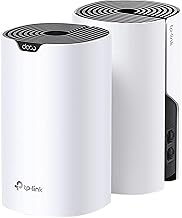
TP-Link Deco S4 2-Pack
For families in a two-story home or a wide layout who want mesh coverage without paying mesh-premium prices. The two-pack replaces both your router and extender, and parental controls are baked into the Deco app with per-profile time limits and content filtering.
- Pro: Up to 3,800 square feet of coverage from two nodes means dead zones in bedrooms and back offices disappear.
- Pro: The Deco app is simple enough that a non-technical parent can pause the internet for a specific device in under ten seconds.
- Con: AC1900 throughput is a generation behind Wi-Fi 6, so on gigabit internet plans the mesh nodes can become the bottleneck.
Skip it if you are on a gigabit or faster plan and have a small footprint; a single-band router with higher per-node throughput will serve you better.
ASUS RT-BE58U
For technically confident parents who want the most feature-dense single router available, combining Wi-Fi 7 throughput, dual-WAN failover, and triple-layer security with parental controls in one box. The included VPN compatibility and mesh expansion options make it a long-term platform rather than a two-year stop.
- Pro: Triple-level network security with parental controls included means you get intrusion prevention, malicious-site blocking, and per-device profiles without add-on subscriptions.
- Pro: Dual-WAN support provides internet redundancy, so a single outage does not take your filtering down with it.
- Con: The feature depth creates a learning curve; the initial setup and profile configuration take noticeably longer than the Deco ecosystem.
Skip it if you want set-and-forget simplicity; ASUS’s richer interface rewards those who will actually explore it.
TP-Link Archer AX21 V5 (Archer AX21 V5)
For budget-conscious families who want Wi-Fi 6, a certified smart-home integration path with Alexa, and an easy mesh expansion option. It does not have the dedicated HomeShield suite of the pricier TP-Link models, but it delivers the baseline parental and network management most households need.
- Pro: Easy Mesh compatibility means you can add a Deco node or another compatible router for coverage without replacing the unit.
- Pro: Certified for Humans and Alexa-ready, so voice commands for basic network tasks work out of the box.
- Con: Parental controls are more limited in granularity compared to routers bundled with HomeShield or AiProtection Pro.
Skip it if content filtering depth is your primary concern; you will hit the ceiling of what this router’s management interface can do.
TP-Link Archer AX10
For the parent buying their first router with parental controls who wants the lowest price of entry without giving up Wi-Fi 6 basics like OFDMA, MU-MIMO, and beamforming. It pairs well with Alexa voice commands and has enough CPU horsepower to handle a modest device load.
- Pro: Parental controls included on a dual-core 900MHz platform, so you get filtering, scheduling, and device profiles without a subscription.
- Pro: Four Gigabit LAN ports plus Wi-Fi 6 gives wired devices and wireless clients simultaneous bandwidth without port-starvation anxiety.
- Con: Coverage is adequate for a single floor but you will need a mesh add-on for multi-story homes.
Skip it if you need whole-home coverage from one device or plan to run a smart-home-heavy network with dozens of simultaneous connections.
TP-Link Archer BE230
For buyers who want Wi-Fi 7 at an accessible price and still expect HomeShield parental controls, MLO latency reduction, and 2.5G ports to future-proof the investment. The four-stream design and quad-core CPU make it a credible daily driver for a family of five or six with mixed device demands.
- Pro: Wi-Fi 7 with MLO delivers lower latency for gaming and video calls, which means fewer bandwidth complaints that derail your bedtime enforcement.
- Pro: 2.5G ports plus USB 3.0 give you both a high-speed wired backbone and shared storage without a separate NAS.
- Con: HomeShield’s full parent-control tier may still require a subscription, so evaluate the free feature set before committing.
Skip it if your current devices are all Wi-Fi 5 or 6 and you want the cheapest viable option; the Archer AX10 covers the same filtering needs for less.
TP-Link Deco M5
For apartment dwellers or anyone with a footprint under 2,000 square feet who wants a compact mesh node with HomeCare parental controls and a design that does not look like networking equipment. Quad-core CPU and MU-MIMO keep a typical one-bedroom or small two-bedroom device load manageable.
- Pro: HomeCare bundles parental controls and security into one managed experience with per-profile time limits and safe search enforcement.
- Pro: Alexa-compatible and visually unobtrusive, so it fits a living room shelf without shouting “I am a router.”
- Con: A single-pack unit covers up to 2,000 square feet, meaning larger or oddly shaped homes will require buying additional nodes.
Skip it if you need maximum single-router throughput; its dual-band design prioritizes coverage consistency over peak speed.
Buying Guide
Subscription vs. Subscription-Free Parental Controls
This is the decision that determines total cost of ownership. ASUS bundles AiProtection and parental controls free for the life of the router. TP-Link’s HomeShield offers a limited free tier, with advanced filtering, reports, and QoS locked behind a monthly or annual plan. Calculate what the subscription adds to a three-year ownership window before comparing hardware prices. A cheaper router with a mandatory $6-per-month add-on costs more than a pricier unit that includes everything.
Granularity: Profiles, Devices, and Time Windows
A good parental control system lets you create profiles per person (not per device), assign time windows by day, pause internet instantly from a phone, and filter by content category rather than just blocking known-bad domains. If a router only offers a network-wide “block violence sites” toggle with no scheduling, you will end up manually managing it and give up within a month. Look for per-profile grouping and instant-pause as minimum requirements.
Coverage and Device Capacity vs. Your Actual Home
Parental controls are only as effective as the network they run on. If your router drops signal in the basement where your teenager does homework, you are filtering nothing. Match the coverage figure and device capacity to your real situation: square footage, number of simultaneously connected devices, and building materials. A mesh pack with two or three nodes is the right call for multi-floor homes; a single powerful router works when the footprint is manageable.
Our Verdict
The top pick for most families is the ASUS RT-BE58U. It combines Wi-Fi 7 throughput, subscription-free triple-layer security with parental controls, dual-WAN redundancy, and mesh expandability into a single platform that will not need replacing for years. The budget pick is the TP-Link Archer AX10, which gives you Wi-Fi 6, parental controls, and four Gigabit ports without a subscription or a mesh commitment. The one condition under which the Deco S4 wins outright: if you live in a two-story home and coverage is your primary pain point, the mesh form factor delivers more reliable filtering across every room than any single-router option at this price.
FAQ
Do parental controls on routers block HTTPS sites?
Yes, modern router-based parental controls filter encrypted traffic by inspecting domain names and applying category-level blocks at the DNS or application level before the connection is established. This is why they work regardless of whether the site itself is served over HTTPS.
Is a router subscription the same as a separate parental control app?
No. A router subscription like HomeShield Premium unlocks filtering features built into the network hardware itself, protecting every device including those that do not support app-based controls like gaming consoles and smart TVs. A phone or computer app only governs the device it is installed on.
Can my child bypass router parental controls?
On a well-configured network, it is difficult because the filtering happens before their device makes a request. However, a knowledgeable teenager can use a cellular hotspot, a VPN, or a proxy to route traffic around your local network entirely. Router controls raise the barrier significantly but do not eliminate the possibility.
Do I need a mesh system specifically for parental controls?
No. Parental controls function on any router with the feature, whether it is a standalone unit or part of a mesh. You choose mesh for coverage, not for filtering. If a single router reaches every corner of your home, it enforces the same rules a mesh system would.









