Key takeaways
- Shopping for a gaming laptop under 1000 dollars means accepting a hard trade: the money can go into a dedicated graphics chip, a fast screen.
Shopping for a gaming laptop under 1000 dollars means accepting a hard trade: the money can go into a dedicated graphics chip, a fast screen, or a long list of headline numbers on a spec sheet, but rarely all three. Buyers who read the listing carefully can tell which models put cash where frames per second come from, and which ones lean on processor and storage figures while leaving the graphics side modest. This guide sorts seven listings on exactly that line.
It is written for students who want one machine for lectures and evening matches, for parents buying a first gaming laptop, and for anyone upgrading from a desktop-less setup in 2026 who needs a screen, keyboard and graphics in a single bag. Every comparison below comes from the product titles only, so the judgments focus on what the spec sheet shows rather than on anything that would need a bench to confirm.
Quick Picks
Our top picks


As an Amazon Associate we earn from qualifying purchases at no extra cost to you.
| Product | Best for | Key spec from the title |
|---|---|---|
| KAIGERR Gaming Laptop | Light games and everyday use | AMD Ryzen 7430U, 16GB DDR4, 512GB SSD, FHD display |
| Light Gaming Laptop (Ryzen 7 5700U) | Esports-style titles and multitasking | Ryzen 7 5700U, 8 cores and 16 threads, 15.6 inch |
| HILLSUSU 15.6″ Gaming Laptop | Memory and storage headroom | Ryzen 7 6800H, 24GB DDR5, 1TB NVMe SSD |
| HP Victus (RTX 3050) | Entry-level dedicated graphics | Core i5-12450H, GeForce RTX 3050, 144Hz FHD |
| HP Victus (RTX 4050) | Newer dedicated graphics | Core i5-13420H, RTX 4050 6GB, 144Hz FHD |
| Acer Nitro V | Highest refresh rate in this group | Core i5-13420H, RTX 4050, 15.6″ IPS 165Hz |
| NIMO Light-Gaming Laptop | Fast charging and DDR5 memory | 8-core Ryzen 7, 16GB DDR5, Radeon 680M, 100W PD |
How to Choose
Start with the graphics chip, not the processor
In this price band the graphics line on the listing predicts gaming ability better than the CPU name. A GeForce RTX 3050 or RTX 4050 is a dedicated GPU with its own video memory, and the listing for the 4050 model states 6GB. Titles that mention Radeon 680M are integrated graphics that share system memory with the processor. Integrated chips can handle older and esports-style games at modest settings, but buyers who want recent releases at medium or high settings should shortlist the dedicated-GPU models first.
Check the refresh rate and panel type
A standard 60Hz full HD panel is fine for office work and slower games. For competitive shooters, look for 144Hz or higher. Three listings here name a refresh rate: 144Hz on both HP Victus models and 165Hz on the Acer Nitro V, which also names an IPS panel for wider viewing angles. If a title says only FHD or 1920P without a refresh figure, assume a standard-rate screen. Do not pay extra for words such as flagship or high definition; the numbers that matter are the refresh rate and the panel type.
Set minimums for RAM and storage
Sixteen gigabytes of RAM is a sensible floor for modern games running alongside a browser and chat app. The Acer Nitro V title lists 8GB DDR5, which works but leaves little spare capacity and is one of the first parts a buyer may want to expand. For storage, 512GB fills quickly once a few large games are installed, so 1TB, as in the HILLSUSU listing, saves a later upgrade. Memory type matters too: DDR5 offers more bandwidth than DDR4, and integrated-graphics laptops benefit most from it.
Where budget models cut corners
Listings that open with a processor family and a long run of connectivity terms, but name no graphics chip, are usually light-duty laptops that happen to carry a gaming label. Also watch for older chip generations paired with attractive memory numbers, vague storage descriptions, and unfamiliar brand names with no named GPU. Ask three questions of every listing: which graphics chip, which refresh rate, and how much memory. If a title will not answer them, move on.
The 7 Best Options
KAIGERR Gaming Laptop
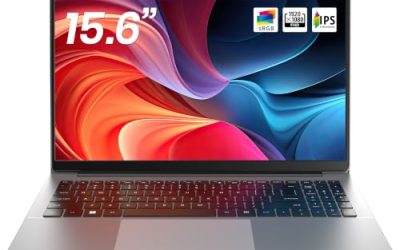
This listing pairs an AMD Ryzen 7430U, quoted at up to 4.3GHz, with 16GB DDR4 and a 512GB SSD behind a full HD display. Connectivity includes WiFi 6, USB 3.2 and Type-C. It suits a buyer who wants a capable all-round laptop and plays lighter titles. Think of it as a study-and-streaming machine that can also launch a match after homework, with a full HD screen sized for that kind of mixed use.
- Strength: 16GB of RAM and a 512GB SSD meet the baseline most buyers want.
- Strength: WiFi 6 and Type-C cover modern accessories.
- Trade-off: the title names no dedicated graphics chip, so demanding games are a stretch.
Skip it if recent, graphics-heavy releases are the priority, because the listing gives no sign of graphics hardware beyond the processor itself, and shoppers who want a fast screen should look further down the list.
Light Gaming Laptop with Ryzen 7 5700U
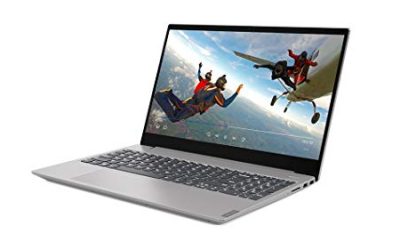
The title calls out an AMD Ryzen 7 5700U with 8 cores and 16 threads, 16GB RAM and a 512GB SSD in a 15.6 inch body. WiFi 6, Bluetooth 5.2, HDMI and Type-C round out the ports. It fits students who stream, study and play casually on one machine. The mention of HDMI is useful for anyone who wants to plug into a larger display at a desk and use the laptop screen as a secondary window.
- Strength: eight cores and sixteen threads help with multitasking.
- Strength: HDMI makes connecting an external monitor straightforward.
- Trade-off: no discrete GPU or refresh rate is listed, so it is positioned as light gaming only.
Skip it if you want high frame rates in newer games. The label says light gaming, and the spec sheet backs that wording rather than promising more than it lists.
HILLSUSU 15.6″ Gaming Laptop
The most generous memory configuration in the group: a Ryzen 7 6800H, 24GB of DDR5 and a 1TB NVMe SSD, with Windows 11 Pro and a backlit keyboard named in the listing. The 8 cores and 16 threads are quoted at up to 4.7GHz. It is a good fit for buyers who also edit video, run virtual machines or keep dozens of browser tabs open next to a game launcher, since memory and storage are the two areas where it clearly leads the group.
- Strength: 24GB DDR5 and 1TB of NVMe storage leave room to grow.
- Strength: the 6800H is a higher-tier mobile processor than the U-series chips here.
- Trade-off: the visible title does not state a dedicated GPU or refresh rate.
Skip it if a named GeForce card is a must-have, or if you want a confirmed high-refresh screen, since the visible listing text stops short of both details.
HP Victus 15.6″ with RTX 3050
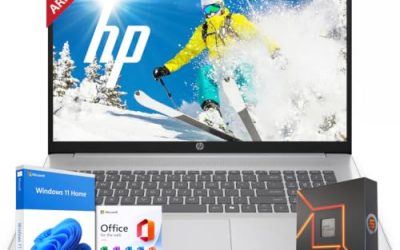
A recognizable gaming line with a Core i5-12450H, GeForce RTX 3050, 16GB RAM and a 512GB PCIe SSD behind a 144Hz full HD screen. Wi-Fi 6 and a backlit keyboard are listed. It suits first-time gaming laptop buyers who want a real discrete GPU at the entry tier, and families who prefer a mainstream brand name over an unfamiliar one when the laptop is a gift.
- Strength: dedicated RTX graphics plus a 144Hz panel.
- Strength: 16GB RAM and a PCIe SSD are listed up front.
- Trade-off: the RTX 3050 is the previous-generation, entry-level option in this group.
Skip it if you want the newest graphics architecture on the list; the 4050 version of this same line sits one step above it on the spec sheet.
HP Victus 15.6″ with RTX 4050
This version steps up to a Core i5-13420H and an RTX 4050 with 6GB of video memory, keeping the 144Hz full HD screen, 16GB DDR4 and a 512GB SSD. The Mica Silver finish is named in the title. It is the natural pick for buyers who want the newer GPU with a familiar brand, and for anyone moving up from the 3050 version who liked its 144Hz full HD screen and wants stronger graphics behind it.
- Strength: RTX 4050 6GB is the more current graphics option here.
- Strength: 144Hz suits fast-paced games.
- Trade-off: DDR4 memory rather than DDR5.
Skip it if you want more than 512GB of storage out of the box or prefer DDR5 memory, since both are better served elsewhere in this group.
Acer Nitro V
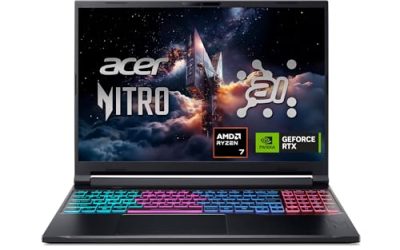
The Nitro V pairs a Core i5-13420H with an RTX 4050 laptop GPU and a 15.6″ full HD IPS display running at 165Hz. Memory is 8GB DDR5 with a 512GB Gen SSD. It is aimed at competitive players who value a fast screen and a named GPU, the sort of buyer who cares more about how smoothly motion looks in a shooter than about owning the largest SSD.
- Strength: 165Hz IPS is the quickest screen in this roundup.
- Strength: RTX 4050 graphics.
- Trade-off: only 8GB of RAM is listed, so a memory upgrade may be the first job.
Skip it if you plan to multitask heavily without upgrading, or if you do not want to open the case and add memory after purchase.
NIMO 15.6″ Light-Gaming Laptop
This listing highlights an 8-core AMD Ryzen 7, 16GB DDR5, Radeon 680M integrated graphics, a full HD display, 100W fast charging over PD and a backlit keyboard. Storage is a modest 256GB. It works for buyers who travel and want quick top-ups between classes or flights, and for those who value a backlit keyboard for late-night sessions.
- Strength: DDR5 memory helps integrated graphics.
- Strength: 100W PD charging is a convenient detail for commuters.
- Trade-off: 256GB of storage fills fast with game installs.
Skip it if you want a large game library without adding storage, or if you need a dedicated graphics card for demanding titles.
Which One Fits Your Situation
You want the strongest graphics in the group
Look at the Acer Nitro V or the HP Victus with RTX 4050. Both share the same processor family and graphics tier; the Acer offers a faster 165Hz panel, while the HP offers 16GB of RAM.
You need the most memory and storage
The HILLSUSU listing is the clear match, with 24GB DDR5 and a 1TB NVMe SSD, which suits creative work alongside gaming.
You are on the tightest budget with entry-level graphics
The HP Victus with RTX 3050 gives a discrete GPU and a 144Hz screen without stepping into the newer tier.
You mostly play lighter games and carry the laptop daily
The NIMO Light-Gaming laptop and the Ryzen 7 5700U model fit here, and the KAIGERR is a similar all-rounder if you prefer its specification mix.
Common Mistakes
- Treating a “gaming” label as proof of a dedicated graphics chip. Read for RTX or another named GPU.
- Ignoring refresh rate and settling on a 60Hz panel for fast shooters.
- Buying 8GB of RAM without planning to upgrade it.
- Choosing 256GB of storage, then running out after two or three large games.
- Comparing processor speeds across different generations as if the gigahertz figure alone settled it.
Specs and Terms Explained
TGP: the number behind the graphics chip name
Two laptops can carry the same graphics chip name and still deliver different frame rates, because each maker sets how many watts the chip may draw. That limit is called total graphics power, or TGP. A higher limit lets the chip hold faster clock speeds before heat forces it to slow down. Listings rarely print the figure, so look in the manufacturer’s spec sheet, and treat a missing number as a reason to compare that exact configuration before ordering.
VRAM: memory that belongs to the graphics chip
Video memory stores textures and other game assets. Entry-level laptop graphics in this class often carry 4 GB, while the next step up commonly carries 6 GB. When a game asks for more than the card holds, frame rates stutter even if the chip itself is fast, so the extra memory matters more as new releases grow heavier.
Dual-channel RAM: how the sticks are installed
Sixteen gigabytes can arrive as one module or as two matched modules. Two modules give the processor roughly double the memory bandwidth, which helps most on models that rely on integrated graphics, such as the Ryzen 7 5700U laptop in this group. If the listing says single-channel or shows one stick, plan on adding a matching second module later.
Refresh rate versus frame rate
A 144 Hz panel can only show the frames the graphics chip produces. If a game reaches 70 frames per second, a faster screen adds smoothness only up to that ceiling. For this class of laptop, a screen that matches what the chip can deliver is a better target than the biggest Hz figure on the box.
Which One Should You Buy?
| If you… | Choose… |
|---|---|
| Want the most graphics headroom from the group | HP Victus 15.6″ with RTX 4050 |
| Want a dedicated graphics chip at a lower step on the ladder | HP Victus 15.6″ with RTX 3050 |
| Prefer a current budget gaming design with a dedicated chip | Acer Nitro V |
| Mostly play esports titles and older games, and do schoolwork | Light Gaming Laptop with Ryzen 7 5700U |
| Are comparing the lowest-cost options on memory and storage | KAIGERR Gaming Laptop, HILLSUSU 15.6″ Gaming Laptop or NIMO 15.6″ Light-Gaming Laptop, after confirming the graphics line in each listing |
Setup and Care Tips
- Plug in before gaming and switch Windows to its performance power mode; many laptops cut graphics power on battery.
- Install the graphics driver from the chip maker rather than relying on the version preloaded at the factory.
- Keep the intake vents clear by playing on a hard, flat surface, not a bed or cushion.
- Cap the frame rate in game settings to match the screen, which lowers heat and fan noise.
- Leave at least a fifth of the storage drive free so updates and shader caches have room.
Related guides
- Rechargeable Electric Toothbrush With Travel Case
- Countertop Water Filters Without Installation
- Nsf Certifications For Water Filters Explained
Frequently Asked Questions
Is an RTX 4050 enough for a gaming laptop under 1000 dollars?
It is the newest dedicated graphics option in this group and comes with 6GB of video memory on the HP listing. It targets 1080p play, which matches the full HD screens on these models.
Can integrated Radeon graphics play modern games?
Integrated graphics such as Radeon 680M can run lighter and older titles at reduced settings. Buyers who want newer releases should lean toward the RTX models.
How much RAM should I look for?
Aim for 16GB. The Acer lists 8GB, which can work but usually calls for an upgrade, while the HILLSUSU lists 24GB.
Does refresh rate matter on a laptop?
For fast action games it does. A 144Hz or 165Hz panel redraws the image more often than a standard 60Hz screen, which makes motion look smoother.