Kindle review buyers want the lineup ranked by real specs, not hype, so this kindle review ranks every current Kindle plus one Kobo rival by screen, warm light, waterproofing and features. We combine maker specs with long-term owner feedback, note the ecosystem limits, and list one honest drawback per model so you pick the right Kindle.
As an Amazon Associate we earn from qualifying purchases.
Our top picks



As an Amazon Associate we earn from qualifying purchases at no extra cost to you.
By Daniel Foster
Kindle Review: The Lineup Ranked
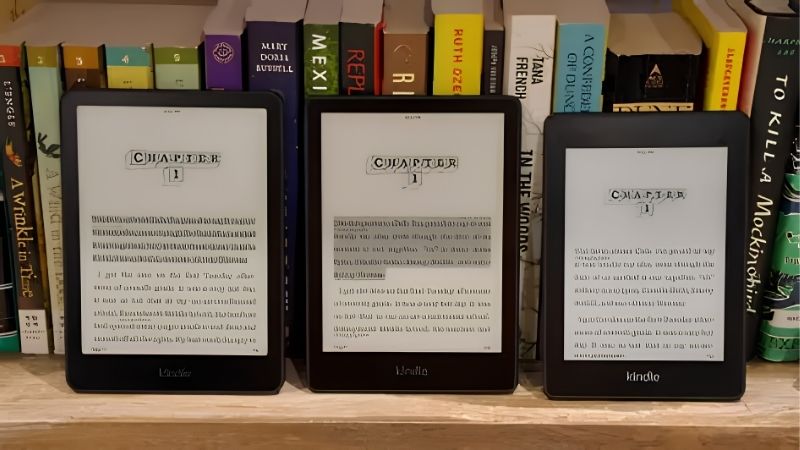
Every Kindle uses glare-free 300ppi e-ink, ties into Amazon’s huge store and lasts weeks per charge; the models differ on screen size, warm light, waterproofing, storage and note-taking. The picks below run budget to premium, and prices move often, so confirm the live figure.
| Model | Screen | Extras | Tier |
|---|---|---|---|
| Kindle (base) | 6″ 300ppi mono | Front light, 16GB | Budget |
| Kindle Paperwhite | 7″ 300ppi mono | IPX8, warm light | Mid |
| Paperwhite Signature | 7″ 300ppi mono | Auto light, wireless charge, 32GB | Mid |
| Kindle Colorsoft | 7″ colour e-ink | IPX8, warm light, 32GB | Premium |
| Kindle Scribe | 10.2″ 300ppi mono | Pen included, notes | Premium |
| Kobo Libra Colour | 7″ colour e-ink | Buttons, stylus (rival) | Mid |
Kindle Base (Cheapest)
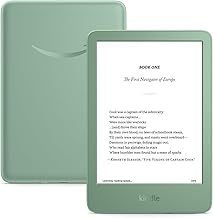
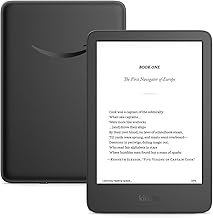
The base Kindle is the budget entry: a 6-inch 300ppi e-ink screen with a front light, USB-C and 16GB, tied to Amazon’s store. It is light for one-handed reading, lasts weeks per charge and delivers crisp text in sun or dark for the lowest price in the range.
It lacks waterproofing and an adjustable warm light, and the cheaper tier carries lockscreen ads unless you pay to remove them. For simple novel reading on a budget it is excellent, though most readers will find the Paperwhite’s extras worth the modest step up in price.
Kindle Paperwhite (Best for Most)
The Paperwhite is the pick of this kindle review for most readers: a 7-inch 300ppi screen with an adjustable warm light, IPX8 waterproofing and faster page turns. The larger, evenly lit display and weeks of battery make it comfortable for long reading anywhere, bath included.
Storage is fixed and it stays inside Amazon’s ecosystem, and it is grayscale, so comics look flat. For pure text reading with a warm light and water resistance, it is the sweet spot of the Kindle range and the model that suits the widest set of readers.
Kindle Paperwhite Signature Edition (Upgraded)
The Signature Edition builds on the Paperwhite with an auto-adjusting front light, Qi wireless charging and 32GB of storage, on the same 7-inch waterproof screen. The auto light adapts to the room and wireless charging adds convenience for readers who want the polished version.
It costs more than the standard Paperwhite for features some readers will rarely use, and it is still grayscale and Amazon-locked. For frequent readers who value auto brightness, wireless charging and extra storage, it is the best pure-reading Kindle, though the standard model covers the basics.
Kindle Colorsoft (Colour)
The Kindle Colorsoft adds colour e-ink to a 7-inch waterproof screen with a warm light and 32GB, so covers, highlights and simple illustrations show in colour while text stays sharp. For readers who want colour without leaving Amazon’s store, it is the natural choice in the lineup.
Colour e-ink is muted and lower resolution than crisp grayscale, and it is the priciest reading Kindle. For illustrated books, comics and colour highlights it earns its place, but pure text readers gain little over the far cheaper Paperwhite and should save the money.
Kindle Scribe (Notes and Reading)
The Kindle Scribe is the note-taking flagship: a large 10.2-inch 300ppi e-ink screen with an included pen, pairing distraction-free handwriting with the full Kindle library. The paper-like display suits margins, notebooks and reading on one low-fatigue screen that lasts weeks.
Its note features are simpler than a full app, it is large and heavy for one-handed reading, and it is premium-priced. For readers who also want handwritten notes and a big page, it is unique in the range, though pure readers are better served by the pocketable Paperwhite.
Kobo Libra Colour (The Rival)
As the non-Amazon alternative in this kindle review, the Kobo Libra Colour offers colour e-ink, physical page-turn buttons and stylus support on a 7-inch waterproof screen. It borrows library books natively through OverDrive and reads open formats, escaping Amazon’s ecosystem entirely.
Colour e-ink is muted, the store is smaller than Amazon’s, and it costs more than a mono Kindle. For readers who want page buttons, note-taking, library borrowing and freedom from Amazon, it is the strongest Kindle rival and a genuine reason to consider leaving the ecosystem.
How to Choose in This Kindle Review
Match the screen size, features and ecosystem to how you read before you buy. The points below settle most decisions faster than comparing every Kindle spec side by side.
The Specs That Decide It
All Kindles share a crisp 300ppi screen, so the deciding features are size, the warm light, waterproofing, storage and whether you want colour or note-taking. The Paperwhite adds a warm light and IPX8 over the base model, the Colorsoft adds colour, and the Scribe adds a pen.
Decide whether you read pure text, illustrated books or want to handwrite notes, then match the model. Settling features first prevents overpaying for colour or a pen you will not use, or under-buying a base Kindle when a warm light and waterproofing would improve your reading.
Size and Fit for How You Hold It
Kindle sizes run 6 to 10.2 inches. The 6 and 7-inch models are light for one-handed reading in bed or on a commute, while the 10.2-inch Scribe is better on a desk for notes and heavier to hold for long reading sessions of novels held in one hand.
Weight matters for hours of reading, so a Paperwhite beats a Scribe for pure books. Check the grams and dimensions against how you read, and choose the smaller models for portability or the Scribe only if handwriting and a big page justify the extra size and weight.
Ecosystem, Value and Timing
Kindles lock you to Amazon’s store, which is huge but closed, while the Kobo rival offers open formats and native library borrowing. Weigh how you buy and borrow books, since that ecosystem choice matters more over years than a single feature difference between two readers.
On timing, the late-June Prime Day and November sales are the strongest windows for a kindle review pick, and Kindles are among the most popular gifts in the holiday season, though Amazon shifts sale dates each year, so confirm the official ones before planning a purchase.
Kindle Review FAQ
These are the questions buyers ask most about Kindles, covering which model to pick, the ads and whether a Kindle can replace paper books.
Which Kindle should most people buy?
The Paperwhite suits most readers, adding a warm light and IPX8 waterproofing over the base model at a reasonable step up in price. Choose the base Kindle to save money, the Colorsoft for colour, the Signature Edition for auto light and wireless charging, or the Scribe for notes.
Do Kindles show ads?
The cheaper tiers display lockscreen ads, which you can remove for a one-time fee or by choosing the ad-free version at purchase. The ads appear only on the lockscreen, not while reading, so many buyers accept them to save money, while others prefer to pay for a clean screen.
Can a Kindle replace paper books?
For most readers, yes. The 300ppi e-ink screen mimics paper, is glare-free in sun and lasts weeks per charge, while holding thousands of books in one light device. Some readers still prefer paper for feel and lending, but a Kindle covers the reading experience closely for daily use.
See More:
- Best eyeshadow blender brush
- Best frozen foods for air fryer
- Best frozen food for air fryer
- Best way to reheat steak in air fryer
- Best air fryer recipes book
Bottom Line of This Kindle Review
This kindle review points you by how you read: the base Kindle for cheap text, the Paperwhite as the best all-round pick, the Signature Edition for auto light and wireless charging, the Colorsoft for colour, the Scribe for handwritten notes, and the Kobo Libra Colour if you want to leave Amazon’s ecosystem. Decide on colour, notes and store first, check the weight for one-handed reading, and let Prime Day or the holidays set the price. Match the model and a Kindle fits your reading life.