Tablet screen size guide decisions rest on use and portability, not slogans, so this tablet screen size guide compares slates from 8 to 14 inches by weight, resolution and best use. We combine maker specs with long-term owner feedback, span compact to giant, and list one honest drawback per size so you pick the right inches.
As an Amazon Associate we earn from qualifying purchases.
Our top picks


As an Amazon Associate we earn from qualifying purchases at no extra cost to you.
By Daniel Foster
Tablet Screen Size Guide: Sizes Ranked by Use
Screen size is the single biggest choice a tablet buyer makes, trading portability for canvas. The table below spans compact to giant with a representative slate for each size, and Amazon prices move often, so read the tiers as a guide and confirm the live figure.
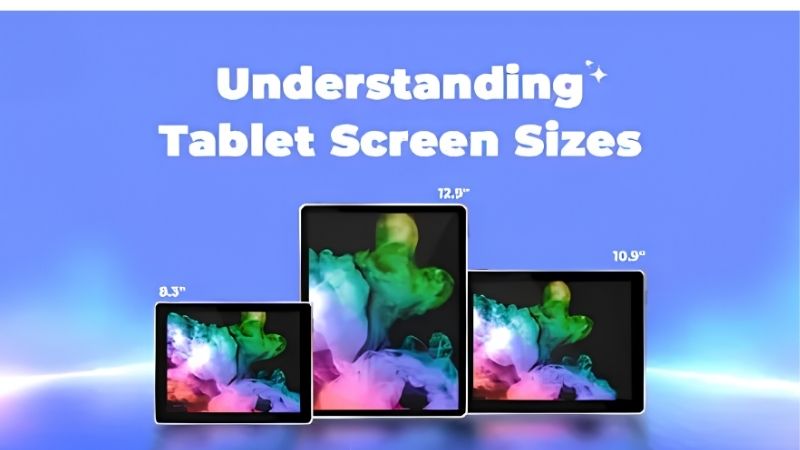
| Size | Example | Best for | Feel |
|---|---|---|---|
| 8.3″ | Apple iPad mini | Reading, travel | One-handed |
| 8.7″ | Galaxy Tab A9 | Kids, commute | Pocketable-ish |
| 11″ | Galaxy Tab A9+ | All-round use | Balanced |
| 12.7″ | Lenovo Tab P12 | Split-screen work | Two-handed |
| 14.6″ | Galaxy Tab S9 Ultra | Media, productivity | Desk/stand |
8.3 Inch: Apple iPad mini (Compact)
An 8.3-inch slate like the iPad mini is the compact class: light enough for one-handed reading, comics and travel, and small enough for a jacket pocket or small bag. The high-resolution screen stays sharp, and the low weight makes it comfortable for hours of holding.
The small screen limits split-screen work and detailed productivity, and premium compact tablets cost more than their size suggests. For readers, commuters and anyone who values pocketability above canvas, this size is ideal, though it is cramped for serious document or spreadsheet work.
8.7 Inch: Galaxy Tab A9 (Small Budget)
An 8.7-inch slate like the Galaxy Tab A9 is the small budget class, sized for kids, casual reading and commuting on a low budget. It is light and easy to hold, runs full Android, and slips into a bag without adding bulk, making it a tidy secondary device.
The lower-resolution screen and modest chip limit it to light tasks, and the small size suits media over work. In this tablet screen size guide it is the choice for a cheap, portable second screen or a child’s device, rather than a primary productivity tablet for adults.
11 Inch: Galaxy Tab A9+ (All-Round)
An 11-inch slate like the Galaxy Tab A9+ is the balanced sweet spot most buyers should target: large enough for comfortable video, browsing and light split-screen work, yet still portable and manageable in one hand for shorter reading sessions. It suits the widest range of uses.
It is less pocketable than a mini and less spacious than a 12-inch panel, sitting in the middle by design. For a single do-everything tablet that balances portability with a usable canvas, the 11-inch class is the safest choice and where most of the market lives.
12.7 Inch: Lenovo Tab P12 (Productivity)
A 12.7-inch slate like the Lenovo Tab P12 is the productivity class, giving real room for split-screen work, reference beside a document and shared content on calls. The larger canvas suits note-taking with a pen and reduces constant scrolling in spreadsheets and long documents.
It is heavier and less comfortable to hold for long reading, and it needs a stand or keyboard base for extended use. For home-office work where screen space beats portability, this size is excellent, but it is a poor fit for one-handed reading on a commute.
14.6 Inch: Galaxy Tab S9 Ultra (Giant)
A 14.6-inch slate like the Galaxy Tab S9 Ultra is the giant class, closer to a portable monitor than a tablet, immersive for media, multitasking and drawing on a vast canvas. With a keyboard it becomes a genuine laptop-sized workspace for demanding productivity at home.
It is large, heavy and expensive, and awkward to hold for long, so it lives on a desk or stand. For a home-first media and productivity centrepiece where screen size is the priority, this class is unmatched, but it is the wrong choice for portability or casual reading.
How to Use This Tablet Screen Size Guide
Match the size to your main use and how you hold the tablet before you weigh any other spec. The points below settle the size question faster than comparing chips, since size shapes comfort and portability more than anything else.
The Specs That Decide It
The deciding numbers are the diagonal size in inches and centimetres, the weight in grams, the resolution and the aspect ratio. A bigger screen aids work and media but adds weight, while a smaller one wins on portability and one-handed comfort for reading and travel.
Resolution and pixel density keep text sharp at any size, and aspect ratio affects reading versus video. Deciding size and weight first prevents buying a giant slate you never carry or a compact one too cramped for the split-screen work you actually need to do.
Size and Fit for How You Hold It
Think about where and how you use a tablet. Compact 8-inch models suit one-handed reading and travel, 11-inch slates balance everything, and 12 to 14-inch panels suit desk-based work on a stand. Match the class to whether you hold it in hand or prop it up most of the time.
Weight is as important as size for hours of use, so a light compact reader beats a heavy giant for novels. Check the grams and dimensions against your bag and hands, and consider a case with a stand if you choose a larger, less hold-friendly screen for work.
Bag fit is easy to overlook. A 12 to 14-inch slate may not slide into a small backpack or fit a seat-back tray, while an 11-inch model usually does, so if you commute or travel, measure your bag before committing to a big-screen tablet.
Use, Value and Timing
Let your main task lead. Choose small for reading and travel, medium for all-round use, and large for productivity and media at a desk. Bigger screens usually cost more, so paying for size you will not use wastes budget better spent on storage, a pen or a keyboard.
On timing, the late-June Prime Day and November sales are the strongest windows for a tablet screen size guide pick, and slates of every size are popular gifts in the holiday season, though Amazon shifts sale dates each year, so confirm the official ones before buying.
Tablet Screen Size Guide FAQ
These are the questions buyers ask most about tablet sizes, covering the best all-round size, reading comfort and whether bigger is better for work.
What is the best all-round tablet size?
An 11-inch screen is the sweet spot for most people, large enough for video, browsing and light split-screen work yet still portable and manageable in one hand for shorter sessions. Go smaller only if reading and travel dominate, or larger only if productivity is your main use.
What size is best for reading?
A compact 8 to 8.7-inch tablet is best for reading, light enough for one-handed use over long sessions and easy to carry. Dedicated e-readers are even better for pure text, but among tablets, the smaller sizes are the most comfortable to hold while reading in bed or commuting.
Is a bigger tablet better for work?
For split-screen multitasking, documents and shared calls, a 12 to 14-inch screen helps by reducing scrolling and fitting more on screen. But it adds weight and needs a stand, so it suits desk work more than travel. Match the size to whether you work at a desk or on the move.
See More:
- Best eyeshadow blender brush
- Best frozen foods for air fryer
- Best frozen food for air fryer
- Best way to reheat steak in air fryer
- Best air fryer recipes book
Bottom Line of This Tablet Screen Size Guide
This tablet screen size guide makes the choice by use: an 8.3-inch iPad mini or 8.7-inch Tab A9 for reading and travel, an 11-inch Tab A9+ as the all-round sweet spot, a 12.7-inch Lenovo Tab P12 for productivity, and a 14.6-inch Galaxy Tab S9 Ultra for media and desk work. Weigh size against weight and how you hold it, do not pay for a canvas you will not use, and let Prime Day or the holidays set the price. Match the inches to your use and the tablet feels right.