Key takeaways
- Desk setup accessories turn a cluttered workspace into a comfortable, productive one when you pick the right few. The best desk setup accessories improve ergonomics, tame cables and free surface space, so this roundup ranks seven picks that deliver the…
What's inside
Desk setup accessories turn a cluttered workspace into a comfortable, productive one when you pick the right few. The best desk setup accessories improve ergonomics, tame cables and free surface space, so this roundup ranks seven picks that deliver the biggest upgrade for the money.
As an Amazon Associate we earn from qualifying purchases.
By Daniel Foster
Top Desk Accessories Compared
These seven accessories tackle the three things that make a desk better: ergonomics, cable management and space. Each entry names an honest trade-off, since not every accessory suits every desk. Amazon pricing shifts often, so confirm the live listing before choosing any item below.
| Accessory | Solves | Example pick | Best for |
|---|---|---|---|
| Monitor arm | Screen height, desk space | Ergotron LX | Ergonomics |
| Laptop stand | Screen at eye level | Rain Design mStand | Laptop users |
| Monitor light bar | Eye strain, glare | BenQ ScreenBar | Lighting |
| Cable management | Clutter | Under-desk tray + sleeves | Tidy desks |
| Desk mat | Surface, comfort | Large felt/leather mat | Comfort + looks |
| USB-C hub | Ports, one-cable | Anker USB-C hub | Connectivity |
| Wrist rest | Wrist support | Gel or memory-foam rest | Typing comfort |
Monitor arm for height and space
A monitor arm is the highest-impact accessory of all, freeing the surface under your screen and raising it to eye level. The Ergotron LX is a reliable pick, moving smoothly and holding most 27 to 34-inch monitors steadily at any position you choose.
It needs a compatible VESA screen and a sturdy desk edge, and premium arms cost more. For anyone who wants both better posture and a clearer desk from a single upgrade, though, a monitor arm delivers more than almost any other accessory here.
Laptop stand for eye-level screens
If you work on a laptop, a stand is one of the most valuable accessories, raising the screen to eye level to ease neck strain. The Rain Design mStand is a stable, clean aluminum option that lifts the display to an ergonomic height.
Raising the laptop means you need an external keyboard and mouse to type comfortably, which is the trade for the posture benefit. For a laptop-based desk, though, a stand plus external input is the foundation of a healthier, more comfortable setup.
Monitor light bar for eye comfort
A monitor light bar like the BenQ ScreenBar clips to the top of your screen and lights the desk without casting glare on the display. It reduces the contrast between a bright screen and a dark room, easing eye strain during long evening sessions.
It is a premium accessory for what it does, and it only addresses lighting. For anyone who works after dark or in a dim room and finds their eyes tiring, though, it is a targeted, space-saving upgrade that a desk lamp cannot match for glare.
Cable management for a tidy desk
Cable clutter undermines even a good setup, so cable management is among the most satisfying upgrades. An under-desk tray plus adhesive clips and sleeves routes power and data out of sight, turning a tangle into a clean, easy-to-clean surface.
It takes some initial effort to install and route everything, and results depend on your patience. Once done, though, a tidy cable run makes the whole desk look and feel more professional, and it makes adding or removing devices far simpler later.
Desk mat for surface and comfort
A large desk mat protects the surface, gives the mouse a consistent tracking area and adds a comfortable place to rest your wrists and forearms. Felt or leather mats also unify the look of a desk, tying keyboard, mouse and accessories together neatly.
It is more about comfort and looks than function, so it is a lower priority than ergonomic gear. For a desk that feels cold or cluttered, though, a good mat is an inexpensive way to make the whole workspace more pleasant to use daily.
USB-C hub for connectivity
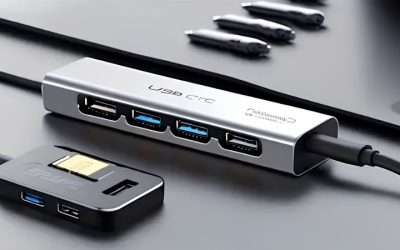
A compact USB-C hub is one of the most practical accessories, adding ports and enabling near one-cable connection for a laptop. An Anker USB-C hub adds USB-A, HDMI and card slots, cutting the number of cables you plug in each morning.
A basic hub is not a full dock and may not charge a laptop or drive multiple monitors, so check its power and display support. For adding ports and reducing daily plugging on a simple laptop desk, though, it is an affordable, tidy solution.
Wrist rest for typing comfort
A wrist rest supports the wrists in a more neutral position while typing, which many people find more comfortable over long days. Gel or memory-foam rests are inexpensive and pair naturally with a keyboard to round out an ergonomic setup.
It supports comfort rather than treating any condition, so it is one part of good ergonomics, not a cure. For anyone whose wrists tire during long typing sessions, though, it is a cheap, easy addition that complements a comfortable keyboard well.
How to Choose Desk Setup Accessories
The right accessories fix your specific pain points rather than cluttering the desk further. Work through the criteria below, starting with what to prioritize, so your desk setup accessories deliver real comfort and tidiness instead of just adding more gadgets.
The decision: ergonomics, cables and space
Prioritize desk setup accessories in this order: ergonomics first, then cable management, then space and comfort. Getting the screen to eye level and supporting your posture matters most, so spend there before adding mats or decorative items that do not affect your body.
Match each accessory to a real problem. If your neck aches, a monitor arm or laptop stand helps; if cables are a mess, tackle management; if ports are short, add a hub, so let your actual frustrations, not trends, decide what you buy first.
Avoid over-accessorizing. Too many gadgets recreate the clutter you are trying to solve, so choose a few high-impact items and add more only if a genuine need remains, since a clean, functional desk beats one crowded with unused accessories.
Space and fit: measuring your desk
Measure your desk before buying anything that mounts or sits on it. A monitor arm needs a suitable edge and clearance, a large mat needs surface area, and a light bar needs a compatible screen, so confirm each accessory physically fits your setup.
Consider how items work together. A monitor arm frees the space a laptop stand or mat can use, and a hub tidies the cables a management kit routes, so plan the combination rather than buying accessories that compete for the same spot.
Think about your chair and desk height too. Accessories work best alongside a properly set chair and desk, so ensure the basics of your seating are right, since even the best gear cannot fix posture on a poorly adjusted desk and chair.
Ergonomics, comfort and honest limits
Ergonomic accessories support better posture but are not medical devices. A stand, arm or wrist rest can make work more comfortable, yet they do not treat conditions like RSI, so if you have pain, see a professional rather than relying on gear alone.
Combine accessories for the best effect. A monitor at eye level, an external keyboard and mouse, wrist support and good lighting work together, so think of desk setup accessories as a system that supports a healthy posture rather than isolated fixes.
Value and timing
Spend where the impact is highest. Ergonomic gear and cable management transform daily use more than decorative items, so put your budget there first, and add comfort or aesthetic accessories once the functional foundation of the desk is in place.
Timing helps the budget. Desk accessories drop around Prime Day in late June, Black Friday in November and the back-to-school window, so a little patience can let you buy several quality items together for the same overall spend you had planned.
Frequently Asked Questions
Here are quick answers to the questions buyers ask most about desk accessories, so you can choose with confidence.
Which desk accessory should I buy first?
Start with ergonomics. A monitor arm or laptop stand that raises your screen to eye level has the biggest impact on comfort and desk space, so prioritize that before cable management, mats or lighting, which improve the desk but matter less for your posture.
Do I really need cable management?
It is not essential but hugely improves how a desk looks and functions. Routing cables out of sight with a tray and sleeves makes the surface easier to clean and devices simpler to swap, so it is worth the initial effort for most setups.
Are ergonomic accessories worth it?
For anyone at a desk all day, yes. A screen at eye level, external input and wrist support encourage better posture and more comfort. They support good habits rather than treating conditions, so pair them with a proper chair and see a professional for pain.
How do I avoid clutter?
Buy only accessories that solve a real problem, and add cable management to hide what remains. A few high-impact items beat many gadgets, so resist over-accessorizing, since the goal is a clean, functional desk rather than a crowded, busy one.
Final Thoughts on the Best Desk Setup Accessories
The best desk setup accessories are the few that fix your real pain points: ergonomics first, then cables, then comfort and space. Raise your screen to eye level, tidy the cables, add a hub for ports, and include wrist support, all sized to your desk. Prioritize function over decoration, time the buy around a major sale, and the right desk setup accessories will make your workspace tidier, healthier and more productive.