Ergonomic mouse shopping is about matching a shape to your wrist: vertical, trackball or sculpted, with a grip that feels natural. The best ergonomic mouse encourages a more neutral hand position over long days, so this roundup ranks seven picks by shape, grip, connectivity and comfort.
As an Amazon Associate we earn from qualifying purchases.
Our top picks


As an Amazon Associate we earn from qualifying purchases at no extra cost to you.
By Daniel Foster
Top Ergonomic Mice Compared
These seven mice span vertical designs to trackballs and sculpted shapes for different hands. Each entry names an honest trade-off, since comfort, precision and a learning curve all pull differently. Amazon pricing shifts often, so confirm the live listing before choosing any model below.
| Model | Type | Connectivity | Standout | Best for |
|---|---|---|---|---|
| Logitech MX Vertical | Vertical | BT + USB receiver | 57-degree angle | Neutral wrist |
| Logitech Lift | Vertical | BT + USB receiver | Smaller hands | Comfort value |
| Logitech ERGO M575 | Trackball | BT + USB receiver | No arm movement | Tight desks |
| Kensington Pro Fit Ergo | Sculpted | BT + USB receiver | Full-size comfort | All-day work |
| Evoluent VerticalMouse | Vertical | Wired / wireless | Full button set | Serious ergonomics |
| Anker Vertical Mouse | Vertical | USB receiver | Budget entry | First vertical |
| Logitech MX Master 3S | Sculpted | BT + USB receiver | Buttons + scroll | Productivity comfort |
Logitech MX Vertical
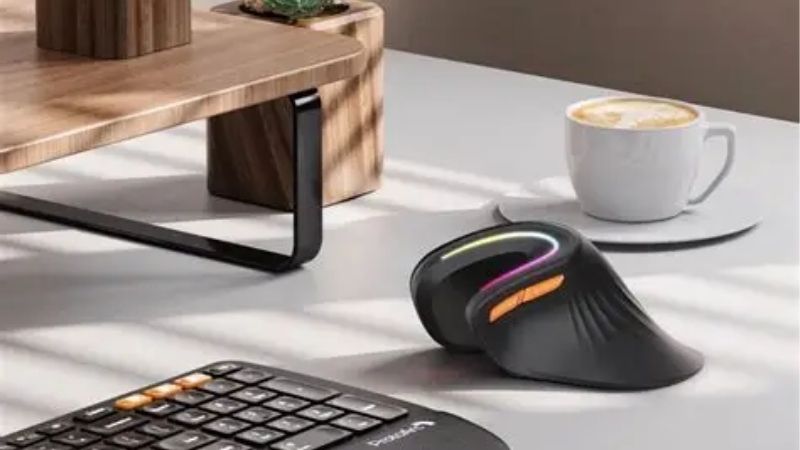
The MX Vertical is a leading ergonomic mouse, holding your hand at a 57-degree angle to reduce forearm twist into a more natural handshake position. It pairs that shape with a good sensor, multi-device connectivity and comfortable buttons for everyday work.
The vertical shape takes adjustment and its size suits medium to large hands. It supports comfort rather than treating any condition, and for a desk worker seeking a more neutral wrist without sacrificing everyday usability, it is a top recommendation.
Logitech Lift
The Lift brings vertical ergonomics to smaller hands and left-handers, offering the same neutral handshake angle in a more compact body. Bluetooth and receiver connectivity plus customizable buttons make it a versatile, comfort-focused everyday mouse at a fair price.
Its smaller size suits office rather than competitive precision, and the vertical shape still needs adjustment. For someone with smaller hands who wants a more neutral wrist in an approachable ergonomic mouse, though, it is an excellent, comfortable choice.
Logitech ERGO M575
The ERGO M575 is a trackball, moving the cursor with your thumb so your arm and wrist stay still. That eliminates the sweeping motion of a normal mouse, which suits tight desks and users who want to reduce repetitive arm movement entirely.
Trackballs have a learning curve and are less precise for tasks like photo editing until you adapt. For a cluttered desk or anyone wanting to keep the arm stationary for comfort, though, it is a compact, affordable ergonomic solution.
Kensington Pro Fit Ergo
The Pro Fit Ergo is a full-size sculpted mouse designed for all-day comfort, with a sloped shape that supports the hand naturally. It offers Bluetooth and receiver connectivity and a generous body that fills the palm for relaxed, long-session use.
Its larger size does not suit small hands or travel, and it is less specialized than a vertical mouse. For a worker who wants a comfortable, supportive full-size shape without the adjustment of a vertical design, though, it is a well-judged option.
Evoluent VerticalMouse
The Evoluent VerticalMouse is a long-established, serious vertical option with a fully upright shape and a complete set of programmable buttons. It targets users who want dedicated ergonomic hardware with the button flexibility of a standard mouse in a vertical form.
It is a specialist, premium-priced device and the steep vertical angle takes real adjustment. For someone committed to a fully vertical grip who also needs many buttons, though, it is one of the most focused ergonomic mice available.
Anker Vertical Mouse
The Anker Vertical Mouse is a budget entry into ergonomics, offering a vertical shape and basic buttons at a very low price. It lets you try the vertical handshake position without a big outlay, making it a sensible first step into ergonomic mice.
Build quality, sensor and connectivity are basic compared with premium models, matching the price. For anyone curious about a vertical mouse who wants to test the shape affordably before investing more, though, it is a practical, low-risk starting point.
Logitech MX Master 3S
The MX Master 3S is not vertical but is deeply sculpted for comfort, with a shape that supports the hand and a superb scroll wheel plus many buttons. For users who want ergonomic comfort alongside full productivity features, it bridges both worlds well.
Its right-handed shape does not suit small hands or left-handers, and it is a premium purchase. For a power user who wants a comfortable sculpted shape with the best productivity features rather than a vertical design, though, it is an outstanding choice.
How to Choose an Ergonomic Mouse
The right mouse matches a shape to your wrist, hand size and how you work. Work through the criteria below, starting with the shape that defines comfort, so your mouse supports a natural position rather than just carrying the label.
The decision numbers: shape, grip, sensor and connectivity
Shape leads any ergonomic mouse choice. Vertical mice reduce forearm twist, trackballs keep the arm still, and sculpted mice support the hand while staying familiar, so pick the type that targets your specific discomfort and suits how you like to work.
Then weigh grip, sensor and connectivity. Match the size to your hand, choose a sensor precise enough for your tasks, and pick Bluetooth for multi-device use or a receiver for a stable link, so the mouse fits both your hand and your setup.
Consider hand size and orientation carefully. Some ergonomic mice come in sizes or left-handed versions, so a comfortable fit depends on choosing the right one, since an ill-fitting ergonomic shape can be less comfortable than a well-fitted standard mouse.
Space and fit: desk and hand match
Match the mouse to your hand size first. A large vertical or sculpted mouse suits bigger hands, while smaller-handed users need a compact version, so check the size and any hand-size options before buying to ensure the ergonomic shape actually fits you.
Consider your desk space and movement. A trackball keeps the cursor moving without arm motion, ideal for tight desks, while a vertical mouse still needs room to glide, so match the type to how much desk space and arm movement you have available.
Think about the surface too. Most ergonomic mice track well on common surfaces, but glass or gloss can cause issues, so add a mouse pad if needed, while a trackball sidesteps surface concerns entirely by staying in one place.
Comfort, adaptation and honest limits
An ergonomic mouse supports a more natural position but is not a cure. It can make work more comfortable, yet it does not treat conditions like carpal tunnel or RSI, so if you have pain, consult a healthcare professional rather than relying on hardware alone.
Expect an adjustment period with vertical mice and trackballs. Cursor control often feels awkward for days before it becomes natural, so give a new shape time, and start with a gentler sculpted mouse if you cannot afford a temporary dip in precision.
Value, use case and timing
Buy for your specific need. A vertical mouse targets forearm twist, a trackball suits tight desks and still arms, and a sculpted mouse balances comfort with features, so match the type to the discomfort you want to address rather than the label alone.
Timing helps the budget. Ergonomic mice drop around Prime Day in late June, Black Friday in November and the back-to-school window, so a little patience can move you into a premium vertical or feature-rich sculpted mouse for the same overall spend.
Frequently Asked Questions
Here are quick answers to the questions buyers ask most about these mice, so you can choose with confidence.
Do ergonomic mice really help?
They encourage a more natural wrist and forearm position, which many users find more comfortable over long days. They support good posture rather than treating any condition, so if you have pain, see a professional, but for comfort they can make a real difference.
Is a vertical mouse or trackball better?
It depends on your discomfort. A vertical mouse reduces forearm twist while still gliding, whereas a trackball keeps your arm still and suits tight desks. Choose the vertical shape for wrist rotation issues and a trackball to minimize arm movement entirely.
Are ergonomic mice hard to get used to?
Vertical mice and trackballs have a real adjustment period, often days, during which cursor control feels awkward. A sculpted mouse is the easiest transition, so if you cannot afford a precision dip, start there before trying a more specialized shape.
Do they come for small hands or left-handers?
Some do, such as compact vertical models and ambidextrous designs, but many are large and right-handed. A comfortable fit depends on choosing the right size and orientation, so check for hand-size options before buying an ergonomic mouse.
See More:
- Best eyeshadow blender brush
- Best frozen foods for air fryer
- Best frozen food for air fryer
- Best way to reheat steak in air fryer
- Best air fryer recipes book
Final Thoughts on the Best Ergonomic Mouse
The best ergonomic mouse is the one whose shape, grip and size match your wrist, hand and workflow. Choose a vertical design to reduce forearm twist, a trackball to keep your arm still, or a sculpted mouse for comfort with full features, and allow time to adapt. Match it to your need and hand size, time the buy around a major sale, and the right ergonomic mouse will make long days more comfortable.