OLED monitor review roundups should lead with the trade-off that defines the tech: stunning contrast against burn-in caution. This OLED monitor review ranks seven top panels by resolution, refresh rate, size and how each guards static content, so you can pick a screen whose strengths match how you use it.
As an Amazon Associate we earn from qualifying purchases.
Our top picks


As an Amazon Associate we earn from qualifying purchases at no extra cost to you.
By Daniel Foster
Top OLED Screens Compared
This OLED monitor review compares seven panels, from fast 1440p gaming to large 4K and creator displays. Each entry names an honest trade-off, since every OLED shares some burn-in caution alongside its perfect blacks. Amazon pricing shifts often, so confirm the live listing before choosing any model below.
| Model | Size / Res | Refresh | Panel | Best for |
|---|---|---|---|---|
| LG UltraGear 27GR95QE | 27″ / 1440p | 240Hz | WOLED | Fast gaming |
| ASUS ROG Swift PG27AQDM | 27″ / 1440p | 240Hz | WOLED | Premium gaming |
| MSI MPG 271QRX | 27″ / 1440p | 360Hz | QD-OLED | Competitive |
| Alienware AW3423DWF | 34″ / UWQHD | 165Hz | QD-OLED | Ultrawide |
| Samsung Odyssey OLED G8 | 32″ / 4K | 240Hz | QD-OLED | 4K gaming |
| LG 45GR95QE | 45″ / UWQHD | 240Hz | WOLED | Big ultrawide |
| ASUS ProArt PA32DC | 32″ / 4K | 60Hz | OLED | Creators |
LG UltraGear 27GR95QE
This 27-inch 1440p WOLED at 240Hz is a benchmark for a gaming OLED monitor review, combining per-pixel blacks with near-instant response. Fast shooters look razor-clean, and the contrast makes dark, atmospheric games far more immersive than any LCD can manage at this size.
WOLED can look slightly less bright in a very sunny room than QD-OLED, and like all OLED it needs care with static HUDs over long sessions. For a gaming-first desk that plays in controlled lighting, though, it is one of the most compelling panels available.
ASUS ROG Swift PG27AQDM
ASUS’s 27-inch 1440p 240Hz WOLED is a premium gaming pick with strong build, a custom heatsink to manage panel temperature, and excellent motion clarity. It layers refined features and burn-in mitigation on top of the same class-leading OLED image quality.
The price sits above most rivals, and it still carries the usual OLED caution for fixed elements during all-day desktop work. For gamers who want a polished, well-cooled premium OLED and are happy to game rather than run static apps for hours, it excels.
MSI MPG 271QRX
The MPG 271QRX pushes a 27-inch 1440p QD-OLED to 360Hz, aimed at competitive players chasing the highest refresh. QD-OLED gives punchy, saturated color alongside perfect blacks, and the sky-high refresh rate suits esports titles where every frame of clarity counts.
Hitting 360Hz needs a very strong GPU, and QD-OLED can show a faint magenta tint on black in bright ambient light. For a dedicated competitive setup in controlled lighting, though, it pairs top-tier speed with OLED contrast in a way few panels match.
Alienware AW3423DWF
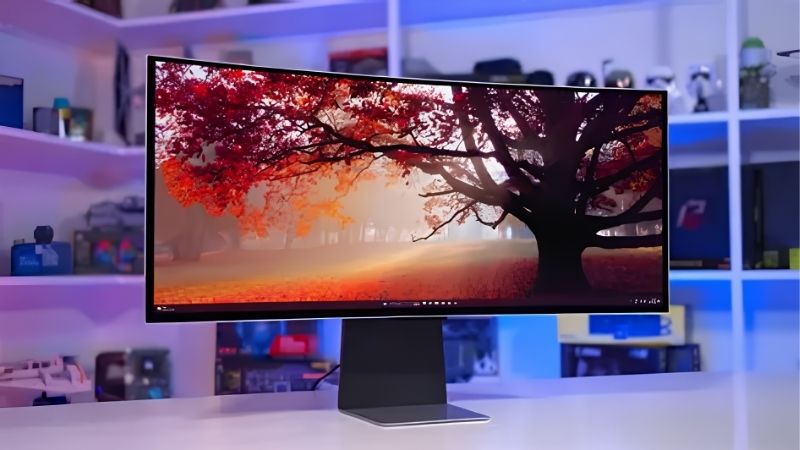
This 34-inch ultrawide QD-OLED at 165Hz brings cinematic width, rich color and OLED contrast to one panel. The wrap-around format is transformative for immersive and sim games, and it doubles as a vivid creative canvas for daytime editing and timelines.
Ultrawide OLED needs a capable GPU and a deep desk, and static taskbars carry burn-in caution over long work hours. If your setup suits it, though, it remains one of the most popular OLED ultrawides for blending gaming immersion with everyday productivity width.
Samsung Odyssey OLED G8
The 32-inch 4K QD-OLED G8 pairs ultra-sharp resolution with a 240Hz refresh, a rare combination that suits both detailed work and fast 4K gaming. The extra pixels keep text and timelines crisp, while QD-OLED color and contrast make games and media pop.
Driving 4K at 240Hz demands serious GPU power, and the panel carries the usual OLED static-content caution. For a high-end desk that wants 4K sharpness, fast motion and OLED contrast together, though, it is one of the most capable all-round OLED screens here.
LG 45GR95QE
The 45-inch 45GR95QE is a huge 240Hz WOLED ultrawide with an 800R curve, built for total immersion. The sheer scale wraps sim racing and open-world games around your view, and the high refresh keeps fast motion clean across the enormous panel surface.
Its 1440p-class vertical resolution spread over 45 inches is less dense than a 4K screen, so text is softer up close, and it needs a very deep desk. For immersive gaming above all else, though, few panels deliver this scale with OLED contrast.
ASUS ProArt PA32DC
The ProArt PA32DC is a 32-inch 4K OLED creator display with wide gamut coverage, a built-in calibration tool and reference-leaning accuracy. It targets professionals who need OLED contrast and trustworthy color for grading and design rather than high-refresh gaming.
At 60Hz it is not a gaming panel, and it is a premium, professional-tier purchase. For creators who want true blacks and accurate color for critical work, though, it brings OLED image quality to a calibrated workflow in a way gaming panels do not.
How to Choose an OLED Monitor
The right OLED depends on your use, your GPU and how much static content you show. Work through the criteria below, starting with the numbers that define the panel, so the pick from this OLED monitor review matches your desk rather than a marketing headline.
The decision numbers: resolution, refresh and size
Start with resolution and refresh matched to your use. Competitive gamers favor high refresh at 1440p, 4K suits detail and mixed work, and size follows your desk. Every OLED here delivers perfect blacks and fast response, so those baseline strengths are a given across the range.
Match refresh to your GPU honestly. A 240Hz or 360Hz panel only shines if your graphics card approaches those frame rates, and 4K OLED at high refresh is especially demanding, so choose numbers your hardware can actually feed rather than the biggest figure on the box.
Consider WOLED versus QD-OLED for your room. QD-OLED offers punchy color but can tint blacks slightly in bright light, while WOLED handles ambient light differently, so factor your lighting into the panel type alongside resolution, refresh and screen size.
Space and fit: desk depth and mounting
Large and ultrawide OLEDs need real desk depth to sit at a comfortable distance. A 45-inch or 34-inch curved panel especially needs room, so measure from where you sit to the wall before ordering, and confirm the curve suits your seating distance.
Check the stand and VESA mount too. If desk space is tight, a monitor arm rated for the panel’s weight frees the surface and lets you position the screen precisely, which also helps you set it at eye level for comfort during long sessions.
Think about ambient light placement. OLED looks its best in controlled lighting, so position the panel away from direct window glare, which both improves the perceived contrast and reduces the brightness you need, easing the panel and your eyes together.
Burn-in, longevity and care
Burn-in is the key OLED caveat, caused by static elements like taskbars and HUDs over long hours. Modern panels include mitigation such as pixel shifting and logo dimming, but if your screen shows fixed content all day, an IPS panel may be the safer long-term pick.
Use the built-in care features to extend panel life. Enable screen savers, hide the taskbar, and let the panel run its maintenance cycles, since these steps meaningfully reduce burn-in risk and help an OLED hold its stunning image quality over years of use.
Value, use case and timing
Buy for how you actually use the screen. A gaming-first user in controlled light gets huge value from OLED, while someone running static business apps all day may not, so match the panel to your content before paying the OLED premium over a good LCD.
Timing helps the budget. OLED monitors drop most around Prime Day in late June, Black Friday in November and the back-to-school window, so a little patience can move you into a larger size or higher refresh for the same overall spend.
Frequently Asked Questions
Here are quick answers to the questions buyers ask most in an OLED monitor review, so you can choose with confidence.
Is OLED burn-in still a problem?
It is a reduced but real risk with static content over long hours. Modern panels use pixel shifting, logo dimming and maintenance cycles to mitigate it, so gaming and mixed use are generally fine, but all-day static business apps still favor an IPS panel.
Is WOLED or QD-OLED better?
Both deliver perfect blacks and fast response. QD-OLED offers punchier color but can tint blacks slightly in bright rooms, while WOLED handles ambient light differently. Choose based on your lighting and whether color saturation or bright-room performance matters more to you.
Do I need a powerful GPU for OLED?
For high-refresh OLED, yes. A 240Hz or 360Hz panel only shines if your graphics card can push those frame rates, and 4K OLED at high refresh is especially demanding, so match the resolution and refresh to the GPU you already own.
Is OLED worth it over a good LCD?
For gaming and media in controlled lighting, the contrast and response are a clear step up. For all-day static work or a very bright room, a strong IPS or VA LCD may serve you better and avoids burn-in caution, so match the panel to your use.
See More:
- Best eyeshadow blender brush
- Best frozen foods for air fryer
- Best frozen food for air fryer
- Best way to reheat steak in air fryer
- Best air fryer recipes book
Final Thoughts on This OLED Monitor Review
The best pick from this OLED monitor review is the one whose resolution, refresh and size match your use and whose burn-in caution fits your content. OLED gives unmatched contrast and response for gaming and media, so match refresh to your GPU, use the panel’s care features, and favor controlled lighting. Get those right, time the buy around a major sale, and an OLED will deliver an image no LCD can equal.